KODAK Photo Printer v5.0.6
PRINICS Co., Ltd


About this app
Developer Description
Edit and print your precious memories with KODAK Photo Printer app.
Supported Models :
Kodak 2 inch Printer (P210, M200)
Kodak 2 in 1, 2 inch Camera (C210, MS200)
Kodak 3 inch Square Printer (P300, M300)
Kodak 3 inch Square 2 in 1 Camera (C300, MS300)
Kodak 4inch Square Camera (MS400)
Kodak 6 inch Dock Printer (PD460, D600)
[How to Use]
1. Connect the printer to a power source.
(For battery models, make sure the battery is sufficiently charged.
For adapter models, use the provided adapter.)
2. Turn on the printer.
3. Make sure there is enough cartridge and paper in the printer.
4. Open the app and tap the Bluetooth icon at the top.
In the list of paired or discovered devices, find your printer’s name and tap to connect.
5. If you cannot find the printer name in the app,
go to your phone’s Bluetooth settings and search for the MAC address.
The MAC address is located inside the printer’s door.
For Dock Printers, dock your smartphone at the pin on top,
or find the MAC address on the underside of the printer to connect via Bluetooth.
6. Select an image from your Gallery or take a photo with your smartphone.
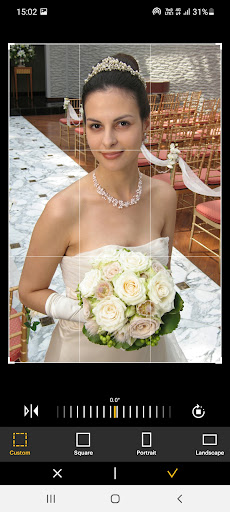
7. After selecting an image, edit it as you like.
8. When editing is complete, press the print button located on top of the printer.
9. For the first print, a firmware update may be required.
Please follow any on-screen instructions on your smartphone.
10. Printing takes about one minute.
Please do not pull out the photo until it is completely ejected.
What's New
Version Information
- Version
- 5.0.6
- Downloads
- 1M+
- Updated on
- Jan 29, 2026
- Released
- Aug 2, 2021
- Requires
- Android 6.0
Statistics
Google Play Rating History
Rating Distribution
Downloads Over Time
KODAK Photo Printer has been downloaded times. Over the past 30 days, it averaged downloads per day.
Shaded area shows 30-day prediction based on historical trends
Historical data collection started recently. More data points will be available over time.
KODAK Photo Printer - Google Play Rankings
Top Rankings
| Rank | Country | Category | List | Change |
|---|---|---|---|---|
| — |
Ranking History in
No ranking data available yet. Rankings are updated daily.
#55 in Top Free Photography in South Korea
 ArtGen: AI Photo Generator
KODAK Photo Printer
ArtGen: AI Photo Generator
KODAK Photo Printer
KODAK Photo Printer users say on Google Play
 Debbie Buhl
Works great! Now I've got LOTS to print!!
 Albert Abel
the first cartridge was defective
 mike evans
not great photos
 Lydia Scratch
poor ux. seems to be 10 years behind the times
 Eileen Ryan
not user friendly
ApkTrusted Ratings & Reviews
More from PRINICS Co., Ltd
See more apps


Similar Apps

Print Master
Free

Printicular: Print Photos
Free

Easy-PhotoPrint Editor
Free

Shutterfly: Prints Cards Gifts
Free

Phomemo
Free

Brother Mobile Connect
Free

FreshCheck - Food Expiration
Paid

Aura Frames
Free

Photobook: Photo Books & Gifts
Free

Thingiverse Printables | 3Drop
Free

VeSync
Free

CLG Color
Paid

brightwheel: Childcare App
Free
Collect by WeTransfer
Free
Ink Cards
Free

Clozzie - Your Digital Closet
Free
Scan this QR code to download

Forwarding you to the page at Google Play market in seconds...
Open Google Play market now