PromptSmart Pro Remote Control v1.0.1
Belleau Technologies LLC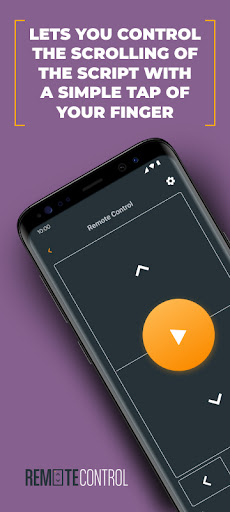






About this app
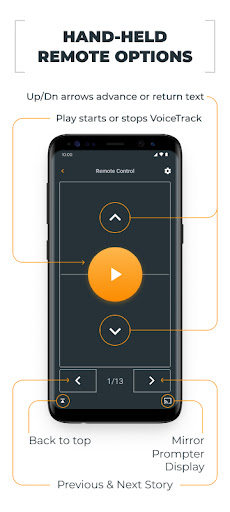
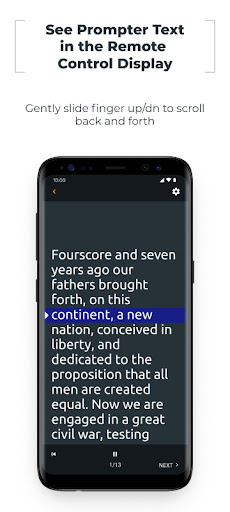
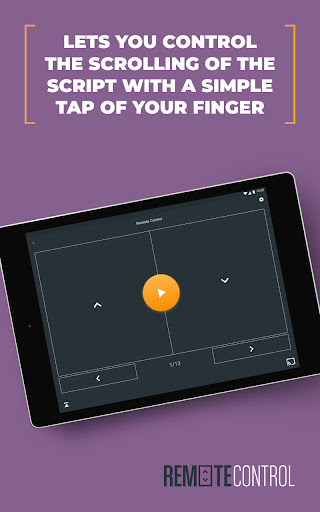
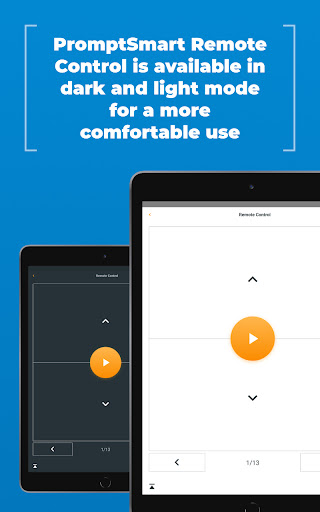
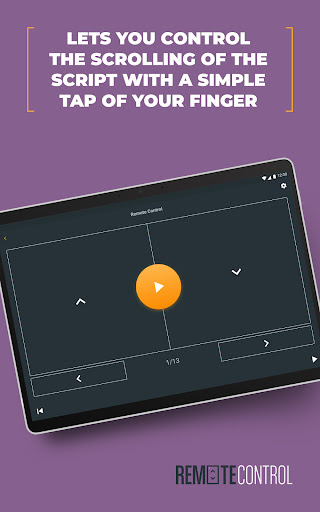
The PromptSmart Pro Remote Control app solves the problem of remote control for PromptSmart Pro users, specifically those with an Extended subscription, allowing for a more convenient and flexible control experience. This app benefits most those who regularly use PromptSmart Pro for video playback and need a companion app for enhanced control. Compared to other video player apps, PromptSmart Pro Remote Control stands out due to its specific design for PromptSmart Pro users but falls short in terms of broader compatibility and functionality. Its limited user base and below-average rating raise concerns about its overall effectiveness and user satisfaction.
Pros
- The app is free to download and use, with no in-app purchases or ads, providing a clean and uninterrupted user experience.
- With no permissions requested, the app ensures a high level of privacy and security for its users, which is a significant advantage in today's data-conscious environment.
- The app's design as a companion to PromptSmart Pro indicates a tailored experience for users of the main app, potentially offering more streamlined and integrated control features.
- The developer, Belleau Technologies LLC, provides a website and email for support, suggesting a commitment to user assistance and feedback incorporation.
- The small size of the app and its minimal system requirements make it accessible to a wide range of Android devices, including older models.
Cons
- The below-average user rating of 1.7 out of 5 stars raises significant concerns about the app's performance, usability, and overall user satisfaction, indicating potential issues that need to be addressed.
- The limited number of downloads and ratings may suggest that the app lacks visibility or that there are issues with its compatibility or functionality that deter users.
- The app's functionality is tightly coupled with PromptSmart Pro, which might limit its appeal and usefulness for users who do not subscribe to the Extended subscription or use other video player apps.
- The lack of detailed information about the app's features and benefits, combined with its low rating, makes it challenging for potential users to understand its value proposition and decide whether to download it.
Best for: The ideal user for the PromptSmart Pro Remote Control app is a tech-savvy individual or professional who regularly uses PromptSmart Pro for video playback, has an Extended subscription, and values the convenience and flexibility of remote control, likely including educators, presenters, and content creators who need to control video playback smoothly and efficiently during presentations or events.
Developer Description
Free companion app to PromptSmart Pro (with Extended subscription)
PromptSmart Pro Remote Control only works with a PromptSmart Pro Extended subscription (available via in-app purchase).
Privacy
Given that the app requests no permissions, it appears to pose minimal risk to user data and privacy. However, users should still be cautious when downloading and installing any app, ensuring it comes from a trusted source like the official Play Store. Regularly reviewing the app's privacy policy and terms of service, as provided on the developer's website, is also advisable.
Tips
To get the most out of PromptSmart Pro Remote Control, users should first ensure they have the latest version of PromptSmart Pro installed and an active Extended subscription. Setting up the remote control feature requires careful following of the in-app instructions to ensure seamless connectivity and control. For optimal performance, closing other resource-intensive apps while using the remote control can help prevent lag or connectivity issues.
What's New
Version Information
- Version
- 1.0.1
- Downloads
- 10K+
- Updated on
- Mar 15, 2024
- Released
- Feb 12, 2018
- Requires
- Android 5.0
Statistics
Google Play Rating History
Rating Distribution
Downloads Over Time
PromptSmart Pro Remote Control has been downloaded times. Over the past 30 days, it averaged downloads per day.
Shaded area shows 30-day prediction based on historical trends
Historical data collection started recently. More data points will be available over time.
PromptSmart Pro Remote Control users say on Google Play
 A Google user
Works very good with main PromptSmart app.
 Katherine Hollyday
I just downloaded the main app and the remote. At first, the remote did not seem to work, but I rebooted both of my devices, and it seems to be working now, but the remote seems to keep disconnecting. Not sure why. I'm raising my rating. Will run it through it's paces, and see how it fares under use.
 Ronny Soeprajogi
Cannot connect remote app to samsung Tab A. Im using Samsung Note 9
A Google user
I just bought the PromptSmart Pro. And to use the remote I need to subscribe for 2$ a month? Come on!!! 😒
 Loren Beyerstein
WARNING: BLUETOOTH FEATURES UNRELIABLE. DON"T PAY FOR THIS APP. The concept for this remote is smart, but the execution of the app is terrible. I am a solo video producer, so the idea of a teleprompter with auto voice track and wireless remote was very appealing. When it works, it's pretty good. Some days, it won't maintain a bluetooth connection. It's incredibly frustrating, and unreliable. This has been messing up my video production schedule, and I'm about to cancel my subscription to this app. I've been working through all the standard trouble shooting steps. I've paired and re-paired the bluetooth devices, i've uninstalled and re-installed the apps, i've completely wiped and reinstalled the AndroidOS on the teleprompter tablet, i've turned off all the bluetooth devices in the area. I've tried different phones as remotes. I've emptied app caches. If I'm paying a monthly fee to the developer for this app, then they need to make their software work properly and reliably. This is not acceptable.
ApkTrusted Ratings & Reviews
More from Belleau Technologies LLC
See more apps

Similar Apps








Scan this QR code to download

Forwarding you to the page at Google Play market in seconds...
Open Google Play market now