HIIT (Watch) Timer v1.2.3
RhythmicWorks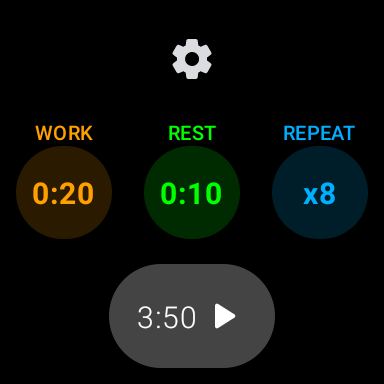
About this app
Developer Description
Simple interval timer for HIIT (interval training)
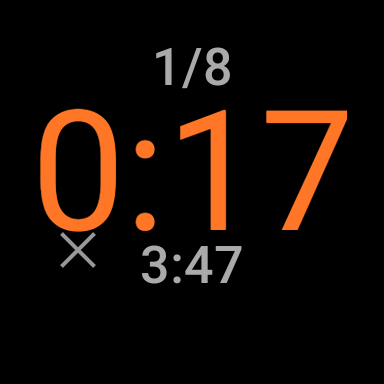
With easy setup, clean display, haptic feedback and completely independent watch app experience, your interval workouts will undoubtedly be fun.
• Super easy setup
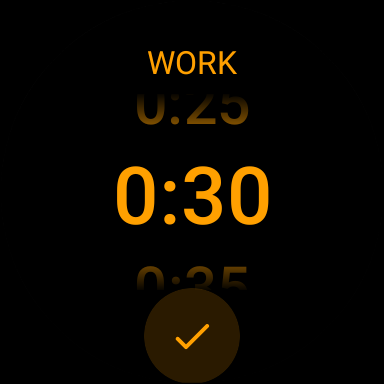
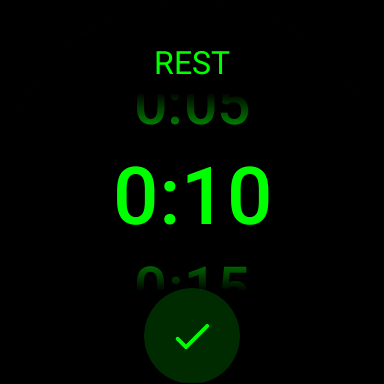
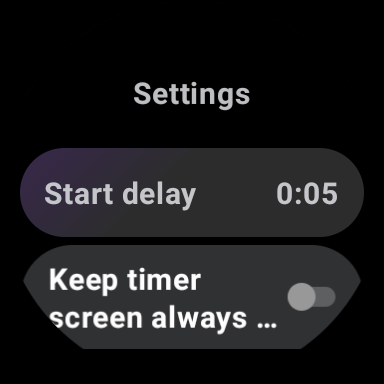
The custom designed pickers make setting intervals a breeze. The app remembers your previous settings.
• Clean display
Large fonts with vivid colors
• Haptic feedback
Subtle vibration alerts feedback guiding you through the intervals.
• Runs in background
A completely independent watch app experience.
What's New
• Other enhancements and bug fixes
Version Information
- Version
- 1.2.3
- Downloads
- 100+
- Updated on
- Nov 21, 2023
- Released
- Feb 28, 2023
- Requires
- Android 11
Statistics
Google Play Rating History
Rating Distribution
Downloads Over Time
HIIT (Watch) Timer has been downloaded times. Over the past 30 days, it averaged downloads per day.
Shaded area shows 30-day prediction based on historical trends
Historical data collection started recently. More data points will be available over time.
HIIT (Watch) Timer - Google Play Rankings
Top Rankings
| Rank | Country | Category | List | Change |
|---|---|---|---|---|
| — |
Ranking History in
No ranking data available yet. Rankings are updated daily.
#39 in Top Paid Health And Fitness in United States


#95 in Top Paid Health And Fitness in India

#95 in Top Paid Health And Fitness in Indonesia
#96 in Top Paid Health And Fitness in Turkey
HIIT (Watch) Timer users say on Google Play
 Gregory Williams
This app does exactly what I need during my workouts.
 Tim Capone
Almost perfect HIIT interval timer WearOS app! I will give 5 stars if the dev adds an option to play timer sounds in addition to and instead of the vibrations. Music should be able to play through this as well. Other things I'd like added but aren't necessary: - If above is implemented, add a custom option for when the sounds/vibrations play. An example would be a sound/vibration playing halfway through a rep or a set. - Saved workouts - The done screen should go away after a tap or swipe
ApkTrusted Ratings & Reviews
More from RhythmicWorks
See more apps

Scan this QR code to download

Forwarding you to the page at Google Play market in seconds...
Open Google Play market now