
SMS Backup & Restore Pro v10.24.003
SyncTech Pty Ltd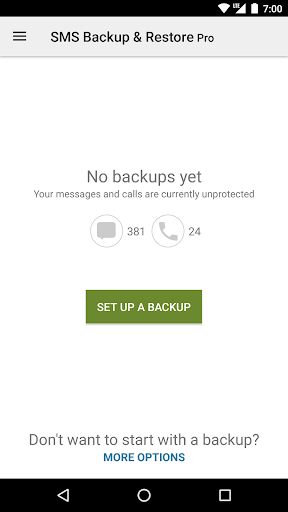
About this app
Developer Description
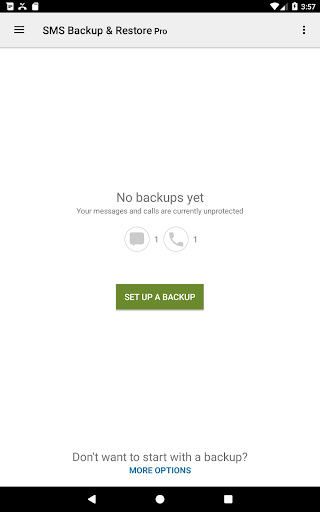
A simple app to back up and restore SMS & MMS messages and call logs.
Note: This app requires existing backups to be able to restore call logs and messages. It cannot recover anything without existing backups.
To view the contents of the backups, visit https://www.synctech.com.au/view-backup/
For questions or issues please visit our FAQ at: https://synctech.com.au/sms-faqs/
---------------------------------------------------------
APP FEATURES:
Additional features not in the free app:
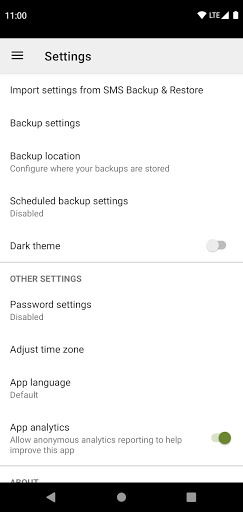
- Compress and encrypt backups.
- Use WebDAV as a backup location.
OTHER FEATURES:
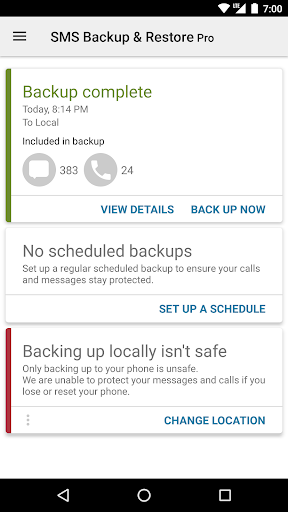
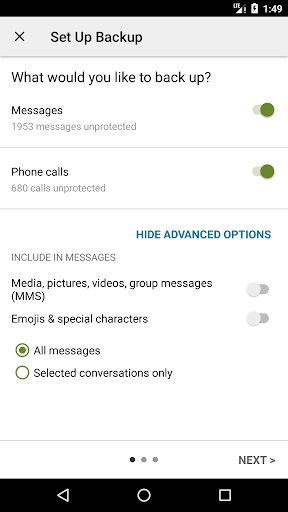
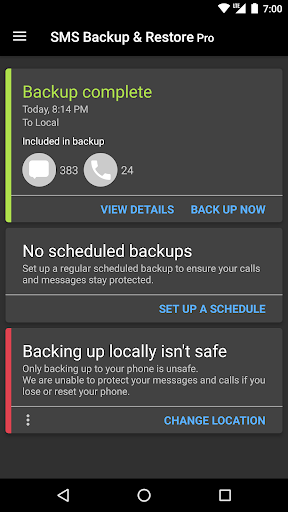
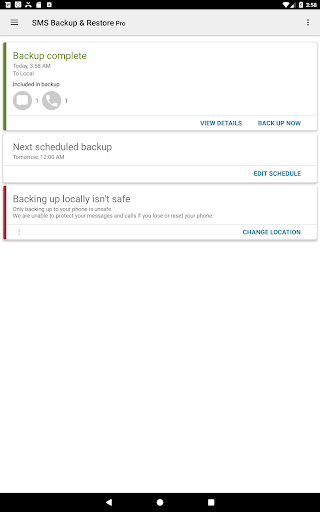
- Backup SMS (text) messages, MMS and call logs in XML format.
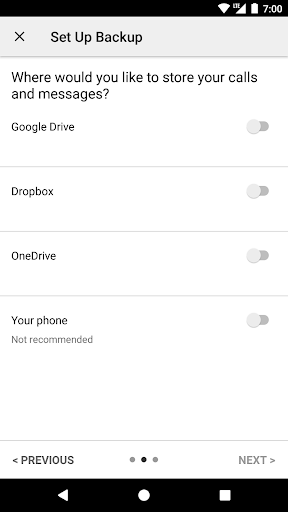
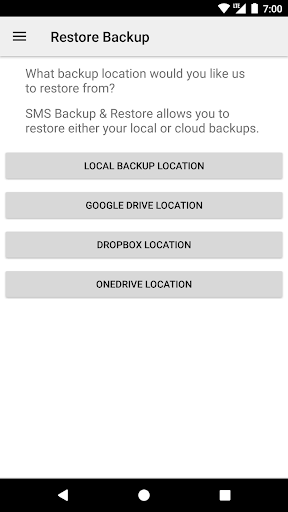
- Local device backup with options to automatically upload to Google Drive, Dropbox and OneDrive.
- Compress and encrypt backup files.
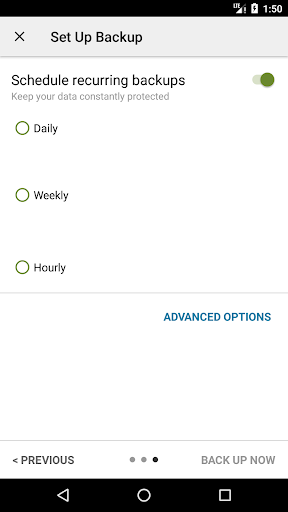
- Choose a recurring scheduled time to automatically backup.
- Option to select which conversations to backup or restore.
- View and drill into your local and cloud backups.
- Search backups.
- Restore/transfer backup to another phone. Backup format is independent of the Android version so the messages and logs can be easily transferred from one phone to another, irrespective of the version.
- Fast Transfer between 2 phones over WiFi direct
- Free up space on your phone. Delete all SMS messages or call logs on the Phone.
- Email a backup file.
- The XML backup can be viewed on a computer via the online viewer at https://SyncTech.com.au/view-backup/
Notes:
- Tested on Android 5.0 and higher
- App only restores backups made by this app
- Backup is created locally on the phone by default, but has options to upload to Google Drive, Dropbox, OneDrive or Email. At no time are the files sent to the developer.
- Please ensure there is a copy of the backup outside the phone before performing a factory reset on the phone.
This App needs access to the following:
* Your messages: Backup and Restore messages. Receive SMS permission needed to properly handle messages received while the app is the default messaging app.
* Your Calls and Contact information: Backup and Restore Call Logs.
* Network view and communication: Allows the app to connect to wifi for backup
* Your social information: To display and store the contact names in the Backup file.
* Run at start-up: Start scheduled Backups.
* Prevent Phone from Sleeping: To prevent the phone from going to sleep/suspended state while a Backup or Restore operation is in progress.
* Account Information: To authenticate with Google Drive and Gmail for cloud uploads.
* Location: Only requested and used during WiFi direct transfer due to a security requirement on Android.
What's New
Version Information
- Version
- 10.24.003
- Downloads
- 100K+
- Updated on
- Dec 2, 2025
- Released
- Oct 28, 2010
- Requires
- Android 6.0
Statistics
Google Play Rating History
Rating Distribution
Downloads Over Time
SMS Backup & Restore Pro has been downloaded times. Over the past 30 days, it averaged downloads per day.
Shaded area shows 30-day prediction based on historical trends
Historical data collection started recently. More data points will be available over time.
SMS Backup & Restore Pro - Google Play Rankings
Top Rankings
| Rank | Country | Category | List | Change |
|---|---|---|---|---|
| — |
Ranking History in
No ranking data available yet. Rankings are updated daily.
#9 in Top Paid Tools in United States


#11 in Top Paid Tools in Canada


#40 in Top Paid Tools in Netherlands

#41 in Top Paid Tools in Thailand

SMS Backup & Restore Pro users say on Google Play
 Michael Conti
Highly recommended if you are transferring your SMS to a new phone. This app worked as advertised and moved all my messages with pictures & videos from a name brand phone to a generic phone. I tried a couple of different apps and my messages were either cut short or photos missing. This app completely moved my messages & call log to my new phone.
 marty monster
Slow upload speed, uploads vary between 16Mb and 30Mb per second on a 100Mb upload connection. Otherwise it would get a 5 star rating.
 David Hansen
Backups run fine and consistent. Regularly run into issues restoring unless it's on same device. same device restores work fine. Restoring and backing up to/from another phone (pixels) fails consistently using webdav, and the wireless method. With webdav restore many messages don't show up after restore. The wireless method fails even get started and often randomly can't connect to other phone.
 I love America
Can't open the xml file usefully on computer. Word shows lists of sms but nothing clickable, no text. Not Edge, NotePad, Office XML Handler, nor XML Editor. Can only open the xml on the phone, but it doesn't show photos. I checked "Attachments & Media" is on. But no attachments show when opening the xml. ok, I see the attachments, but they only open full screen. not useful. Need thumbnail inline with the texts. No one ever mentioned this? Will update if I am able to see thumbnails inline.
 Beth Szymeczek
The app doesn't work. I look in the texting app and see 100s of texts in a conversation. But the app only finds a small subset. I notified customer support and they did send an autoreply, but nothing else.
ApkTrusted Ratings & Reviews
More from SyncTech Pty Ltd
See more apps
Scan this QR code to download

Forwarding you to the page at Google Play market in seconds...
Open Google Play market now