
Clock vVARY
Samsung Electronics Co., Ltd.
About this app
The Clock app by Samsung Electronics Co., Ltd. solves the problem of keeping track of time and scheduling by providing a comprehensive set of features including Alarm, World Clock, Stopwatch, and Timer, making it an essential tool for individuals who need to stay organized and on schedule. This app benefits users who require a reliable and feature-rich time management solution, and it stands out from alternatives in the Tools category due to its simplicity and ease of use. Compared to other clock apps, Samsung's Clock app is notable for its clean interface and lack of ads, making it a great choice for those who value a distraction-free experience. However, its functionality may be considered basic by some users who are looking for more advanced features.
Pros
- With over 1 billion downloads, the Clock app has demonstrated its popularity and social proof, indicating a high level of user trust and satisfaction with its performance and features.
- The app's developer, Samsung Electronics Co., Ltd., is a well-established and reputable company, which adds to the app's credibility and ensures that it is regularly updated with new features and security patches.
- The Clock app does not contain ads, providing a clean and distraction-free user experience that is conducive to productivity and focus.
- The app's simple and intuitive interface makes it accessible to users of all ages and technical skill levels, allowing everyone to easily navigate and utilize its features.
- The app's small size and lack of permissions make it a lightweight and secure option for users who are concerned about data privacy and storage space.
Cons
- One concern with the Clock app is its limited feature set, which may not be sufficient for users who require more advanced time management tools, such as calendar integration or reminder notifications.
- Some users may find the app's design to be too basic or outdated, which could be a drawback for those who value a modern and visually appealing interface.
- The app's lack of customization options may be a limitation for users who prefer to personalize their experience, such as changing the clock face or alarm sounds.
- The app's compatibility may vary depending on the device, which could result in inconsistent performance or functionality issues for some users.
Best for: The ideal user for the Clock app is an individual who values simplicity and ease of use, such as a busy professional or student, who requires a reliable and feature-rich time management solution to stay organized and on schedule, and is looking for a clean and distraction-free experience without ads or excessive permissions.
Developer Description
The Clock app provides Alarm, World Clock, Stopwatch, and Timer features.
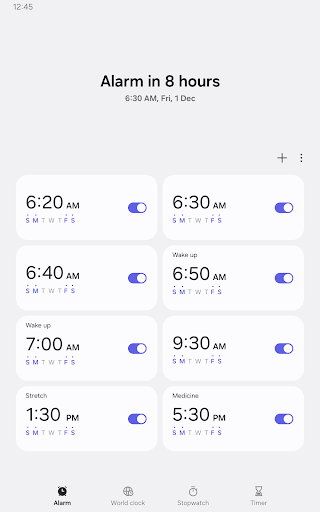
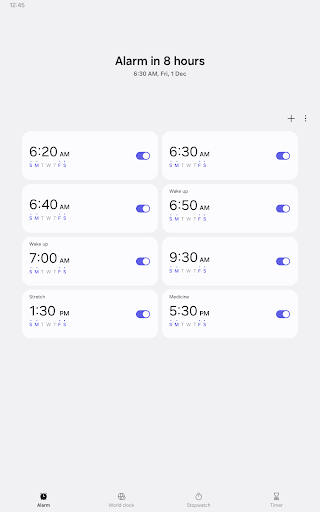
• Alarm
This feature allows you to assign dates to alarms, and repeat alarms can skip one day and be turned on again. The Snooze feature allows you to create the same effect as setting multiple alarms.
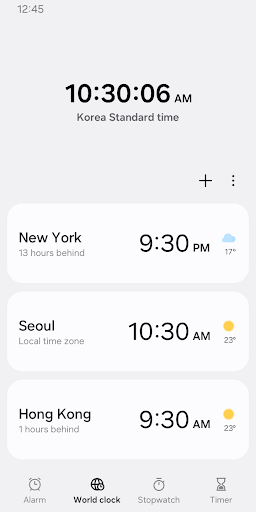
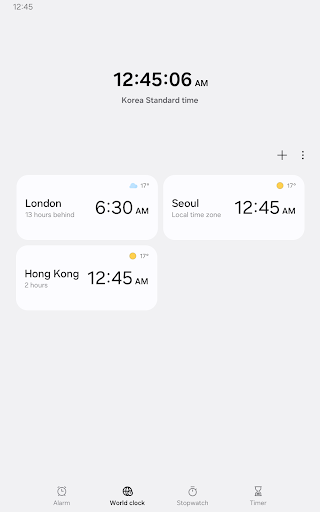
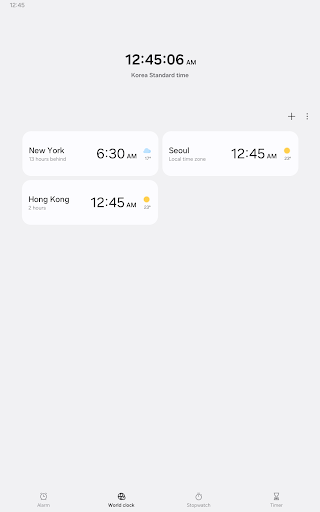
• World Clock
This feature allows you to check the time and weather by city. Quickly confirm the location of a specific city with the globe.
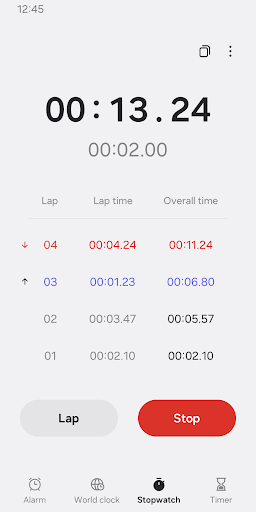
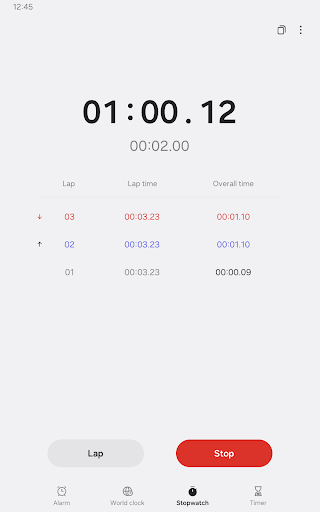
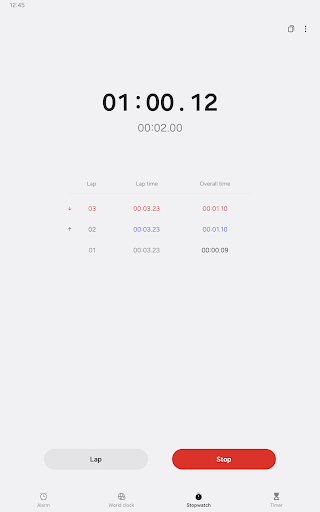
• Stopwatch
This feature allows you to record the elapsed time for each section and copy the recorded value.
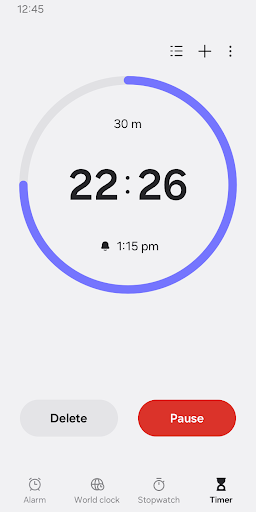
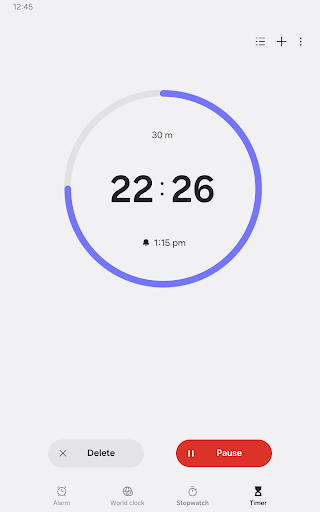
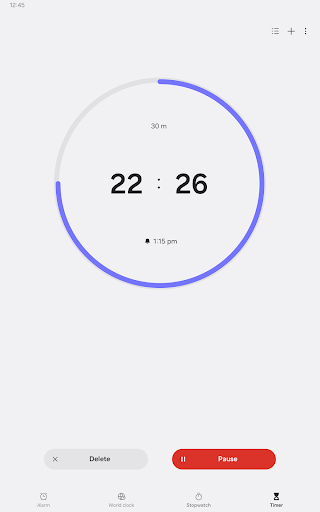
• Timer
This feature allows you to save frequently used timer times as preset timers, as well as run multiple timers simultaneously.
The following permissions are required to use this app, but you can use the basic features of the app without allowing these permissions.
Optional permissions
• Music and audio: Used to open sounds saved on your phone or tablet for alarms and timer alerts
• Notifications: Used to show ongoing timers and notify you about upcoming and missed alarms
• Photos and videos: Used to select images and videos for alarm backgrounds(Android 14 and higher)
Privacy
Since the Clock app does not request any permissions, users do not need to worry about their data being collected or shared, making it a secure option for those who value privacy. However, users should still be cautious when downloading and installing apps from unknown sources, and ensure that they are using the official version from the Play Store. Additionally, users should regularly review and update their apps to ensure they have the latest security patches and features.
Tips
To get the most out of the Clock app, users should explore its various features, such as the World Clock and Stopwatch, which can be useful for tracking time across different time zones or measuring elapsed time. Users can also customize their alarm settings, such as choosing from different alarm sounds or setting multiple alarms, to create a personalized experience. Furthermore, users can use the app's Timer feature to set reminders or countdowns, making it a versatile tool for everyday tasks.
What's New
Version Information
- Version
- -
- Downloads
- 1.0B+
- Updated on
- Aug 17, 2025
- Released
- Feb 3, 2026
- Requires
- Android Varies with device
Statistics
Google Play Rating History
Rating Distribution
Downloads Over Time
Clock has been downloaded times. Over the past 30 days, it averaged downloads per day.
Shaded area shows 30-day prediction based on historical trends
Historical data collection started recently. More data points will be available over time.
Clock users say on Google Play
 Steve Wood
SUGGESTION: Those with poor vision can not easily see the date and day. The date, day, and time all lack the functionality to increase font size or customize them to your liking. QUESTION: What was wrong with the previous version of the widget? The date and day, in full. were on the left, and time was on the right. SUGGESTION: I don't like the inability to remove the seconds counter on both the analog and digital clock widgets. I don't like watching life ebb away by the second. Its depressing.
 MD.Mujahidul Islam
ঘড়ি এই ঘড়িটা কেউ ইউজ করলে খুব ভালো মানের একটা ঘড়ি কেউ চাইলে এই ঘড়িটা ইউজ করতে পারো সামসাং ফোনে এই ঘড়িতে বেশিরভাগ ইউজ করা হয় যারা ইউজার আছে তারাই এই অ্যাপসটা ব্যবহার করে বেশি
 Martha Martinez
The clock is fine. It would be better if there was a recurrence feature for every other week.
 Kyle R Baker
It turns itself off before ever going off. it happens a lot.
 Shirin Shila
fix issues problems so how to solve this?
ApkTrusted Ratings & Reviews
More from Samsung Electronics Co., Ltd.
See more apps
Smart Tutor for SAMSUNG Mobile
Free

One Hand Operation +
Free

Galaxy Buds Core Manager
Free

POWERbot-S
Free

Samsung WE VoIP
Free
Samsung Accessory Service
Free

Galaxy Buds FE Manager
Free
Galaxy Buds FE Manager
Free

Galaxy Buds Pro Manager
Free

Samsung Plus 2
Free

Galaxy Buds3 Manager
Free

Galaxy Buds2 Manager
Free

Galaxy Buds Manager
Free

Galaxy Buds3 FE Manager
Free

POWERbot-E
Free

Galaxy Buds3 Pro Manager
Free
Similar Apps
Simple Alarm Clock
Free
Alarm Clock Xtreme & Timer
Free
Simple Alarm Clock
Free

The Clock: Alarm Clock & Timer
Free
Clock Phone 16, Alarm & Timer
Free
Digital Clock Widget
Free
Alarm Clock
Free
Challenges Alarm Clock
Free
Talking Alarm Clock Beyond
Free
Alarmy - Alarm Clock & Sleep
Free

Calculator
Free

Flip Clock: World Clock
Free
Calendar 2026: Simple Calendar
Free
Simple Calendar
Free
Sleep Cycle: Sleep Tracker
Free
Simple Calculator
Free
Scan this QR code to download

Forwarding you to the page at Google Play market in seconds...
Open Google Play market now