Alarmy - Alarm Clock & Sleep v25.46.1
Sleep Tracker & Alarm Clock by Delightroom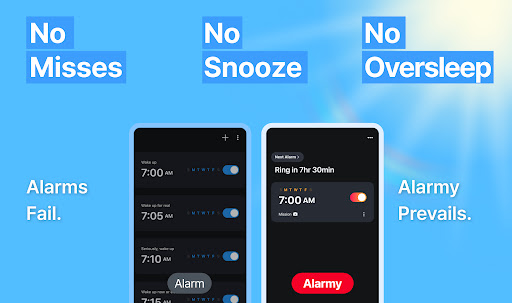
About this app
Alarmy - Alarm Clock & Sleep solves the problem of oversleeping by providing a loud and persistent alarm clock, making it ideal for heavy sleepers. This app benefits individuals who struggle with waking up on time, particularly those with non-traditional work schedules or students who need to wake up early for classes. Compared to alternatives in the Productivity category, Alarmy stands out with its high rating and large user base, indicating a well-designed and effective app. However, its reliance on ads and in-app purchases may fall short for users seeking an ad-free experience.
Pros
- With over 10 million downloads and a 4.6/5 rating, Alarmy has demonstrated its effectiveness and user satisfaction, making it a trustworthy choice for those seeking a reliable alarm clock.
- The app's free version with optional in-app purchases provides a flexible pricing model, allowing users to upgrade only if they find the additional features necessary.
- Alarmy's developer, Delightroom, has a reputation for creating sleep-related apps, suggesting a deep understanding of the target audience's needs and preferences.
- The app's offline capability and lack of required permissions ensure that it can function independently without compromising user privacy or security.
- Regular updates, as indicated by the frequent version changes, demonstrate the developer's commitment to maintaining and improving the app.
Cons
- The presence of ads in the free version may be intrusive or annoying for some users, potentially disrupting their sleep or waking experience.
- The wide range of in-app purchase prices, from $2.90 to $159.99, may lead to confusion or unintended expensive purchases, especially for users who are not careful with their in-app buying.
- Although Alarmy has a large user base, some users may find the app's features or customization options limited compared to other alarm clock apps on the market.
- The app's requirement for Android 9 or higher may exclude users with older devices, limiting its accessibility for those who cannot or prefer not to update their operating system.
Best for: The ideal user for Alarmy is likely a young to middle-aged adult, possibly a student or working professional, who values punctuality and struggles with waking up on time, requiring a reliable and persistent alarm clock to start their day effectively, and who is comfortable with using digital tools to manage their daily routines and sleep patterns.
Developer Description
Loud alarm clock for heavy sleepers: free alarm clock, clock app, alarm app
Wake up refreshed and motivated every day using our loud alarm clock app, customizable missions, and powerful sounds.
■ The Best Loud Alarm Clock App
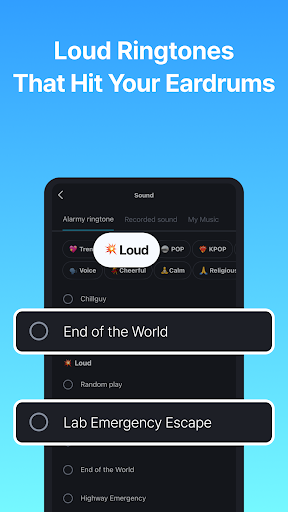
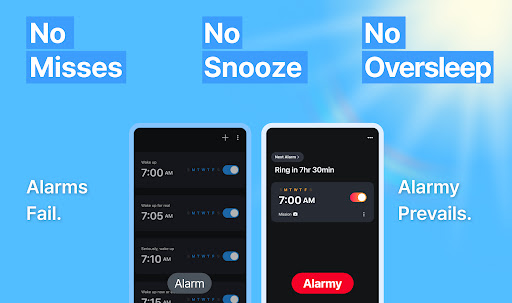
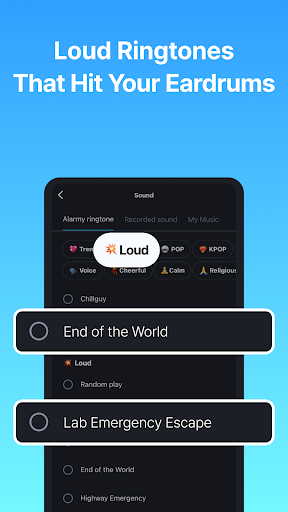
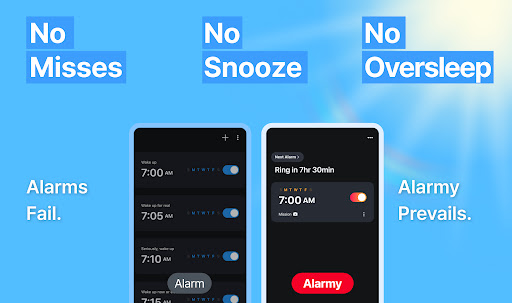
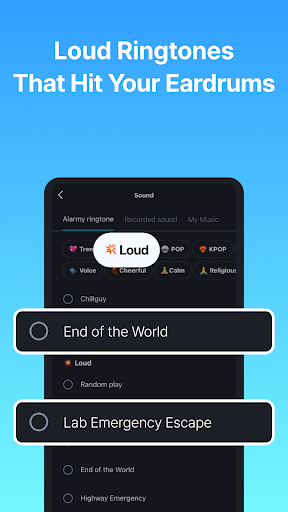
Are you tired of regular alarms not working? Our loud alarm clock app comes with ultra-powerful sounds like “End of the World” and “Cock-a-doodle-doo,” making it perfect for heavy sleepers. No more oversleeping – this app is louder and smarter.
■ Smart Wake-Up Missions
Can’t wake up? This loud alarm clock app includes fun and powerful missions:
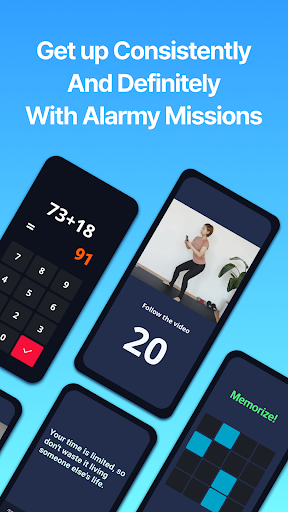
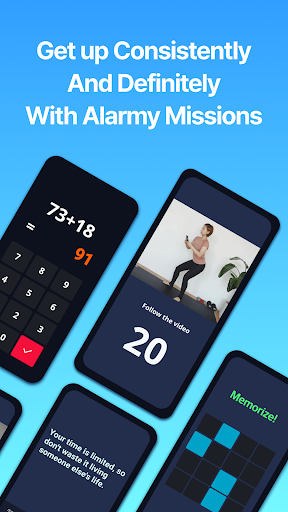
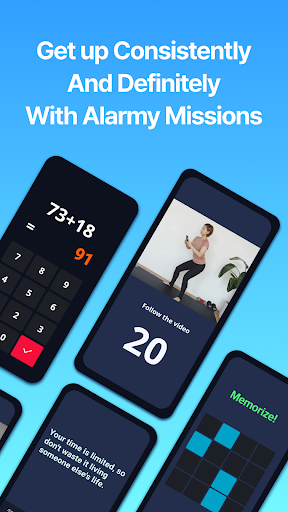
- Barcode & photo: force yourself to get out of bed
- Math alarm clock app & memory: get your brain moving
- Typing motivation quotes: boost your mindset
- Shake or squat: physical activity to eliminate sleep inertia
■ Special Mode for Snooze Addicts
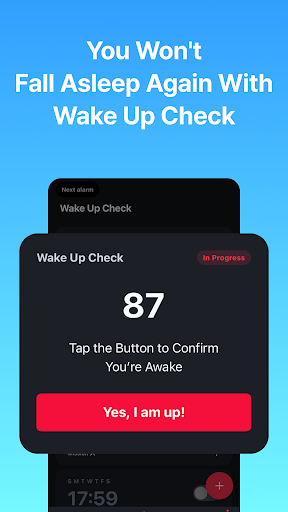
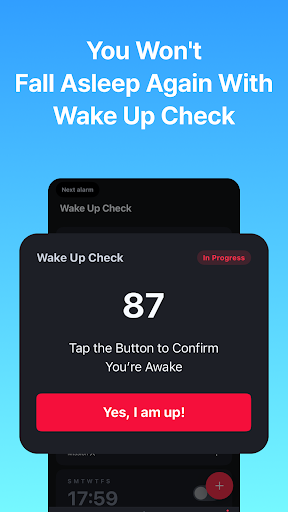
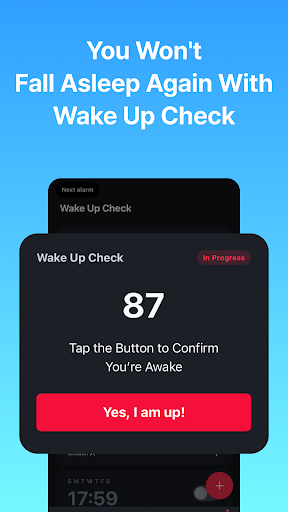
Break your snooze habit with Wake Up Check – if you ignore it, your wake up missions restart.
Perfect for those with ADHD or anyone who needs the strongest way to get out of bed.
■ Alarm Clock App for Students & Workers
Set your loud alarm clock app to match your lifestyle:
- Students can scan their textbook to jump into study mode
- Office workers can use loud alarm clock sounds and typing missions for an energy boost
■ Customizable Sounds & Routines
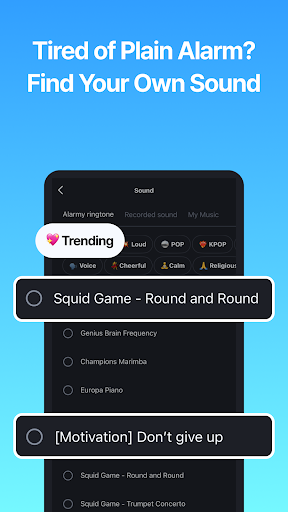
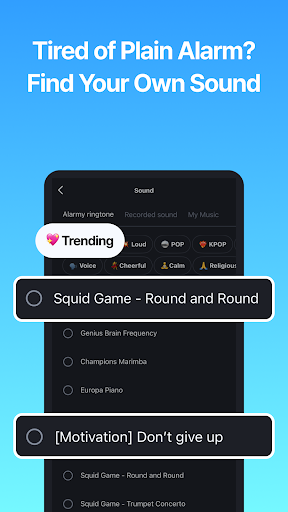
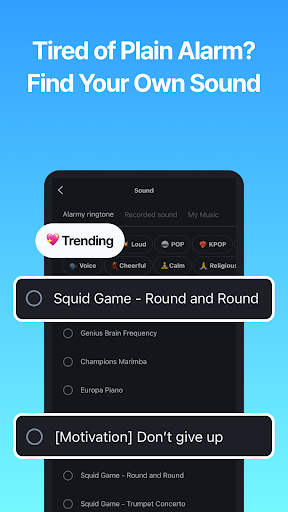
Choose from dozens of loud alarm clock tones or peaceful melodies.
Whether you love music, or strong tones, we’ve got you covered.
Build your morning routine and evening habit with the best tools.
■ Sleep Better with Sleep Tracker
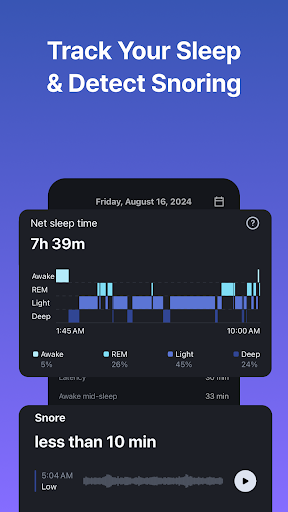
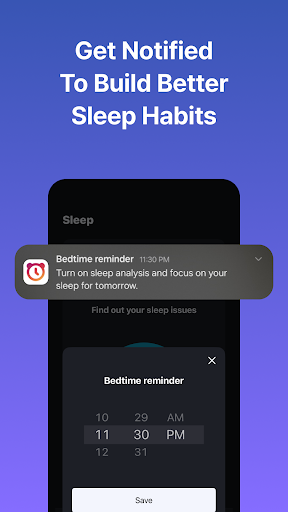
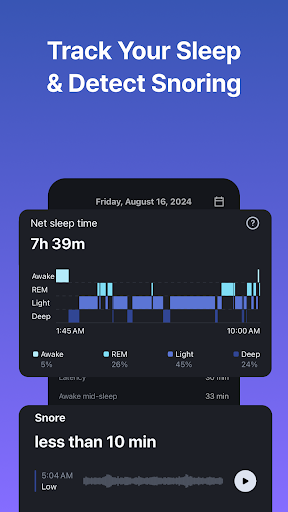
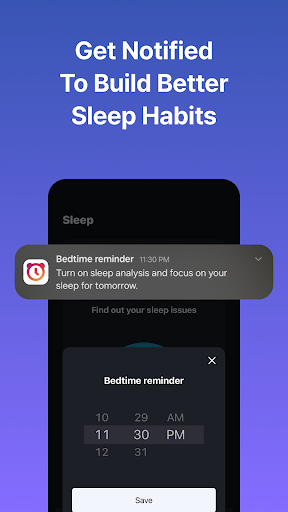
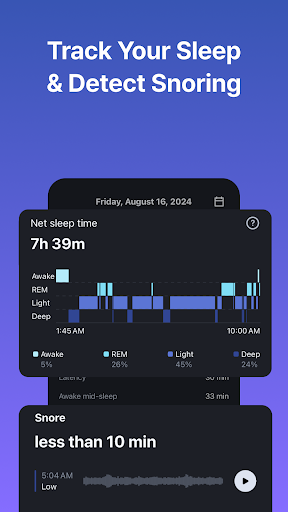
Great mornings start with good sleep. Use our sleep tracker to monitor your cycle and reduce snoring.
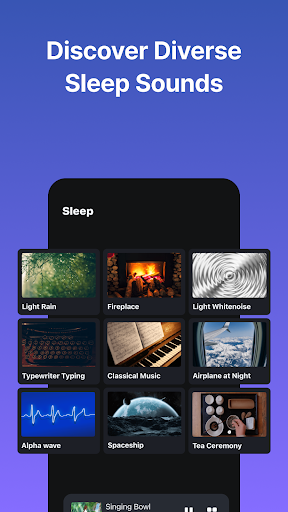
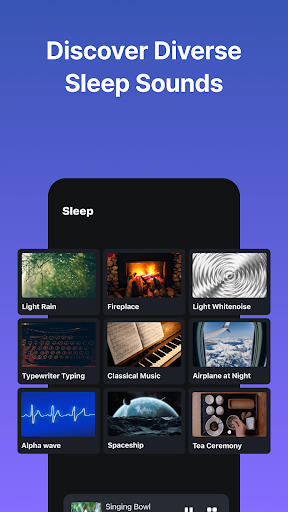
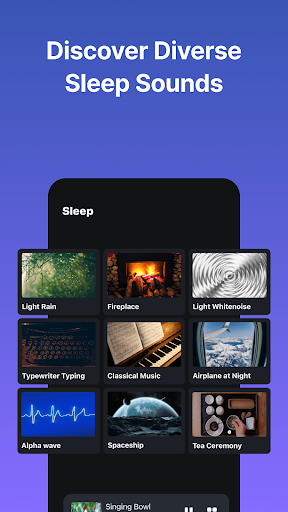
Pair it with calm sleep sounds like rain, ocean waves, or ASMR for deeper rest.
Alarmy isn’t just for waking – it’s for sleeping better too.
■ Recommended For:
- Deep sleepers looking for a reliable loud alarm clock app
- Anyone needing a loud alarm clock app with smart missions
- Users who want to build a morning routine or consistent habit
- Students preparing for exams with an ADHD-friendly features
- People who want to track and improve their sleep with our sleep tracker
■ Motivation Boost Features
- Set your clock app background to motivational quotes or videos
- Use typing mission to recite your goals every morning
■ Life Hacks with Alarmy
📘 Study Mode
- Choose Photo Mission
- Register your textbook cover
- Wake up + start studying = instant productivity
🎯 ADHD Routine
- Use loud alarm clock app + barcode mission
- Add Wake Up Check to prevent snoozing
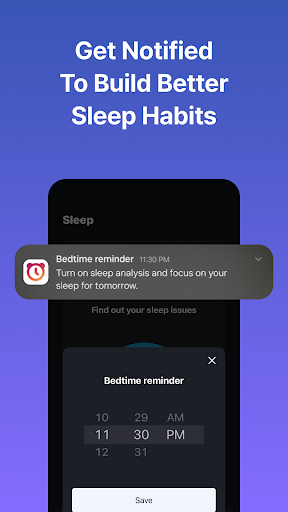
🌙 Sleep Routine
- Set bedtime with alarm clock
- Play calming sleep sounds
- Track with sleep tracker
- Repeat 5+ nights to build a healthy cycle
Enjoy all features:
loud alarm clock, alarm clock for heavy sleepers and more!
----
■ PERMISSIONS
- SYSTEM_ALERT_WINDOW (Android window permission)
Needed for displaying the dismissal screen on Android 10 and above.
■ OPTIONAL PERMISSIONS
Service can be used without agreement, except for:
- Write External Storage: Needed to load external ringtones.
- Camera: Required for photo missions where users need to take pictures.
- Read External Storage: Needed to save photos taken by users in photo missions.
- Location Information: Needed to obtain weather information after the app is closed.
- Device Manager: Used to prevent the app from being uninstalled.
Alarmy uses the Accessibility Service API to provide ‘Prevent turn off’ feature. The optional feature blocks the user from turning the device off while the alarm is ringing so that they can wake up better.
- Privacy Policy (English): http://alar.my/privacy_policy_en.txt
- Email: cs@delightroom.com
- Developer Contact: 368, Sapyeong-daero, Seocho-gu, Seoul, Republic of Korea
Privacy
Given that Alarmy requires no permissions, it presents a low risk to user privacy and security, making it a safe choice for those concerned about data collection. However, users should remain cautious when making in-app purchases to avoid accidental or unwanted transactions. To further protect their privacy, users should review the app's terms of service and privacy policy, available on the developer's website.
Tips
For the best experience with Alarmy, users should experiment with different alarm settings and features, such as the sleep tracker, to find what works best for their individual sleep patterns and preferences. Additionally, users can optimize the app's performance by ensuring their device is sufficiently charged and by closing unnecessary background apps to prevent battery drain. Finally, integrating Alarmy with other health or productivity apps can enhance its usefulness and help users maintain a consistent daily routine.
In-app purchases
$2.90 - $159.99 per item
Version Information
- Version
- 25.46.1
- Downloads
- 10M+
- Updated on
- Dec 25, 2025
- Released
- Aug 22, 2012
- Requires
- Android 9
Statistics
Google Play Rating History
Rating Distribution
Downloads Over Time
Alarmy - Alarm Clock & Sleep has been downloaded times. Over the past 30 days, it averaged downloads per day.
Shaded area shows 30-day prediction based on historical trends
Historical data collection started recently. More data points will be available over time.
Alarmy - Alarm Clock & Sleep - Google Play Rankings
Top Rankings
| Rank | Country | Category | List | Change |
|---|---|---|---|---|
| — |
Ranking History in
No ranking data available yet. Rankings are updated daily.
#37 in Top Grossing Productivity in United States


#66 in Top Free Productivity in United States


#20 in Top Free Productivity in Mexico


#26 in Top Grossing Productivity in South Korea


Alarmy - Alarm Clock & Sleep users say on Google Play
 Amr Hatem
I dismiss alarms through force stop from app info or power off and fall asleep again. 😢 Please find a solution.
 TheDoctorDances TDD
Very effective as an alarm clock, and a friendly and simple ui that makes it easy to use! Highly recommended! Edit: Dropping from 5 to 4 stars. While Alarmy is a reliable alarm clock and the wellness features are nice, they unfortunately don't make up for the fact that the app takes up over 1 GB of storage space. I would still recommend this if you are interested in the additional features, but if you're just going to use it as an alarm clock, other options may be more efficient.
 NAITIK
good
 Andrew McCoy
ads have gotten out of hand. they're placed all over the place in places you're likely to touch mistakenly when you're half awake, and when you shut your alarm off it asks if you want to subscribe to premium. I'm just waiting for the day I accidentally subscribe because I haven't fully woken up and clicked too many times to dismiss the alarm. most days by the time I get up and unlock my phone I have to dismiss like 30 ads that I had clicked trying to do the alarm challenges.
 ali alrezj
horrible app froze in the morning blaring with no way to turn down the volume and no way to turn it off
ApkTrusted Ratings & Reviews
Similar Apps
Alarm Clock Xtreme & Timer
Free
Challenges Alarm Clock
Free
Simple Alarm Clock
Free

The Clock: Alarm Clock & Timer
Free
Sleep Cycle: Sleep Tracker
Free

Yawn: Sleep Tracker & Recorder
Free

Forest: Focus for Productivity
Free

Flip Clock: World Clock
Free
StayFree - Screen Time
Free

Clock
Free

Timelog - Goal & Time Tracker
Free
Focus To-Do: Pomodoro & Tasks
Free
Sleep as Android: Smart alarm
Free
Talking Alarm Clock Beyond
Free
To-Do List - Schedule Planner
Free
To Do List with Reminder
Free
Scan this QR code to download

Forwarding you to the page at Google Play market in seconds...
Open Google Play market now