
WPS Office-PDF, Word, Sheet v18.24
WPS SOFTWARE PTE. LTD.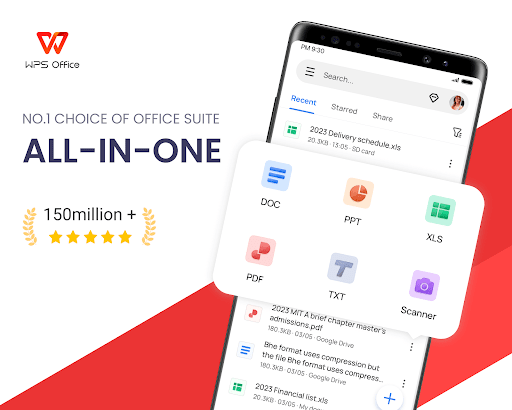


About this app
WPS Office-PDF, Word, Sheet is a comprehensive productivity app that solves the problem of needing multiple office software tools by integrating various functions into one platform, benefiting students, professionals, and businesses alike. It stands out from alternatives in the Productivity category due to its extensive feature set, high user rating, and frequent updates. However, its comparison to alternatives like Microsoft Office or Google Docs may reveal some limitations in terms of seamless integration with other services. The app's high download numbers and excellent rating suggest a well-regarded tool, but its monetization model and ad presence may detract from the user experience for some.
Pros
- With over 500 million downloads and a 4.5-star rating, WPS Office-PDF, Word, Sheet boasts significant social proof and a reputation for quality, indicating a reliable choice for users seeking a versatile office suite.
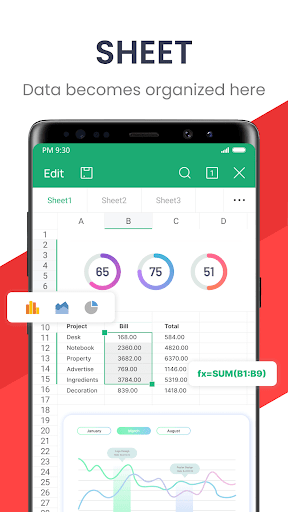
- The app's extensive feature set, including support for PDF, Word, Sheet, PowerPoint, Form, and Notes, makes it a one-stop solution for a wide range of productivity needs, enhancing user convenience.
- The developer, WPS SOFTWARE PTE. LTD., has a professional website and provides a feedback email, suggesting a commitment to user support and continuous improvement, which is reassuring for users.
- The app's ability to function without requiring any permissions is a significant advantage in terms of privacy and security, as it minimizes potential data collection and misuse risks.
- Regular updates, as indicated by the version number, suggest that the app is actively maintained and improved, which is crucial for adapting to changing user needs and technological advancements.
Cons
- The presence of ads in the free version may be intrusive and detract from the overall user experience, potentially leading to distractions and decreased productivity.
- The in-app purchase model, with prices ranging from $0.05 to $239.99, may be perceived as aggressive or confusing, especially for users unfamiliar with the app's premium features and their value proposition.
- Despite its comprehensive feature set, some users may find that WPS Office-PDF, Word, Sheet lacks seamless integration with other popular productivity services, which could limit its utility in certain workflows or ecosystems.
- The lack of information about data collection and usage, despite the app not requiring permissions, raises questions about the developer's data handling practices and potential privacy implications.
Best for: The ideal user for WPS Office-PDF, Word, Sheet is likely a tech-savvy individual or professional, possibly in the age range of 18 to 50, who requires a versatile and feature-rich office suite for personal or work-related tasks, values data privacy, and is willing to navigate a potentially complex interface to access a wide range of productivity tools.
Developer Description
PDF, Word, Sheet, PowerPoint, Form & Notes
「Features of WPS AI 」
1. AI-Powered Document Scanner
• Digitize paper documents, extract & erase elements rapidly and accurately!
2. WPS AI-generated content (AIGC)
• Get instant and high-quality content like meeting summaries, event planning, resumes, etc, all with a prompt!
3. AI-powered rewriting
• WPS AI is here to offer professional rewriting and polishing work.
• WPS AI is committed to be a powerful writing assistant and revolutionize the writing process.
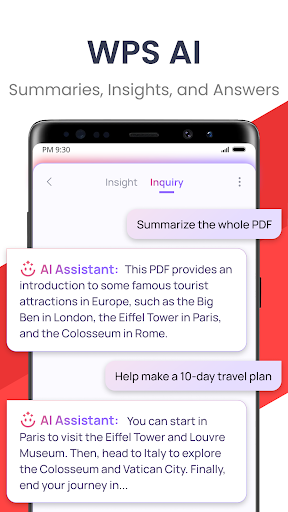
4. ChatPDFs
• Free from tedious PDF-reading workload!
• WPS AI is able to effortlessly process long PDFs and provides summaries, outlines or translations as you like.
• Engage in conversations with WPS AI and get instant answers about the PDFs.
5. AI-powered OCR
• Revolutionized OCR technology helps to deal with the data entry work.
• Ready to provide insights for any scanned document.
★As a professional word processor, WPS Office is compatible with various office softwares in core functions, more intelligent and easier.
「 Typical Features of WPS Office 」
1. Powerful Office Suite on your Android device
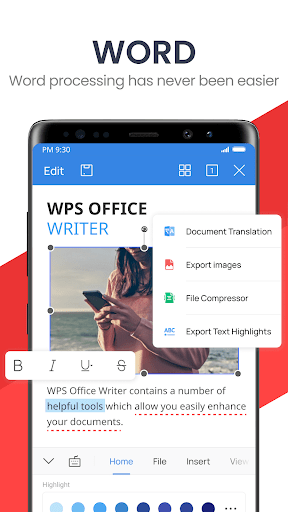
• Using templates to start editing your budget, Word, Presentations, sheet, resumes, documents and other files.
•Using tools to convert and process Document, PDF and images.
•Easy to create, edit, share files and collaborated on with others in real-time.
2. Scan, view, edit, convert PDF on your Android device
• Free PDF viewer that can open, view, share and comment on PDFs anywhere and on any device.
• Convert all Office documents (Word, Text, Sheet, PowerPoint, Docs, Images) to PDF.
• Scan paper documents to PDF.
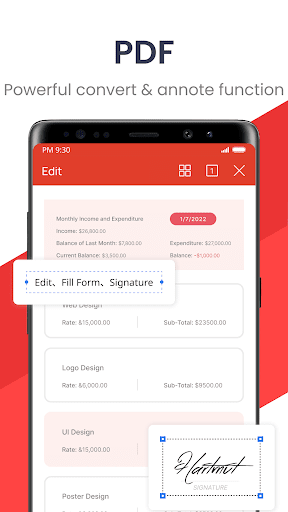
• Support PDF annotation, PDF signature, PDF extraction/split, PDF merge.
• Easily add and delete watermarks in PDF.
3. Powerful cloud storage function, you are not afraid of losing documents
• Use WPS Cloud to manage all documents, synchronize in real time on mobile phones and computers, and easily and directly access and edit office documents
• Save documents to third-party clouds: Dropbox, Google Drive, Box, Evernote and Microsoft OneDrive.
4. Solutions for working remotely on Android devices
• 1G free cloud storage, support online editing and sharing of files, easy to build and join the cloud team.
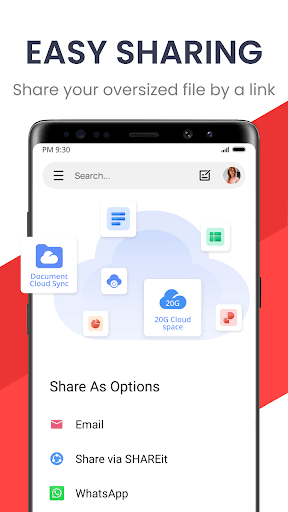
• Easy to share office documents via WIFI, NFC, DLNA, email, instant messaging, WhatsApp, Telegram, Facebook and Twitter.
Now available PC and Mac for free , please visit the following link: https://www.wps.com/download/
Support page: https://www.wps.com/support/
Privacy
Given that WPS Office-PDF, Word, Sheet does not require any permissions, the risk of data collection is minimized, but users should still be cautious when using the in-app purchase feature and review the terms of service to understand any potential data collection practices. It is also advisable to keep the app updated to ensure any security patches are applied, and to use strong passwords for any associated accounts.
Tips
To get the most out of WPS Office-PDF, Word, Sheet, users should explore the app's settings to customize the interface and functionality to their needs, utilize the cloud storage options for seamless file access across devices, and regularly check for updates to leverage new features and improvements. Additionally, taking advantage of the app's offline capability can enhance productivity in areas with poor internet connectivity.
What's New
1. AI Translate: Translates text accurately and maintains original formats. Supports 105 languages.
2. Scanner: Generates clear scanned copies, supports handwriting extraction, and allows exporting scanned copies as editable files.
3. Read Aloud: Generates lifelike, smooth, and emotional voice outputs.
In-app purchases
$0.05 - $239.99 per item
Version Information
- Version
- 18.24
- Downloads
- 500M+
- Updated on
- Dec 29, 2025
- Released
- Jul 21, 2011
- Requires
- Android 7.0
Statistics
Google Play Rating History
Rating Distribution
Downloads Over Time
WPS Office-PDF, Word, Sheet has been downloaded times. Over the past 30 days, it averaged downloads per day.
Shaded area shows 30-day prediction based on historical trends
Historical data collection started recently. More data points will be available over time.
WPS Office-PDF, Word, Sheet - Google Play Rankings
Top Rankings
| Rank | Country | Category | List | Change |
|---|---|---|---|---|
| — |
Ranking History in
No ranking data available yet. Rankings are updated daily.
#47 in Top Grossing Productivity in United States


#87 in Top Free Productivity in United States


#3 in Top Grossing Productivity in Indonesia

#3 in Top Grossing Productivity in Philippines
WPS Office-PDF, Word, Sheet users say on Google Play
 Ashok Nath
excellent tool to open files . so user friendly &: good
 Dada kazeem
excellently excellent.
 Neha Yadav
it's good but it gives unnecessary ads 😕😕
 JAGADHEESAN RAMASAMY
time waste
 Shainborlang Marwein
It's really annoying when I uploaded my documents in WPS Cloud, even after I have deleted the files, they keep appearing in the Recent but I can't actually open them. When I try to open it says, "File Not Exist: The author has deleted the file". I've tried deleted them many more times because I don't want them to appear in the Recent but after closing the app when I reopen it the deleted documents reappear.
ApkTrusted Ratings & Reviews
More from WPS SOFTWARE PTE. LTD.
See more apps

Similar Apps

Document Reader - PDF Editor
Free

Microsoft Word: Edit Documents
Free
PDF Reader - PDF Editor
Free

Microsoft 365 Copilot
Free

Microsoft PowerPoint
Free
Image to PDF - PDF Maker
Free

Microsoft Excel: Spreadsheets
Free
All Document Reader: PDF, Word
Free

MobiOffice: Word, Sheets, PDF
Free
PDF Reader App - PDF Viewer
Free

Adobe Acrobat Reader: Edit PDF
Free

Zoom Workplace
Free

iLovePDF: PDF Editor & Scanner
Free
PDF Reader App : Read All PDF
Free

Microsoft Teams
Free

CamScanner- scanner, PDF maker
Free
Scan this QR code to download

Forwarding you to the page at Google Play market in seconds...
Open Google Play market now