
CamScanner- scanner, PDF maker v7.9.0.2512240000
INTSIG PTE
About this app
CamScanner is a highly-regarded productivity app that effectively solves the problem of digitizing paperwork and documents, benefiting individuals and professionals alike who need to scan, share, and manage documents on the go. Compared to alternatives in the Productivity category, CamScanner stands out with its robust feature set, excellent user rating, and frequent updates, making it a top choice for those seeking a reliable document scanning solution. However, its monetization model, which includes ads and in-app purchases, may be a drawback for some users. Overall, CamScanner's strengths in functionality and user satisfaction make it a leading app in its category.
Pros
- With over 500 million downloads and a 4.7-star rating, CamScanner boasts impressive social proof and a reputation for quality, indicating a well-designed and effective app.
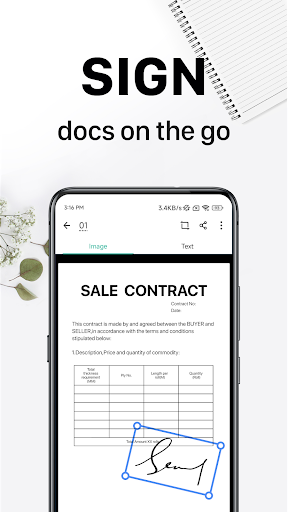
- The app's feature set, including document scanning, PDF creation, and e-signature generation, is comprehensive and caters to a wide range of user needs, from personal to professional.
- The developer, INTSIG PTE, has a good reputation and regularly updates the app, ensuring it remains compatible with the latest Android versions and incorporates user feedback.
- CamScanner's offline capability and accessibility features make it a practical choice for users who need to scan documents in various environments, including those with limited internet connectivity.
- The app's performance is generally smooth, and its interface is user-friendly, allowing users to quickly navigate and utilize its features without significant hassle.
Cons
- The app's monetization model, which includes ads, may be intrusive for some users, potentially disrupting their workflow and diminishing the overall user experience.
- While the in-app purchases offer additional features, the pricing range from $0.49 to $399.99 per item may be perceived as steep by some users, particularly for features that could be considered essential.
- Despite its excellent rating, some users have reported issues with the app's fax and email sending features, which may not work as seamlessly as expected, leading to frustration.
- The lack of transparency regarding data collection and usage, despite the app not requesting any permissions, raises some privacy concerns, as users may wonder what data is being collected and how it is being utilized.
Best for: The ideal user for CamScanner is a busy professional or individual who frequently needs to scan, manage, and share documents, such as contracts, receipts, or invoices, and values a reliable, feature-rich, and user-friendly app that can efficiently handle these tasks, regardless of their technical skill level or age group.
Developer Description
Scan paperwork into PDF/JPG, generate your own e-signature and send fax or email
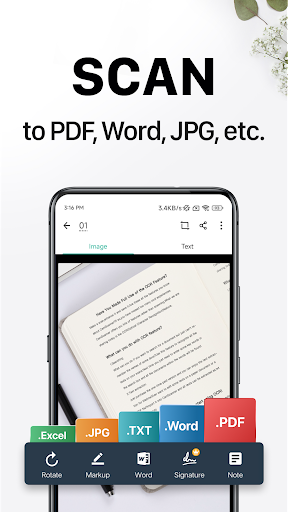
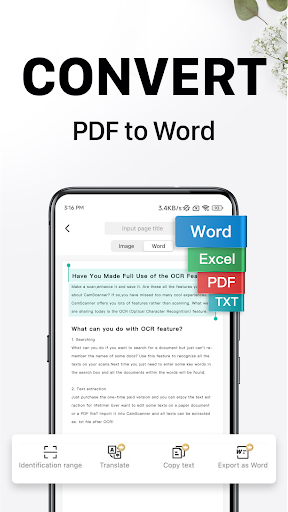
Try CamScanner! CamScanner is an all-in-one scanner app. It turns your mobile device into a powerful portable scanner that recognizes text automatically (OCR) and improves your productivity to save your time. Download this scanner app to instantly scan, save, and share any documents in PDF, JPG, Word, or TXT formats.
Would you like to keep your entire office in your pocket and increase your productivity at work?
Use the CamScanner scanner app to handle your paperwork with ease. Say goodbye to huge and heavy copy machines and get this ultra-fast scanner app now.
* CamScanner has over 300 million users across over 200 countries and regions worldwide.
* Over 500,000 new registrations per day
FEATURES
* Quickly Digitize Documents
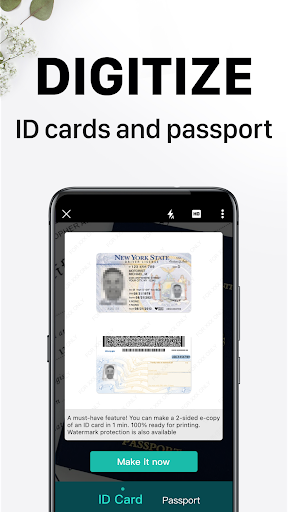
The CamScanner scanner app uses the camera on your mobile device to scan and digitize all kinds of paper documents: receipts, notes, invoices, whiteboard discussions, business cards, certificates, etc.
* Optimize Scan Quality
Smart cropping and auto enhancing ensure the text and graphics in your scans are clear and sharp with premium colors and resolutions.
* Extract Text
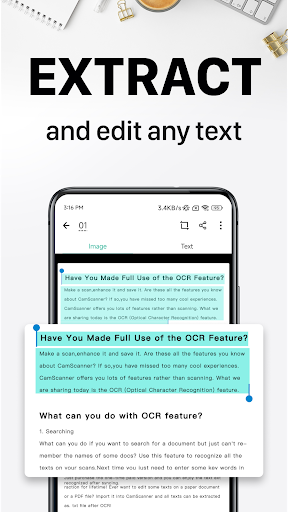
The optical character recognition (OCR) feature of this scanner app enables you to recognize text in images or PDFs. You can extract the text for later searching, editing, or sharing.
* Share PDF/JPEG Files
With this PDF scanner, you can easily share documents in PDF or JPEG format with friends in multiple ways: share with social media, send attachments or download links through email, etc.
* Wireless Printing & Remote Fax
Instantly and wirelessly print out any documents in the CamScanner scanner app with a nearby printer without installing any applications or drivers. You can also select documents from the app and remotely fax them to over 30 countries and regions.
* Advanced Document Editing
Make annotations on documents using a full set of editing tools in this PDF scanner. You can also add a customized watermark to mark your own documents.
* Quick Search
Have trouble finding the documents you want? With the CamScanner scanner app, you can tag your documents and find them with ease. Besides, the OCR feature enables you to search for images based on their content. With this PDF scanner, you can quickly find the document you want.
* Secure Important Documents
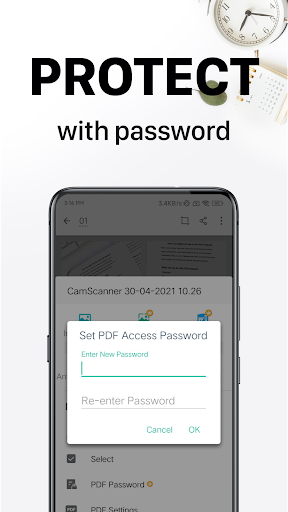
If you want to protect confidential content, you can set a password for viewing. You can also set a password to the document download link to ensure better security.
* Sync Across Platforms
Sign up to access documents on all your devices. You can sign in on your smartphone, tablet, or computer (visit www.camscanner.com) to sync your documents. In this way, you can view, edit and share any document with the CamScanner scanner app on the go.
UNLIMITED ACCESS MEMBERSHIP SUBSCRIPTION
* You can subscribe to get unlimited access to all features of the scanner app.
* Subscriptions are billed weekly, monthly, quarterly, or annually at the rate based on the subscription plan.
* Payment will be charged to Google Play Store at confirmation of purchase.
* Subscription renews automatically unless auto-renew is turned off at least 24 hours before the end of the current period.
* Account will be charged for renewal within 24 hours prior to the end of the current period. The cost depends on the selected plan.
* Subscriptions may be managed by the user, and auto-renewal may be turned off by going to the user's Account Settings after purchase.
* Any unused portion of the free trial will be forfeited when the user purchases a subscription.
We'd love to hear your feedback: support@camscanner.com
Follow us on X: @CamScanner
Like us on Facebook: CamScanner
Follow us on Instagram: @CamScanner_Official
Follow us on YouTube: @CamScanner_Official
Follow us on TikTok: @CamScanner_official
Privacy
Given that CamScanner does not request any permissions, the risk of data misuse is relatively low, but users should still be cautious when using the app's online features, such as fax and email sending, as these may involve the transmission of personal data. To ensure privacy, users should review the app's terms of service and privacy policy. It is also advisable to use a secure internet connection when sending sensitive documents via the app.
Tips
To get the most out of CamScanner, users should first explore the app's settings to customize their scanning experience, including adjusting image quality and setting up cloud storage for seamless document syncing. Additionally, utilizing the app's batch scanning feature can significantly speed up the process of digitizing multiple documents. For optimal performance, it is recommended to regularly update the app and clear temporary files to prevent storage issues.
What's New
· We're always working to bring you clearer scans and a smoother viewing and editing experience.
In-app purchases
$0.49 - $399.99 per item
Version Information
- Version
- 7.9.0.2512240000
- Downloads
- 500M+
- Updated on
- Jan 5, 2026
- Released
- Oct 30, 2010
- Requires
- Android 5.0
Statistics
Google Play Rating History
Rating Distribution
Downloads Over Time
CamScanner- scanner, PDF maker has been downloaded times. Over the past 30 days, it averaged downloads per day.
Shaded area shows 30-day prediction based on historical trends
Historical data collection started recently. More data points will be available over time.
CamScanner- scanner, PDF maker - Google Play Rankings
Top Rankings
| Rank | Country | Category | List | Change |
|---|---|---|---|---|
| — |
Ranking History in
No ranking data available yet. Rankings are updated daily.
#9 in Top Grossing Productivity in United States

#27 in Top Free Productivity in United States


#3 in Top Grossing Productivity in Pakistan

#3 in Top Grossing Productivity in Egypt
CamScanner- scanner, PDF maker users say on Google Play
 Sachin Rajak
My favorite app.
 JOHN MUNUNGA
exceptionally good
 divyesh valvai
My favourite app, but new version scan document me magic colour tools are missing...🥺
 Philip W
It's wrong to force an existing premium user to start paying for a feature that was paid for before (one-off). E.g. reorder pages
 mwesigwa timothy
not good 😊
ApkTrusted Ratings & Reviews
More from INTSIG PTE
See more apps




Similar Apps

Adobe Acrobat Reader: Edit PDF
Free

Canva: AI Photo & Video Editor
Free
PDF Reader - PDF Editor
Free

Document Reader - PDF Editor
Free

Video Editor & Maker - InShot
Free

Truecaller: Spam Call Blocker
Free

CapCut - Video Editor
Free

WPS Office-PDF, Word, Sheet
Free

Concepts: Sketch, Note, Draw
Free

Microsoft 365 Copilot
Free
Image to PDF - PDF Maker
Free

QR Scanner: Barcode Scanner
Free

Microsoft Teams
Free

Photoroom AI Photo Editor
Free

ChatGPT
Free

Free
Scan this QR code to download

Forwarding you to the page at Google Play market in seconds...
Open Google Play market now