
Document Reader - PDF Editor v1.2.6
Simple Design Ltd.









About this app
The Document Reader & PDF Editor app solves the problem of viewing and editing various document formats on-the-go, benefiting students, professionals, and individuals who need to access and manage documents frequently. Compared to alternatives in the Productivity category, this app stands out with its high user rating and large download base, indicating a well-received and reliable tool. However, its lack of permissions raises questions about its ability to integrate with other apps or access external storage. Overall, it's a solid choice for those seeking a straightforward document viewer and editor.
Pros
- With over 50 million downloads and a 4.7-star rating, this app has demonstrated its value to a large user base, indicating a high level of quality and reliability.
- The app's offline capability and lack of permissions make it a secure choice for viewing sensitive documents, as it doesn't require internet access or extensive device permissions.
- The developer's reputation, as indicated by their website and support email, suggests a commitment to user support and feedback, which is essential for a productivity app.
- The app's simple and intuitive interface, as implied by its name and user reviews, makes it accessible to users of various technical skill levels, from beginners to advanced users.
Cons
- The app's monetization model, which includes ads and in-app purchases, may be aggressive for some users, potentially disrupting the viewing and editing experience.
- The lack of permissions, while a security advantage, may also limit the app's ability to integrate with other productivity tools or access external storage, restricting its functionality.
- Some users may find the app's feature set limited compared to more comprehensive office suites, which could be a drawback for power users who require advanced editing and formatting capabilities.
Best for: The ideal user for this app is a student or professional who frequently needs to view and edit documents in various formats, such as PDF, DOCX, and XLSX, and values a simple, intuitive, and secure tool that can be used on-the-go, with minimal technical expertise required.
Developer Description
Office Suite. Easy All Document Reader & Viewer: PDF, DOCX, XLSX, PPT, TXT file.
Try All Document Reader! This all-in-one file viewer is perfectly compatible with all Office files, helping you easily process files in all formats, such as PDF, DOC, DOCX, XLS, XLXS, PPT, TXT, etc. It can automatically scan the files on your phone, organize them in one place into corresponding folders so that you can search and view them conveniently.
👉Designed by Simple Design, the leading app development team on Google Play, this simple, free, and lightweight PDF viewer/Excel viewer/Docx reader is really worth a try!
📚 Full Featured Document Manager
- Folder structure view: easily view PDF, Word, Excel, PPT files, etc. in the corresponding folders.
- Easy to view: all documents are listed in one place for easy searching and viewing
- Favorites: you can add files to the Favorite list for quick opening
- Easy to search: easily search for files within or outside the app
📔 PDF Reader
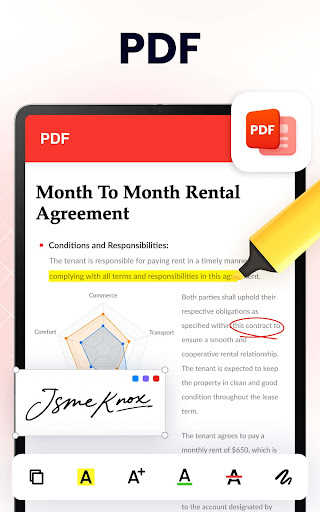
- Fast open and view PDF files in "PDF files" Folder or from other apps.
- Zoom in or zoom out pages while viewing to get perfect visual effect
- Go to page: jump directly to the desired page
- Share and send PDF files to your friends with a single tap
🧐Word Viewer (DOC/DOCX)
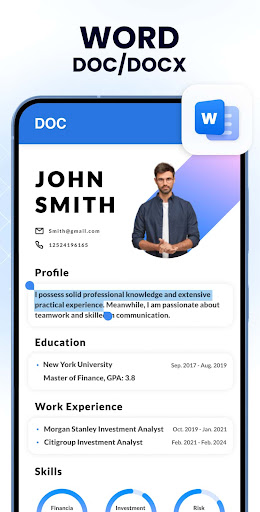
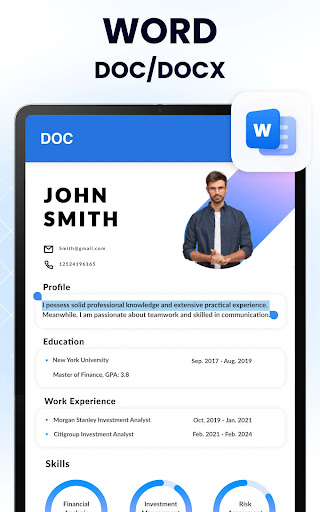
- DOC/DOCX viewer
- A simple list of DOC, DOCS, and DOCX files
- Present all word documents on your phone in the best and fastest way
- Simple and elegant reading interface
📊 Excel Viewer (XLSX, XLS)
- Quickly open all excel spreadsheets
- XLSX, XLS formats are both supported
- A convenient tool to manage excel report on your phone
🧑💻 PPT Viewer (PPT/PPTX)
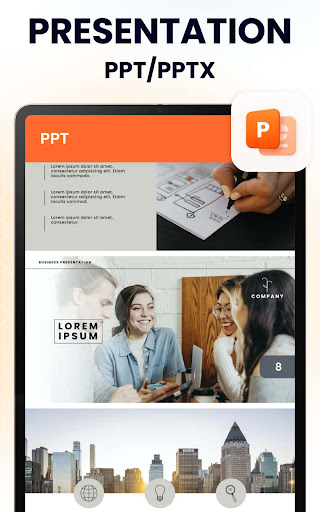
- Excellent PPT/PPTX viewer app
- Present PPT files in high resolution with fast and stable performance
📝 TXT File Reader
- Easily read txt files anytime, anywhere with this powerful documents viewer.
🔄 PDF Converter
- Image to PDF: convert images (JPG, JPEG, PNG, BMP, WEBP) into PDFs
- PDF to image: convert PDFs into images (JPG, PNG) and save directly to your album
- Share the converted files with just one click
🖊️ Add Text to PDF
- Effortlessly add text to PDF files
- Adjust font size, color, layout, position, etc. as you need
👍 FEATURES
✔ Simple and easy to use
✔ Small size and lightweight (12mb)
✔ Sort by names, file size, last modified, last visited, etc
✔ Quick response
✔ No internet required
✔ Rename files, delete files, share files to your friends
🌟 FEATURES COMING SOON
✔ More file formats will be supported, such as RAR, MOBI, HTML, ODT, XML, DOT, ZIP, etc.
✔ File editor
✔ Create new documents
✔ Merge documents
✔ Search text in all documents
✔ Dark mode
✔ Doodle on documents
...
If you don't have time to sit in front of your computer to manage your files, you can use All Document Reader. It allows you to read documents on your phone anywhere, anytime. All formats supported!
Permission Required
On Android 11 and above, MANAGE_EXTERNAL_STORAGE permission is required to read and edit documents on the device. This permission will never be used for any other purpose.
We will keep working hard to optimize the app and improve the user experience. Please feel free to contact us at allreaderfeedback@gmail.com if you have any suggestions. 💗
All document viewer
Want a simple all document viewer? You can view, edit and share all documents (pdf, excel, word, ppt, txt) anytime with this app. Use all document viewer to easily work with even the most complex documents.
All documents reader
All documents reader is also a powerful editor. With just one click, all documents reader makes it easy to improve your work efficiency! Try all document reader now to organize your documents!
One Read
One Read is a powerful and simple tool. All document reader - one read brings you an efficient work and learning experience!
Privacy
Given the app's lack of permissions, it's likely that no sensitive data is being collected, and the risk of data breaches is minimal. However, users should still be cautious when viewing and editing documents, especially if they contain sensitive information, and consider using a secure storage solution to protect their files. Regularly reviewing the app's terms of service and privacy policy is also recommended.
Tips
To get the most out of this app, users should first explore the app's settings to customize their viewing and editing experience, such as adjusting font sizes and layout. Additionally, utilizing the app's offline capability can help reduce data usage and improve performance. Finally, users can integrate this app with other productivity tools, such as note-taking or task management apps, to enhance their overall workflow.
What's New
🌟 Optimize performance, interaction and UI
🌟 Fix minor bugs
🌟 Improve user experience
In-app purchases
$12.99 - $39.99 per item
Version Information
- Version
- 1.2.6
- Downloads
- 50M+
- Updated on
- Nov 24, 2025
- Released
- Dec 19, 2021
- Requires
- Android 6.0
Statistics
Google Play Rating History
Rating Distribution
Downloads Over Time
Document Reader - PDF Editor has been downloaded times. Over the past 30 days, it averaged downloads per day.
Shaded area shows 30-day prediction based on historical trends
Historical data collection started recently. More data points will be available over time.
Document Reader - PDF Editor - Google Play Rankings
Top Rankings
| Rank | Country | Category | List | Change |
|---|---|---|---|---|
| — |
Ranking History in
No ranking data available yet. Rankings are updated daily.
#8 in Top Free Productivity in Russia


#45 in Top Free Productivity in Poland


Document Reader - PDF Editor users say on Google Play
 Rod Crandall
I keep getting a dialogue box saying this app is going to expire. There now seem to be several apps with nearly the same logo. I like this app, is there a way to use it without having to bypass another one in the process? see my email ...I sent a screenshot in feedback on the app. further note re insert: the inserted screen has a countdown notice in upper right corner.
 Shawn Dabre
easy to use
 Asafu Fabian
I have been using it,,it is very nice app
 nageshwar rao adhikarala
Most of the files not reading with a message-"This feature not available- we will update soon".
 UMER Mobeen
this app shows many adds in one time that is so boring
ApkTrusted Ratings & Reviews
More from Simple Design Ltd.
See more apps
Auto Clicker: Auto Tapper
Free
Period Calendar Period Tracker
Free
Abs workout 7 minutes
Free
Bubble Level - Level Tool
Free
Buttocks Workout - Butt & Leg
Free
Calculator Pro: Calculator App
Free

Diary with Lock: Diary Journal
Free
Push Ups Workout
Free

Butt Workout & Leg Workout
Free
7 Minute Workout
Free
Data Transfer - Copy My Data
Free

Spider Solitaire Classic
Free
Period Calendar Pro
Paid

Abs Workout - 30-Day Six Pack
Free

FreeCell - Solitaire Card Game
Free
7 Minute Workout Pro
Paid
Similar Apps

WPS Office-PDF, Word, Sheet
Free
All Document Reader: PDF, Word
Free
PDF Reader App - PDF Viewer
Free
PDF Reader App : Read All PDF
Free

Adobe Acrobat Reader: Edit PDF
Free

MobiOffice: Word, Sheets, PDF
Free

Microsoft 365 Copilot
Free

Microsoft Excel: Spreadsheets
Free

CamScanner- scanner, PDF maker
Free

Microsoft Word: Edit Documents
Free
DOCX Editor: PDF, DOC, XLSX
Free

Microsoft PowerPoint
Free
WPS Office Lite
Free

Microsoft OneDrive
Free

iLovePDF: PDF Editor & Scanner
Free

Adobe Scan AI PDF Scanner, OCR
Free
Scan this QR code to download

Forwarding you to the page at Google Play market in seconds...
Open Google Play market now