
Microsoft OneDrive vVARY
Microsoft Corporation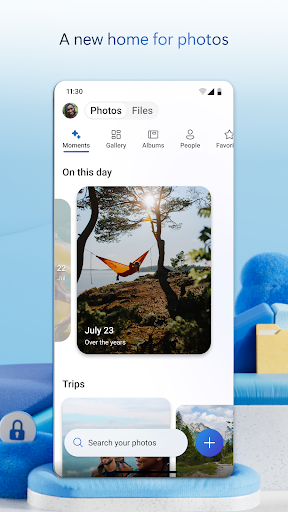

About this app
Microsoft OneDrive solves the problem of file storage and sharing across devices, benefiting individuals and businesses alike who need secure and accessible cloud storage. Compared to alternatives in the Productivity category, OneDrive stands out with its seamless integration with Microsoft Office and other Microsoft services, making it a top choice for those already invested in the Microsoft ecosystem. However, its feature set and pricing model may not be as competitive as some other cloud storage services. With over 5 billion downloads and a 4.6-star rating, OneDrive's reputation and user satisfaction are undeniable.
Pros
- With a 4.6-star rating from millions of users, Microsoft OneDrive has demonstrated its reliability and effectiveness in meeting the cloud storage needs of a wide range of users.
- The app's integration with Microsoft Office and other Microsoft services makes it an indispensable tool for individuals and businesses that rely on these products for productivity and collaboration.
- OneDrive's free version offers a generous amount of storage, and its in-app purchases provide flexible pricing options for users who need more space, making it accessible to both casual and power users.
- The absence of ads in the app enhances the user experience, allowing for uninterrupted access to files and folders without the distraction of advertisements.
Cons
- Despite its many strengths, OneDrive's pricing model for additional storage can be steep for some users, especially when compared to the pricing of competitors in the cloud storage market.
- The lack of certain advanced features, such as more sophisticated file management and sharing options, might make OneDrive less appealing to power users who require more granular control over their files.
- Some users may find the integration with Microsoft services to be a double-edged sword, as it can make the app less appealing to those who prefer not to be locked into a particular ecosystem or who use competing services like Google Drive or Dropbox.
Best for: The ideal user for Microsoft OneDrive is likely a professional or individual with moderate to advanced technical skills, who is already invested in the Microsoft ecosystem and requires a reliable, secure, and user-friendly cloud storage solution to manage and share files across multiple devices, with a particular emphasis on those who value seamless integration with Microsoft Office and other productivity tools.
Developer Description
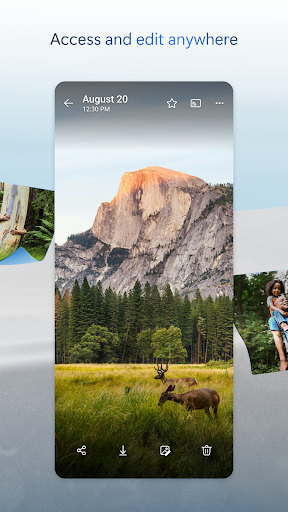
Securely save and share your favorite memories and files across your devices.
Microsoft OneDrive offers the following features:
Back up photos & videos
• More storage for all of your important files. Upload photos, videos, documents & more
• Automatic photo backup & secure photo storage when you turn on Camera Upload
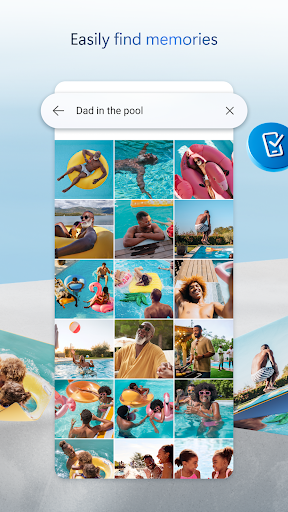
• Find photos in the photo locker easily with automatic tagging
• View & share photos on your phone, computer & online
• Free storage & photo locker will secure photos & keep them safe
• Upload videos & keep them in secure photo storage
File sharing and access
• Secure photo storage for all of your photos, videos & albums
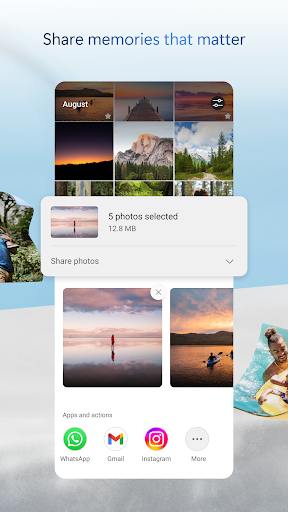
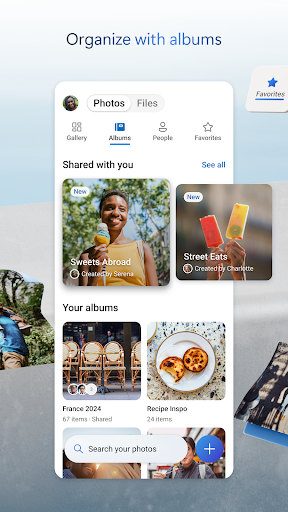
• Share files, photos, videos & albums with friends & family
• Share photos & upload videos easily
• Get notifications when a shared document is edited
• Secure folder settings offer password-protected or expiring sharing links*
• Access selected OneDrive files on the app without being online
Security
• All OneDrive files are encrypted at rest & in transit
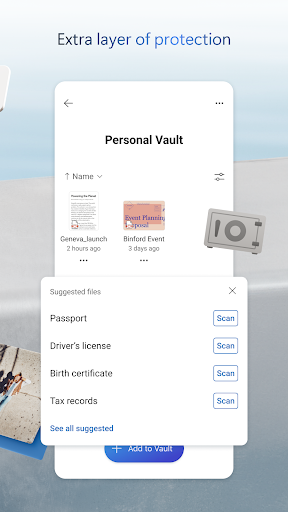
• Personal Vault: protect important files with identity verification in secure folder storage
• Secure photos, upload videos & keep them safe with secure photo storage
• Restore files with version history
• Stay protected with ransomware detection & recovery*
Collaboration with Microsoft
• Share files across platforms & share photos in the photo locker
• Use Microsoft Office apps to edit & collaborate in real time on Word, Excel, PowerPoint & OneNote files stored in OneDrive
• Back up, view & save Office documents
Document scanning
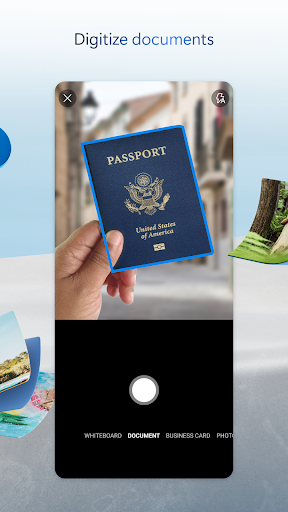
• Scan, sign, markup & send docs right from the OneDrive mobile app
• Keep documents safe in a secure folder
Search
• Search photos by what’s in them (i.e. beach, snow, etc.)
• Search docs by name or content
The OneDrive app for Android offers 5 GB of free cloud storage to sync photos and files across your devices, share photos and docs, and keep your digital life backed up in the cloud.
Microsoft 365 Personal & Family Subscription
• Subscriptions begin at $6.99 a month in the US, and can vary by region
• More storage with 1 TB per person for up 6 people with the Family subscription
• OneDrive premium features accessible for everyone in the plan
• Share files, folders and photos for specific time windows for added security
• Protect your passwords with password-protected sharing links
• Secure file sharing app with added ransomware detection and recovery security features
• File Restore: Recover files up to 30 days after malicious attacks, file corruption, or accidental edits or deletions
• Share up to 10x more content a day with friends and family
• Access premium versions of Word, Excel, PowerPoint, OneNote, Outlook and OneDrive
Microsoft 365 subscriptions and OneDrive standalone subscriptions purchased from the app will be charged to your Google Play store account and will automatically renew within 24 hours prior to the end of the current subscription period, unless auto-renewal is disabled beforehand.
To manage your subscriptions or to disable auto-renewal, after purchase, go to your Google Play store account settings. A subscription cannot be canceled or refunded during the active subscription period.
For you to sign into your work or school account on OneDrive, your organization needs to have a qualifying OneDrive, SharePoint Online or Microsoft 365 business subscription plan
Privacy policy: http://go.microsoft.com/fwlink/p/?LinkId=253457
Consumer health privacy policy: https://go.microsoft.com/fwlink/?linkid=2259814
Privacy
Given that OneDrive requests no permissions, it poses minimal risk to user privacy and security, as it does not collect or access sensitive information beyond what is necessary for its cloud storage functionality. However, users should still be cautious when sharing files and folders, ensuring they are using the appropriate permissions and access controls provided by the app. Regularly reviewing account activity and updating passwords can also enhance security.
Tips
To get the most out of Microsoft OneDrive, users should take advantage of its automatic photo and video backup feature to ensure their media files are always accessible and safe. Additionally, integrating OneDrive with other Microsoft apps can streamline workflow and enhance productivity. For optimal performance, regularly cleaning up unnecessary files and organizing content into clear folders can help maintain a clutter-free and efficient cloud storage environment.
What's New
In-app purchases
$0.99 - $129.99 per item
Version Information
- Version
- -
- Downloads
- 5.0B+
- Updated on
- Jan 8, 2026
- Released
- Aug 28, 2012
- Requires
- Android Varies with device
Statistics
Google Play Rating History
Rating Distribution
Downloads Over Time
Microsoft OneDrive has been downloaded times. Over the past 30 days, it averaged downloads per day.
Shaded area shows 30-day prediction based on historical trends
Historical data collection started recently. More data points will be available over time.
Microsoft OneDrive - Google Play Rankings
Top Rankings
| Rank | Country | Category | List | Change |
|---|---|---|---|---|
| — |
Ranking History in
No ranking data available yet. Rankings are updated daily.
#3 in Top Grossing Productivity in United States

#3 in Top Grossing Productivity in Canada
#3 in Top Grossing Productivity in Egypt

#3 in Top Grossing Productivity in France
Microsoft OneDrive users say on Google Play
 Edris Hajikhil
edrisking90 is my TikTok account
 Thy Pheakdey
Sometimes error when I was uploading folders.
 Chanda Chaikatisha
Takes too long to synchronise across devices
 KJo
KJo
to may duplicate photos when back is turn on. updates old photos with new photos. horrible sorting doubles photos all the time. now its turn off. I load them mannual.
 mike adkins
Terrible experience. app consistently hangs and I have to force it closed. Takes an inordinate amount of time to load. Navigation is slow. I don't like the layout. After trying many times over 2-3 years I still cannot access my personal vault from the app. The app gets hung up in a loop of trying to setup personal vault through biometrics and creating a 6 digit code and then I get to a screen that says this item can't be displayed. Then the loop starts over. I guess it's fitting it's February 2
ApkTrusted Ratings & Reviews
More from Microsoft Corporation
See more apps
Microsoft Authenticator
Free

Microsoft Bing Search
Free

Microsoft Azure
Free

MSN
Free

MSN Money- Stock Quotes & News
Free

IoT Plug and Play
Free

MSN Weather - Forecast & Maps
Free

Microsoft Build
Free

Microsoft Bing Webmaster Tools
Free

Link to Windows
Free

Warehouse Management
Free

Bing Wallpapers
Free

Microsoft Advertising
Free

Microsoft Identity Pass
Free

As Dusk Falls Companion App
Free

SMS Organizer
Free
Similar Apps

Dropbox: Secure Cloud Storage
Free

WPS Office-PDF, Word, Sheet
Free

Document Reader - PDF Editor
Free

Google Chrome
Free

Adobe Acrobat Reader: Edit PDF
Free

Samsung Notes
Free

File Manager
Free
File Manager
Free
PDF Reader - PDF Editor
Free

SmartThings
Free

Zoom Workplace
Free

Samsung Internet Browser
Free

File Manager
Free

RAR
Free

File Manager
Free

SHAREit: Transfer, Share Files
Free
Scan this QR code to download

Forwarding you to the page at Google Play market in seconds...
Open Google Play market now