
Dropbox: Secure Cloud Storage v454.2.2
Dropbox, Inc.
About this app
Dropbox: Secure Cloud Storage solves the problem of file sharing and storage by providing a secure and user-friendly platform for users to store and share their files, with a strong focus on security and collaboration. This app benefits individuals and teams who need to share and access files across different devices and locations. Compared to alternatives in the Productivity category, Dropbox stands out with its robust feature set, strong developer reputation, and frequent updates. However, its pricing model and limited free storage may fall short for some users.
Pros
- With over 1 billion downloads and a 4.4-star rating, Dropbox has demonstrated its reliability and effectiveness in providing secure cloud storage, making it a trustworthy choice for users.
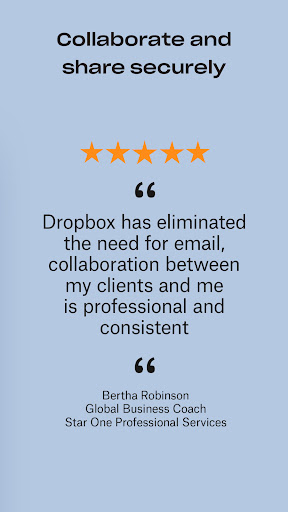
- The app's user-friendly interface and seamless integration with other apps and devices make it easy to use and access files on-the-go, enhancing productivity and collaboration.
- Dropbox's frequent updates and strong developer support ensure that the app stays up-to-date with the latest security patches and features, providing users with a secure and stable experience.
- The app's offline capability and accessibility features make it a great choice for users who need to access files in areas with limited internet connectivity or have disabilities.
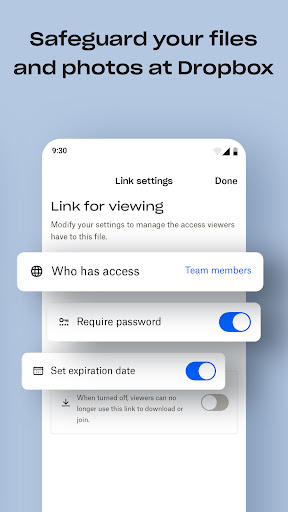
- Dropbox's reputation for security and data protection gives users peace of mind when storing and sharing sensitive files, making it a great choice for individuals and teams who handle confidential information.
Cons
- One concern is the limited free storage space, which may not be sufficient for users with large files or extensive storage needs, potentially leading to additional costs.
- Some users may find the pricing model, which ranges from $6.99 to $299.99 per item, to be expensive, especially for individual users or small teams with limited budgets.
- Although Dropbox has a strong reputation for security, some users may be concerned about the potential risks of storing sensitive information in the cloud, and the app's terms of service and data collection practices should be carefully reviewed.
- The app's lack of advanced features, such as automatic photo and video organization, may be a drawback for some users who are looking for a more comprehensive storage and sharing solution.
Best for: The ideal user for Dropbox is a professional or individual who needs to store and share files securely and collaborate with others across different devices and locations, such as remote workers, teams, and businesses, who value security, reliability, and ease of use, and are willing to pay for additional storage and features as needed.
Developer Description
Share files & memories safely. Keep your photos and videos secure.
Features:
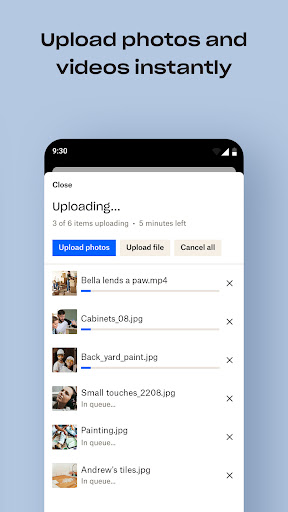
• Automatically upload photos and pictures from your camera roll to cloud photo storage for easy photo sharing ready to send anywhere.
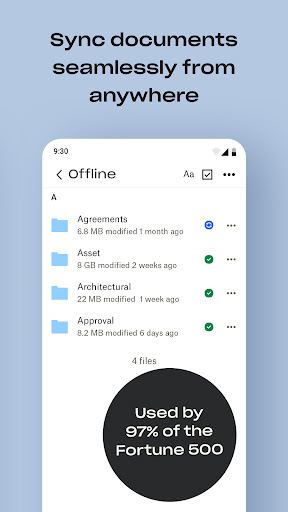
• Access any file in your account—even offline—and preview over 175 different file types with no special software required.
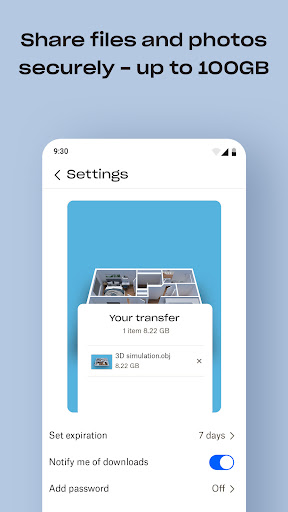
• Easily send large files by sharing a link with anyone, even if they don’t have a Dropbox account.
• Photo transfer app: easily save photos to the cloud or transfer photos from your cloud storage app.
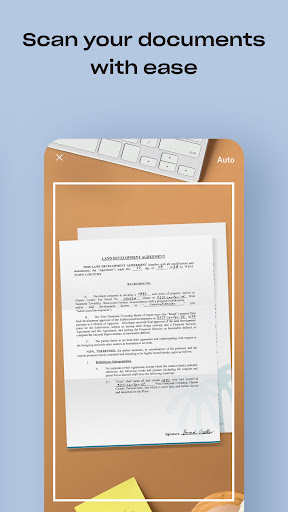
• Scan documents, receipts, IDs, photos, and more using your mobile device and transform them into high-quality PDFs, so you can view and send them anywhere.
• Sync folders on your PC or Mac to Dropbox with computer backup, and recover older versions or restore deleted files with version history and file recovery.
Cloud storage & drive photo storage gives you extra space to backup, upload, share, and scan & we transfer photos or files to the cloud for you! An easy backup and data vault with safe access to your private or shared files. Today you can easily manage and share family albums, video albums, and more.
Sign up now for your free Dropbox Plus trial. Get 2 TB (2,000 GB) of storage space!
New features on the Plus plan:
Dropbox Passwords: store and sync passwords across all your devices
Dropbox Vault: secure your most sensitive documents and photos
Dropbox Rewind: roll back any file, folder, or your entire account, for up to 30 days
Before completing payment, you’ll see the plan price. This amount will be charged to your Google Play account and will vary by plan and country. Dropbox subscriptions purchased in-app renew monthly or yearly, depending on your plan. To avoid auto-renewal, turn it off at least 24 hours before your subscription renews. You can turn off auto-renewal anytime from your Google Play account settings.
Dropbox is a secure cloud & drive solution leader trusted by Fortune 500 companies for their most sensitive data. Over 14 million paid users choose Dropbox because they know they can count on a company that’s also dedicated to their security and privacy—no matter what they do or where they are. Let Dropbox be your all-in-one file storage, file organizer, file transfer, and file sharing solution for all your devices.
We’d love to hear from you! Join the Dropbox community: https://www.dropboxforum.com
Terms of Service: https://www.dropbox.com/terms
Privacy Policy: https://www.dropbox.com/privacy
Privacy
Since Dropbox does not require any permissions, users can be confident that their data is not being collected or shared without their knowledge. However, users should still be cautious when sharing sensitive files and ensure that they are using strong passwords and two-factor authentication to protect their accounts. Additionally, users should review Dropbox's terms of service and data collection practices to understand how their data is being used.
Tips
To get the most out of Dropbox, users should take advantage of the app's offline capability by downloading files for offline access, and use the app's collaboration features to share and edit files with others in real-time. Users can also optimize their storage space by using the app's file compression and duplication detection features, and by regularly cleaning out unnecessary files and folders.
What's New
We release updates regularly and are always looking for ways to make the app better. If you have any feedback or run into issues, come find us in our forums. We’re happy to help!
In-app purchases
$6.99 - $299.99 per item
Version Information
- Version
- 454.2.2
- Downloads
- 1.0B+
- Updated on
- Dec 9, 2025
- Released
- May 4, 2010
- Requires
- Android 9
Statistics
Google Play Rating History
Rating Distribution
Downloads Over Time
Dropbox: Secure Cloud Storage has been downloaded times. Over the past 30 days, it averaged downloads per day.
Shaded area shows 30-day prediction based on historical trends
Historical data collection started recently. More data points will be available over time.
Dropbox: Secure Cloud Storage - Google Play Rankings
Top Rankings
| Rank | Country | Category | List | Change |
|---|---|---|---|---|
| — |
Ranking History in
No ranking data available yet. Rankings are updated daily.
#4 in Top Grossing Productivity in United States
#36 in Top Free Productivity in United States
 Chatbot AI - Search Assistant
Dropbox: Secure Cloud Storage
Chatbot AI - Search Assistant
Dropbox: Secure Cloud Storage
 PDF Reader - Viewer & Editor
#4 in Top Grossing Productivity in Australia
#4 in Top Grossing Productivity in Germany
Dropbox: Secure Cloud Storage users say on Google Play
 Danny Lam
It's a decent app, does the job while not at the desktop
 Lew Morris
Works well for the most part, gets hang ups here and there which get annoying, especially after an update
 Gill Bejerano
Dropbox functionality is great. I pipe many small file thru it between eg laptop and phone. Two stars are removed because on my android 11 Dropbox quickly, and repeatedly, grows from a 48mb installation to a 4.8GB monster within a few months. And all this with minimal offline file use. I was shocked when I first discovered this (thank you 'drives'). Now I just uninstall Dropbox periodically and reinstall. Then I have to add back my shortcuts. Please rein it in.
 John Doe
It's better than drive or one drive, but it's still pretty bad. they'll periodically break your ability to upload or download your own files to blackmail you into updating to the app. and updates change everything around for no reason and harass you about even more features you don't want.
 Daniel Silverberg
Sharing in Dropbox defaults to sending external links instead of just sending files, which is frustrating and unintuitive. I often want to send someone a file directly, not route them through my personal cloud space. This workflow adds unnecessary friction and makes simple file sharing more cumbersome than it needs to be.
ApkTrusted Ratings & Reviews
More from Dropbox, Inc.
See more apps
Similar Apps

pCloud: Cloud Storage
Free

Microsoft OneDrive
Free

Box
Free

Link to Windows
Free

MEGA
Free

MobiDrive Cloud Storage & Sync
Free

Microsoft 365 Copilot
Free

Cloud: Video, photo storage
Free
RAR
Free

Nextcloud
Free

Windows App
Free

Microsoft Outlook
Free

File Manager
Free

Adobe Acrobat Reader: Edit PDF
Free

Samsung Email
Free

Samsung Smart Switch Mobile
Free
Scan this QR code to download

Forwarding you to the page at Google Play market in seconds...
Open Google Play market now