
Microsoft Outlook v5.2601.2
Microsoft Corporation


About this app
Microsoft Outlook solves the problem of managing multiple email accounts, calendars, and contacts in one place, benefiting professionals and individuals with multiple email accounts. It stands out from alternatives in the Productivity category with its seamless integration with other Microsoft services and its robust feature set. However, its comparison to alternatives like Gmail and Yahoo Mail may vary depending on individual preferences. The app's high download numbers and good user rating indicate its effectiveness and reliability.
Pros
- Microsoft Outlook has an excellent rating quality with 4.4/5 stars, indicating a high level of user satisfaction with its performance and features.
- The app's large user base, with over 1 billion downloads, provides social proof of its effectiveness and reliability.
- Microsoft Outlook's feature set is robust, including email, calendar, and contact management, making it a one-stop-shop for productivity needs.
- The app's developer, Microsoft Corporation, is a reputable company with a history of producing high-quality software, which enhances the app's credibility and trustworthiness.
Cons
- The app contains ads, which may be distracting or annoying for some users, and the in-app purchases may lead to additional costs.
- The lack of permissions requested by the app may indicate that it is collecting data through other means, which could be a concern for privacy-conscious users.
- Some users may find the app's interface and features overwhelming, especially if they are not familiar with Microsoft's ecosystem.
Best for: The ideal user for Microsoft Outlook is a professional or individual with multiple email accounts, calendars, and contacts, who values a robust and integrated productivity solution and is familiar with Microsoft's ecosystem, likely in the age range of 25-50, with moderate to advanced technical skills.
Developer Description
Stay on top of multiple accounts with emails, calendars & contacts in one place
Outlook is free for personal use. You can connect your various accounts, like Microsoft Exchange, Microsoft 365, Outlook.com, Gmail, Yahoo Mail, iCloud and IMAP, giving you flexibility to stay connected on the go. Write polished, professional-quality emails with built-in intelligent editing tools for real-time typing suggestions, grammar, and spelling help. Send documents, photos, or video from your Files list, OneDrive, or your Gallery. Open Word, Excel, and PowerPoint documents right from your inbox.
Cut through daily noise and remove clutter with swipe gestures to delete, archive, snooze, or move to folders quickly. Flag important messages for follow-up or pin them to the top of your inbox. Listen to what’s new in your inbox, and find what you need with Search with a tap or your voice.
Stay protected from phishing and spam with Outlook’s enterprise-grade security. Connect with Teams, Skype, Zoom, or other video calling providers for any meeting on the go.
If it’s important, manage it with Microsoft Outlook.
Microsoft Outlook Includes:
Inbox for Everything All in One Place - Email, Contacts & Files
• Inbox access to everything you need, including other email providers. Manage your Gmail, Yahoo Mail, and iCloud inbox and calendars for free with Outlook
• Files are accessible right from your inbox, with connected experiences to Microsoft 365, Word, Excel, PowerPoint & OneNote. Access recent attachments from within Outlook, or attach links from OneDrive or other cloud storage
• Email organizer equipped with filters, folders & more. Easily filter out unwanted spam email
Planning & Calendar Management
• See your various calendars side by side to help you schedule your day
• Create and join your online video calls from Teams, Zoom, and Skype
• RSVP to invites from your inbox & send personalized comments
• Keep your weekly calendar and daily tasks organized with Outlook
Task Organizer & Productivity Solutions - Intelligence Everywhere
• Group same subject emails & conversations for easier tracking
• Use your voice to find people, contacts, emails, events & attachments with Search
• Use suggested replies to respond quickly
• Listen to emails with Play My Emails & catch up hands-free
• Calendar automatically updates with travel & delivery information
Security & Privacy - Protect your mailbox with enterprise-grade security
• Microsoft Outlook protects your files, emails and information with security you can trust
• Secure email app with built-in protection against viruses, phishing & spam email
• Encrypt emails to prevent forwarding when sending sensitive information (requires Microsoft 365 subscription)
The Microsoft Outlook mobile app is compatible with:
• Microsoft Exchange
• Microsoft 365
• Outlook.com, Hotmail.com, MSN.com, Live.com
• Gmail
• Yahoo Mail
• iCloud
• IMAP, POP3
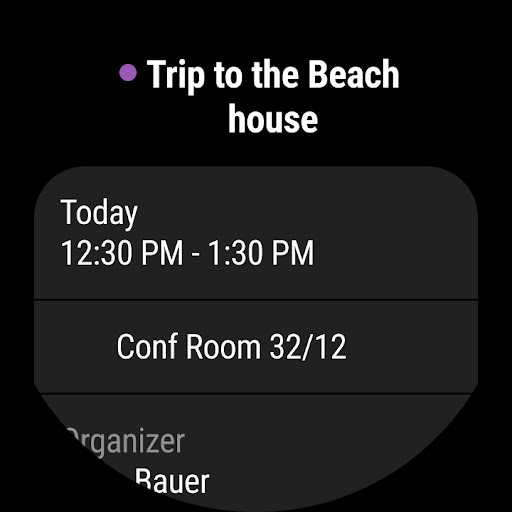
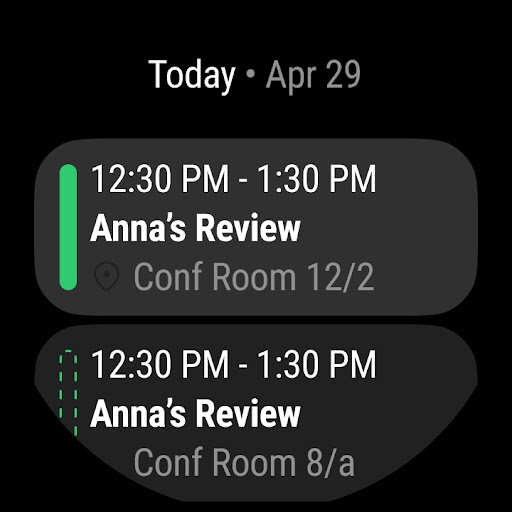
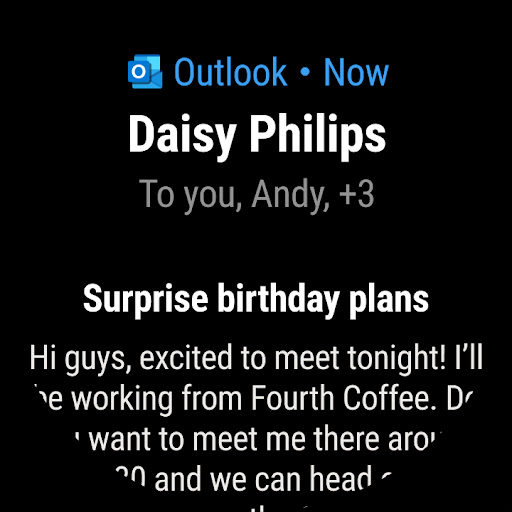
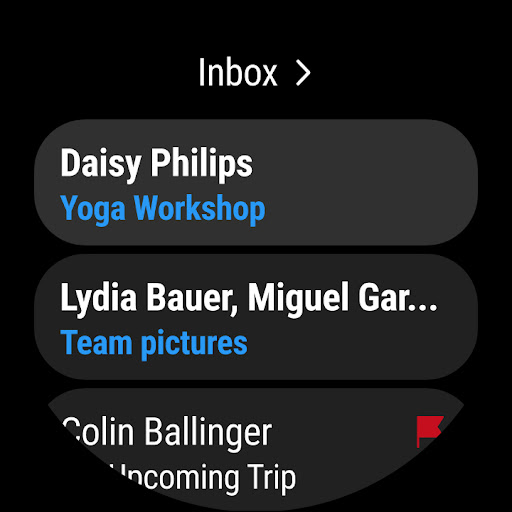
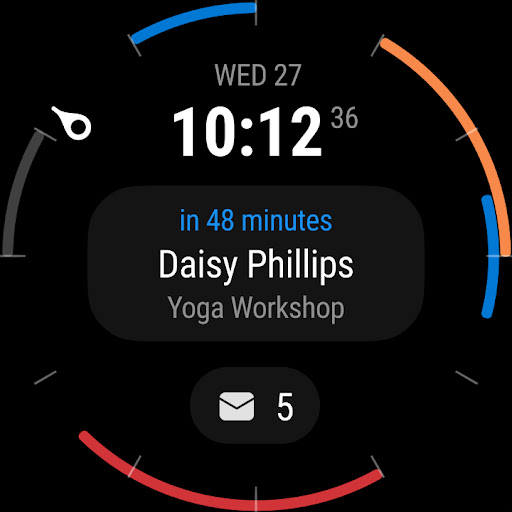
To see your emails and events at a glance, get the Outlook companion app - including a complication and tile - for Wear OS.
Consumer Health Data Privacy Policy: https://go.microsoft.com/fwlink/?linkid=2259814
Privacy
Although Microsoft Outlook does not request any permissions, users should still be cautious about the data they enter into the app, as it may be collected and used by Microsoft. It is essential to review Microsoft's privacy policy to understand how user data is handled. Users can also take steps to protect their account by enabling two-factor authentication and being mindful of phishing attempts.
Tips
To get the most out of Microsoft Outlook, users should take the time to set up their accounts and customize the app's settings to fit their needs. They can also explore the app's hidden features, such as its integration with other Microsoft services like OneDrive and Skype. Additionally, users can optimize the app's performance by regularly clearing cache and closing unused accounts.
What's New
Copilot helps you prepare for your meeting in minutes by summarizing key documents, tasks, and past meetings.
In-app purchases
$1.99 - $20.00 per item
Version Information
- Version
- 5.2601.2
- Downloads
- 1.0B+
- Updated on
- Jan 18, 2026
- Released
- Jan 28, 2015
- Requires
- Android 10
Statistics
Google Play Rating History
Rating Distribution
Downloads Over Time
Microsoft Outlook has been downloaded times. Over the past 30 days, it averaged downloads per day.
Shaded area shows 30-day prediction based on historical trends
Historical data collection started recently. More data points will be available over time.
Microsoft Outlook - Google Play Rankings
Top Rankings
| Rank | Country | Category | List | Change |
|---|---|---|---|---|
| — |
Ranking History in
No ranking data available yet. Rankings are updated daily.
#12 in Top Grossing Productivity in United States


#32 in Top Free Productivity in United States


#4 in Top Grossing Productivity in Spain


#4 in Top Grossing Productivity in Netherlands
Microsoft Outlook users say on Google Play
 Terell Whitehead
awesome
 CANTONS OMONDI
Great app
 sam Leary
not safe getting annoyed over too much spam messages 🙄
 Graham Sharp
Started using it because Gmail broke, but this is actually better in many areas including how emails are displayed. Have to restart it often as it gradually gets slower.
 Raj
Raj
Notifications don't work properly, and read emails remain unread, it takes a while to find flagged emails, I can't find them when I search, there are many other problems.Also, if you create a file and save it in the mail, it doesn't show later and isn't saved.
ApkTrusted Ratings & Reviews
More from Microsoft Corporation
See more apps
Microsoft Authenticator
Free

Microsoft Bing Search
Free

Microsoft Azure
Free

MSN
Free

MSN Money- Stock Quotes & News
Free

IoT Plug and Play
Free

MSN Weather - Forecast & Maps
Free

Microsoft Build
Free

Microsoft Bing Webmaster Tools
Free

Link to Windows
Free

Warehouse Management
Free

Bing Wallpapers
Free

Microsoft Advertising
Free

Microsoft Identity Pass
Free

As Dusk Falls Companion App
Free

SMS Organizer
Free
Similar Apps

Yahoo Mail
Free

Samsung Email
Free

Samsung Internet Browser
Free

Samsung Notes
Free

Slack
Free

Google Chrome
Free

Zoom Workplace
Free
Email - Fast & Secure Mail
Free

WPS Office-PDF, Word, Sheet
Free

Adobe Acrobat Reader: Edit PDF
Free

Samsung Members
Free

Dropbox: Secure Cloud Storage
Free

Document Reader - PDF Editor
Free

Waze Navigation & Live Traffic
Free

Viva Engage
Free

SAP SuccessFactors Mobile
Free
Scan this QR code to download

Forwarding you to the page at Google Play market in seconds...
Open Google Play market now