
Samsung Internet Browser vVARY
Samsung Electronics Co., Ltd.


About this app
The Samsung Internet Browser solves the problem of providing a secure, private, and optimized mobile browsing experience, benefiting users who value their online safety and speed. Compared to other browsers in the Communication category, Samsung Internet Browser stands out with its robust security features and seamless integration with Samsung devices. However, it falls short in terms of cross-platform compatibility and innovative features. Overall, it's a solid choice for Samsung users seeking a reliable and private browsing experience.
Pros
- With over 1 billion downloads, Samsung Internet Browser has established itself as a trusted and widely-used browser, indicating a high level of social proof and reliability.
- The browser's robust security features, such as anti-tracking and encryption, provide users with a safe and private browsing experience, which is a significant advantage over other browsers.
- As a Samsung-developed app, the browser integrates seamlessly with Samsung devices, offering a streamlined and optimized user experience.
- The absence of ads and in-app purchases ensures a distraction-free browsing experience, making it an attractive option for users who value simplicity and minimalism.
- Samsung's reputation as a reputable developer and its commitment to regular updates ensure that the browser stays up-to-date with the latest security patches and features.
Cons
- Despite its strengths, Samsung Internet Browser's limited cross-platform compatibility may deter users who prefer a unified browsing experience across different devices and operating systems.
- Some users may find the browser's feature set to be less innovative compared to other popular browsers, which could be a drawback for those seeking more advanced functionalities.
- The browser's performance may vary depending on the device and network conditions, which could lead to occasional lag or slow loading times.
- The lack of transparency regarding data collection and usage may raise concerns among privacy-conscious users, despite the browser's emphasis on security and privacy.
Best for: The ideal user for Samsung Internet Browser is a Samsung device owner who values security, privacy, and a seamless browsing experience, and is likely tech-savvy enough to appreciate the browser's advanced features and customization options, but may not require cross-platform compatibility or the most innovative features available in the market.
Developer Description
The secure, private and optimized mobile web browser from Samsung
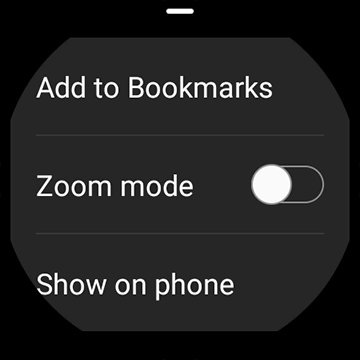
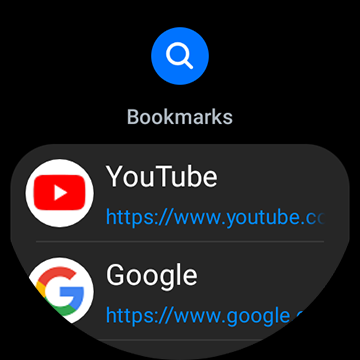
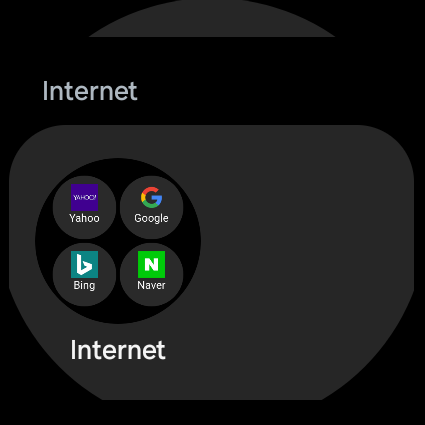
Samsung Internet with tiles and complication feature is available on Galaxy Watch devices that support Wear OS. (※ Galaxy Watch4 series and models released later)
■ New Features for you
* Auto close unused tabs
You can enable the "Auto close unused tabs" feature in the Internet Settings menu to automatically close tabs that have not been used for a certain period of time. Organize unnecessary tabs effortlessly, and enjoy a neat and productive browsing experience.
* Newly updated "Grid" view mode for Tab Manager
For easier and more intuitive tab management, a multi-column layout has been applied to mobile devices. For easier tab navigation, tab scroll animations have been added.
■ Security & Privacy
Samsung Internet helps you protect your security and privacy while browsing the Internet.
* Smart Anti-Tracking
Intelligently identify domains which have cross-site tracking ability and block storage (cookie) access.
* Protected Browsing
We will warn you before you can view known malicious sites to prevent you from visiting web sites which may try to steal your data.
* Content Blockers
Samsung Internet for Android allows 3rd party apps to provide filters for content blocking, making browsing safer and more streamlined.
The following permissions are required for the app service.
For optional permissions, the default functionality of the service is turned on, but not allowed.
[Required permissions]
none
[Optional permissions]
Location: Used to provide location-based content requested by the user or location information requested by the webpage in use
Camera: Used to provide webpage shooting function and QR code shooting function
Microphone: Used to provide recording function on webpage
Phone: (Android 11) Requires access permission to check the mobile phone information in order to provide country-specific feature optimization
Nearby devices: (Android 12 or higher) To find and connect to nearby Bluetooth devices when requested by the website
Music and audio: (Android 13 or higher) To upload audio files on webpages
Photos and videos: (Android 13 or higher) To upload photos and videos on webpages
Files and media: (Android 12) To upload files stored in storage spaces on webpages
Storage: (Android 11 or lower) To upload files stored in storage spaces on webpages
Notifications: (Android 13 or higher) To display the download progress and website notifications
Privacy
Given that Samsung Internet Browser requires no permissions, users can rest assured that their data is not being collected or shared without their consent. However, it's essential to note that Samsung may still collect anonymous usage data to improve the browser's performance and security. To further enhance security, users should enable the browser's anti-tracking features and regularly clear their browsing data.
Tips
To get the most out of Samsung Internet Browser, users should explore the browser's settings to enable features like ad blocking and anti-tracking. Additionally, users can optimize their browsing experience by clearing cookies and cache regularly, which can help improve performance and reduce data usage. Furthermore, users can take advantage of the browser's integration with other Samsung apps, such as Samsung Notes and Samsung Gallery, to enhance their overall productivity.
What's New
* Fixed bugs and improved stability
Version Information
- Version
- -
- Downloads
- 1.0B+
- Updated on
- Jan 19, 2026
- Released
- Aug 24, 2015
- Requires
- Android Varies with device
Statistics
Google Play Rating History
Rating Distribution
Downloads Over Time
Samsung Internet Browser has been downloaded times. Over the past 30 days, it averaged downloads per day.
Shaded area shows 30-day prediction based on historical trends
Historical data collection started recently. More data points will be available over time.
Samsung Internet Browser - Google Play Rankings
Top Rankings
| Rank | Country | Category | List | Change |
|---|---|---|---|---|
| — |
Ranking History in
No ranking data available yet. Rankings are updated daily.
#24 in Top Free Communication in South Korea


#27 in Top Free Communication in Thailand

#34 in Top Free Communication in Australia


#36 in Top Free Communication in Germany


Samsung Internet Browser users say on Google Play
 tarang joshi
All good, but please don't allow sites to block browser controls. i want to block immersive mode. Many sites more go full screen hiding tabs. then i can't open other tabs. This is degenerate disaster in many win and googl browsers, please block it here
 Subhadip Bhattacharya
Background play not working. please fix this
 noshad hussain
video background play setting is not working in new version please fix this feature as soon as possible
 Impact Gamer
background play suddenly stopped working
 Pawmeowzing
i like this app so much even when i'm using non samsung phone I will still install it. but recent update broke the upload function. it can't launch browse dialog and crash
ApkTrusted Ratings & Reviews
More from Samsung Electronics Co., Ltd.
See more apps
Smart Tutor for SAMSUNG Mobile
Free

One Hand Operation +
Free

Galaxy Buds Core Manager
Free

POWERbot-S
Free

Samsung WE VoIP
Free

Samsung Accessory Service
Free

Galaxy Buds FE Manager
Free
Galaxy Buds FE Manager
Free

Galaxy Buds Pro Manager
Free

Samsung Plus 2
Free

Galaxy Buds3 Manager
Free

Galaxy Buds2 Manager
Free

Galaxy Buds Manager
Free

Galaxy Buds3 FE Manager
Free

POWERbot-E
Free

Galaxy Buds3 Pro Manager
Free
Similar Apps

Mi Browser
Free

Chrome Beta
Free

Chrome Dev
Free

Google Chrome
Free

Brave Private Web Browser, VPN
Free

Internet Browser
Free

Opera: Private Web Browser
Free

Chrome Canary (Unstable)
Free

Via Browser - Fast & Light
Free

Hola-Private&Fast web Browser
Free

Microsoft Edge: AI browser
Free

Microsoft Outlook
Free

Opera Mini: Fast Web Browser
Free

Firefox Fast & Private Browser
Free

Incognito Browser - Go Private
Free

Free Adblocker Browser:Adblock
Free
Scan this QR code to download

Forwarding you to the page at Google Play market in seconds...
Open Google Play market now