
Opera: Private Web Browser v94.2.4936.86893
Opera


About this app
The Opera: Private Web Browser app solves the problem of keeping user data safe while browsing the internet, benefiting most those who value their online privacy. Compared to other alternatives in the Communication category, Opera stands out with its robust set of features designed to protect user data, including a built-in ad blocker and VPN. However, it falls short in terms of customization options for power users. With over 100 million downloads and a 4.7-star rating, Opera has established itself as a top-tier app in its category.
Pros
- With a strong focus on privacy, Opera's built-in features such as the ad blocker and VPN provide a secure browsing experience, making it an attractive option for those concerned about their online data.
- The app's user interface is clean and intuitive, making it easy for new users to navigate and customize their browsing experience.
- Opera's developer has a good reputation for regularly updating the app, ensuring that users have access to the latest security patches and features.
- The app's offline capability allows users to save web pages for later, making it a great option for those with limited internet connectivity.
- Opera's commitment to user privacy is evident in its minimal permission requests, which is a significant advantage over other browsers that often request excessive permissions.
Cons
- One concern is the presence of ads within the app, which may be intrusive for some users, although the option to purchase an ad-free experience is available.
- The in-app purchases, ranging from $8.00 to $48.00 per item, may be seen as expensive by some users, potentially deterring them from accessing premium features.
- Some users may find the app's feature set to be limited compared to other browsers on the market, particularly in terms of customization options.
- The app's performance may vary depending on the device being used, with some users experiencing slower load times or crashes on lower-end devices.
Best for: The ideal user for Opera: Private Web Browser is likely someone who values their online privacy and is looking for a secure browsing experience, such as individuals who frequently use public Wi-Fi or access sensitive information online, and who are willing to pay for premium features to enhance their browsing experience.
Developer Description
A browser that does more than load page, like keeping your privacy safe.
THE FULL FEATURE LINEUP:
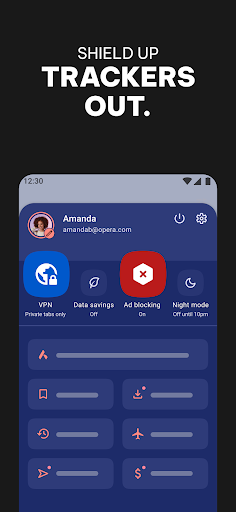
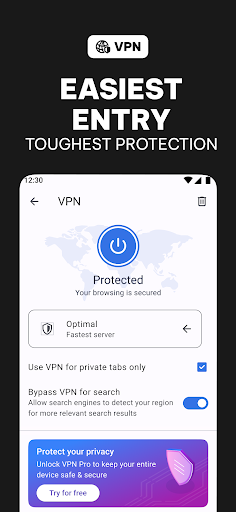
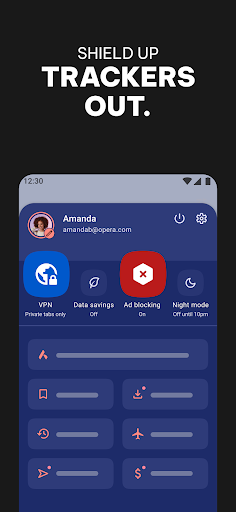
🛡️ Free VPN – Because your privacy shouldn’t come with a price tag.
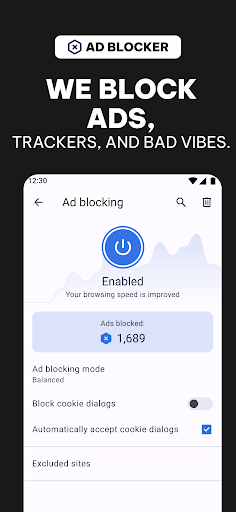
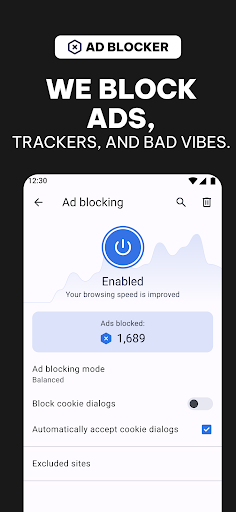
⛔ Enhanced Ad Blocker – Ads? Nope. uBlock Origin-powered, so it actually works.
👀 Tracker Blocker – Stops others from selling your browsing habits.
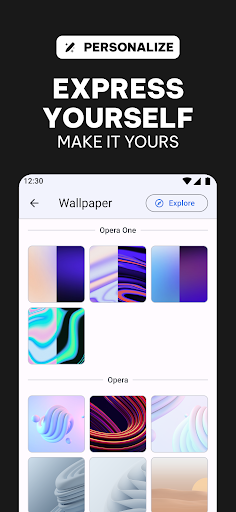
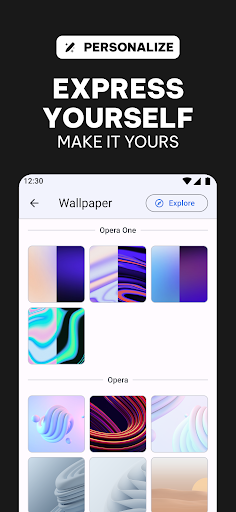
🎨 Total Customization – Dark Mode, wallpapers, themes—make it your browser.
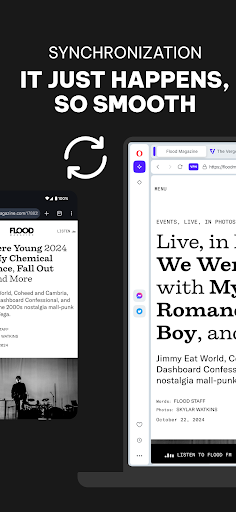
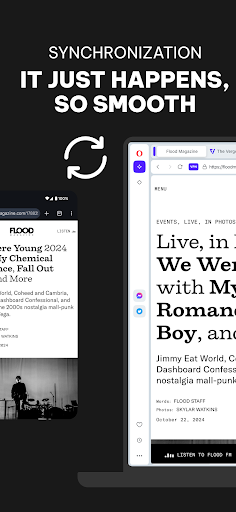
🌍 Sync Across Devices – Keep your tabs, bookmarks, and settings wherever you go.
🚫 BLOCK ADS. TAKE BACK CONTROL.
Tired of the internet looking like Times Square? Our ad blocker does more than slap a bandaid on the problem—it deletes ads, trackers, and all the other garbage slowing you down.
🛡️ BROWSE PRIVATELY, ANYWHERE.
Free VPN = total privacy with just one tap. No sign-ups, no weird data collection, no "7-day free trials" that suddenly charge you $9.99. It just works.
🔒 LOCK DOWN EVERY DEVICE.
Need protection beyond Opera? VPN Pro covers everything—your apps, your entire phone, even your grandma’s tablet (if you’re feeling generous). One subscription, six devices.
📉 DATA SAVINGS THAT ACTUALLY SAVE DATA.
Why load a 10MB webpage when we can slim it down for you? Opera compresses pages, so you get the speed without the data drain.
🎨 YOUR BROWSER, YOUR RULES.
Customize everything—wallpapers, icons, layouts. Dark Mode? Of course. Opera is your browser, not just another cookie-cutter app.
Got questions? Check out our Help and FAQ: opera.com/help
Terms of Service: legal.opera.com/terms
Privacy Policy: legal.opera.com/privacy
Ditch the average. Opera is what the internet should be. Download now and upgrade your browsing game.
Privacy
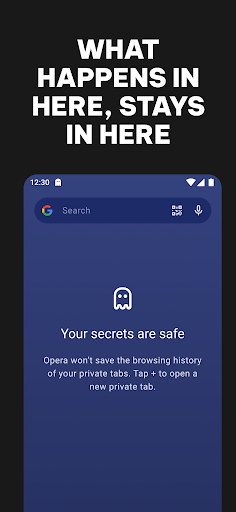
Given that Opera requests no permissions, it is a relatively safe app to use, with minimal risk of data collection or misuse. However, users should still be cautious when clicking on links or downloading content from the internet, as these actions can still pose a risk to their device and data. To stay safe, users should ensure they keep their app and operating system up to date.
Tips
To get the most out of Opera, users should take advantage of the app's built-in features such as the ad blocker and VPN, which can be enabled in the settings menu. Additionally, users can optimize their browsing experience by clearing their browsing data regularly and using the app's offline capability to save web pages for later. For first-time setup, users should explore the app's settings to customize their experience, including choosing their default search engine and setting up their VPN.
What's New
More changes/additions:
- Chromium 143
- Chromebook-specific UI retired; now uses the large-tablet UI
- AI: Open all sources in a tab group to review and dig deeper
- Latest Chromium security updates (2026-01-21)
In-app purchases
$8.00 - $48.00 per item
Version Information
- Version
- 94.2.4936.86893
- Downloads
- 100M+
- Updated on
- Jan 21, 2026
- Released
- Nov 8, 2010
- Requires
- Android Varies with device
Statistics
Google Play Rating History
Rating Distribution
Downloads Over Time
Opera: Private Web Browser has been downloaded times. Over the past 30 days, it averaged downloads per day.
Shaded area shows 30-day prediction based on historical trends
Historical data collection started recently. More data points will be available over time.
Opera: Private Web Browser - Google Play Rankings
Top Rankings
| Rank | Country | Category | List | Change |
|---|---|---|---|---|
| — |
Ranking History in
No ranking data available yet. Rankings are updated daily.
#18 in Top Free Communication in United States

#52 in Top Grossing Communication in United States
#9 in Top Free Communication in Brazil


#9 in Top Free Communication in Turkey

Opera: Private Web Browser users say on Google Play
 Yusuf Islam
Just updating my review. Still my go to browser. Best browser out there. Text wrapping, great ad blocking & speed dials!
 Annan Basri
good
 abdoula Jaw
good app
 Doot Master
The app is great with loads of amazing features. However, it does not work on my new phone. I recently upgraded to the pixel 10 pro, and I constantly get alerts saying the app isn't responding. I've updated, reinstalled, force stopped, but nothing works.
 Gyromatical
Ads pop up when you open the browser now for Spotify, VPNs, etc. This plus the other "design choices" and bugs (no keyboard pops up, UI glitches, memory leaks) which have been ignored over the last few versions have me hunting for a permanent replacement. Opera is known to add breaking changes here and there then revert - can't be trusted anymore. And don't reply to me telling me to contact you because this review IS contact, and don't reply with excuses. You guys are going down the wrong path.
ApkTrusted Ratings & Reviews
More from Opera
See more apps
Opera browser beta with AI
Free

Opera Mini: Fast Web Browser
Free

Opera Mini browser beta
Free
Opera GX: Gaming Browser
Free

Local News: Headlines & Alerts
Free

Apex News: Breaking & Local
Free

Opera News: breaking & local
Free
MiniPay - Dollar Wallet
Free

Apex Football: Live Scores
Free
Opera News Lite - Less Data
Free
Similar Apps

Firefox Fast & Private Browser
Free

Brave Private Web Browser, VPN
Free

Via Browser - Fast & Light
Free

DuckDuckGo, Duck.ai (optional)
Free
Mi Browser
Free

Samsung Internet Browser
Free

Google Chrome
Free
Hola-Private&Fast web Browser
Free

Chrome Beta
Free

Aloha Browser - Private VPN
Free

Fiery Browser - Fast & Private
Free
Super Browser: Fast & Private
Free

VPN - Super Unlimited Proxy
Free

Incognito Browser - Go Private
Free

Proxy Browser
Free

Turbo VPN - Secure VPN Proxy
Free
Scan this QR code to download

Forwarding you to the page at Google Play market in seconds...
Open Google Play market now