
Samsung Email v6.2.07.5
Samsung Electronics Co., Ltd.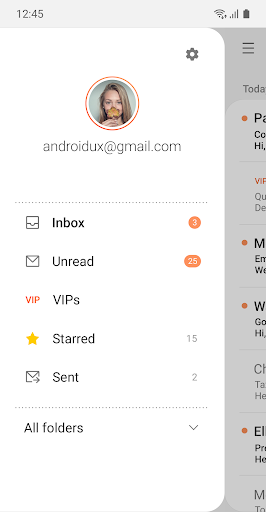
About this app
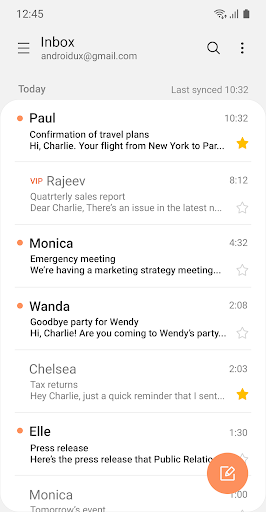
The Samsung Email app solves the problem of providing a reliable and powerful email client for Galaxy users, benefiting those who rely heavily on email for personal and professional purposes. Compared to alternatives in the Productivity category, Samsung Email stands out with its seamless integration with Samsung devices and a user-friendly interface. However, it may fall short in terms of innovation, as it largely resembles other email clients in terms of features. With over 1 billion downloads and a 4.4-star rating, it's clear that Samsung Email has met the needs of many users.
Pros
- With over 1 billion downloads, Samsung Email has demonstrated its reliability and performance, making it a trustworthy choice for users who require a stable email client.
- The app's high user rating of 4.4 stars is a testament to its ease of use and feature-rich interface, which includes support for multiple email accounts and a clean design.
- As a product from Samsung Electronics, users can expect regular updates and a high level of security, which is essential for an email client that handles sensitive information.
- The absence of ads and in-app purchases ensures a distraction-free experience, allowing users to focus on managing their emails without interruptions.
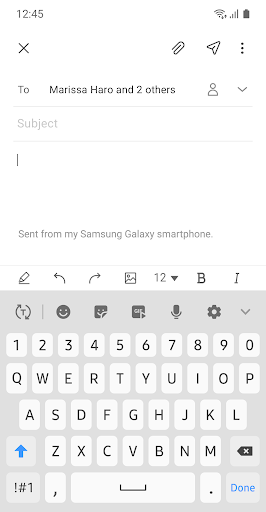
- Samsung Email's offline capability allows users to compose and manage emails even without an internet connection, making it a convenient option for those who need to work on the go.
Cons
- One concern is that Samsung Email may not offer anything groundbreaking in terms of features, which could make it less appealing to users who are looking for innovative email management solutions.
- Some users may find the app's design and functionality too similar to other email clients, which could make it feel less unique or exciting to use.
- Although Samsung Email has a high user rating, some users have reported issues with synchronization and notification reliability, which could be frustrating for those who rely on timely email notifications.
- The app's lack of support for certain email services or features, such as email encryption or advanced filtering options, might be a drawback for power users or those with specific email management needs.
Best for: The ideal user for Samsung Email is likely a professional or individual who relies heavily on email for communication and organization, values a simple and intuitive interface, and is already invested in the Samsung ecosystem, such as Galaxy smartphone or tablet users who can appreciate the seamless integration and synchronization across their devices.
Developer Description
Experience powerful and Reliable email client on your Galaxy.
Samsung Email enables users to manage multiple personal and business email accounts seamlessly. Samsung Email also offers EAS integration for business, encryption using S/MIME to safeguard data and ease-of-use features such as insightful notifications, SPAM management. Furthermore, organizations can administer various policies as needed.
Key features
· POP3 and IMAP support for managing personal email accounts
· Exchange ActiveSync (EAS) integration for synchronizing Exchange Server based business email, calendars, contacts and tasks
· Encryption using S/MIME for secure email communication
Additional features
· Customizable user experience with notifications, schedule synchronization, SPAM management, and combined mailboxes
· Policy administration with comprehensive, built-in EAS support
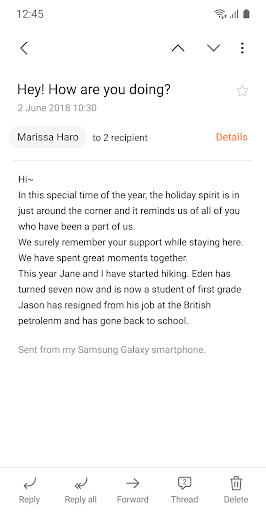
· Conversation and thread view to read related mail
--- Regarding the App Access Permission ---
The following permissions are required for the app service. For optional permissions, the default functionality of the service is turned on, but not allowed.
[Required permissions]
- None
[Optional permissions]
- Camera: Used to attach photos to email
- Location: Used to attach current location information to email
- Contacts: Used to link email recipients/senders with contacts and synchronize contact information when using Microsoft Exchange account
- Calendar: Used to synchronize calendar infomation when using Microsoft Exchange account
- Notification : Used to display notification when sending or receiving emails
- Music and audio (Android 13 or higher) : Used to attach or save files such as music and audio
- File and Media (Android 12) : Used to attach(insert) or save files and media.
- Storage (Android 11 or less) : Used to attach(insert) or save files
[Privacy Policy]
https://eula.secb2b.com/EULA/EMAIL/GLOBAL_en_rUS_Privacy_Policy.html
[Supported E-mail]
b2b.sec@samsung.com
Privacy
Given that Samsung Email requires no permissions, it's a relatively safe choice in terms of data privacy. However, users should still be cautious when clicking on links or downloading attachments from unknown senders, as these could potentially contain malware or phishing scams. To further protect their email accounts, users should enable two-factor authentication and regularly update their passwords.
Tips
To get the most out of Samsung Email, users should take advantage of its customization options, such as setting up multiple email accounts and organizing their inbox with folders and labels. Additionally, users can improve performance by regularly cleaning out their spam and trash folders, and by using the app's built-in features, such as the 'Focus' mode, to prioritize important emails. For first-time setup, users should ensure they have the latest version of the app and follow the in-app tutorial to configure their email accounts correctly.
What's New
. enhance translation engine quality
. apply work-around for composer scrolling issue
Version Information
- Version
- 6.2.07.5
- Downloads
- 1.0B+
- Updated on
- Dec 15, 2025
- Released
- Jan 15, 2017
- Requires
- Android 9
Statistics
Google Play Rating History
Rating Distribution
Downloads Over Time
Samsung Email has been downloaded times. Over the past 30 days, it averaged downloads per day.
Shaded area shows 30-day prediction based on historical trends
Historical data collection started recently. More data points will be available over time.
Samsung Email users say on Google Play
 Ramazan Korkut
perfect 👌
 Dan Dickey
update for Galaxy S25: This is still my favorite email app. I really have no complaints for the most part. I tried Outlook but I find it confusing when adding to a thread. or when forwarding an original email with an added reply. It forwards everything. Don't like that. Original review: App came with my new S9. The Samsung email on S4 Mini was better and easier and quicker to use. This new app does not provide search for a date range.
 Rosemary
have always counted on this email app, but now it will not load unless I clear the cache every time! please fix. January 2026.
 Paula Castro
I've been using this app for many many years and there've been hiccups along the way but nothing that hasnt been fixed. Ive been really disappointed in this app for the past few months though, because it has a lot of lagging while syncing. when I try to open an email it lags to open and then it lags to sync again. even as I am deleting several emails, it lags between deleting, and freezes. Oh & when searching an email in the deleted folder, I can brew me a cup of JOE, come back & still syncing🤬
 A Google user
When you have a large amount of emails, searching is ridiculously slow (30 seconds+), and often crashes. Also, you click on an email in the search, close it, and open a second, it often opens the first one again; eventually! Also, it would really be good to be able to amend timings on how long emails are kept. Choices are a day, a week, a month or forever. Would be good to have option of a year or 2 years. A month is way too short for me, but forever makes the apo run very slowly!
ApkTrusted Ratings & Reviews
More from Samsung Electronics Co., Ltd.
See more apps
Smart Tutor for SAMSUNG Mobile
Free

One Hand Operation +
Free

Galaxy Buds Core Manager
Free

POWERbot-S
Free

Samsung WE VoIP
Free
Samsung Accessory Service
Free

Galaxy Buds FE Manager
Free
Galaxy Buds FE Manager
Free

Galaxy Buds Pro Manager
Free

Samsung Plus 2
Free

Galaxy Buds3 Manager
Free

Galaxy Buds2 Manager
Free

Galaxy Buds Manager
Free

Galaxy Buds3 FE Manager
Free

POWERbot-E
Free

Galaxy Buds3 Pro Manager
Free
Similar Apps
Email - Fast & Secure Mail
Free

Email Aqua Mail - Fast, Secure
Free

Microsoft Outlook
Free

Yahoo Mail
Free

Spark Mail: AI Email, Calendar
Free

Email Blue Mail - Calendar
Free
K-9 Mail
Free
FairEmail, privacy aware email
Free

Thunderbird Beta for Testers
Free

Microsoft 365 Admin
Free

Mi Browser
Free

Link to Windows
Free

GMX - Mail & Cloud
Free

Bitwarden Password Manager
Free

Microsoft Authenticator
Free

Slack
Free
Scan this QR code to download

Forwarding you to the page at Google Play market in seconds...
Open Google Play market now