
Samsung Smart Switch Mobile v3.7.68.6
Samsung Electronics Co., Ltd.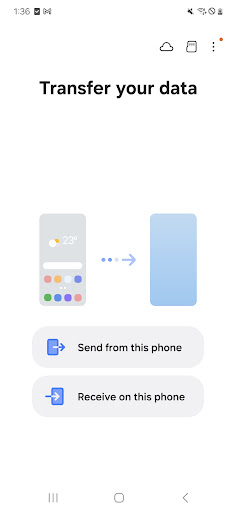
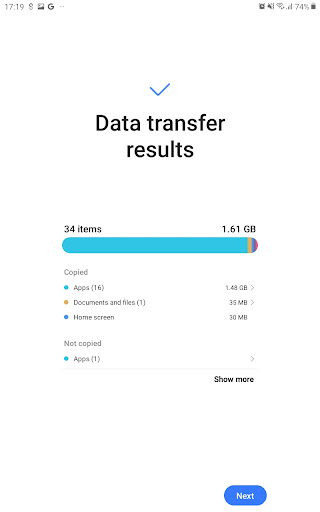
About this app
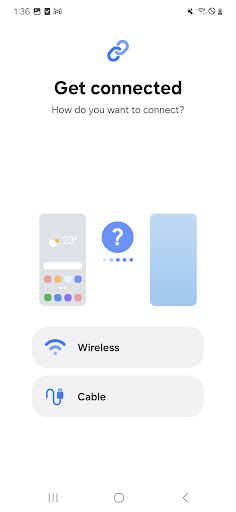
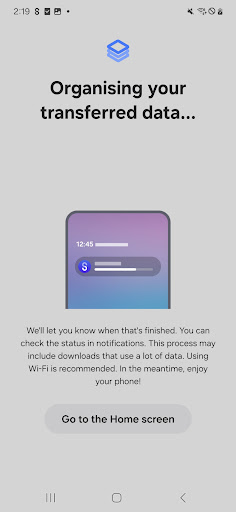
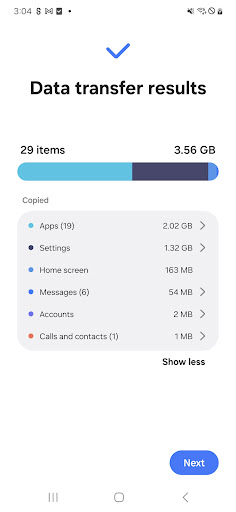
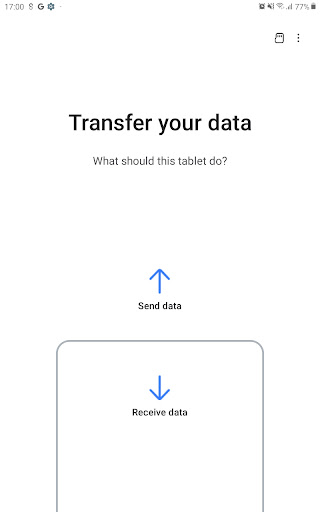
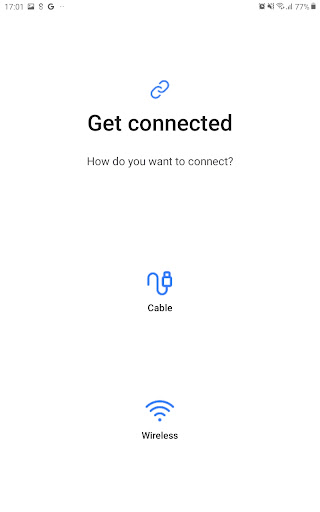
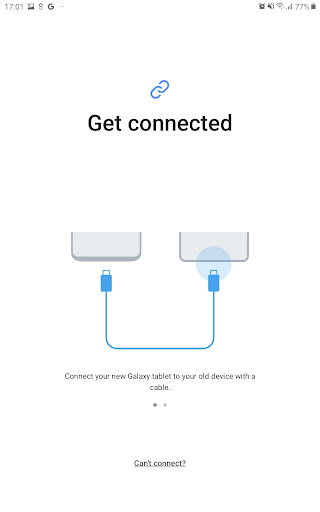
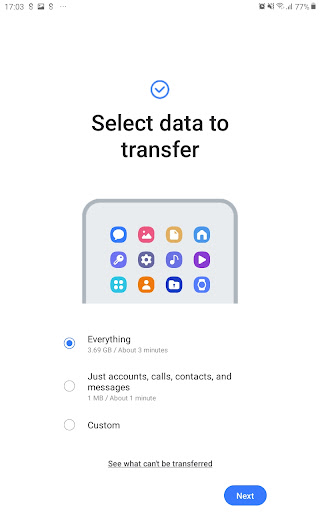
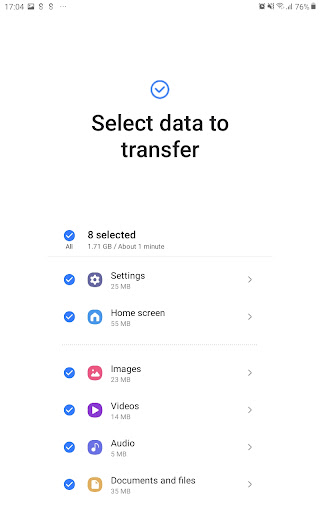
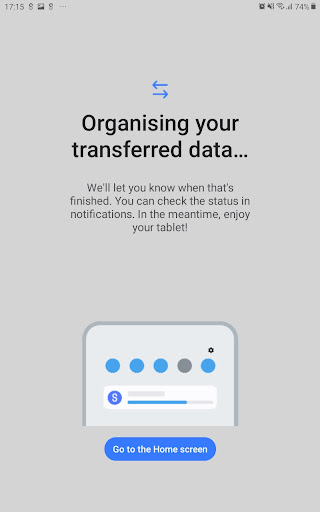
Samsung Smart Switch Mobile solves the problem of transferring data between devices, benefiting most those who frequently switch between Samsung devices or upgrade to new ones. Compared to alternatives in the Tools category, Smart Switch stands out for its seamless integration with Samsung devices, but falls short in terms of compatibility with non-Samsung devices. With over 1 billion downloads and a 3.9/5 user rating, it's a widely trusted solution, although some users may find the interface and feature set somewhat limited. Its strength lies in its ability to simplify the transfer process, making it an essential tool for Samsung users.
Pros
- Samsung Smart Switch Mobile has an incredibly high download count, indicating a large user base and social proof of its effectiveness, which is a significant advantage in the Tools category.
- The app's developer, Samsung Electronics Co., Ltd., is a well-established and reputable company, ensuring that the app is regularly updated and supported, which contributes to its reliability and performance.
- With no in-app purchases or ads, the user experience is uninterrupted and free from monetization aggressiveness, making it a pleasant experience for users.
- The app's ability to transfer data without requiring a computer is a significant convenience, especially for those who are not tech-savvy or prefer a more straightforward approach.
- Samsung Smart Switch Mobile's offline capability allows users to transfer data even without an internet connection, which is particularly useful in areas with poor network coverage.
Cons
- Some users may find the app's interface somewhat cluttered and difficult to navigate, especially for those who are not familiar with Samsung's ecosystem, which could lead to a steeper learning curve.
- The app's compatibility is primarily limited to Samsung devices, which may not be ideal for users who own devices from other manufacturers or need to transfer data across different platforms.
- Although the app has a good user rating, some users have reported issues with data transfer failures or incomplete transfers, which highlights the need for more robust error handling and troubleshooting features.
- The lack of detailed documentation or troubleshooting guides within the app may leave some users without clear solutions to common problems, which could be frustrating for those who encounter issues.
Best for: The ideal user for Samsung Smart Switch Mobile is a Samsung device owner, likely an individual who frequently upgrades their device or needs to transfer data between Samsung devices, and values a straightforward, Samsung-optimized solution for data transfer, with a moderate level of technical skill and an appreciation for the convenience and reliability that the app offers.
Developer Description
If you can't download, you can open Smart Switch from device's Settings menu
▣ Who can transfer?
• Android™ owners
- Android 5.0 or higher
• iOS™ owners - use the option that’s best for you:
- Wired transfer from your iOS device to your Galaxy: iOS 5.0 or above, iOS device cable (lightning or 30 pin), and a USB connector
- Import from iCloud™: iOS 4.2.1 or higher and Apple ID
- PC/Mac transfer using iTunes™: Smart Switch PC/Mac software – Get started http://www.samsung.com/smartswitch
▣ What can be transferred?
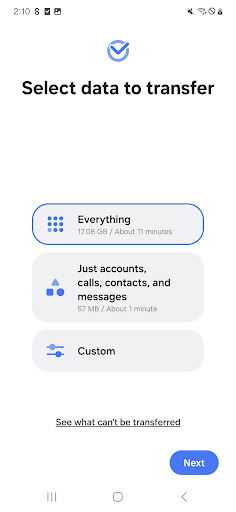
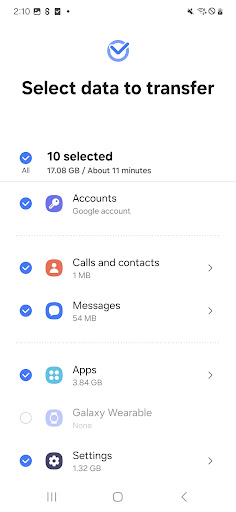
- Contacts, calendar(Device content only), messages, photos, music (DRM free content only, Not supported for iCloud), videos (DRM free content only), call logs, memos, alarms, Wi-Fi, wallpapers, documents, app data (Galaxy devices only), home layouts (Galaxy devices only)
- You can send app data and home layouts by upgrading your Galaxy device to M OS (Galaxy S6 or higher).
▣ Which devices are supported?
• Galaxy: Recent Galaxy mobile devices and tablets (From Galaxy S2)
• Other Android devices:
- HTC, LG, Sony, Huawei, Lenovo, Motorola, PANTECH, Panasonic, Kyocera, NEC, SHARP, Fujitsu, Xiaomi, Vivo, OPPO, Coolpad, RIM, YotaPhone, ZTE, Gionee, LAVA, MyPhone, Cherry Mobile, Google
* For reasons such as compatibility between devices, it may not be possible to install and use Smart Switch on certain devices.
1. To transfer data, both devices must have a minimum of 500 MB free space in their internal memory.
2. If you have a non-Samsung device that constantly disconnects from the wireless network, go to Advanced Wi-Fi on your device, turn off the “Wi-Fi initialize” and “Disconnect low Wi-Fi signal” options, and try again.
(The options described above may not be available, depending on your device manufacturer and OS version.)
The following permissions are required for the app service. For optional permissions, the default functionality of the service is turned on, but not allowed.
[ Required permissions ]
. Phone: Used to confirm your phone number (Android 12 or lower)
. Call logs: Used to transfer call log data (Android 9 or higher)
. Contacts: Used to transfer contacts data
. Calendar: Used to transfer calendar data
. Camera: Used to scan QR codes to connect to Galaxy phones and tablets
. SMS: Used to transfer SMS data
. Storage: Used to save the files necessary for data transfer (Android 11 or lower)
. Files and media: Used to save the files necessary for data transfer(Android 12)
. Photos and Videos: Used to save the files necessary for data transfer (Android 13 or higher)
. Nearby devices: Used to search for nearby devices using Wi-Fi or Bluetooth (Android 12 or higher)
. Location: Used to connect to devices using Wi-Fi Direct, which makes your location available to nearby devices (Android 12 or lower)
. Notifications: Used to provide information about the progress of data transfers (Android 13 or higher)
If your system software version is lower than Android 6.0, please update the software to configure App permissions.
Previously allowed permissions can be reset on Apps menu in device settings after software update.
Privacy
Given that Samsung Smart Switch Mobile requires no permissions, it poses minimal risk to user privacy and security, which is a significant advantage. However, users should still be cautious when transferring sensitive data and ensure that both devices are connected to a trusted network. It's also essential to keep the app updated to ensure that any potential security vulnerabilities are addressed promptly.
Tips
To get the most out of Samsung Smart Switch Mobile, users should first ensure that both devices are fully charged and connected to the same network. Additionally, closing other resource-intensive apps can help improve the transfer speed and overall performance. For a smoother experience, it's also recommended to regularly clean up stored data on the device to free up space and reduce transfer times.
What's New
Version Information
- Version
- 3.7.68.6
- Downloads
- 1.0B+
- Updated on
- Oct 29, 2025
- Released
- Apr 17, 2013
- Requires
- Android 5.0
Statistics
Google Play Rating History
Rating Distribution
Downloads Over Time
Samsung Smart Switch Mobile has been downloaded times. Over the past 30 days, it averaged downloads per day.
Shaded area shows 30-day prediction based on historical trends
Historical data collection started recently. More data points will be available over time.
Samsung Smart Switch Mobile - Google Play Rankings
Top Rankings
| Rank | Country | Category | List | Change |
|---|---|---|---|---|
| — |
Ranking History in
No ranking data available yet. Rankings are updated daily.
#27 in Top Free Tools in United States


#3 in Top Free Tools in Italy


#5 in Top Free Tools in Poland


#8 in Top Free Tools in Spain

Samsung Smart Switch Mobile users say on Google Play
 sohel Khan
This app is a very practical and easy-to-use . It helps transfer and manage data smoothly without complicated steps. The interface is clean, performance is stable, and it saves a lot of time when switching devices. Overall, a reliable and helpful app that works exactly as expected.
 A Google user
I just want to transfer a few pictures not my whole phone can you make a side app that just does picture or video
 Addison R
works well for its main purpose of transferring data to a new phone. However today noticed my wifi turned off and in the history of apps controlling wifi it showed the culprit was Smart Switch. Why? why is this app which is about transferring data to a new phone and hasn't been used in 8 months controlling my wifi?
 Nita Tipton
let a hacker get on my phone
 Azra Hamzic
App was working file for so long, best transfer app for sure until they blocked it even on 5 yo phones, now it's only working on new phones.
ApkTrusted Ratings & Reviews
More from Samsung Electronics Co., Ltd.
See more apps
Smart Tutor for SAMSUNG Mobile
Free

One Hand Operation +
Free

Galaxy Buds Core Manager
Free

POWERbot-S
Free
Samsung WE VoIP
Free
Samsung Accessory Service
Free

Galaxy Buds FE Manager
Free
Galaxy Buds FE Manager
Free

Galaxy Buds Pro Manager
Free

Samsung Plus 2
Free

Galaxy Buds3 Manager
Free

Galaxy Buds2 Manager
Free

Galaxy Buds Manager
Free

Galaxy Buds3 FE Manager
Free

POWERbot-E
Free

Galaxy Buds3 Pro Manager
Free
Similar Apps
EasyShare
Free

Xiaomi Home
Free

Link to Windows
Free

Smart Transfer: File Sharing
Free
OPPO Clone Phone
Free

Phone Clone Tool: Switch data
Free

Transfer All Data - PhoneClone
Free

EZVIZ
Free

Smart Connect
Free
DMSS
Free
Hik-Connect - for End User
Free

Send Anywhere (File Transfer)
Free

WeTransfer : File Transfer
Free

Data Transfer - MobileTrans
Free

Xiaomi Community
Free

realme Link
Free
Scan this QR code to download

Forwarding you to the page at Google Play market in seconds...
Open Google Play market now