
Send Anywhere (File Transfer) v23.2.11
Rakuten Symphony Korea, Inc.


About this app
Developer Description
Send whatever you want, wherever you want
▶ Features
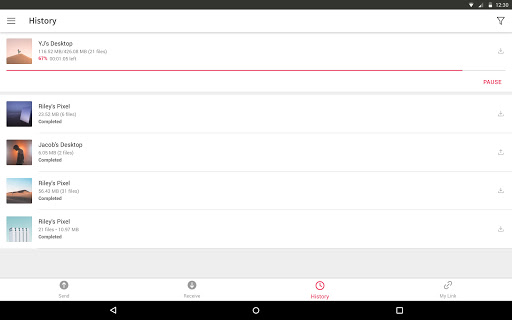
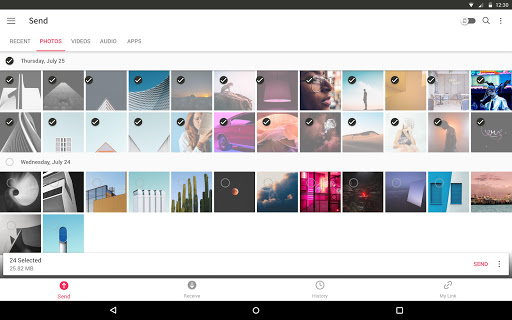
• Transfer any file type without altering the original
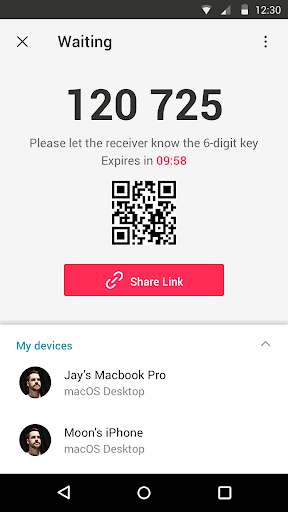
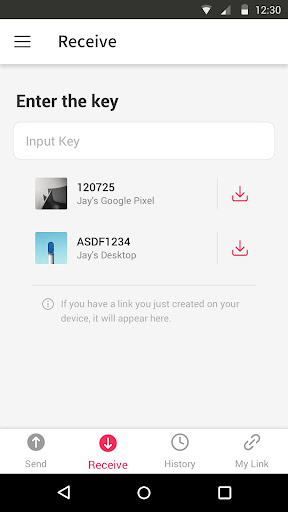
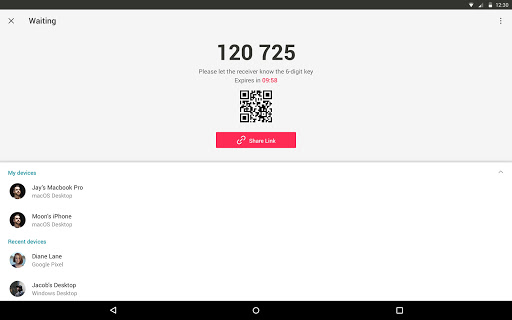
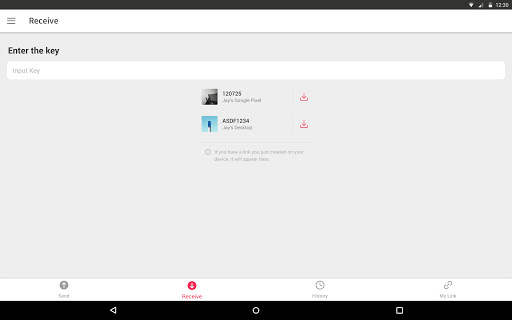
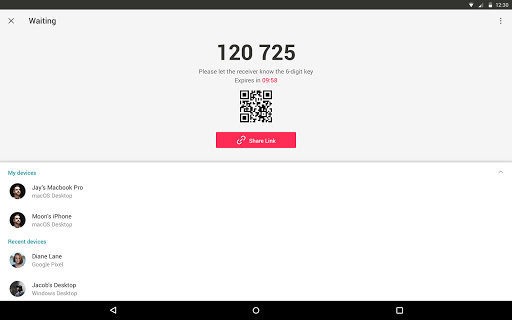
• All you need is a one-time 6-digit key for an easy file transfer
• Wi-Fi Direct: transfer without using data or the Internet
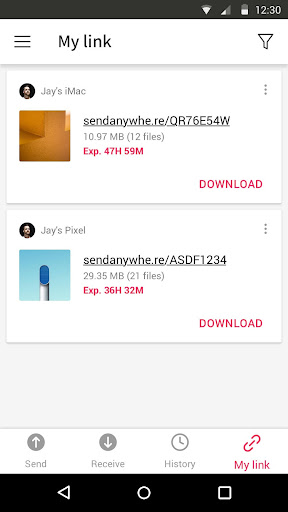
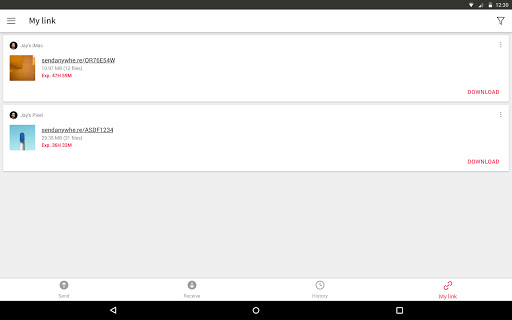
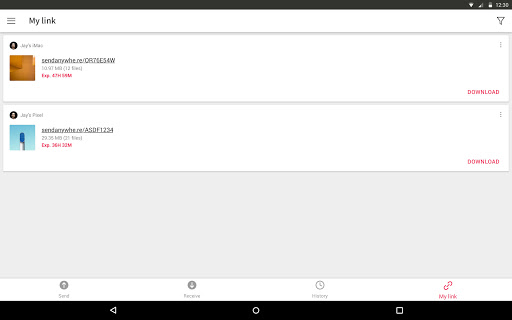
• Share files to multi-people at once via a link
• Transfer files to a specific device
• Reinforced file encryption (256-bit)
▶ When to use Send Anywhere!
• When moving photos, videos, and music to your PC!
• When you need to send large files but you do not have mobile data or you have difficulty connecting to the internet
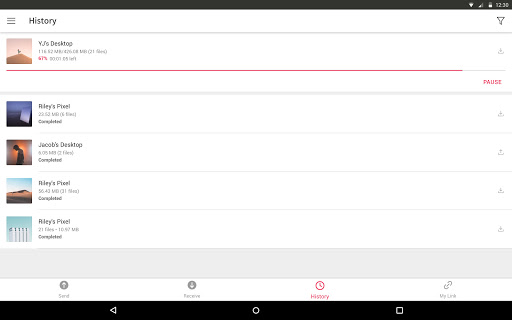
• Anytime you want to send files in an instant!
* While using the application if an issue or error arises, please let us know by clicking “Send Feedback” under More menu
-
APK File
• The copyright of applications sent through Send Anywhere belong to the application’s developer. If sharing an APK file conflicts with current copyright laws then all responsibility falls upon the user.
• Typically, you will not be able to share APK files between OS and Android. First check with application’s developer before cross-platform transfers.
Video Files
• Depending on the video type received, the video may not be pushed into the phone’s gallery. In this case, using a file management application will play the video.
• If you can’t play the videos received, download a different video player that is compatible with the video format.
-
To best use Send Anywhere’s convenient file sharing service, we ask user’s permissions listed below
• Write Internal Storage(Required) : To store files that are in internal storage through 'Send Anywhere'
• Read Internal Storage(Required) : To send files stored in internal storage through Send Anywhere.
• Access to location: To share files by using Wi-Fi Direct that through Google Nearby API.( Bluetooth may be turned on to find and identify near devices, so it may request Bluetooth permissions.)
• Write External Storage : To store files that are received through Send Anywhere in external storage (SD Card).
• Read External Storage : To send files stored in external storage through Send Anywhere.
• Read Contacts : To send contacts stored in your phone.
• Camera : For being able to receive files via a QR Code.
For more information about our terms and privacy policies, please visit our site.
https://send-anywhere.com/terms
https://send-anywhere.com/mobile-privacy/privacy.html
What's New
What’s new
• Other bug fixes and performance improvements
If you have any questions, please go to 'More' in the app and send us your feedback. Thanks!
In-app purchases
$14.99 per item
Version Information
- Version
- 23.2.11
- Downloads
- 10M+
- Updated on
- Oct 30, 2025
- Released
- Oct 17, 2012
- Requires
- Android 6.0
Statistics
Google Play Rating History
Rating Distribution
Downloads Over Time
Send Anywhere (File Transfer) has been downloaded times. Over the past 30 days, it averaged downloads per day.
Shaded area shows 30-day prediction based on historical trends
Historical data collection started recently. More data points will be available over time.
Send Anywhere (File Transfer) - Google Play Rankings
Top Rankings
| Rank | Country | Category | List | Change |
|---|---|---|---|---|
| — |
Ranking History in
No ranking data available yet. Rankings are updated daily.
#41 in Top Free Productivity in Thailand


#46 in Top Free Productivity in Vietnam


Send Anywhere (File Transfer) users say on Google Play
 jonas askham
Perfect, did exactly what I wanted, and very fast, which was transfer files from one phone to another, and it has ads but cmon, they need money. This is well done. (About 41 gb in like, 35 mins) Edit: checked the logs, it was even faster, quite alot faster. edit: ive used this app many times at this point, with time in between, and it truly just feels like its faster every time i come back. good job
 Ahmad Abdullah
Using From Last 6 months and it is very very useful and very fast and also it feels secured
 Jenny Dragon
Very easy to install and get iPhone version ready to use, but Android version took considerable effort and guesswork before it would work. I suspect initially allowing photos and videos but denying audio and text permissions was the cause. After finding and allowing several permissions it finally started working and sending photos from an iPhone to an Andriod was quite easy.
 TEJSINH TEJ
Send Anywhere File Transfer App. is Good But You Have To Be Real Good Best Please Start Beta Testing Program Updates Regularly improve Free Features PROVIDE FASTEST UPLOAD FACILITY please.
 CB Spira
No way to mute the ads or exit. I'm OK with having some ads but this is ridiculous. Edited in reply: again, I'm OK with the ads, let there be a mute button. And let me access my android button bar, don't take over all functionality of my device during extended ad play!
ApkTrusted Ratings & Reviews
More from Rakuten Symphony Korea, Inc.
See more apps
Similar Apps

EasyShare
Free

Smart Transfer: File Sharing
Free

AirDroid: File & Remote Access
Free

File Sharing - InShare
Free

WeTransfer : File Transfer
Free

Phone Clone Tool: Switch data
Free

Samsung Smart Switch Mobile
Free

Data Transfer - MobileTrans
Free

LocalSend: Transfer Files
Free

Transfer All Data - PhoneClone
Free

ShareMe: File sharing
Free

OPPO Clone Phone
Free

Send files to TV
Free

Swift Backup
Free

File Manager
Free

Dropbox: Secure Cloud Storage
Free
Scan this QR code to download

Forwarding you to the page at Google Play market in seconds...
Open Google Play market now