
File Manager vVARY
File Manager Plus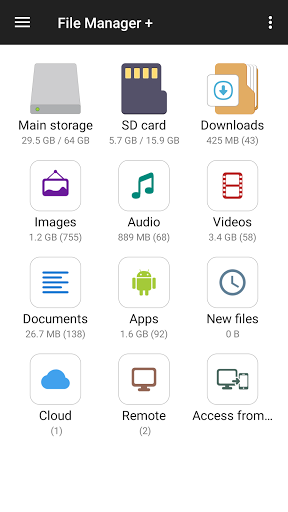


About this app
The File Manager app solves the problem of efficiently managing files on Android devices, benefiting power users and individuals with large media collections. Compared to alternatives in the Productivity category, it stands out with its cloud integration and user-friendly interface. However, its lack of advanced features, such as robust encryption and automated file organization, may leave some users wanting more. Overall, it is a solid choice for those seeking a straightforward file management experience.
Pros
- With over 100 million downloads and a 4.7-star rating, the app's popularity and quality are undeniable, making it a trustworthy choice for users.
- The app's developer, File Manager Plus, has a reputation for delivering regular updates and responsive support, ensuring the app stays relevant and secure.
- The app's offline capability and accessibility features make it a great option for users who need to manage files on-the-go or with disabilities.
- The app's cloud integration allows for seamless file sharing and synchronization across devices, enhancing its overall utility and convenience.
- The app's free version with optional in-app purchases provides a flexible pricing model, allowing users to try before they buy and only pay for features they need.
Cons
- The app's monetization model, which includes ads and in-app purchases, may be perceived as aggressive by some users, potentially disrupting the user experience.
- Despite its many features, the app lacks advanced security measures, such as encryption and password protection, which may be a concern for users dealing with sensitive files.
- Some users may find the app's interface, while user-friendly, to be somewhat cluttered and overwhelming, particularly on smaller screens.
- The app's compatibility with certain devices or Android versions may be limited, leading to potential issues with performance or functionality.
Best for: The ideal user for the File Manager app is a tech-savvy individual, likely between the ages of 25 and 45, who regularly manages files on their Android device, values ease of use and cloud integration, and requires a reliable and efficient file management solution for personal or professional use.
Developer Description
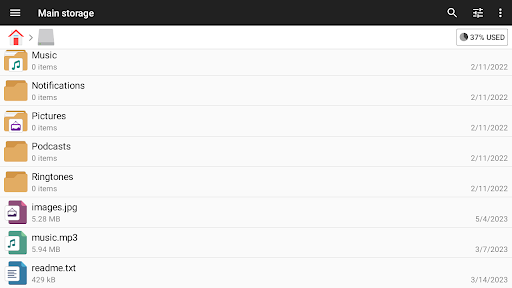
Fast, easy-to-use and full-featured file manager app with cloud integration.
It supports every file management action (open, search, navigate directory, copy and paste, cut, delete, rename, compress, decompress, transfer, download, bookmark, and organize) for various file formats including media and apk.
Major locations and functions of File Manager Plus are as following:
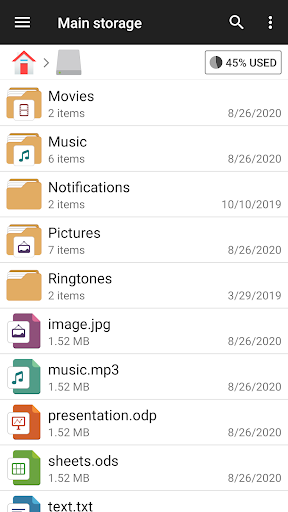
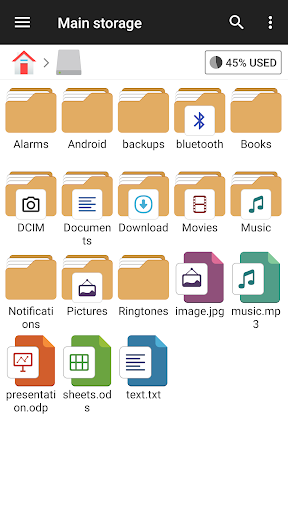
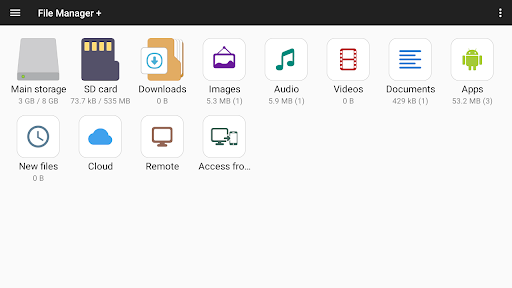
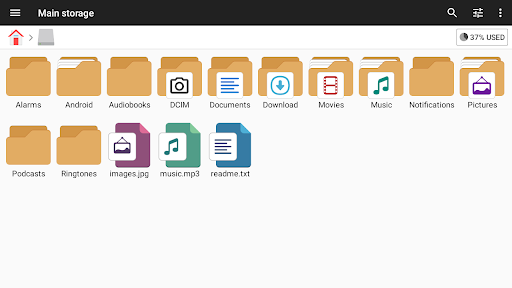
• Main Storage / SD card / USB OTG : You can manage all files and folders on both your internal storage and external storage.
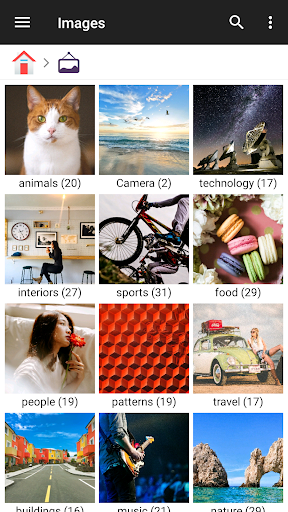
• Downloads / New files / Images / Audio / Videos / Documents : Your files and folders are automatically sorted by their types and characteristics so that you can easily find what you are looking for.
• Apps : You can see and manage all applications installed on your local device.
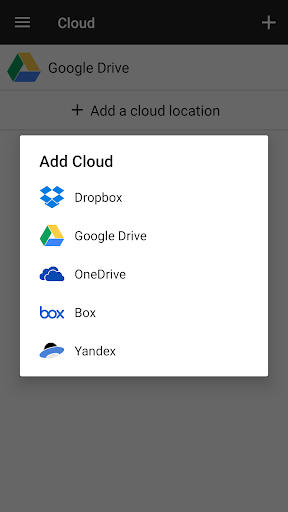
• Cloud / Remote : You can access your cloud storage and also remote/shared storage like NAS and FTP server. (Cloud storage: Google Drive™, OneDrive, Dropbox, Box, and Yandex)
• Access from PC : You can access your android device storage from PC using FTP(File Transfer Protocol).
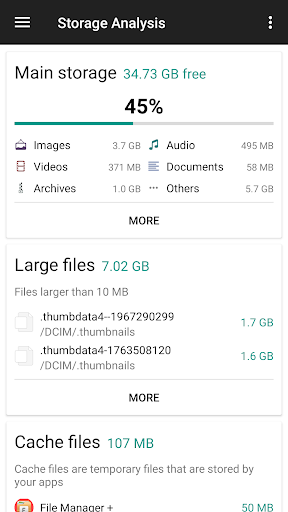
• Storage analysis : You can analyze local storages to clean up useless files. You can find out which files and apps take up the most space.
• Internal image viewer / Internal music player/ Internal text editor : You can choose to use built-in utilities for faster and better performance.
• Archive management : You can compress and decompress archive files.
- Supported compression archives : zip
- Supported decompression archives : zip, gz, xz, tar
• Supported devices : Android TV, phone and tablet.
Privacy
Given the app's lack of permission requests, it is likely that the app does not collect sensitive user data, but users should still be cautious when using cloud integration features, as data may be stored on third-party servers. To ensure security, users should review the app's terms of service and privacy policy, and consider using additional security measures, such as encryption or a VPN.
Tips
To get the most out of the File Manager app, users should first set up cloud integration to enable seamless file sharing and synchronization. Additionally, users can optimize performance by regularly cleaning up temporary files and clearing cache, and take advantage of the app's accessibility features, such as font size adjustment and screen reader support, to enhance usability.
What's New
3.6.5
- Temporarily highlight new files with a dot after file operations
3.5.0
- Slideshow
3.2.9
- Supports favorites order change
- Supports network storage order change
2.8.0
- Target Android 11 : To read and write to files in shared storage using this app, you need to have the all files access permission on devices that runs Android 11 or higher.
In-app purchases
$0.99 - $11.99 per item
Version Information
- Version
- -
- Downloads
- 100M+
- Updated on
- Dec 19, 2025
- Released
- Oct 19, 2015
- Requires
- Android Varies with device
Statistics
Google Play Rating History
Rating Distribution
Downloads Over Time
File Manager has been downloaded times. Over the past 30 days, it averaged downloads per day.
Shaded area shows 30-day prediction based on historical trends
Historical data collection started recently. More data points will be available over time.
File Manager - Google Play Rankings
Top Rankings
| Rank | Country | Category | List | Change |
|---|---|---|---|---|
| — |
Ranking History in
No ranking data available yet. Rankings are updated daily.
#16 in Top Free Productivity in Brazil


#17 in Top Free Productivity in Russia


#29 in Top Free Productivity in Argentina

#31 in Top Free Productivity in Vietnam


File Manager users say on Google Play
 N Mac
N Mac
One of the first apps I put on every new phone that I get. It does what I need it to... makes my phone files as accessible as they are on a PC. Easier to manage apps & shift files to where I want them to be. Can put direct shortcuts to files or folders on your Homescreen ... very handy for meetings, etc. Can transfer files to/from my Router's USB Stick easily. Been a fan of this app for many years. Still am.
 Bob Cantwell
Easy to use
 Srinivas Vasu
I won't ringtone option
 Tony Dur
Used to LOVE this; however AUDIO play problems for 6+ months. Please fix this. Since maybe mid-2025, clicking on MP3 Audiofiles in a folder DOESN'T play them. (Same problem in BOTH Android 14/15 Samsung smartphone & Android tablet.) PLEASE fix this, because audio playback USED to work PERFCTLY in 2024, 2023, etc. (Developer: thank you for that.) NO OTHER APP was as good as this Android folder app, in the Past. The audio playback 'bug' renders this app MUCH less useful, NOW.
 Nithiyanandam T.A
Allow to transfer applications too other than audio,videos & photos
ApkTrusted Ratings & Reviews
More from File Manager Plus
See more apps

Similar Apps
Cx File Explorer
Free
ZX File Manager
Free
File Manager
Free

File Manager
Free

EX File Manager
Free
FX File Explorer
Free

File Manager
Free
RS File Manager File Explorer
Free
RAR
Free
Material Files
Free

Super File Manager Explorer
Free

Send files to TV
Free

Total Commander - file manager
Free

Microsoft OneDrive
Free

ZArchiver
Free

ShareMe: File sharing
Free
Scan this QR code to download

Forwarding you to the page at Google Play market in seconds...
Open Google Play market now