Cx File Explorer v2.6.3
Cx File Explorer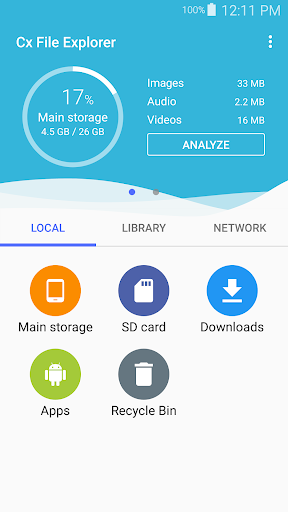


About this app
Developer Description
File manager & storage cleaner app to provide easier management of files
Key features
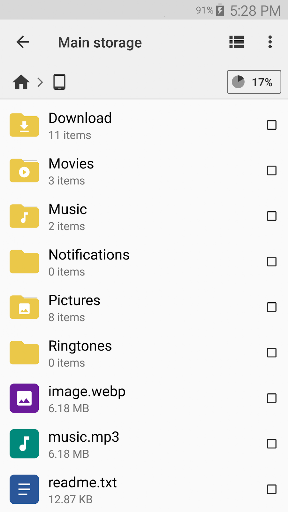
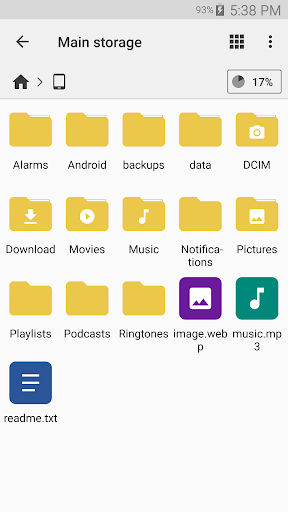
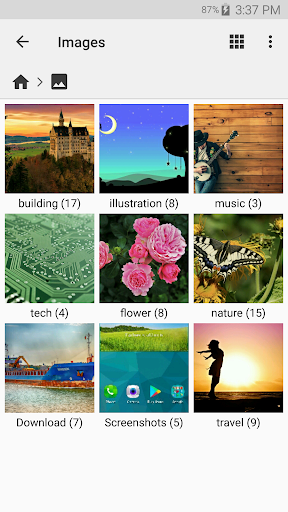
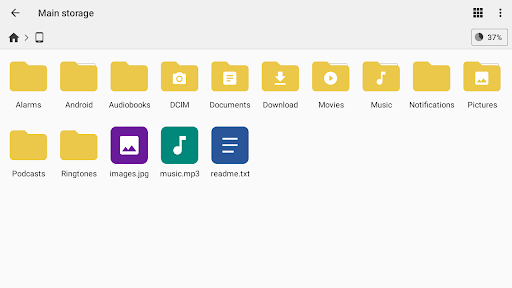
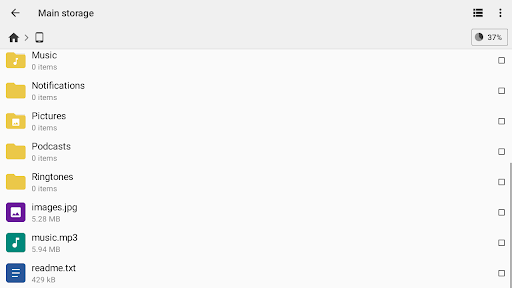
Organize your files and folders: With a user-friendly UI, you can easily browse, move, copy, compress, rename, extract, delete, create and share files (folders) on both internal and external storage of your mobile device.
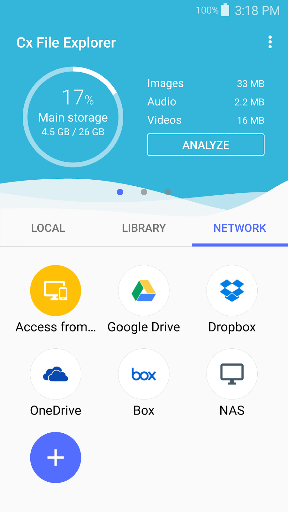
Access files on cloud storage: You can manage the files on cloud storages.
Access files on NAS (Network-attached storage): You can access files within remote or shared storage like FTP, FTPS, SFTP, SMB, WebDAV, and LAN. Also you can access your mobile device from PC using FTP(File Transfer Protocol).
Manage your apps: You can manage the apps installed on your mobile device.
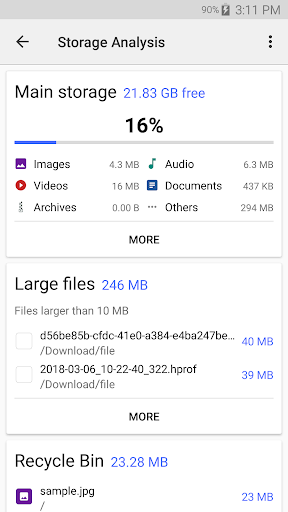
Analyze and manage your storage: Cx File Explorer provides visualized storage analysis so that you can quickly scan the available space and manage it. The Recycle bin also helps you easily manage your storage.
Clean up storage quickly: Discover and clean junk files, duplicate files and unused apps in storage cleaner.
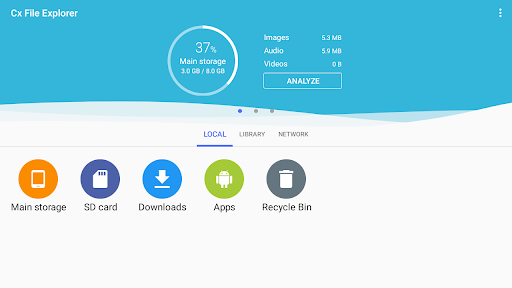
Supported devices: Android TV, phone and tablet
Material Design interface: Cx File Explorer uses the Material Design interface.
If you are looking for a file manager app that has simple and sleek interface with full features, Cx File Explorer would be the best choice.
What's New
- On some devices, access to the /Android/data folder may be restricted by the operating system. You can work around this limitation by using the Shizuku app, which allows Cx File Explorer to access the folder
2.6.0
- Fixed an issue that caused Shizuku to not work.
2.5.8
- Multi-archive extraction supported
- 7z compression added
2.4.5
- Changed player controls
· Added long press to double speed playback.
Version Information
- Version
- 2.6.3
- Downloads
- 10M+
- Updated on
- Nov 18, 2025
- Released
- Jul 11, 2018
- Requires
- Android 5.0
Statistics
Google Play Rating History
Rating Distribution
Downloads Over Time
Cx File Explorer has been downloaded times. Over the past 30 days, it averaged downloads per day.
Shaded area shows 30-day prediction based on historical trends
Historical data collection started recently. More data points will be available over time.
Cx File Explorer users say on Google Play
 Stefan Wieser
Stunningly fast, when you're used to apps crawling, transfers hanging... then this app is a blast. Super responsive, lightning fast - tap a file, copy, paste, bamm. It's done, with quick updates, and a reliable transfer. And the moment it's done, it's already out of the way, notifications cleared, letting you continue working. Probably the best app you can get to manage files between your phone and other networks. Triple-A quality.
 Barry Warren
solid for years, works great for a myriad of network shares. PLEASE ADD DARK MODE. This would be my ONLY criticism about the app
 Temp Email
It used to let me access android files, but it doesn't seem to work anymore
 Arinjit Dey
Please make this app theme full black. it is painful with white theme.
 Antara Ganguly
better than exfile xplorar the coolest the greatest of all time THE STRONGEST
ApkTrusted Ratings & Reviews
Similar Apps
RS File Manager File Explorer
Free

EX File Manager
Free

File Manager
Free
FX File Explorer
Free
RAR
Free

Total Commander - file manager
Free

File Manager
Free

Explorer
Free

Super File Manager Explorer
Free
Material Files
Free
File Manager
Free

File Manager
Free
ZX File Manager
Free

Storage Analyzer & Disk Usage
Free

ASTRO File Manager & Cleaner
Free

MEGA
Free
Scan this QR code to download

Forwarding you to the page at Google Play market in seconds...
Open Google Play market now