
Total Commander - file manager v3.61
C. Ghisler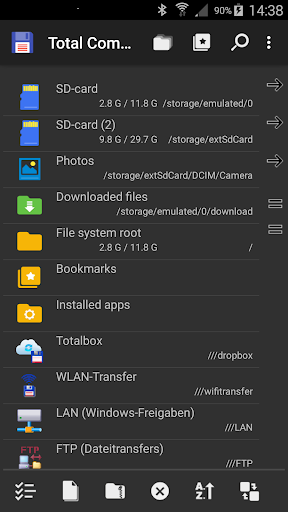







About this app
Total Commander - file manager solves the problem of efficient file management on Android devices, benefiting power users and those who require advanced file organization features. Compared to alternatives in the Tools category, Total Commander stands out with its desktop-grade functionality and extensive feature set. However, its dated interface may fall short for some users. With over 10 million downloads and a 3.9-star rating, it has established itself as a reliable choice.
Pros
- Total Commander boasts an impressive download count of over 10 million, indicating a high level of social proof and trust among users, which is a significant advantage in the Tools category.
- The app's extensive feature set, including advanced file management capabilities, makes it an excellent choice for power users who require more than basic file organization features.
- Developer C. Ghisler has a reputation for delivering quality software, as evidenced by the desktop version of Total Commander, which contributes to the app's credibility and reliability.
- The app's ability to function without requiring any permissions is a significant pro, as it alleviates concerns about data privacy and security.
- Total Commander's offline capability allows users to manage their files without an internet connection, making it a practical choice for users who often find themselves without access to the internet.
Cons
- The app's free version contains ads, which may be intrusive for some users and detract from the overall user experience, particularly for those who prefer ad-free environments.
- The interface, while functional, appears dated and may not be as visually appealing as some of its competitors in the Tools category, which could be a turn-off for users who value modern design.
- Some users may find the lack of a built-in tutorial or guide to be a con, as the app's advanced features can be overwhelming for novice users without proper guidance.
- The app's compatibility with certain devices or Android versions is not explicitly stated, which could lead to compatibility issues for some users.
Best for: The ideal user for Total Commander - file manager is a technically savvy individual, likely an adult, who requires advanced file management capabilities on their Android device, such as IT professionals, developers, or anyone dealing with large numbers of files on a regular basis, and is looking for a reliable and feature-rich file management solution.
Developer Description
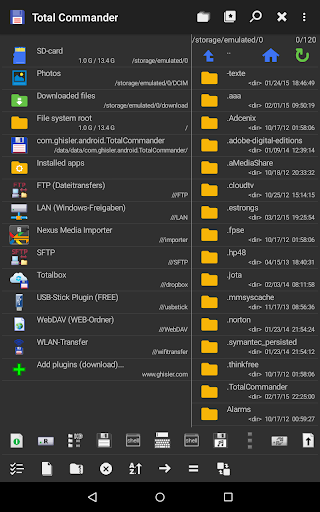
Android version of the desktop file manager Total Commander (www.ghisler.com).
Important note: This app does NOT contain any ads. However, it contains a link "Add plugins (download)" in the home folder. This is treated as an ad by the Play Store because it links to our other apps (plugins).
Main features:
- Copy, Move whole subfolders
- Drag & Drop (long press on file icon, move icon)
- In place rename, create directories
- Delete (no recycle bin)
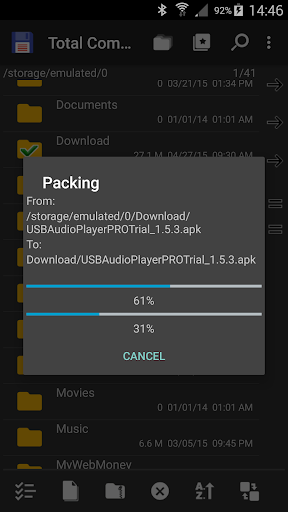
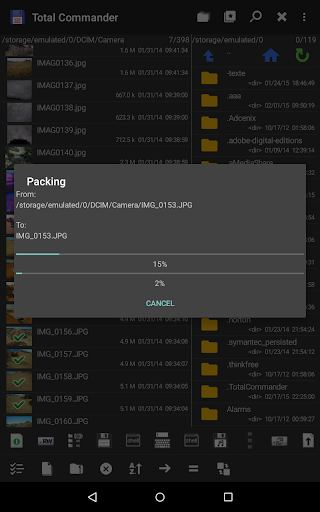
- Zip and unzip, unrar
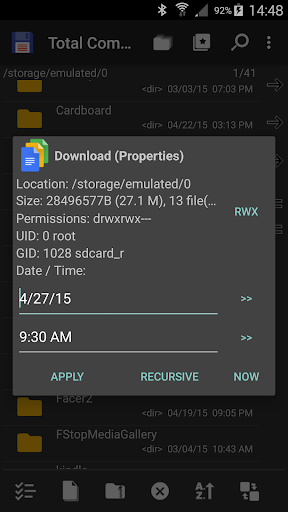
- Properties dialog, change permissions
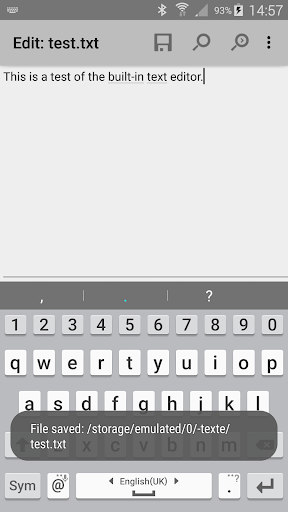
- Built-in text editor
- Search function (also for text)
- Select/unselect groups of files
- Select by tapping on file icons
- Select range: Long tap+release on icon
- Show List of installed Applications, manually backup apps (built-in plugin)
- FTP and SFTP client (plugin)
- WebDAV (Web folders) (plugin)
- LAN access (plugin)
- Plugins for cloud services: Google Drive, Microsoft Live OneDrive, Dropbox
- Root support for the main functions (optional)
- Send files via Bluetooth (OBEX)
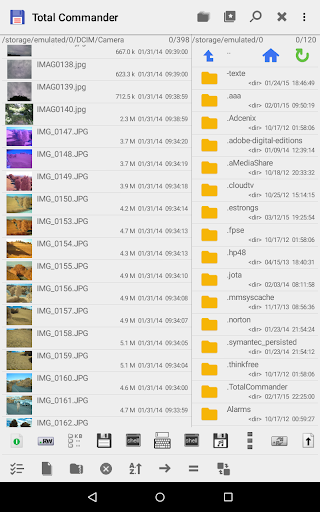
- Thumbnails for pictures
- Two panels side by side, or virtual two panel mode
- Bookmarks
- Directory history
- Save files received from other apps via share function
- Media player which can stream directly from LAN, WebDAV and cloud plugins
- Configurable button bar for changing directories, internal commands, launching apps, and sending shell commands
- Simple help function in English, German, Russian, Ukrainian and Czech
- Optimizations for visually impaired, like text for icons
- Supported languages of the main program: English, German, Bulgarian, Croatian, Czech, Danish, Dutch, French, Greek, Hebrew, Hungarian, Indonesian, Italian, Japanese, Korean, Polish, Portuguese, Romanian, Russian, Serbian, Simplified Chinese, Slovak, Slovenian, Spanish, Swedish, Traditional Chinese, Turkish, Ukrainian and Vietnamese.
- Public translation via http://crowdin.net/project/total-commander
About the new permission "SuperUser":
This permission is now requested to make Total Commander work better on rooted devices. It tells the SuperUser app that Total Commander supports root functions. It has no effect if your device is not rooted. Root functions allow Total Commander to write to system folders like /system or /data. You will be warned before anything is written if the partition is write protected.
You can find some more information here:
http://su.chainfire.eu/#updates-permission
Privacy
Given that Total Commander requires no permissions, the risk of data collection or privacy breaches is significantly minimized. However, users should still be cautious when managing sensitive files and consider using additional security measures such as encryption. It's also advisable to only download the app from trusted sources like the Google Play Store or the developer's official website to avoid any potential security risks.
Tips
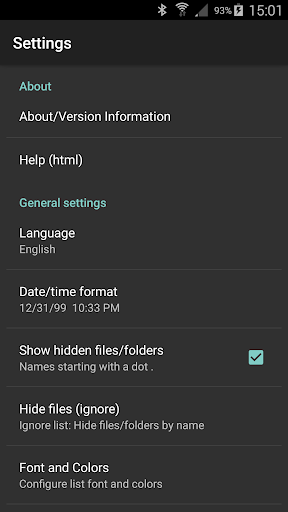
To get the most out of Total Commander, users should explore the app's settings to customize the layout and features according to their preferences. Additionally, utilizing the app's built-in file search function can significantly improve file management efficiency. For first-time users, starting with the basics such as creating folders and organizing files into categories can help in getting accustomed to the app's interface and features.
What's New
Version Information
- Version
- 3.61
- Downloads
- 10M+
- Updated on
- Dec 29, 2025
- Released
- May 20, 2012
- Requires
- Android 2.2
Statistics
Google Play Rating History
Rating Distribution
Downloads Over Time
Total Commander - file manager has been downloaded times. Over the past 30 days, it averaged downloads per day.
Shaded area shows 30-day prediction based on historical trends
Historical data collection started recently. More data points will be available over time.
Total Commander - file manager users say on Google Play
 Super Dax
I've used TC since my first PC back in the 90's, and I love it! 👌😎
 A Google user
A real file manager in android. Some dificult steps in rename file. Maybe find duplicate files menu. Thank you.
 Kunal Shrivastava
Complete Garbage.
 JCJ Cortz
Uh-oh. Your app doesn't allow me to copy/move a file my way. The moment I attempted to move a png file, a flashy window pops up and the pic was gone in the folder, and I found out it moved it a step back to its parent folder. I tried copying it instead, but a flashy pop up appeared again and now it copied itself in the same directory. I couldn't tell what these pop ups are, can't even read those. It just pops up flashily with loading bars and gone. If I can't copy/move, this app can't help.
 Erik
Erik
1. Cannot hide columns (e.g., date, time, etc.) 2. Folder icons and text do not appear precisely aligned on the same horizontal line, making it confusing.
ApkTrusted Ratings & Reviews
More from C. Ghisler
See more apps
Similar Apps

Super File Manager Explorer
Free

Explorer
Free

File Manager
Free

File Manager
Free
Cx File Explorer
Free

Storage Analyzer & Disk Usage
Free

EX File Manager
Free

Swift Backup
Free

Nextcloud
Free
File Manager
Free

Samsung My Files
Free
RAR
Free
Material Files
Free
RS File Manager File Explorer
Free

File Manager
Free

RealVNC Viewer: Remote Desktop
Free
Scan this QR code to download

Forwarding you to the page at Google Play market in seconds...
Open Google Play market now