
CapCut - Video Editor v16.2.0
Bytedance Pte. Ltd.


About this app
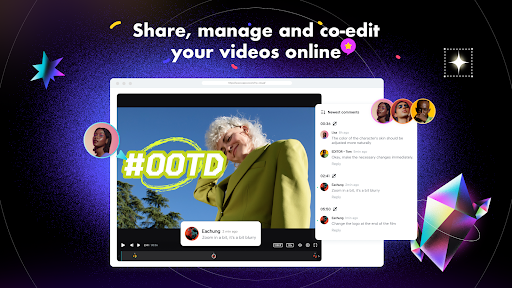
CapCut - Video Editor solves the problem of complex video editing by providing an intuitive interface for users to capture and edit moments, making it ideal for social media enthusiasts and content creators. With over 1 billion downloads, it has a strong social proof, but its mixed user rating of 3.4/5 raises some concerns. Compared to alternatives in the Video Players category, CapCut stands out with its free version and in-app purchases, but falls short in terms of user satisfaction. Its developer, Bytedance Pte. Ltd., is known for other popular apps, which adds to the app's credibility.
Pros
- With a massive user base of over 1 billion downloads, CapCut - Video Editor has demonstrated its popularity and social proof, indicating a well-liked and widely used app.
- The app's developer, Bytedance Pte. Ltd., has a reputation for creating successful apps, which suggests a level of quality and commitment to user experience.
- CapCut offers a free version with in-app purchases, providing users with flexibility in terms of cost and feature access, which is a significant advantage over fully paid or ad-supported alternatives.
- The absence of ads in the app enhances the user experience, allowing for uninterrupted video editing and viewing.
- The app's regular updates, as indicated by its version history, show the developer's commitment to maintaining and improving the app.
Cons
- The mixed user rating of 3.4/5 indicates some level of dissatisfaction among users, which could be due to various reasons such as bugs, missing features, or poor performance on certain devices.
- The in-app purchases, with prices ranging from $0.49 to $629.99, might be perceived as aggressive monetization, potentially deterring some users from accessing premium features.
- Despite its popularity, CapCut - Video Editor lacks transparency in its data collection practices, given the absence of permission requests, which could raise privacy concerns among users.
- Some users may find the app's feature set limited compared to professional video editing software, which could be a drawback for advanced users.
Best for: The ideal user for CapCut - Video Editor is a socially active individual, likely between the ages of 16 and 35, who frequently creates and shares video content on platforms like TikTok, Instagram, or YouTube, and requires a user-friendly, feature-rich video editing app that can enhance their content without requiring extensive professional editing skills.
Developer Description
Capture the moment and Cut
Create fancy videos with other unique features: auto captions, text-to-speech, motion tracking, and background removal. Show your personality and go viral on TikTok, YouTube, Instagram, WhatsApp, and Facebook!
FEATURES
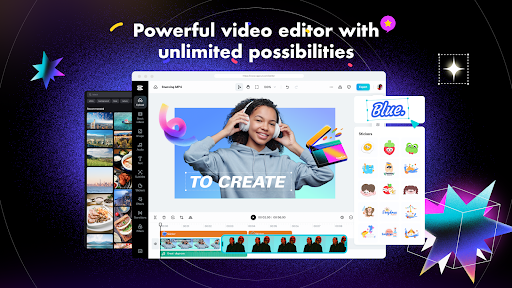
Basic video editing
• Trim and shorten clips and split or merge videos.
• Adjust video speed from 0.1x to 100x, and apply speed curves to clips.
• Animate video clips with incredible zoom in/out effects.
• Highlight the best moments with the freeze feature.
• Explore transition options with awesome effects on and between clips.
Advanced video editor
• Keyframe video animation is available for all settings.
• Edit videos to create smooth slow-motion with the optical flow feature and speed curve tool.
• Use the chroma key to remove specific colors from videos.
• Easy to arrange and preview clips on multi-track timeline.
• The stabilizing feature keeps video footage steady.
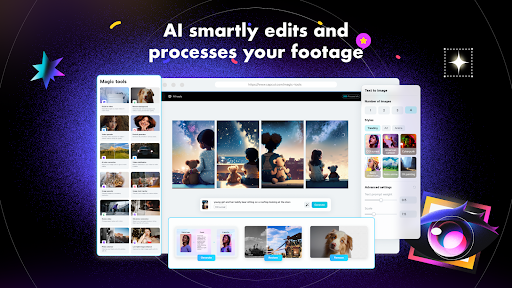
Intelligent features
• Auto captions: automate speech recognition and subtitles in videos.
• Text-to-speech: apply text-to-speech in multiple languages and voices.
• Background removal: automatically remove backgrounds.
Text & Stickers
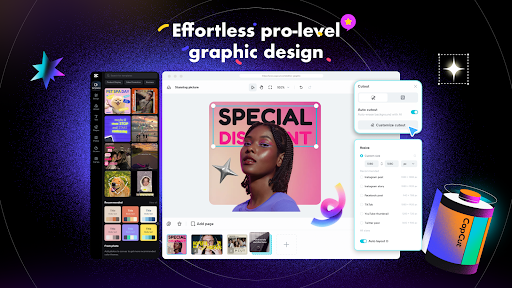
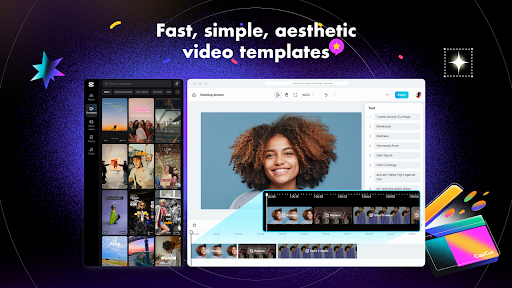
• Add text to videos with different fonts and styles, choose unique text templates. Fonts can be imported locally.
• Subtitles can be added to the timeline of video tracks and can be moved and adjusted in one step.
Trending Effects & Filters
• Match video content with diverse filters that are updated weekly with the latest trends.
• Edit videos with hundreds of trending effects, including Glitch, Blur, 3D, etc.
• Add movie-style video filters or adjust video brightness, contrast, etc.
Music & Sound Effects
• Add millions of music clips and sound effects to videos.
• Extract audio, clips, and recordings from videos.
Easy to Share
• Custom video export resolution, HD video editor supports 4K 60fps exports and smart HDR.
• Adjust the format and share with your friends on social media platforms.
CapCut is an all-in-one video editor and video maker application with everything you need to create stunning, high-quality videos. Beginners can get started with CapCut in a matter of seconds, while advanced users can enjoy all the functions they need to edit videos.
Terms of Service —
https://www.capcut.com/clause/terms-of-service
Privacy Policy —
https://www.capcut.net/clause/privacy
Contact Us
Any questions about CapCut? Please contact us at capcut.support@bytedance.com.
Facebook: CapCut
Instagram: CapCut
YouTube: CapCut
TikTok: CapCut on TikTok
Privacy
Given that CapCut - Video Editor does not request any permissions, users should still be cautious about the data they import into the app, as it may be stored or processed by the developer. It is essential to review the app's privacy policy, available on the developer's website, to understand data handling practices. Users should also be mindful of the information they share on social media platforms when using the app's sharing features.
Tips
To get the most out of CapCut - Video Editor, users should explore the app's tutorials and guides to familiarize themselves with its features and capabilities. Regularly updating the app can also ensure access to the latest features and performance improvements. Additionally, users can optimize their device's storage by periodically cleaning up edited videos and projects within the app.
What's New
"- Fixed some known issues - improved the trimming experience.
We thank you for supporting CapCut and look forward to creating beautiful moments together."
In-app purchases
$0.49 - $629.99 per item
Version Information
- Version
- 16.2.0
- Downloads
- 1.0B+
- Updated on
- Dec 31, 2025
- Released
- Apr 10, 2020
- Requires
- Android 6.0
Statistics
Google Play Rating History
Rating Distribution
Downloads Over Time
CapCut - Video Editor has been downloaded times. Over the past 30 days, it averaged downloads per day.
Shaded area shows 30-day prediction based on historical trends
Historical data collection started recently. More data points will be available over time.
CapCut - Video Editor - Google Play Rankings
Top Rankings
| Rank | Country | Category | List | Change |
|---|---|---|---|---|
| — |
Ranking History in
No ranking data available yet. Rankings are updated daily.
#1 in Top Grossing Video Players in United States


#1 in Top Free Video Players in United States


#1 in Top Free Video Players in Turkey


#1 in Top Grossing Video Players in Brazil

CapCut - Video Editor users say on Google Play
 Yuuki Tanaval
Sucks. I can't search in template it's always saying "Couldn't Load. try again" my wifi is literally good. explain this and fix it. IT'S SUCKS, THERE'S SO MUCH TO PAY NOW EXTRACTING NOW IS ONLY 3, USES AND ALMOST EVERYTHING IS NOT FREE.
 Lal Jii
mastt hi
 Karin Citroen
please allow motion pictures. also please allow you to Select photos/vids from your own albums (when you're selecting from within capcut) other than that I love it!!!
 Andy Jenny
I love this app
 Junar Villarin Sebastian Ii
how to cancel subscription
ApkTrusted Ratings & Reviews
More from Bytedance Pte. Ltd.
See more apps


Similar Apps

TikTok - Videos, Shop & LIVE
Free

Snapchat
Free

Video Editor & Maker - InShot
Free

Picsart AI Photo Editor, Video
Free

Canva: AI Photo & Video Editor
Free

Free

TikTok Studio
Free

Free

Free

WhatsApp Messenger
Free

SNOW - AI Profile
Free

Spotify: Music and Podcasts
Free

Threads
Free

Messenger
Free

ChatGPT
Free

SHAREit: Transfer, Share Files
Free
Scan this QR code to download

Forwarding you to the page at Google Play market in seconds...
Open Google Play market now