Airbuds Widget - Spotify Stats v1.5.2
gc auto clicker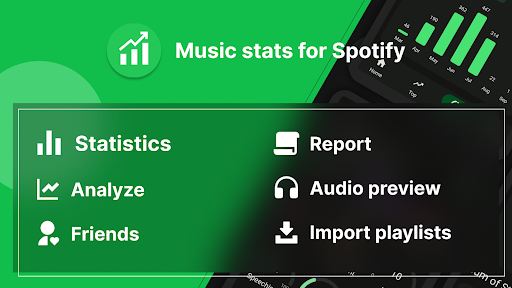








About this app
Developer Description
The app can provide you with Spotify analytics data to help you use it better.
This APP can provide you with analysis data on your Spotify to help you make better use it.
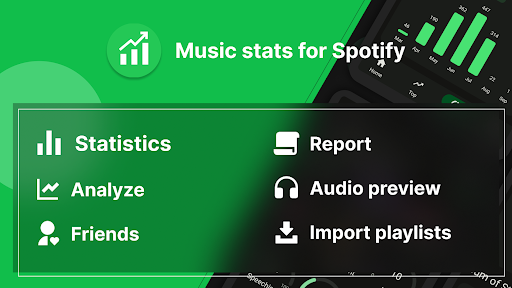
It is well known that everyone who downloads music app likes to use it very much. If you've been using it for a long time, you want to see your Spotify music stats. Here is a dedicated Music stats app for Spotify, which not only allows you to view all your listening history but also analyzes your music stats.
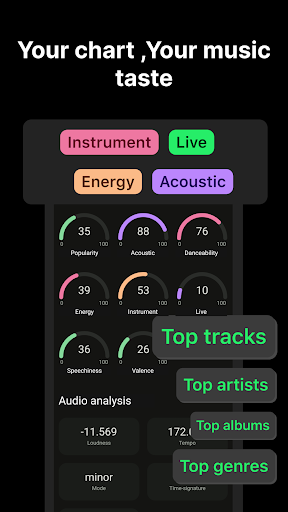
Whether it is the analysis of Spotify 3 months, or other periods you choose, there are relevant analysis data displayed. After logging into your account, you can view Spotify stats for songs. These Song stats on Spotify include for artists, your favorite category genres, spotify charts , curated playlists, listening habits,etc.
The main functions of Music stats for Spotify
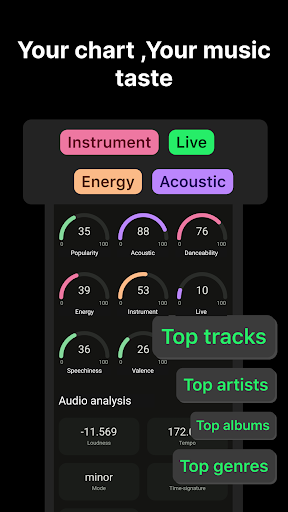
Historical data analysis
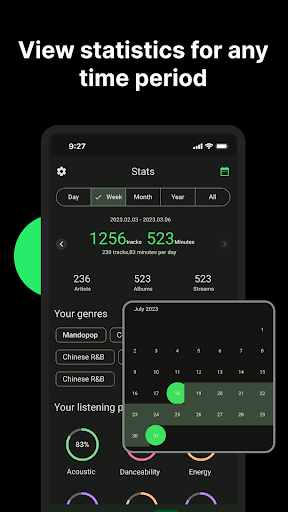
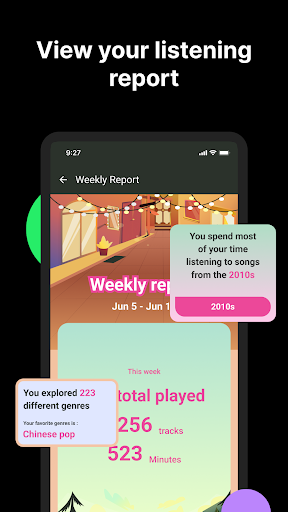
You can know your listening counts, duration, audio features, genres, and other data on different periods such as day, week, month, etc. Therefore, you can look at data over time to see how your preferences have changed. If you upload a Spotify data file, you can view more lifetime listening data.
Your listening counts (play counts, total listening time, and how many songs, artists, albums, etc.)
Your listening habits (when do you often listen to music)
Your listening preferences (what genres do you listen to the most, happy, sad, etc.)
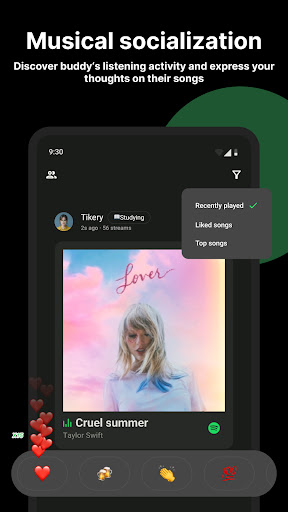
Play History - know what you heard
The songs you listened to recently will show on the home page Chronologically.
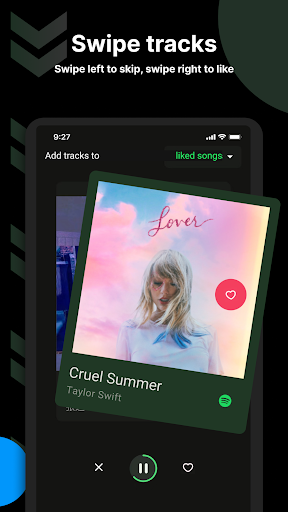
Personal recommendation
Recommend songs you may like based on your favorite song / global hot song chart.
Spotify songs ranking: artist, song, album, style
A list based on your listening time--you can choose different periods: last month, last six months, and all time.
Detailed data of artist and song you beloved
Each artist or song can be clicked to view the play counts, top tracks, streaming history, and other listening data.
Create your personalized playlist
You can set your top-ranking list as a playlist, or create a playlist according to other preferences.
How to use: Log in to your Spotify account, and you can see the relevant stats for Spotify. If you upload your file, you can see all your music stats for Spotify.
Note: This app will not give you any premium features of the official Spotify client. This application is not developed by or affiliated with Spotify AB. It was developed using the Spotify Web API.
Feedback
-If you like Music stats for Spotify, please rate five stars and give us a good review.
-If you have any suggestions or any problems with the use, please send an email to drinkinggamesforparty@gmail.com. Thanks for your support!
-If you are willing to assist with the translation, please contact us.
Privacy policy: https://www.musicstatsforspotify.com/privacy
Terms: https://www.musicstatsforspotify.com/recoverdeleted_terms.html
In-app purchases
$2.99 - $29.99 per item
Version Information
- Version
- 1.5.2
- Downloads
- 100K+
- Updated on
- Oct 15, 2025
- Released
- Mar 16, 2023
- Requires
- Android 6.0
Statistics
Google Play Rating History
Rating Distribution
Downloads Over Time
Airbuds Widget - Spotify Stats has been downloaded times. Over the past 30 days, it averaged downloads per day.
Shaded area shows 30-day prediction based on historical trends
Historical data collection started recently. More data points will be available over time.
Airbuds Widget - Spotify Stats users say on Google Play
 GlitteryCinna Twist
Really a hidden gem. Its concept is parallel to that of Spotistats, but this one's UI is much easier to navigate while still giving you all the information. Appearing on leaderboards is free, which I like. I compared my stats (top songs, minutes listened...) on here to that of Spotistats and it's the exact same results. I really like this app, it's overall much better than Spotistats.
 Moreno Moscagiuri
Didn't work "edit" it worked now but somehow i am only seeing the stats of yesterday in lifetime and the others.
 Harry Bussmann
The app store says 'gc stats for Spotify', installed it says 'Airbuds widget-spotify stats', what's going on?
 Fernando Trujillo
It's okay, but it could be better, most things you need to pay for. :/
 willow
absolutely trash.Everything you have to pay for.I just wanted to see my listening time and you guessed it!Have to pay.It got my top songs wrong aswell!
ApkTrusted Ratings & Reviews
More from gc auto clicker
See more apps
Similar Apps

Musis - Rate Music for Spotify
Free

Chaos Audio
Free

Songstats: Music Analytics
Free

Music Worx: EDM for DJs & Fans
Free

Frolomuse: MP3 Music Player
Free

Shuttle Music Player (Legacy)
Free

Jamzone - Sing & Play Along
Free

Oto Music
Free

Solo - Fretboard Visualization
Paid

SoundID™ Headphone Equalizer
Free
SoundHound ∞ - Music Discovery
Paid

Boom: Bass Booster & Equalizer
Free

Symfonik
Paid

Innertune Affirmations
Free

Retro Music Player
Free

Airbuds Widget
Free
Scan this QR code to download

Forwarding you to the page at Google Play market in seconds...
Open Google Play market now