
Christmas Miracle v1.0.0
StarWatchfaces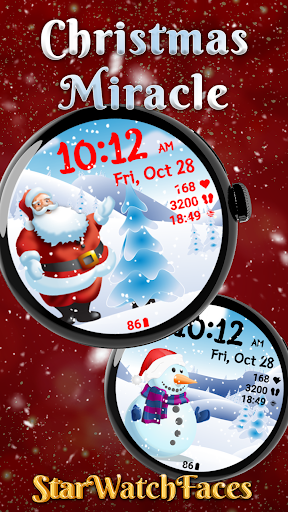


About this app
Developer Description
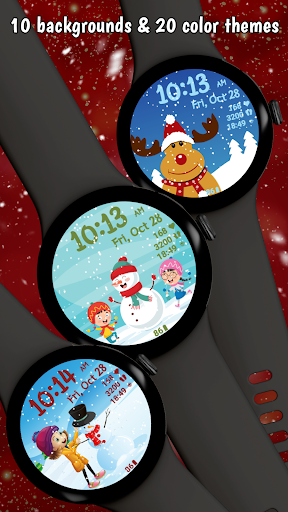
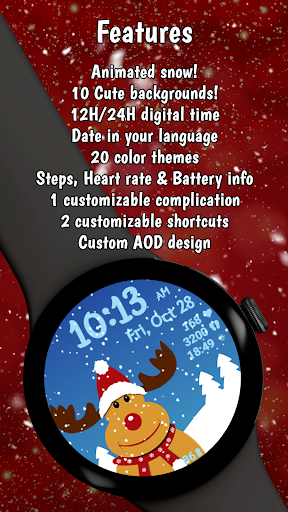
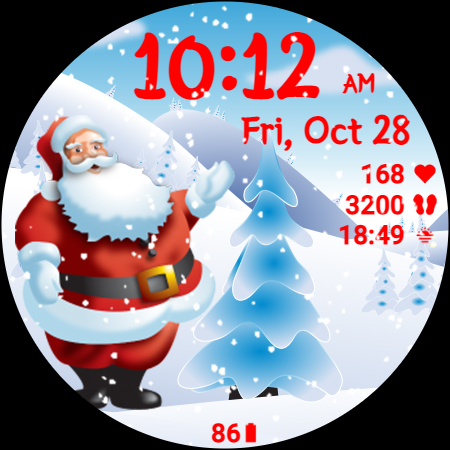
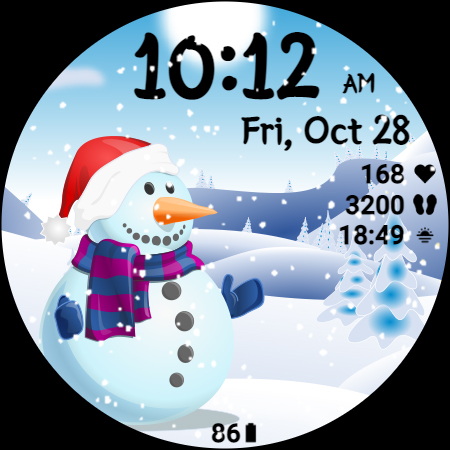
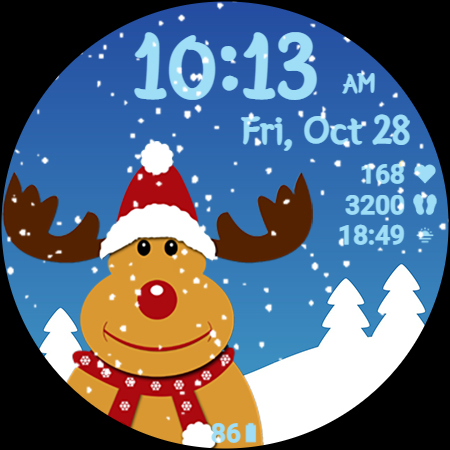
The cutest Christmas watchface with animated snow, 10 images and 20 color themes
🎅 Explore the entire Christmas Collection in our new Watchface Shop app and grab the best value with a bundle that includes all seasonal watchfaces. Discover your perfect Christmas style - https://play.google.com/store/apps/details?id=com.starwatchfaces.watchfaces 🎅
Christmas Miracle is the perfect watchface to wear this season for your Galaxy Watch or any other Wear OS watch!
Get into the Christmas spirit and enjoy different images of Santa, Snowman, Rudolf, children playing in the snow, winter landscapes and more!
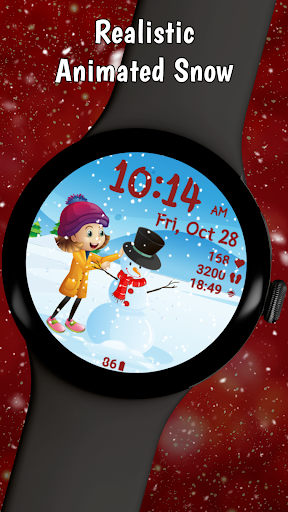
For sure the realistic animated snow effect will get you in the Christmas mood, even if you don't have real snow in your region.
To customize the watchface:
1. Press and hold on the display
2. Tap the Customize button to select color, data for complication and the app to launch with the custom shortcuts.
Don't forget to check out the entire Winter Collection: https://starwatchfaces.com/wearos/collection/winter-collection/
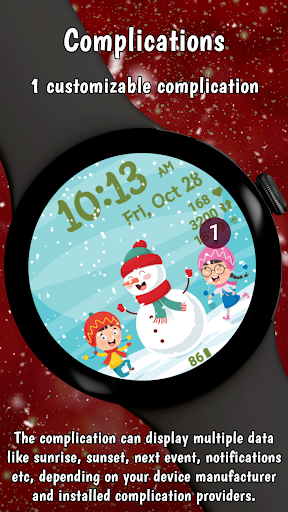
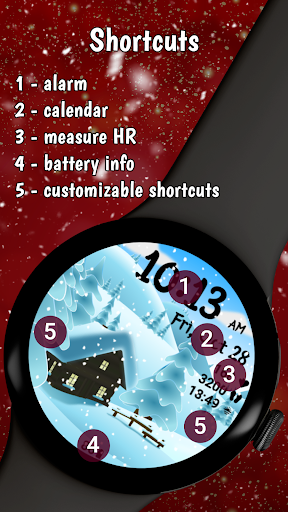
Customize the watchface as you wish: tap the center area to change the background, choose the best looking color for time, date and stats, select the data you want for the complication, select your desired apps to launch using the customizable shortcuts and enjoy using the watchface! Check the screenshots from the store listing to better understand where the shortcuts are placed.
Don't forget: use the companion app on your phone to discover other amazing watchfaces made by us!
With the release of One UI Watch version 4.5, there are new steps for installing Galaxy Watch4 and Galaxy Watch5 watch faces that are different from previous One UI versions.
The complication can display*:
- Weather
- Feels like temp
- Barometer
- Bixby
- Calendar
- Call History
- Reminder
- Steps
- Date and weather
- Sunrise/sunset
- Alarm
- Stopwatch
- World Clock
- Battery
- Unread notifications
To display the data you want, tap and hold on the display, then press the Customize button and choose the data you want for the top complication.
* these functions are device dependent and might not be available on all watches
For the customizable shortcut you have these options*:
- App shortcut: Alarm, Bixby, Buds controller, Calculator, Calendar, Compass, Contacts, Find my phone, Gallery, Google Pay, Maps, Media Controller, Messages, Music, Outlook, Phone, Play Store, Recent apps, Reminder, Samsung Health, Settings, Stopwatch, Timer, Voice
Recorder, Weather, World Clock
- Recent apps
- Blood Oxygen
- Body Composition
- Breathe
- Consumed
- Daily Activity
- Heart rate
- Sleep
- Stress
- Together
- Water
- Woman’s health
- Contacts
- Google Pay
- Exercises: Circuit training, Cycling, Exercise bike, Hiking, Running, Swimming, Walking etc
To display the shortcut you want, tap and hold on the display, then press the Customize button and choose the shortcut you want for the bottom complication.
* these functions are device dependent and might not be available on all watches
For more Christmas watch faces, visit our developer page or visit our website, https://starwatchfaces.com/wearos/ or download our app, "Christmas watch faces for Wear OS" from the Play Store - https://play.google.com/store/apps/details?id=com.starwatchfaces.christmaswatchfaces
Enjoy!
What's New
Version Information
- Version
- 1.0.0
- Downloads
- 1K+
- Updated on
- Aug 12, 2025
- Released
- Nov 22, 2022
- Requires
- Android Varies with device
Statistics
Google Play Rating History
Rating Distribution
Downloads Over Time
Christmas Miracle has been downloaded times. Over the past 30 days, it averaged downloads per day.
Shaded area shows 30-day prediction based on historical trends
Historical data collection started recently. More data points will be available over time.
Christmas Miracle users say on Google Play
 rob No
Excellent colourful Xmas watch faces from this team
ApkTrusted Ratings & Reviews
More from StarWatchfaces
See more apps
Animated Autumn Scenes
Paid

Animated Christmas Tree
Paid
Animated Christmas Tree
Paid

Autumn Magic
Paid

Animated Winter Scenes
Paid

Angel of Death: Halloween face
Paid
Advent Wreath Animated
Paid

Animated Summer Pool
Paid

Advent Calendar
Paid

Aurora Borealis
Paid

Autumn Falling Leaves
Paid

Autumn Flowers
Paid
Cherry Petals
Paid

Autumn Tales: Mr. Squirrel
Paid

Autumn Vibes
Free

Beach Waves
Paid
Scan this QR code to download

Forwarding you to the page at Google Play market in seconds...
Open Google Play market now