
My Agenda Pro: Personal Agenda vVARY
Tambucho








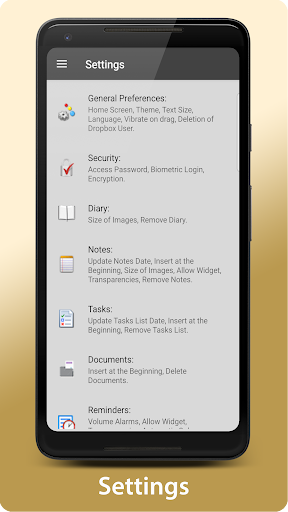


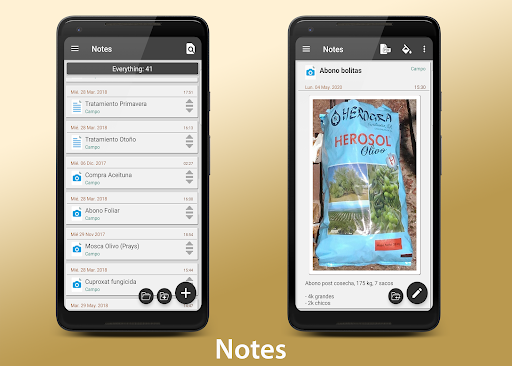


About this app
Developer Description
Get your life organized with My Agenda!
Your all-in-one personal assistant:
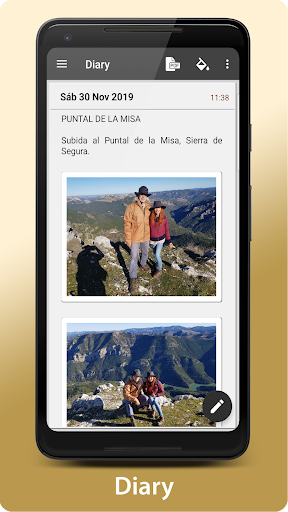
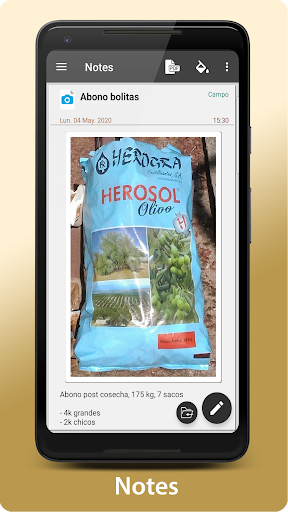
Visual and complete diary: Write down your thoughts, ideas and special moments with text, photos and even voice notes.
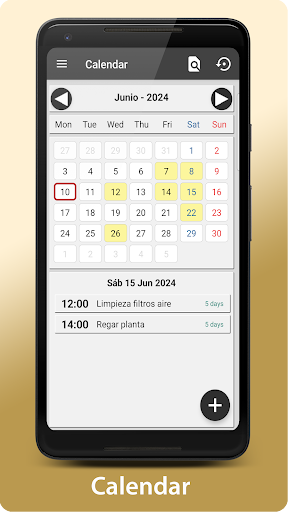
Personalized tasks and reminders: Create lists, set deadlines and choose your favorite notifications. View them in a calendar or list for better organization.
The weather always at hand: Check the 15-day forecast for anywhere in the world and plan your activities.
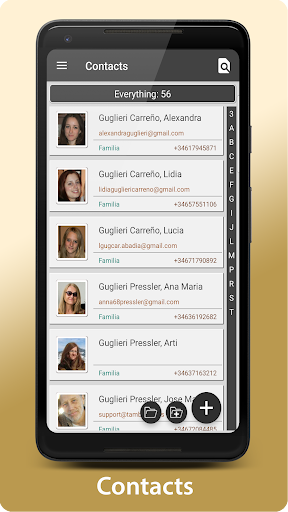
Secure contacts and passwords: Store all your important information in an encrypted way and access it with a single touch.
Unleash your creativity! Draw, sketch and take freehand notes.
Automatic backup: Your data will always be safe, synchronized in Dropbox and with manual backup options in Drive, Email, WhatsApp, etc.
Custom widgets: Bring your favorite reminders and notes to your home screen.
Flexibility and security:
Organize your way: Group, reorder, and change the background color for a completely personalized experience.
Share what you want: Convert your notes to PDF and share them via email, WhatsApp, and more.
Protect your information: Set a password, use your fingerprint, or encrypt your data for added security.
Need help? Our team is always ready to listen to you. Contact us through the Developer Email and we will get back to you as soon as possible.
Download now and discover why My Agenda is the most complete organization app on the market!
Version Information
- Version
- -
- Downloads
- 10K+
- Updated on
- -
- Released
- Aug 14, 2013
- Requires
- Android Varies with device
Statistics
Google Play Rating History
Rating Distribution
Downloads Over Time
My Agenda Pro: Personal Agenda has been downloaded times. Over the past 30 days, it averaged downloads per day.
Shaded area shows 30-day prediction based on historical trends
Historical data collection started recently. More data points will be available over time.
My Agenda Pro: Personal Agenda - Google Play Rankings
Top Rankings
| Rank | Country | Category | List | Change |
|---|---|---|---|---|
| — |
Ranking History in
No ranking data available yet. Rankings are updated daily.
#44 in Top Paid Lifestyle in India
 UsA LCD Weather Anim - USA181
My Agenda Pro: Personal Agenda
UsA LCD Weather Anim - USA181
My Agenda Pro: Personal Agenda
 Pixel Weather 2 - Watch face
#46 in Top Paid Lifestyle in Argentina
#46 in Top Paid Lifestyle in Saudi Arabia
#46 in Top Paid Lifestyle in Turkey
My Agenda Pro: Personal Agenda users say on Google Play
 A Google user
Fantastic planner style system that is useful everday. Simple to use, allows easy planning, easy notes. I would enjoy seeing seperate grocery list section added, & even recipe files list to place everything in one place instead of using a seperate application. A contacts list would also be extremey useful in addition abd maybe an alarm clock. Over all, a great app.
A Google user
This app truly fits a real need.
A Google user
password implementation is irregular
A Google user
Lots of potential, but seems to be missing several obvious features: Can't share into it, doesn't automatically save when hitting Back, no batch/multi-select, can't paste a multi-line task, no Trash/Recycle bin, note length limited to ~10K, no export to text or CSV (only per-item PDF), and, while data may be encrypted, access to app is PIN only. Please correct me if I'm wrong.
A Google user
I lost my phone so i downloaded the app to the new phone, now all my diary is in numbers and jibberish. I got it from the cloud. I had a year of diary and pictures. I'm very disappointed I entered the encryption key before recovering the data and it still doesn't work
ApkTrusted Ratings & Reviews
More from Tambucho
See more apps
FsRadioPanel Pro
Paid
FsVfrMap Pro
Paid
FsRadioPanel
Free
FsVfrMap
Free
FsC177Panel Pro
Paid

Bitácora: Nautical Nav.
Free

Bitácora Pro: Nautical Nav.
Paid
FsC172Panel Pro
Paid

FsPFDPanel Pro
Paid

FsC177Panel
Free

AllPaths: All the Paths
Free

AllPaths Pro: All the Paths
Paid

Heart Rate
Free

Heart Rate Pro
Paid
InfoRadars Pro
Paid

Instanta Pro: Calendar
Paid
Similar Apps

Calendly Mobile
Free

Setmore Appointment Scheduling
Free

Gratitude Journal
Paid

Beyond Budget - Budget Planner
Free
Weekly Planner - Diary, Notes
Free

Perfect Day: Organize Your Day
Free

Casherwise: Budget & Expenses
Free

Notas U Pro: School Planner
Paid
DigiCal Calendar Agenda
Free

Heima - Chores Tracker
Free

Daily Expenses 4
Free
Diarium: Journal, Diary
Free

School Planner - Timetable
Free
Scan this QR code to download

Forwarding you to the page at Google Play market in seconds...
Open Google Play market now