BUS Routing and Navigation v4.2.20251212_890
SmartRouting
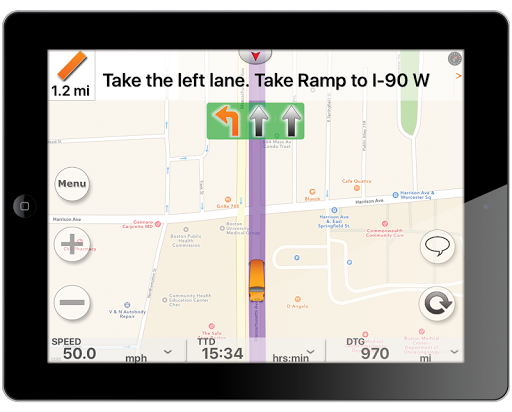
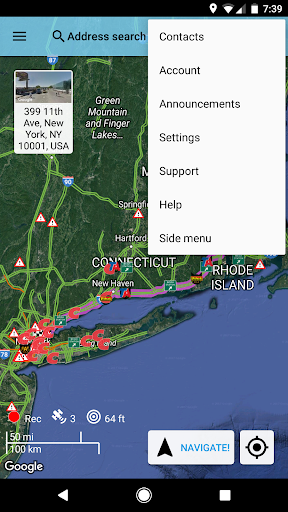
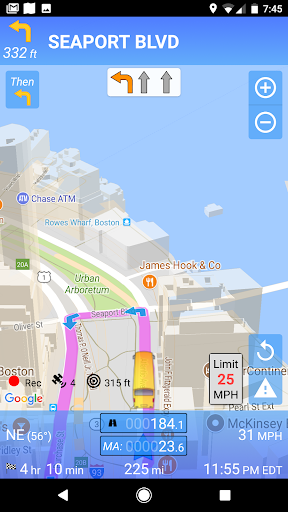
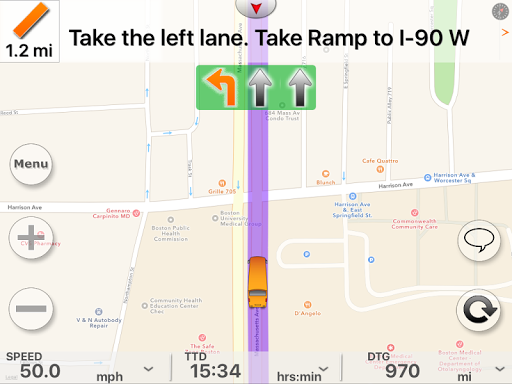
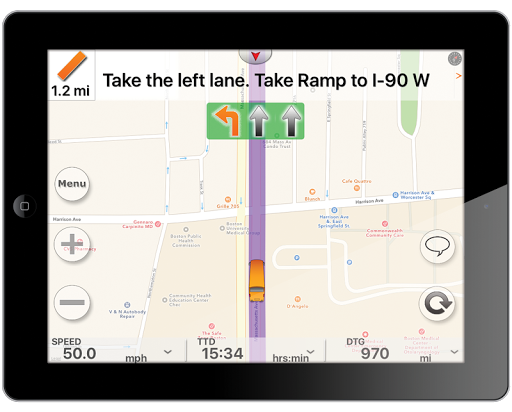
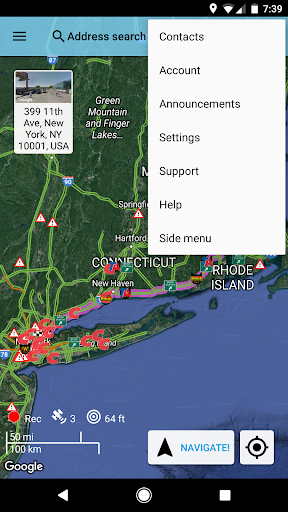
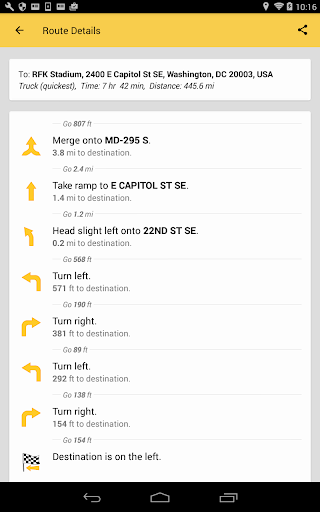
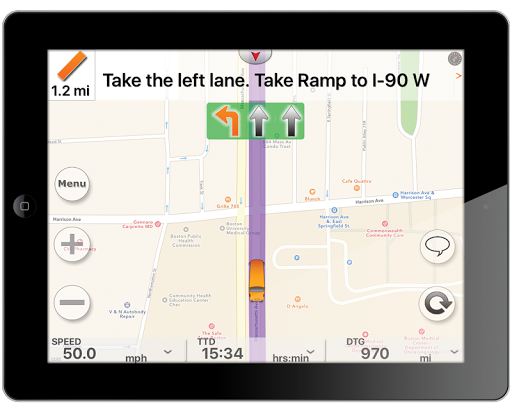
About this app
The BUS Routing and Navigation app solves the problem of navigating public transportation by providing live bus GPS routing and navigation, making it an ideal solution for commuters and travelers who rely on buses to get around. This app benefits most those who live in areas with complex bus networks or limited transportation options. Compared to alternatives in the Maps And Navigation category, BUS Routing and Navigation stands out with its paid subscription-based model, which may offer more accurate and up-to-date information, but may also deter some users due to the cost. The app's lack of permissions requests is a notable advantage, suggesting a strong focus on user privacy.
Pros
- The app's high user rating of 3.9/5 indicates a generally positive user experience, with many users appreciating the app's accuracy and ease of use.
- The developer's reputation, as evidenced by their website and email support, suggests a commitment to providing quality support and updates for the app.
- The app's small size and lack of permissions requests make it a lightweight and private option for users, reducing the risk of data collection and battery drain.
- The app's paid subscription model, although potentially costly, may provide more accurate and reliable information, making it a worthwhile investment for frequent users.
- The developer's frequent updates, as indicated by the version number, suggest a commitment to improving and expanding the app's features and functionality.
Cons
- The app's paid subscription model, with prices ranging from $28.99 to $179.99 per item, may be a deterrent for some users, especially those who are used to free or low-cost alternatives.
- The limited download numbers, with only 5,000+ downloads, may indicate a lack of social proof or awareness about the app, which could impact user trust and adoption.
- The app's lack of features or information about offline capability may be a concern for users who need to access bus routes and navigation in areas with limited internet connectivity.
- The app's limited compatibility, requiring Android 6.0 or later, may exclude some users with older devices or operating systems.
Best for: The ideal user for the BUS Routing and Navigation app is a frequent commuter or traveler who relies on buses to get around, is tech-savvy enough to navigate the app's features and settings, and is willing to pay for a premium service that provides accurate and up-to-date information, such as students, professionals, or individuals with limited mobility who need to plan their routes in advance.
Developer Description
Live Bus GPS Routing and Navigation! Paid Subscription based
Data connection required to make a route. We keep data and traffic up to date.
Join thousands of other bus drivers who are already using SmartRVRoute to find their way using RV specific routes on their phones and tablets. Supports U.S. and Canada, Mexico.
* This is a paid subscription
* Free full use of the app every day from 1 to 2 pm EST.
Why we are better...
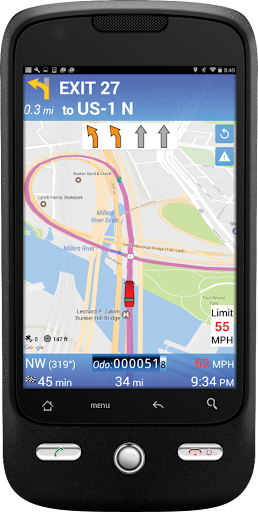
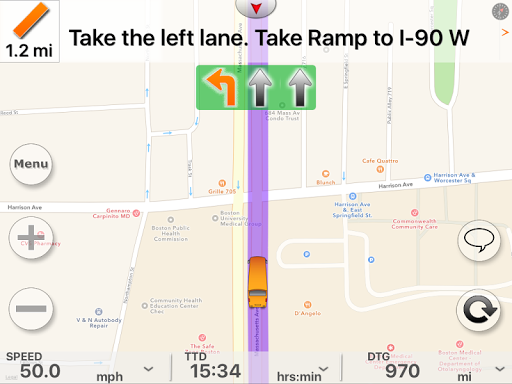
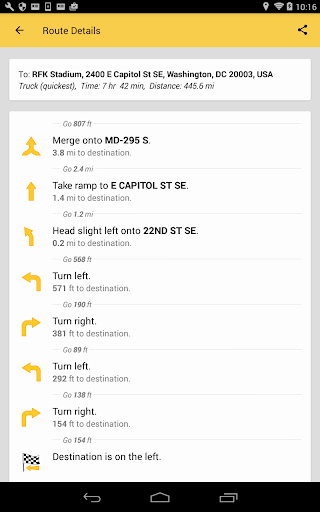
Instant Bus routes with turn by turn using GPS on your Android Smartphone or Tablet!
Daily map updates and up to the minute traffic updates.
Bus friendly. Unlimited number of routes can be created.
Routes specified depending on the size of your Bus.See Satellite images of your destination.
-------------------------------------------------------------------------------
Free to download and view maps, paid subscription for truck routing and traffic. SPECIAL - $29 for 1-month, $89 for 1-year, and $149 for 3 year subscription. You can transfer your subscription to a new Android phone or Android tablet anytime.
--------------------------------------------------------------------------------
Bus drivers can now navigate with confidence knowing that the routes follow roads that are suitable for Bus travel and rely on the specialized routing as the software takes into account Bus restrictions such as bridge heights and clearances, load limits, one-way road designations, sharp turns, and allowances. SmartBusRoute will help avoid costly tickets and keep you safe.
* Navigate buses with the convenience of using your phone!
* Offers the latest Bus specific maps and routes.
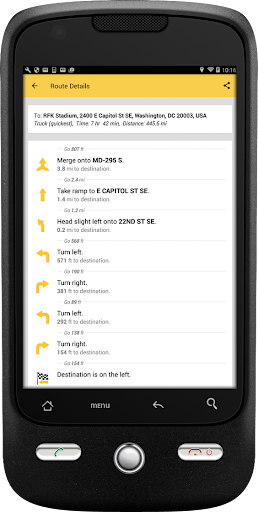
* Provides turn-by-turn voice instructions.
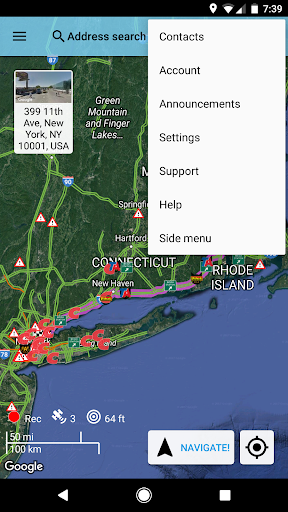
* Navigate in Street or Satellite View mode.
* Street Views
* See surrounding traffic (wherever available), free service.
* Use your phone's built-in speaker to say your destination address.
* Talk while navigating.
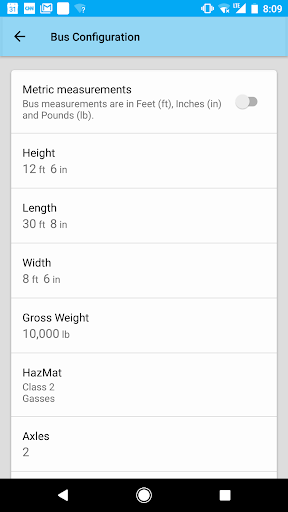
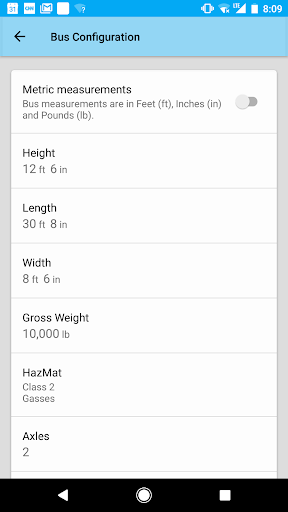
* Specify size, weight to insure real Bus routing.
* Navigation does not interrupt other functions of the phone.
* Free Updates
* Unlimited number of routes, use as often as you wish.
You can easily change the default Bus specifications:
Height, Length, Width, Weight, supports any class of Bus.
Privacy
Given the app's lack of permissions requests, users can be relatively confident that their data is not being collected or shared without their knowledge. However, as with any app, users should still be cautious when providing personal or payment information, and review the app's terms and conditions carefully. To further protect their privacy, users can consider using a VPN or limiting their app usage to secure, private networks.
Tips
To get the most out of the BUS Routing and Navigation app, users should first set up their account and subscription, and then explore the app's features and settings to customize their experience. Users can also optimize the app's performance by closing other resource-intensive apps, and reduce battery drain by using the app in offline mode when possible. Additionally, users can integrate the app with other transportation or mapping apps to create a more comprehensive navigation experience.
What's New
Faster display of POIS
Full compliance with the latest APIs
Favorites organized into folders
Enhance directions
Favorites Backup
Updated interface
Weather Reporting
Snowfall
AI question and answer
Allow reviews for Points of interest
More options in Advanced Menu
Customer Icons
Custom VIA points
New weather
Radar Weather and Severe Winds Along the route
Report any route issue using voice
New Colors for lane assist
Alternate Route
Fuel Prices at Major TruckStops
In-app purchases
$28.99 - $179.99 per item
Version Information
- Version
- 4.2.20251212_890
- Downloads
- 5K+
- Updated on
- Dec 15, 2025
- Released
- Sep 7, 2017
- Requires
- Android 6.0
Statistics
Google Play Rating History
Rating Distribution
Downloads Over Time
BUS Routing and Navigation has been downloaded times. Over the past 30 days, it averaged downloads per day.
Shaded area shows 30-day prediction based on historical trends
Historical data collection started recently. More data points will be available over time.
BUS Routing and Navigation users say on Google Play
 Angel Davila
I generally work in the city. However, at times I have jobs that go out of town. The app comes in very handy when bridges are concerned. It makes good for keeping a nice safety record going. I really appreciate having it, than not having it causing me and the company I work for an inconvenience. I definitely recommend it.
 A Google user
I have used this system for three days. What do I NOT like about it? Not much. >>>I wish it had an audible tone (other than voice) to give me the final turn prompt. I have a$400 Rand-McNally TND 740 that is being sidelined by this app. The doorbell prompt is something I miss from that unit. >>>I wish I could load this on multiple devices (two would be good) under the same account and email. As it stands now, I would have to buy a separate subscription for each device. My other options are to buy a phone with an even larger screen or start a tablet plan with my mobile provider. The aim here is to get a larger screen display. Unlike car usage, bus usage places the screen at a greater distance, and makes everything smaller and less visible. >>>I have not tried it, but it seems like using it on a WiFi tethered device is not recommended by the manufacturer. This comes out in the FAQs. It appears that this disables some of the functions. I wonder if this a means to control licensing. If this is the case, it is not good to punish all users trying to maximize the app's utility by employing larger screens. >>>There are too many steps to routing. Enter the location name or address Select "create route". Press navigate. Two steps should suffice. >>> HOS activation and status are not automatic. Each status change must be manually entered. >>>These are the only negatives I can recall now. I will amend my review if necessary as I have more time to experience the service. >>>What do I love about it? A lot! The only problem is you do not have time to read it! I will hit some of the main features I like. >>>Handsfree location entry by location name or address. >>>USA based means fewer pronouncement errors like "arr tee" for the abbreviation for route, or "ayv" for the abbreviation for avenue. It has only been a few days with it, so I have a few more to discover in comparison to the $400 Rand-McNally unit. Unfortunately, and I may be confusing this for another system, but I think I heard it say Drive Martin Luther King boulevard for Dr. (Doctor) Martin Luther King, >>>Unlike the TND-740, this app does not treat buses like trucks. In New Jersey, buses are permitted to use the Garden State Parkway, as long as operators are aware of any low clearances along the route. Trucks are restricted from some or all of the roadway, depending on weight. The TND-740 actually stopped navigating, because I would not remove the 18 to 25 ton motor coaches I was driving from the Parkway. I had to underreport the weight on the unit to get it to not do this. This meant I had to be more wary of absolute weight restrictions, since the unit would not alert me to those that exceeded the entered weight. One December morning in Delaware, on a construction detour with a fully occupied bus, I narrowly avoided entering a bridge with a 5 ton restriction. CDL QUIZ: Which Smith Key saved my and 50+ passengers' lives? >>>For what you get, the pricing plan is excellent. I am happy there is no free option. This app is designed for professional drivers, drivers whose livelihood depends on safe and timely operation and delivery of passengers and cargo. Unlimited software and map updates, realtime traffic, live incident reporting and IFTA and HOS recording are indispensible. This is a more than worthwhile business expense, fully deductible. Thanks to this app, T-Mobile is likely going to be happy when I purchase one of their data plans with a "free" tablet to accommodate this app.
 Ed Drane
I really hoped this would be a good app for Charter Bus routes. It's not much different from any other app I've used. What I really don't like is it misnamed streets and even Interstates, ie calling I65 east instead of north or south. And what's with "You're near your destination "? I want to know when I've REACHED my destination. Oh well, so on goes the search for a suitable gps or app@
A Google user
i have asked to be refunded 3 times in 3 diff ways and havent heard a word. they tried to fix an issue which is fine but do NOT like the app set up. PLEASE REFUND ME! hoping someone will see this n respond this time....im in DC n dont have time for this. THNX and sorry
 Decyrus
This app is horrible. Tried to use it this morning on a dry run of my bus route. It takes forever to re-route. It won't queue to the next stop after you make it to the destination because it wants you to drive up the driveway (where the point maker is on the nav map) of the person you're picking up. You have to fiddle with the app in the middle of the drive to activate the next stop until even that just stopped working.
ApkTrusted Ratings & Reviews
More from SmartRouting
See more apps

Similar Apps






Scan this QR code to download

Forwarding you to the page at Google Play market in seconds...
Open Google Play market now