
Touch Lock Screen Touch Photo v3.9
Cards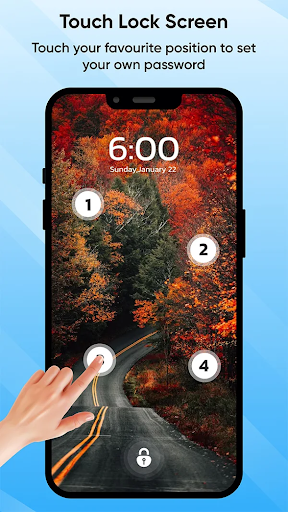
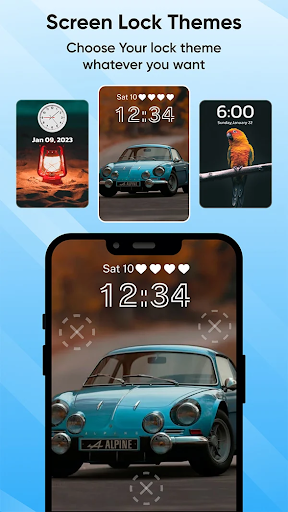
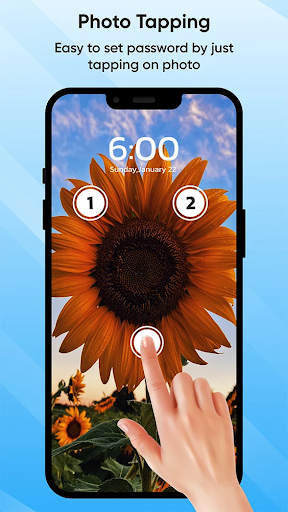
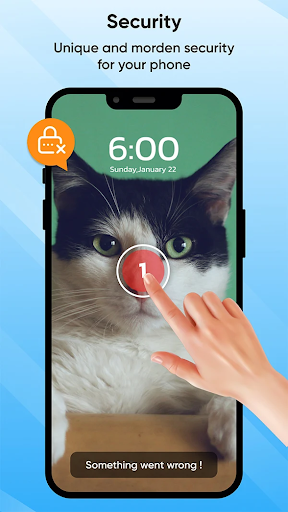
About this app
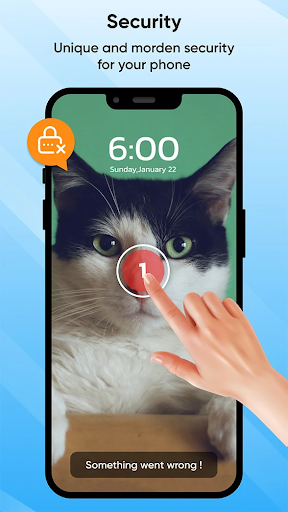
The Touch Lock Screen app solves the problem of securing one's phone by setting a password, a feature that benefits most individuals who value their privacy and data protection. Compared to alternatives in the Personalization category, Touch Lock Screen stands out due to its simplicity and high user rating of 4.3/5, indicating a well-received and effective solution. However, it falls short in terms of customization options and advanced security features, which might be a drawback for some users. Overall, it is a straightforward and user-friendly app that gets the job done.
Pros
- With over 10,000,000 downloads, Touch Lock Screen has a high level of social proof, indicating its effectiveness and trustworthiness in the eyes of many users.
- The app's developer, Cards, has a professional website and provides a dedicated email for support, showing a commitment to customer service and feedback.
- Touch Lock Screen does not require any permissions, which is a significant advantage in terms of privacy and security, as users do not have to worry about their data being accessed or shared without consent.
- The app's simple and intuitive interface makes it easy for users of all skill levels to set up and use, without needing extensive technical knowledge.
- The availability of in-app purchases offers users the option to enhance their experience, although it's worth noting that the base app is free and functional, making it accessible to a wide range of users.
Cons
- One of the concerns with Touch Lock Screen is its monetization model, which includes ads and in-app purchases ranging from $0.99 to $99.99 per item, potentially leading to an aggressive push for purchases or a cluttered user interface due to advertisements.
- Despite its high rating, some users may find the app's features to be somewhat basic compared to other security and personalization apps on the market, which could offer more advanced functionality.
- The lack of customization options might be a drawback for users who prefer a more personalized look and feel for their lock screen, limiting the app's appeal to those seeking a more tailored experience.
- There is a potential for the app's simplicity to be a double-edged sword, as while it makes the app easy to use, it also might not offer enough features for power users or those seeking more complex security solutions.
Best for: The ideal user for Touch Lock Screen is an individual seeking a straightforward, easy-to-use, and effective solution for securing their phone with a password, likely someone who values simplicity and ease of use over advanced features, and is looking for a basic yet reliable security app that does not require extensive technical knowledge to set up and use.
Developer Description
The Touch Lock Screen is an app that secures your phone by setting a password.
Touch Lock Screen Photo: Your Ultimate Mobile Security Companion!
Concerned about keeping your mobile device secure? Look no further! Introducing Touch Screen Lock Photo, the modern lock designed for mobile security. With this amazing app, you can protect your phone with a touch password, ensuring your sensitive information stays safe and secure.
🔒 Key Features of Touch Screen Lock: 🔒
📸 Touch Lock Screen Protection;
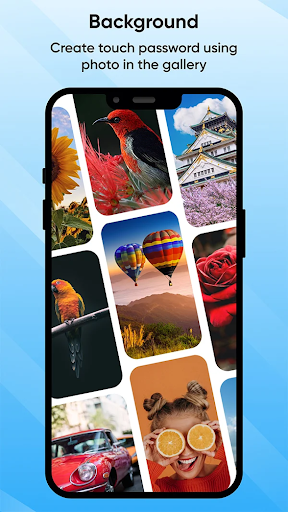
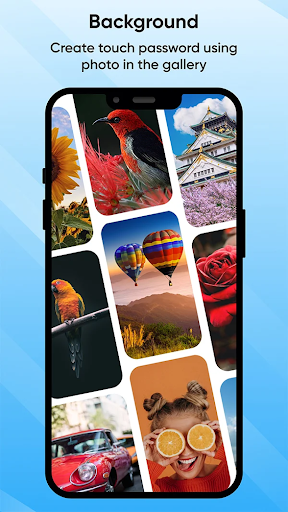
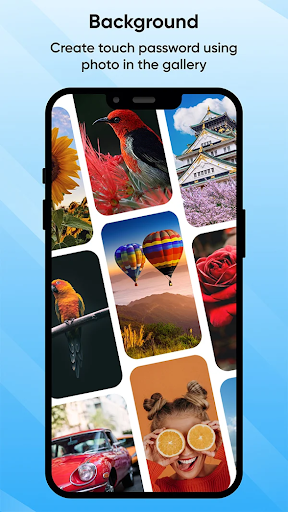
📱 Select Images from Gallery or Camera;
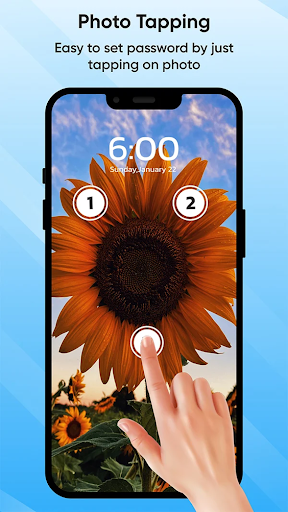
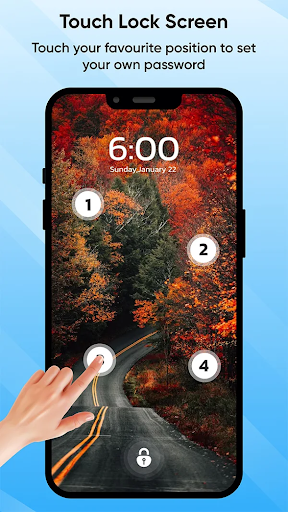
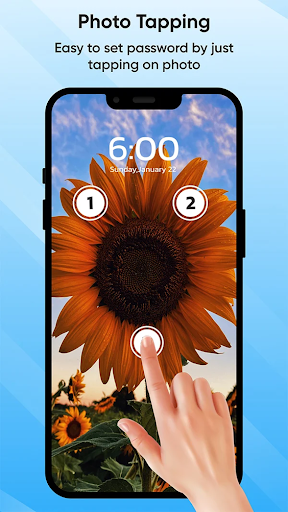
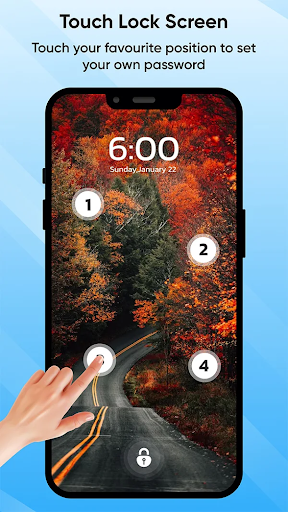
👆 Set Touch Lock Password in Two or Four Positions;
🔑 Recovery Password (PIN Password) Option;
🔊 Enable/Disable Sound and Vibration;
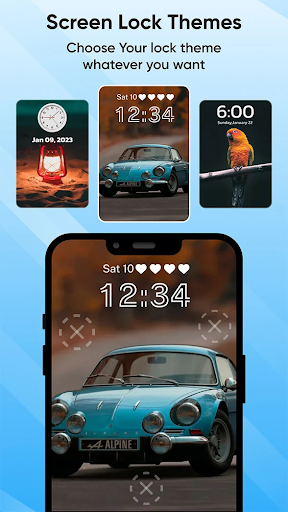
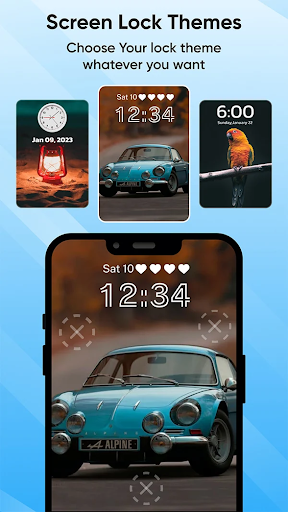
🎨 Wide Range of Themes Available;
🔒 Touch Lock Screen Protection:
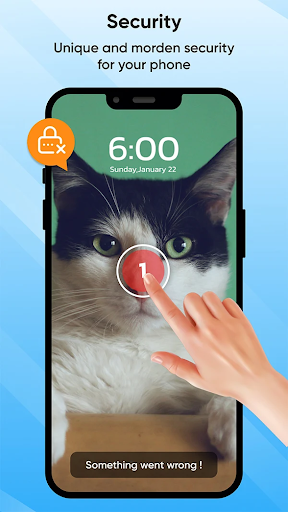
Say goodbye to traditional passcodes and embrace the future of mobile security with Touch Lock Screen Photo. This Finger Lock Screen app allows you to set a touch password, utilizing the unique patterns of your fingertips for enhanced protection. With options to select images from your gallery or capture new ones with your camera, you can personalize your phone for added security.
📸 Finger Lock Screen: Select Images from Gallery or Camera:
Express your creativity and personalize your phone. Choose from various images in your gallery or capture new ones with your device's camera. Make your Finger Lock Screen yours, whether it's a memorable photograph or a favorite wallpaper.
Enjoy Added Security On Your Phone With Just A Few Taps
Secure your phone with style and safety. Set a PIN code for added certainty and choose a theme of your liking!
👆 Set Touch Password in Two or Four Positions:
Customize your security settings easily by setting a touch password in two or four selected positions. This unique feature adds a layer of security to your device, ensuring that only you can access its contents.
🔑 Recovery Password (PIN Password) Option:
Did you forget your Touch Screen Lock password? No need to worry! Touch Lock Screen Photo offers a recovery password option to set a PIN password as a backup. With this Fingerprint Lock Screen feature, you can regain access to your device even if you forget your touch password.
🔊 Fingerprint Lock Screen With Sound and Vibration:
Tailor your security experience to your preferences with the option to enable or disable sound and vibration. Touch Screen Lock gives you full control over whether you prefer a silent and discreet screen or an audible confirmation of your security measures.
Privacy
Given that Touch Lock Screen does not request any permissions, it poses minimal risk to user data and privacy, making it a relatively safe choice for those concerned about security. However, users should still be cautious of any in-app purchases and ensure they understand what they are buying. It's also advisable to keep an eye on the app's updates and user reviews to ensure it continues to maintain its privacy and security standards.
Tips
For first-time setup, users should ensure they choose a strong and unique password to maximize the app's security benefits. To get the most out of Touch Lock Screen, explore the in-app purchases to see if any of the additional features enhance your user experience. Additionally, consider combining Touch Lock Screen with other security measures, such as a fingerprint or facial recognition lock, for an extra layer of protection.
What's New
- Improve Performance.
- Bug Fixes
We love getting feedback from all of you! Please leave your feedback.
In-app purchases
$0.99 - $99.99 per item
Version Information
- Version
- 3.9
- Downloads
- 10M+
- Updated on
- Mar 13, 2024
- Released
- Dec 13, 2019
- Requires
- Android 6.0
Statistics
Google Play Rating History
Rating Distribution
Downloads Over Time
Touch Lock Screen Touch Photo has been downloaded times. Over the past 30 days, it averaged downloads per day.
Shaded area shows 30-day prediction based on historical trends
Historical data collection started recently. More data points will be available over time.
Touch Lock Screen Touch Photo - Google Play Rankings
Top Rankings
| Rank | Country | Category | List | Change |
|---|---|---|---|---|
| — |
Ranking History in
No ranking data available yet. Rankings are updated daily.
#24 in Top Grossing Personalization in India


#31 in Top Grossing Personalization in Saudi Arabia


#35 in Top Grossing Personalization in France
 Super Funny Ringtones & Sounds
Touch Lock Screen Touch Photo
Super Funny Ringtones & Sounds
Touch Lock Screen Touch Photo
 Wallpics - Live Wallpapers 4K
#40 in Top Grossing Personalization in Pakistan

Touch Lock Screen Touch Photo users say on Google Play
 mubarrki kyra
sagen awal
 Axmed Ibrahim
thanks you
 Nitin Pawar
abcd
 delwar hussain
good app
 Fatima Tariq
worst thing u can use . u just miss the points once and second time and then real anxiety starts bcz no precision of points even if u touch exact points .i uninstalled it after 1 try mso frustrating experience. amd this is an honest one .if u dont trust ,try it and then u will trust me ,i can bet . dont know how they got such good ratings.
ApkTrusted Ratings & Reviews
More from Cards
See more apps
Incognito Calculator Tools
Free

Allah Wallpaper: Islamic 4k HD
Free

Add Text on Photo
Free
Nickname Maker: Gamer names
Free

4K Wallpaper & HD Backgrounds
Free

Age Calculator - Date of Birth
Free

Black and White Photo Editor
Free

Instory | Story Video Maker
Free

Aesthetic Symbols - Fancy Text
Free

Remind Me (using Call)
Free
AI Eng Spell Checker Keyboard
Free
Tattoo Simulator Tattoo Maker
Free

Note It - Notes, To-Do List.
Free

APK Backup & App Recovery
Free
Face Changer - My Fake Look
Free

Live Mic to Bluetooth Speaker
Free
Similar Apps
Newlook Launcher - Galaxy Star
Free
App Lock - Applock Fingerprint
Free

EDGE Lighting -LED Borderlight
Free
Edge Lighting - Borderlight
Free
Love Launcher: lovely launcher
Free
AppLock Pro - App Lock & Guard
Free
AppLock
Free
LOCKit: App Lock, Photos Vault
Free
Photo Lock App - Hide Pictures
Free

Simple App Launcher
Free
Super S9 Launcher for Galaxy S
Free

Don't Touch My Phone: Alarm
Free
AppLock Master
Free
App Locker - Lock App
Free

Wallpaper For Iphone - Wallway
Free

Love Photo Keyboard Theme 2023
Free
Scan this QR code to download

Forwarding you to the page at Google Play market in seconds...
Open Google Play market now