
CNC Simulator v3.0.5
Virtual Laboratories and Technical Simulators











About this app
Developer Description
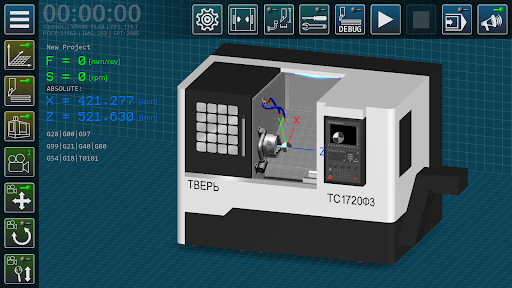
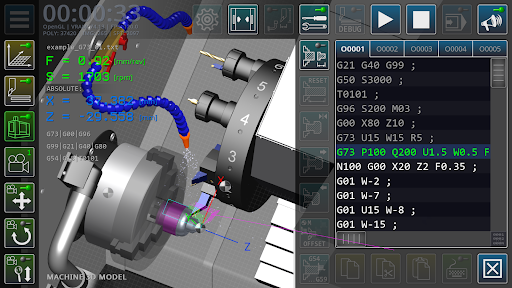
A software simulator of CNC lathe with standard GM code.
The three-dimensional simulation model is based on a lathe with an inclined bed, equipped with a CNC system, a twelve-position turret head, a three-jaw chuck, a tailstock, a system for supplying lubricating and cooling liquid, and other units. The material is processed along two controlled axes.
Field of application of the software product: educational process using computer technology: laboratory lessons of students in computer classes, distance learning, demonstration support of lecture material in the group of areas of training and specialties: «Metallurgy, Engineering and Material Processing».
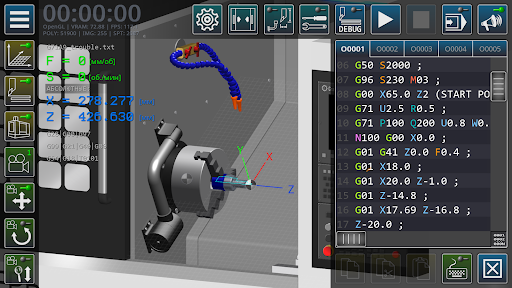
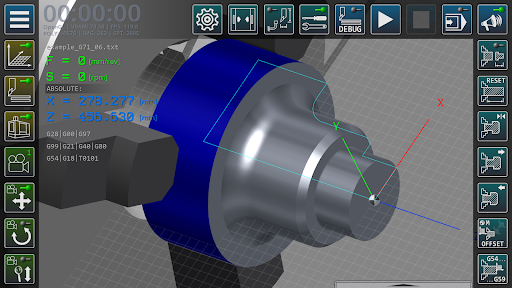
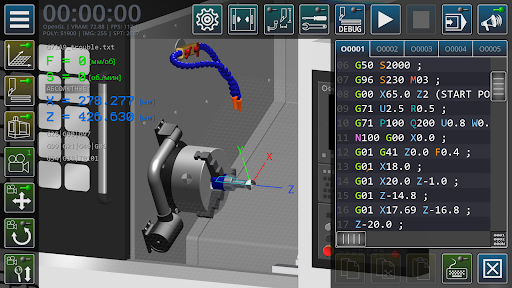
The main functions of the application: editing the code of control programs of a lathe, operations with control program files, setting up geometric parameters of a cutting tool, continuous/step-by-step execution of control program blocks, three-dimensional visualization of tool movements in the machine’s workspace, simplified visualization of the workpiece surface, calculation of processing modes, a brief reference guide on using G-code.
Type of target computing device and supported platform: IBM – compatible PC running Microsoft Windows, Apple Macintosh PC running MacOS, mobile devices based on Android and iOS operating systems.
The graphics component of the software uses the OpenGL 2.0 component base.
The graphical user interface of the program is implemented in English.
What's New
Version Information
- Version
- 3.0.5
- Downloads
- 10K+
- Updated on
- Oct 1, 2025
- Released
- Jul 30, 2019
- Requires
- Android 5.1
Statistics
Google Play Rating History
Rating Distribution
Downloads Over Time
CNC Simulator has been downloaded times. Over the past 30 days, it averaged downloads per day.
Shaded area shows 30-day prediction based on historical trends
Historical data collection started recently. More data points will be available over time.
CNC Simulator users say on Google Play
 A Google user
Spectacular experience. Great app if you want to: Learn to Program CNC; Draft and Simulate CNC plans. I op a CNC machine but now I feel at least comfortable around some of the commands I KNOW I have seen scroll across the CNC program. I have experience reading and drafting blueprint schematics, I feel now I can translate that to a CNC, least dimensionally. I’m sure that there is more that I need to know in terms of setting feed rate, tool tolerance and machine specific maintenance functions.
 Sabri Soudki
Super app for using when you don't have a Computer around. easy to use and beneficial for interns and intermediate machinists, i strongly recommend it, you won't regret it. And also it would be great if there's a milling machine version. Thank You. 👍👍
A Google user
I like the app.very much ,but the canned cycle is not working properly .and i also have a sugestion that plz provide the vmc and the control panel keys also to the machine.it makes the app more useful.Thank you.
A Google user
Everythingon this app seems like it would be great. Except the fact that it crashes evertime i select the programming screen. The app just closes if i try to tap it. Would be a really good app if that didnt happen. I even tried loading an existing program, and it still crashes if i select the program screen.
 Roscislaw Pietrowski
Well, I've bought the app as I believed it would help me with my job and it actually does for sometime (2-3 weeks) then for some reason it start crashing every time I'm trying to open keyboard to write program and start the machine. The app says that it happens because it has a bug, but after clearing cache it won't work anyway. Very disappointed! Money in the bin
ApkTrusted Ratings & Reviews
More from Virtual Laboratories and Technical Simulators
See more apps

Scan this QR code to download

Forwarding you to the page at Google Play market in seconds...
Open Google Play market now