VIZIO | WatchFree+ v4.11.1.rc-1.20251215.22.release
VIZIO
About this app
The VIZIO | WatchFree+ app solves the problem of finding and watching live TV and discovering new entertainment options, benefiting cord-cutters and those looking for free TV content. Compared to alternatives in the Entertainment category, WatchFree+ stands out with its device control features and well-received user rating of 4.3/5. However, its lack of in-app purchases and reliance on ads may be a drawback for some users. Overall, WatchFree+ is a solid choice for those invested in the VIZIO ecosystem.
Pros
- With over 10 million downloads and a high user rating, WatchFree+ has established itself as a reliable and popular choice for live TV and entertainment discovery.
- The app's developer, VIZIO, is a well-known and reputable brand in the smart TV market, which lends credibility to the app's quality and support.
- WatchFree+ has a frequent update cycle, indicating that the developer is actively maintaining and improving the app to ensure a smooth user experience.
- The app's lack of in-app purchases is a significant advantage, as users can enjoy its features without worrying about additional costs or microtransactions.
- WatchFree+ is optimized for Android 10 and later, ensuring that users with newer devices can take advantage of the latest features and security patches.
Cons
- The app's reliance on ads may be a turn-off for some users, as it can impact the overall viewing experience and may lead to frustration with frequent commercial breaks.
- Despite its popularity, WatchFree+ has no in-app purchases, which may limit its revenue potential and impact the developer's ability to invest in new features and content.
- Some users may be concerned about the app's data collection practices, as it is free to use and supported by ads, which can raise questions about user data privacy and security.
- WatchFree+ may not be compatible with all Android devices, particularly older models or those with lower specifications, which could limit its accessibility for some users.
Best for: The ideal user for WatchFree+ is a tech-savvy individual, likely between the ages of 25 and 45, who is looking for a free and convenient way to access live TV and discover new entertainment options, and is already invested in the VIZIO ecosystem, either through their smart TV or other VIZIO devices.
Developer Description
Live TV, Entertainment Discovery, and Device Control
Stream 300+ free live channels anywhere—no VIZIO TV required! Plus, control your VIZIO devices and discover entertainment, all through the VIZIO Mobile app.
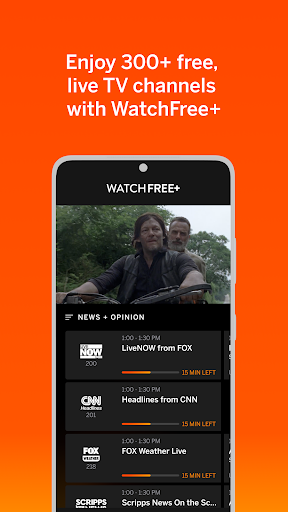
WATCHFREE+ MOBILE: Free live channels, anytime, anywhere.
• Stream 300+ Free Live Channels: Watch news, sports, movies, and shows on your mobile device —no VIZIO TV needed
• Personalize Your Experience: Create favorite channels lists and get personalized recommendations
• Stay Connected: Keep up with local sports, news, and entertainment on the go
• Easy to Start: Just download the app and create a free VIZIO account to start watching
• Smart Navigation: Find what you want faster with the category jump feature
• Pick Up Where You Left Off: Seamlessly switch between devices when you start watching on a VIZIO TV
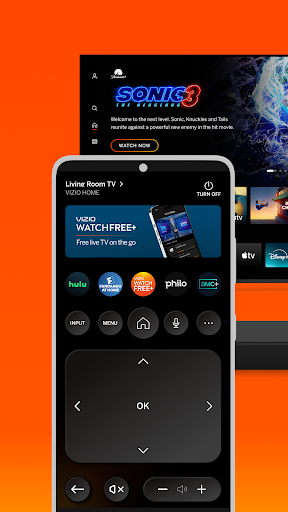
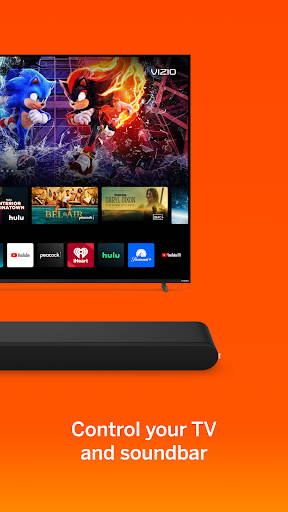
TV and ENTERTAINMENT CONTROL: Transform your phone into a powerful entertainment hub.
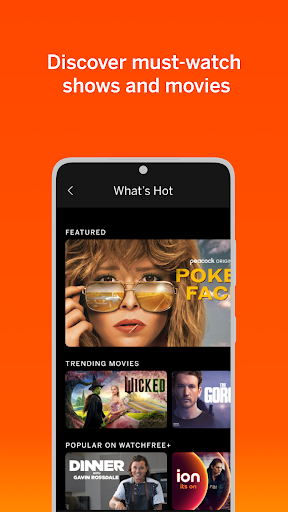
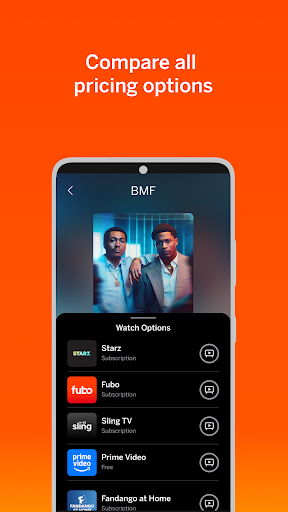
• Universal Search: Find what to watch across streaming services in one place
• Smart Recommendations: Discover new shows and movies based on your interests
• Voice Control: Launch apps and find content hands-free
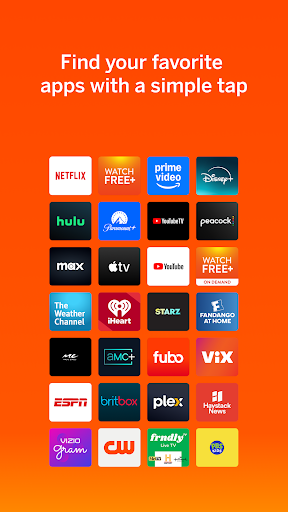
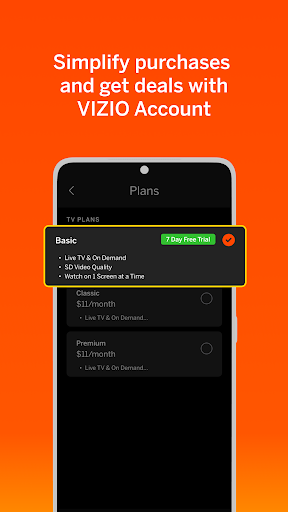
• Save Time. Stream More: Organize apps and manage subscriptions in one location
• Share & Connect: Cast photos and videos to your TV with VIZIOgram
SOUNDBAR CONTROL: Fine-tune your audio experience right from your phone.
• Quick Audio Adjustments: Customize volume, bass, and treble with easy controls
• Preset Sound Modes: Optimize audio for movies, shows, music, and more
• Enhanced Listening: Enable features like ClearDialog and Night Mode for the perfect sound
———————————————————————
VIZIO Crave Speakers cannot output audio from TVs/displays or be connected as an additional channel to an existing sound bar or sound system. Additional supported SmartCast or Chromecast-enabled audio products are required (not included) for Multi-Room feature. Streaming different songs to different speakers at the same time is not supported when using a single app running on a single mobile device. To stream a different song to different speakers at the same time, you’ll need to stream from a different app or a separate mobile device.
The applications and content pictured herein or described on this page may only be available in certain countries and languages, may require additional fees or subscription charges, and may be subject to future updates, modifications, interruption and/or discontinuation of service without notice. VIZIO has no control over third party applications or content and assumes no responsibility for the availability or interruption of such applications or content. Additional third-party terms, conditions and restrictions apply. High-speed/broadband Internet service and access equipment are required and are not provided by VIZIO. Not all Google Cast-enabled apps are integrated with VIZIO SmartCast and may require additional steps to cast.
For help, please visit our Customer Help Center: support.vizio.com
Terms of Use: https://www.vizio.com/en/terms/account-terms
Privacy Policy: https://www.vizio.com/en/terms/privacy-policy
Privacy
Given that WatchFree+ requires no permissions, users can be reassured that their personal data is not being accessed or collected by the app. However, as with any ad-supported app, users should be aware that their viewing habits and preferences may be tracked for advertising purposes. To minimize potential risks, users should review VIZIO's privacy policy and consider using a VPN or ad-blocker to enhance their online security.
Tips
To get the most out of WatchFree+, users should first set up their VIZIO device and ensure that their internet connection is stable. They can then explore the app's various features, such as live TV and entertainment discovery, and customize their experience by creating a watchlist or setting up parental controls. Additionally, users can optimize their app performance by closing unnecessary background apps and ensuring that their device is running the latest software updates.
What's New
Bug fixes and performance enhancements
Version Information
- Version
- 4.11.1.rc-1.20251215.22.release
- Downloads
- 10M+
- Updated on
- Dec 18, 2025
- Released
- Mar 21, 2016
- Requires
- Android 10
Statistics
Google Play Rating History
Rating Distribution
Downloads Over Time
VIZIO | WatchFree+ has been downloaded times. Over the past 30 days, it averaged downloads per day.
Shaded area shows 30-day prediction based on historical trends
Historical data collection started recently. More data points will be available over time.
VIZIO | WatchFree+ - Google Play Rankings
Top Rankings
| Rank | Country | Category | List | Change |
|---|---|---|---|---|
| — |
Ranking History in
No ranking data available yet. Rankings are updated daily.
#24 in Top Free Entertainment in United States


VIZIO | WatchFree+ users say on Google Play
 robert rathbun
Works flawlessly. The best vizio tv controller app on the market. I have 2 vizio TV's and can operate both of them at the same time without affecting the other TV with this app.
 R. Django S.
thank you Vizio watchfreeTV I love your app I think your app is doing well better than Facebook used to have something similar about streaming or broadcasting to TV from your phone! videogram ECT .
 Landon Collett
when I say some thing like shameless on Netflix it just brings me to Netflix but it should bring u to both the app and the show and or movie
 cybersnax
UPDATED: I did get a response, but the response did nothing to address my review which makes me think I was not articulate enough. I can access all my tvs setting using the app, as it will pop up on the TV, bo different than using the remote. HOWEVER, I used to be able to access the settings on the app on my phone, without popping them up on the tv. Having that functionality allowed me to change settings that were GREYED OUT when trying to change setting directly on the TV with my remote.
 zerolbcool
Previously i could see the controls on my phone, now i have to look at the tv. I can no longer get the advanced color setting like white balance, offset and gain etc. I really like to personalize my color so removing this in the app really sucks. Hate this new version.
ApkTrusted Ratings & Reviews
Similar Apps

Philo: Shows, Movies, Live TV.
Free
Peacock TV: Stream TV & Movies
Free
Spectrum TV
Free

Sling: Live TV + Freestream
Free

Paramount+
Free

Movies Anywhere
Free

Cinemark Theatres
Free

Atom - Movie Tickets & Times
Free

Watch OWN
Free

Lifetime: TV Shows & Movies
Free

AMC+
Free

Tubi: Free Movies & Live TV
Free

Zeam
Free

AMC Theatres: Movies & More
Free

Fandango at Home: Movies & TV
Free

Lifetime Movie Club
Free
Scan this QR code to download

Forwarding you to the page at Google Play market in seconds...
Open Google Play market now