Easy Read Health Watch Face vVARY
Time As Art Watch Faces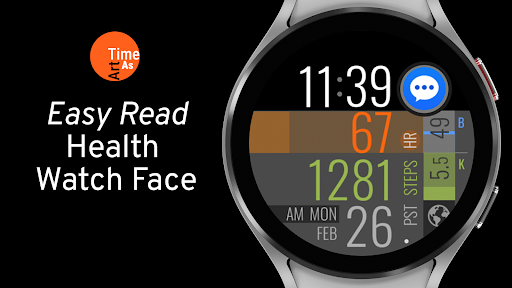
About this app
Developer Description
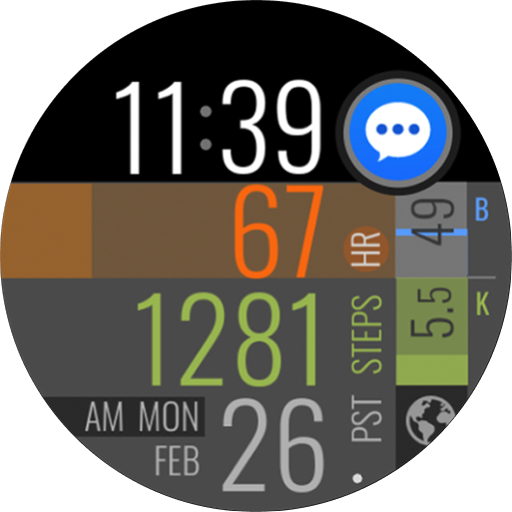
Smart, easy to read health watch face with many time & health related features.
Wear OS watch face features:
TIME
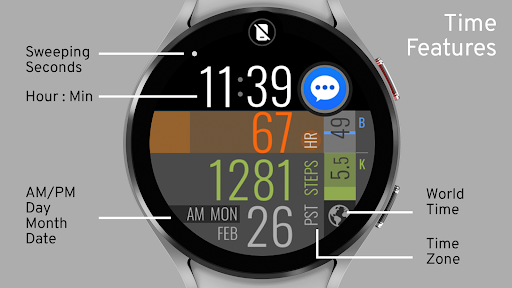
- Digital Clock
- 12/24 Hour compatible
- Hour and Minute
- Sweeping Seconds
- Day, Month, Date, AM/PM
- World Time (set via phone)
- Auto Time Zone
SMART HEALTH INFO
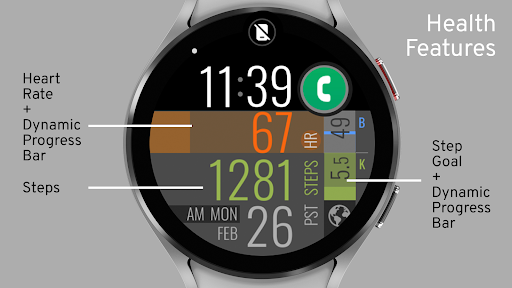
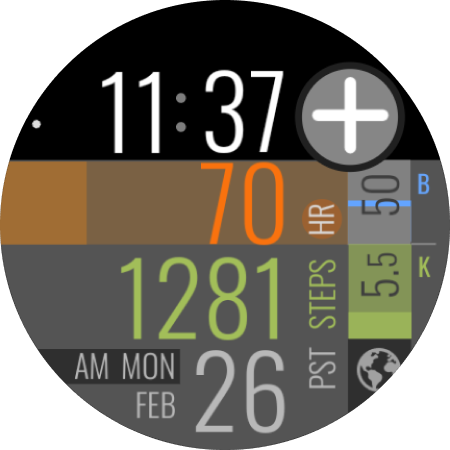
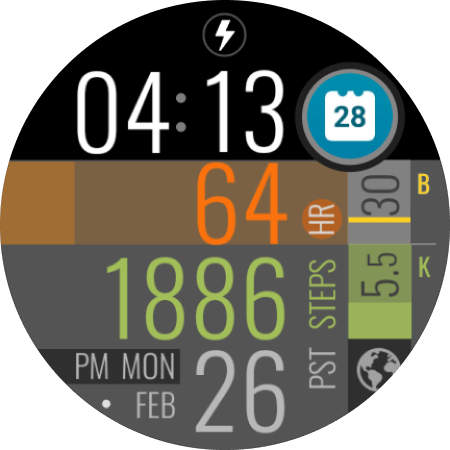
- Heart Rate with dynamic progress bar
- Step Count
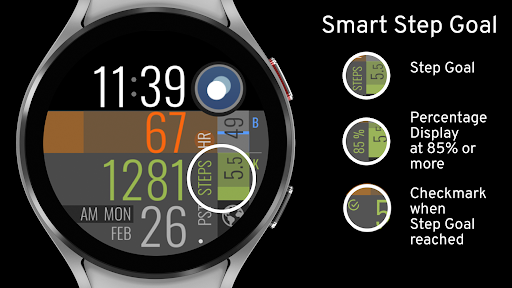
- Smart Step Goal with dynamic progress bar and percentage read-out (from 85-100%, at 99% the percentage read-out blinks for added encouragement and user feedback)
- 10% auto dimming of Step Goal progress bar once step goal has been reached for enhanced battery savings
SMART UNREAD NOTIFICATIONS COUNT
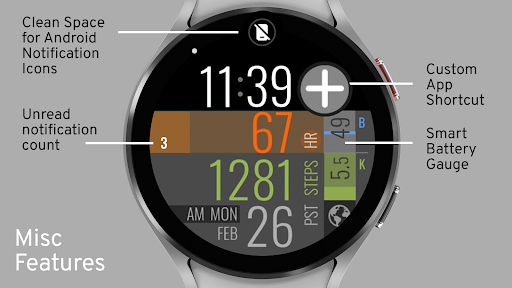
Numerical indicator for unread notifications. On Samsung Galaxy watches the counter lines up with the default notification dot. The counter only displays when there are new notifications.
SMART BATTERY INFO
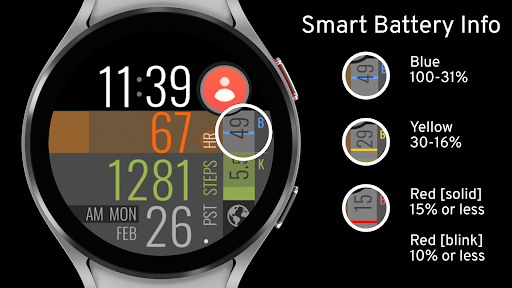
- Battery gauge with visual color feedback depending on battery level.
Blue (100-31%), Yellow (30-16%), Red (solid, 15-11%), Red (blinking, 10% or less)
5 CUSTOM APP SHORTCUTS
- 1 Dedicated Custom App Shortcut
TIP: if you set ‘Recent Apps’ for this shortcut you can easily access any running app as well as quickly close all apps that run in the background to maximize battery efficiency.
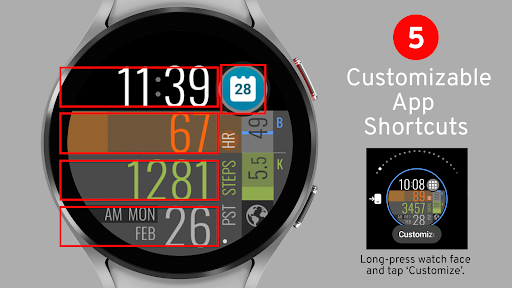
- 4 Area-Defined Custom App Shortcuts
For example these could be:
Time > Alarm Clock app, Timer app or Reminder app
Heart Rate > Heart Rate Details page
Steps > Steps Detail page
Date > Calendar app
TIP: Customizing the app shortcuts by long pressing on the watch face and then tapping on ‘Customize’ in the watch face selector on the watch gives you the most app options/choices.
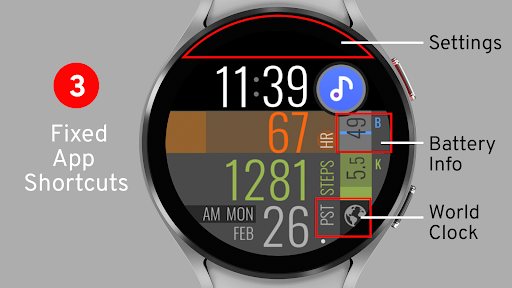
3 FIXED, PRE-SET APP SHORTCUTS
- Settings
- Battery Info
- World Clock (set via phone)
MISC FEATURES
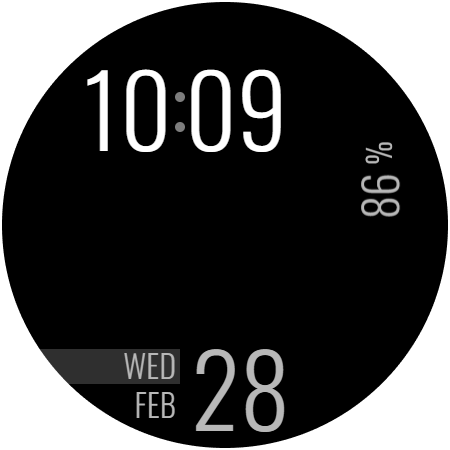
- Battery saving AOD screen
- Energy Efficient Display
Permissions:
For the watch face to work as intended please make sure to allow the sensor permission (for heart rate and step count) and also the app launch permission (for the custom shortcuts).
To see more exciting 'Time As Art' watch face creations
please visit https://play.google.com/store/apps/dev?id=6844562474688703926.
Have questions or need support?
Please visit https://timeasart.com/support or email us at design@timeasart.com.
Version Information
- Version
- -
- Downloads
- 100+
- Updated on
- -
- Released
- Feb 26, 2024
- Requires
- Android Varies with device
Statistics
Google Play Rating History
Rating Distribution
Downloads Over Time
Easy Read Health Watch Face has been downloaded times. Over the past 30 days, it averaged downloads per day.
Shaded area shows 30-day prediction based on historical trends
Historical data collection started recently. More data points will be available over time.
Easy Read Health Watch Face users say on Google Play
 Alan Stokes
my eyes aren't what they used to be so this face helps a lot especially to quickly check my heart rate at the gym.
ApkTrusted Ratings & Reviews
More from Time As Art Watch Faces
See more apps
LCD Custom Color Watch Face
Paid

Minimal Animated Watch Face
Paid

Animated Cursor Art Watch Face
Paid

Interactive AI Chat Watch Face
Paid

Abstract Minimal Watch Face
Free

Digital Minimal Watch Face
Paid

ASCII Emoji Mood Watch Face
Paid

Abstract Analog Watch Face
Paid
Japan Theme Watch Face 01
Free

Gyro Animated Watch Face 01
Paid

Hybrid Custom Watch Face 01
Free
Earth View Animated Watch Face
Paid

Minimal Abstract Watch Face 03
Paid

Japan Theme Watch Face 02
Paid
Programmers Code 1 Watch Face
Paid

Programmers Code 2 Watch Face
Paid
Similar Apps

CC Digital 27 watch face
Paid
Watch Face WF108
Paid

Bold Horizon SMA Watch Face-42
Paid

HKR063
Free

Aria Digital Watch Face
Free

Colorful Digital WearOS NTV573
Paid

Dark Gray Texture ZKin Watch
Paid

Smart Tiles 2
Free

V CrissCross
Paid
SPIRIT - Watch face
Free

Watch Face J1
Paid

Sport Metrics Watch Face
Paid
GDC-251 Diabetes Watch Face
Free

Dark Tiles Infomative NTV569
Paid

Info Watch Face crc034
Free
FSW214 WATCHFACE
Paid
Scan this QR code to download

Forwarding you to the page at Google Play market in seconds...
Open Google Play market now