Resize Me! - Photo resizer v2.5.5
XnView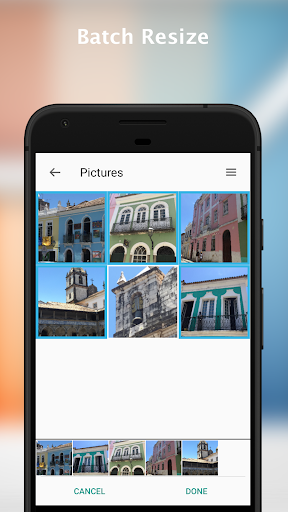


About this app
Developer Description
Resize & reduce your photos easily, it's fast.
You can do that with just one click, or use the interface to rotate, crop and resize.
RESIZE PHOTO - RESIZE IMAGE - CROP IMAGE - PHOTO BATCH CONVERT
--- Features ---
* Custom size
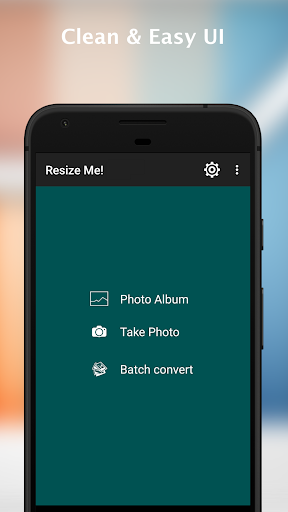
* Easy to use
* Keep EXIF tags
* Keep GPS data
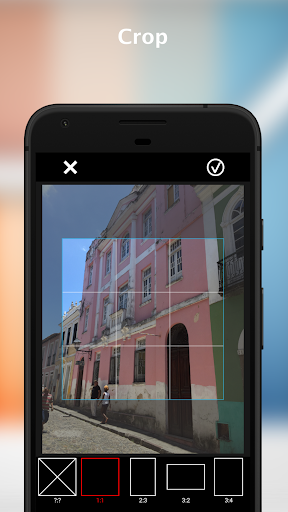
* Rotate and crop
* Save in JPEG or PNG format
* Set as Wallpaper
* Share or save the result
--- Only available in full version
* Batch resize (resize multiple images)
* Text watermark
FOR SUPPORT AND HELP, please contact me at contact@xnview.com.
---- Usage -----
* Launch 'Resize Me!'
Open a photo or take from camera
Rotate, crop, resize
share or save
* Launch from your viewer (e.g. Gallery)
Select or Open an image
Tap on "share" or "send it" and choose 'Resize Me!'
Choose image size
Select the application that you want to use to open the result
* Launch from mail apps
Tap on attach button
Choose 'Resize Me!'
Choose your viewer (e.g. Gallery)
Select an image (or a list of image)
Choose image size
Facebook: http://www.facebook.com/xnview
Twitter: http://www.twitter.com/xnview
G+: http://plus.google.com/+xnview/
What's New
What's new in this release:
- Bugs fixed
If you encounter any issues or require further assistance, please contact us at contact@xnview.com
Version Information
- Version
- 2.5.5
- Downloads
- 1M+
- Updated on
- Aug 2, 2025
- Released
- Mar 1, 2013
- Requires
- Android 6.0
Statistics
Google Play Rating History
Rating Distribution
Downloads Over Time
Resize Me! - Photo resizer has been downloaded times. Over the past 30 days, it averaged downloads per day.
Shaded area shows 30-day prediction based on historical trends
Historical data collection started recently. More data points will be available over time.
Resize Me! - Photo resizer users say on Google Play
 Max Anderson
I needed to reduce the space used by photos on my phone. I used the free Resize Me's photo batch convert on my Camera folder: Selected All, choosing the largest size of 1600x1200 pixels (to resize from the camera's 4608x3456). Just a few clicks, and a half hour later it had put the thousand smaller versions in a new folder, XnResize, which was only a quarter as big, then I copied the original large photos to my laptop and then deleted them from the Camera folder on the phone. Easy.
 Cob J
Cob J
Works well for a quick reduction in file size, for example a 3MB image down to 500kB. This is not a photo editor.
 Mohamad Yusuf
the 2nd time i open the app and choose "batch convert", the "sort by name" and "sort by date" don't work
 Kegan Leberman
In a recent update, photos appear to take on a yellow hue to them. Looking at two photos side by side, the resized image is noticeably different and worse. It would be nice to be able to do custom ratios or have a 16:10 ratio standard as more displays have that ratio.
 D Gibson
Tried to resize a photo and the app merely saves a copy of the original. This app does not appear to function.
ApkTrusted Ratings & Reviews
More from XnView
See more apps




Similar Apps






Scan this QR code to download

Forwarding you to the page at Google Play market in seconds...
Open Google Play market now