Ziggo GO TV v5.23.13111
Liberty Global











About this app
Developer Description
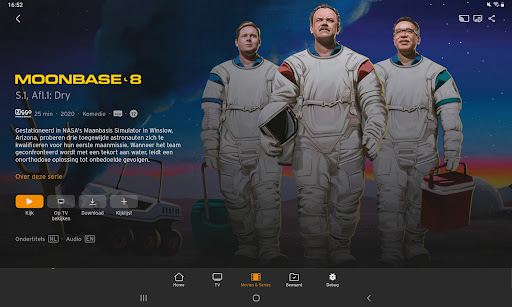
Do you have Ziggo internet and TV? With the app, you can view a second TV screen at home
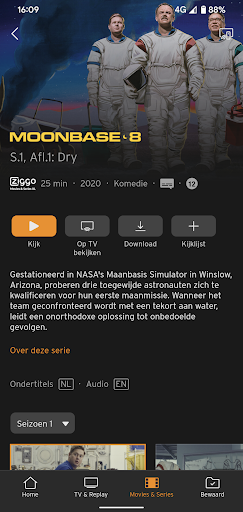
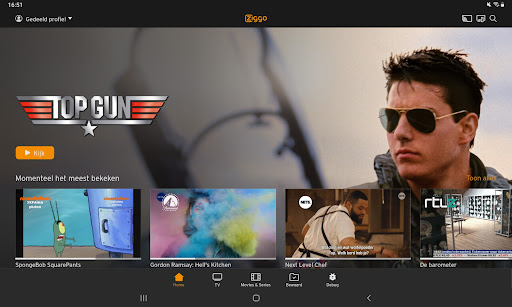
Watch your favourite programmes, films, series and sports wherever and whenever you want. With Ziggo GO you can turn any screen in your home into your TV.
Download the Ziggo GO app on your smartphone, tablet, smart TV or media player. Or watch via your laptop on ziggogo.tv
Do you have a Ziggo TV subscription?
Then you will receive Ziggo GO as standard with your subscription, at no extra cost. All you need is a My Ziggo account and Ziggo internet (wifi).
You can do all this with Ziggo GO:
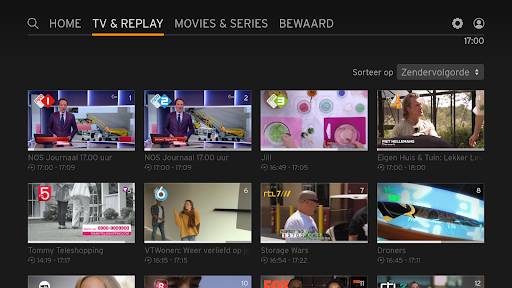
- Watch live TV on 70+ TV channels. Missed the beginning? Then start again from the beginning.
- Watch up to 7 days back. Watch a programme whenever you want and have time.
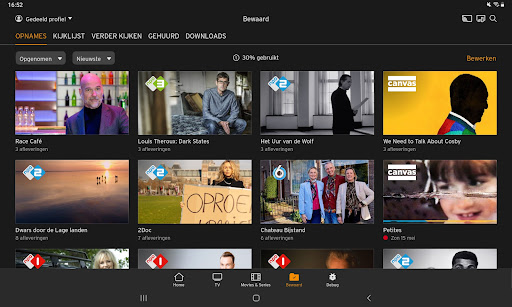
- Record programmes. No time for a film? Record it. Easy with the app. Also remotely. Stream to your TV
- Watch on multiple screens at the same time. With Ziggo GO you can watch TV, films and series on 3 devices at the same time.
Are you a football fan and don't have Ziggo?
Stream the European matches of Dutch clubs and the finals of the UEFA Champions League, UEFA Europa League and UEFA Conference League for free with Ziggo GO. You don't need an account in the Netherlands: on match days you use the app via a special entrance on the login screen. Do you want to watch in the entire EU? Then create a Ziggo Sport Free account via ziggo.nl/free
Want to watch UEFA European football on a big screen?
Open the App store on your smart TV and install the Ziggo GO app. Or easily stream with Ziggo GO from your mobile or tablet to your TV via Chromecast or AirPlay. In the European Union (EU) and per account on a maximum of 3 screens at the same time!
Please note:
- Always use the latest version of the Ziggo GO TV app
- If you are a Ziggo customer, log in with your My Ziggo details and enjoy the complete range of Ziggo TV. If you are not a customer but are a UEFA viewer, log in with your Ziggo Sport Free details or watch on match days by clicking on the banner on the login screen.
Minimum requirements and conditions
- Required: a smart TV or media player running on Android TV 5.1 or higher
- The use of the boxes on your TV set and apps on smart TVs do not fall under the 'Content Portability legislation' for online services and is therefore not an open internet service. We must therefore adhere to the agreements made with the various content parties. The Apple TV, Android TV, Amazon Fire TV app from Ziggo is therefore an 'in-house solution' for a second and third TV in the house. It is a replacement for an extra TV receiver and, as agreed with content parties, we only offer some channels via our own network. In order to use this channel, you also need an internet connection from Ziggo.
What's New
Version Information
- Version
- 5.23.13111
- Downloads
- 1M+
- Updated on
- Dec 3, 2025
- Released
- Jan 17, 2026
- Requires
- Android 5.1
Statistics
Google Play Rating History
Rating Distribution
Downloads Over Time
Ziggo GO TV has been downloaded times. Over the past 30 days, it averaged downloads per day.
Shaded area shows 30-day prediction based on historical trends
Historical data collection started recently. More data points will be available over time.
Ziggo GO TV - Google Play Rankings
Top Rankings
| Rank | Country | Category | List | Change |
|---|---|---|---|---|
| — |
Ranking History in
No ranking data available yet. Rankings are updated daily.
#24 in Top Free Entertainment in Netherlands

Ziggo GO TV users say on Google Play
 Cor de Vries
Great app, finally now also on Android TV. Easy switching channels and TV watching. Used for one hour. Image quality is good
 Matts Bos
Nou daar zijn we dan, bijna drie jaar na aankondiging, ik zit al twee jaar in een modern huis waar expres geen coax is aangelegd, want er zou een Android TV app komen!? Helemaal blij dat ik eindelijk weer simpel TV kan kijken, app geïnstalleerd, ziet er prachtig uit, UI werkt prima en intuïtief, alle functionaliteit die ik zou verwachten zit er in. Perfect! Of toch niet... En toen kreeg ik beeld, pixels, wazig, in het begin vloeiend maar al snel kruipt de lag (stotteringen) er langzaam in. Toevallig had ik eerst al de overlay met technische informatie aangezet via de instellingen. - 720p... welk jaar leven we? Op zich zou 720p nog wel kunnen mits de bitrate adequaat was. - Echter komt deze bitrate ook niet boven de 5mbit/s uit. Dit moet voor TV's van 1080p en 2160p(4K) resolutie echt veel verder omhoog (rond de 20mbit/s). - Vervolgens valt het mij op dat er wel 50 frames per seconden beeld door komt, wat weer erg hoog is en absoluut de kwaliteit niet ten goede komt. Hier had ik 25 frames verwacht, dit betekent letterlijk dat de al slechte kwaliteit van 720p met lage bitrate nog eens gehalveerd wordt omdat er twee maal zoveel beelden met dezelfde hoeveelheid data doorheen moet! Om over de audio nog maar niet te beginnen... Na enige tijd begint alles ook nog eens te stotteren, dat kan een stukje ontwikkeling van de app zijn wat nog niet lekker loopt. Ter info, een 4K stream van 80mbit/s is geen probleem op deze TV, dan mag een 720p met 5mbit/s al helemaal geen probleem zijn. Compleet de plank mis geslagen en niet bruikbaar op een hedendaagse TV... Op een tablet gaat het prima,maar daar is deze app niet voor. Heel jammer en wederom nog steeds niet mogelijk om TV te kijken op een Android TV. PS. Hoe groter de TV, hoe duidelijker het wordt. Het zou zo maar kunnen dat het op een 40 inch TV voor sommige mensen acceptabel is, op de 65 inch 4K die wij hebben staan is het kijken naar een waas van pixels.
 Sandroid Shieldhouse
After the recent update, Ziggo GO TV became frustratingly terrible. 1. Unresponsive. After the update, a keypress takes 0.5 seconds to respond. 2. Channel logo looks buggy in the way in stead of to the side. 3. The info takes a couple of seconds to show. Used to be instant. 4. Slow. The GUI appears to be in 3 frames per second. 5. The app is (even) less intuitive. This all on nVidia Shield, the gold standard of Google TV. Was 4 stars. Now 1 star.
ApkTrusted Ratings & Reviews
More from Liberty Global
See more apps

Scan this QR code to download

Forwarding you to the page at Google Play market in seconds...
Open Google Play market now