
Screen rotation control v3.9.2
High Soft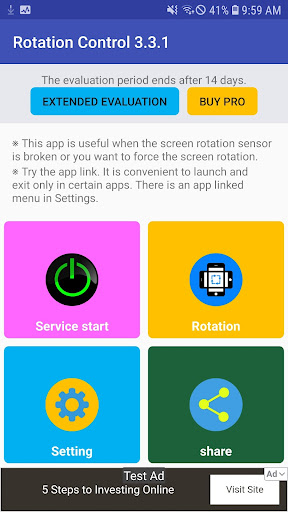




About this app
Developer Description
A simple rotation of the screen controls. Support for 6 rotation mode.
If this app is forcibly closed and the screen of your device is inverted, you can restore it by using the Settings - Screen Rotation Recovery menu.
A simple rotation of the screen control program.
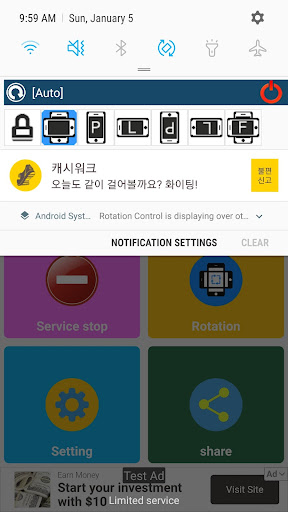
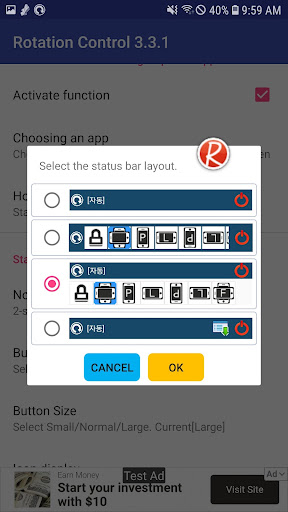
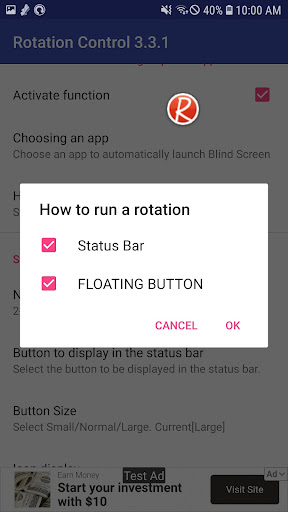
Screen rotation is controllable in the app or status bar.
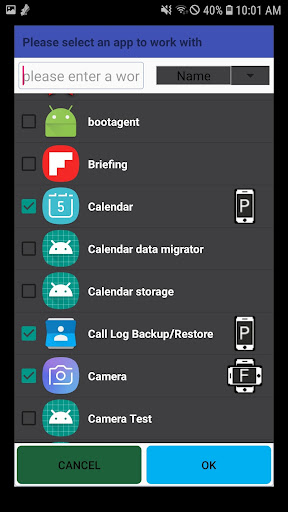
When you run a specific app, the auto-run feature automatically launches the app to control the screen rotation when a specific app is launched.
Control mode, auto / portrait / landscape / R-portrait / R-landscape / force-auto-mode support force.
Automatic: System setting priority (default mode)
Vertical: Portrait mode.
Landscape: Landscape mode.
Reverse Vertical: reverse portrait mode.
Reverse Landscape: Reverse Landscape Mode.
Auto Force: Sensor priority
*Notice*
If you set the screen orientation, it may not be displayed normally.
This version includes ads.
There is a banner ad on the main screen.
Pop-up ads are displayed every 20 times.
This app uses accessibility service.
This is used to detect when an app is launched or closed and allows you to change the rotation actions for each app.
This information is not stored or shared.
What's New
android 15 support
3.8.9(2025.3.1)
Improved UI for permission settings for screen rotation control
Stability improvements
3.8.8(2024.8.3)
1. android14 support
3.8.7(2023.12.11)
1. Setting - Battery saving exceptions
2. Improved stability
Version Information
- Version
- 3.9.2
- Downloads
- 1M+
- Updated on
- Aug 27, 2025
- Released
- Feb 21, 2016
- Requires
- Android 6.0
Statistics
Google Play Rating History
Rating Distribution
Downloads Over Time
Screen rotation control has been downloaded times. Over the past 30 days, it averaged downloads per day.
Shaded area shows 30-day prediction based on historical trends
Historical data collection started recently. More data points will be available over time.
Screen rotation control users say on Google Play
 Bill Knapp
I've been using this app for many months now and I LOVE IT!! I'm not a big fan of Android screen rotation, mainly due to the built in way that Android so very POORLY handles it (long delays mostly). This app eliminates that! When I do use it I use a lot of the options. I use 'force' for videos and every day, I use the turn 180/upside down when phone is on a stand and charging since charge plus is on the bottom. I now have TOTAL control over screen orientation and it's INSTANT. BRAVO!! THANK YOU
 Mahesh Chhatria
i had a good experience great app useful
 There's No m In Sandwich
Worked even upside-down but was laggy. When my phone screen was off and held upside-down then screen turned on again, the app opens in right-side up mode and has to reorients itself to upside-down/in-use orientation but this lag was annoying so I located an app I used to use that never lagged, always opened in current position without having to reorient itself first and am glad I found and installed it so I'm uninstalling this one. Plus the other has a great looking widget if I ever needed it.
 M Lev
M Lev
works... This app randomly opens a window in the center of the screen to display ads. CREEPY!!! UNINSTALLING IMMEDIATELY!
 Libu Nandanam
Very bad experience.. Some times automatically rotating the screen. very poor app..
ApkTrusted Ratings & Reviews
More from High Soft
See more apps





Similar Apps






Scan this QR code to download

Forwarding you to the page at Google Play market in seconds...
Open Google Play market now