FileAgent v2.00
BUFFALO INC.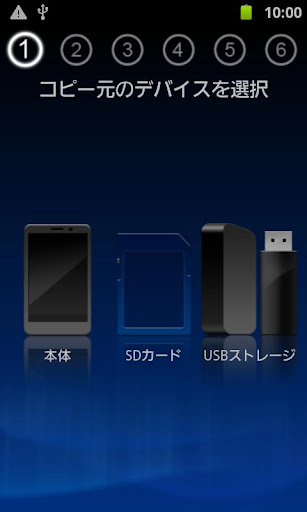

About this app
FileAgent, developed by BUFFALO INC., appears to be a basic file management application designed for Android devices, although its functionality and user experience are hindered by significant issues, as reflected in its below-average user rating of 1.5 out of 5 stars. The app seems to cater to users looking for a straightforward file management solution, but its limitations and poor ratings suggest it falls short compared to more robust alternatives in the Productivity category. Despite being free and ad-free, the app's lack of permissions and minimal features may indicate a lack of depth in its capabilities. Its low rating and limited downloads suggest that it may not be the most reliable choice for users seeking a comprehensive file management experience.
Pros
- FileAgent is a free application with no in-app purchases or ads, providing a potentially uninterrupted user experience for those seeking basic file management functionality.
- The app requires no permissions, which could be seen as a positive from a privacy standpoint, as it does not collect or access any user data beyond what is necessary for its basic operations.
- Given its small size and simple design, FileAgent might be suitable for older devices or those with limited storage capacity, offering a lightweight file management option.
- The developer, BUFFALO INC., has a website and provides an email for support, indicating some level of commitment to user assistance and feedback.
- The app's simplicity might make it accessible to users who are not tech-savvy or prefer straightforward, easy-to-use interfaces for their file management needs.
Cons
- The app's below-average rating and significant issues, as indicated by user reviews, suggest that it may not perform well or meet user expectations, potentially due to bugs, lack of features, or poor design.
- The lack of permissions might also limit the app's functionality, making it less useful for tasks that require access to device storage, contacts, or other data, which are common needs for a file management app.
- The app's compatibility with Android 2.2 and the recommendation to use a different app for Android 4.1 or later devices may indicate a lack of updates or support for more modern Android versions, potentially leaving users with older devices or those not planning to update their operating system without a viable long-term solution.
- The limited number of downloads and low rating may also indicate a lack of community support or resources for troubleshooting and feature requests, which can be a significant drawback for users seeking a reliable and evolving file management solution.
Best for: The ideal user for FileAgent would be an individual with basic file management needs, possibly using an older Android device or preferring a simple, lightweight application that does not require advanced features or complex setup, and who values privacy due to the app's lack of permission requests.
Developer Description
Android 4.1 or later of the terminal, please use the "File Manager" Buffalo made app. The display on the link "File Manager" in ※ "Read more" tap
※ This application is not compatible with later Android 4.1.
If you are using Android 4.1 or later of the terminal, please use the Buffalo-made file management app "File Manager".
https://play.google.com/store/apps/details?id=jp.buffalo.filemanager
Major features
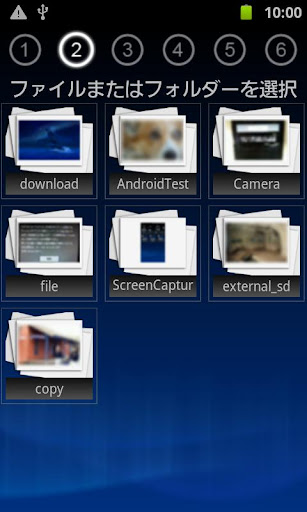
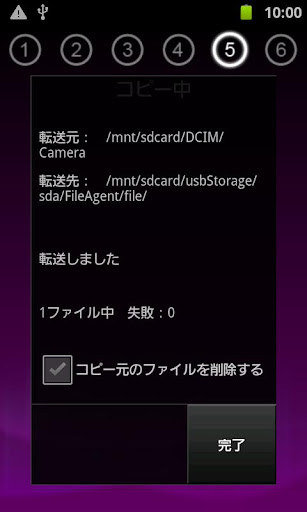
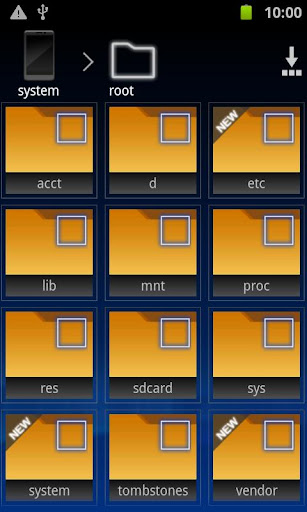
● Wizard mode that specializes in file copy
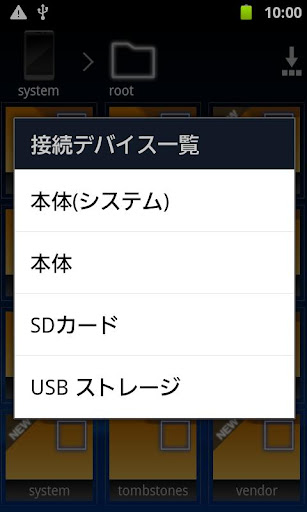
The file copy and the like USB memory connected via USB can easily exchange files a wizard!
● list the files of each video, music, photos
And to display for each category of videos, music, photos, files are easy to find!
● by the quick copy mode, and simple copy
Easily portable folder you have registered you can back up to, such as a USB memory.
(Only supported Android OS 4.0)
● also Nexus7 the corresponding
Even Nexus7 read to USB memory, you can do the writing.
Please refer to the detailed manual on how to use.
http://buffalo.jp/support_s/guide2/manual/fileagent/ja/index.html
[Supported OS]
Android2.2 ~ 4.0
(Quick copy mode corresponding only Android4.0)
[Tested terminal]
● USB memory corresponding smartphone
docomo SC-03D GALAXY SⅡ LTE
docomo SO-03D Xperia acro HD
docomo SO-02D Xperia NX
au IS12S Xperia acro HD
● USB memory corresponding corresponding tablet
ThinkPad Tablet 183827J
ThinkPad Tablet 183825J
ThinkPad Tablet 18382QJ
Sony Tablet S SGPT111JP / S
Sony Tablet S SGPT112JP / S
※ can not be written to the USB memory connected to the Toshiba REGZA Tablet.
Privacy
Given that FileAgent requires no permissions, it appears to pose minimal risk to user privacy and security, as it does not access or collect sensitive information. However, users should still be cautious when downloading and installing apps from any source, ensuring they are from trusted developers and reading reviews carefully. It's also advisable to monitor the app's performance and data usage, even though it doesn't require permissions, to ensure it doesn't consume excessive resources or behave unexpectedly.
Tips
To get the most out of FileAgent, users should first explore the app's basic file management features to understand its limitations and capabilities. Setting up the app involves simply installing it, as it does not require any specific configuration or account setup. For optimal performance, especially on older devices, closing unnecessary apps and ensuring sufficient storage space can help in preventing crashes or slow performance.
What's New
- クイックコピー機能追加
- Nexus7対応
- バッファロー製USBデバイスの接続時に自動的に起動するようになりました。
・Ver.1.00
- 新規リリース
Version Information
- Version
- 2.00
- Downloads
- 50K+
- Updated on
- Jan 21, 2014
- Released
- Jul 3, 2012
- Requires
- Android 2.2
Statistics
Google Play Rating History
Rating Distribution
Downloads Over Time
FileAgent has been downloaded times. Over the past 30 days, it averaged downloads per day.
Shaded area shows 30-day prediction based on historical trends
Historical data collection started recently. More data points will be available over time.
FileAgent users say on Google Play
 A Google user
It does not have option to switch to other languages.
ApkTrusted Ratings & Reviews
More from BUFFALO INC.
See more apps








Scan this QR code to download

Forwarding you to the page at Google Play market in seconds...
Open Google Play market now