
MiniStation Air2 v2.3.3
BUFFALO INC.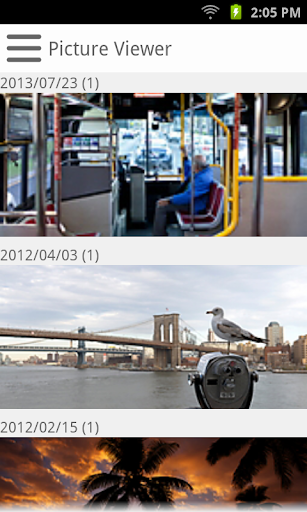





About this app
The MiniStation Air2 app solves the problem of accessing media files on the MiniStation Air device, benefiting users who own this specific hardware. Compared to alternatives in the Tools category, this app stands out for its specialized functionality, but falls short due to its low user rating and limited download numbers. The app's simplicity and lack of permissions may be seen as a positive, but its low rating raises concerns about its overall quality and effectiveness. As a specialized tool, it may not appeal to a broad audience, but for those with the MiniStation Air, it provides a necessary service.
Pros
- The app has a simple and straightforward purpose, making it easy to use for those who need to access their MiniStation Air's media files.
- With no permissions required, users can be assured that their data is not being collected or shared unnecessarily.
- The app's small size and lack of ads or in-app purchases make it a lightweight and non-intrusive tool.
- The developer, BUFFALO INC., is a known company, which may lend some credibility to the app's quality and support.
- The app's offline capability allows users to access their media files without needing an internet connection.
Cons
- The app's low user rating and limited download numbers raise concerns about its overall quality and effectiveness.
- The app's limited functionality may not be enough to justify its existence for some users, especially considering the low rating.
- The lack of updates and the outdated Android requirement may indicate a lack of support or maintenance from the developer.
- Some users may experience significant issues with the app, as indicated by the low rating and limited feedback.
Best for: The ideal user for the MiniStation Air2 app is someone who owns a MiniStation Air device and needs a straightforward, no-frills way to access and manage their media files, likely someone who values simplicity and ease of use, and is willing to overlook some potential quality issues in favor of convenience and specialized functionality.
Developer Description
Lets you easily access photos, videos, and music on your MiniStation Air.
Compatible Product:
HDW-PDU3 Series
Features:
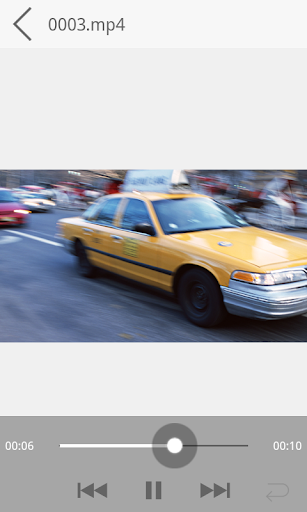
- Stream Multimedia: Stream photos, videos, and music from the MiniStation Air without downloading.
- Play Local Files: View photos and play videos and music on your Android device.
- Upload/Download: Transfer photos, videos, and music files between your Android device and the MiniStation Air.
- Auto Upload: New photos saved in your Android device are uploaded to the MiniStation Air automatically.
- Thumbnail VIew: Browse photos, videos, and music with thumbnails.
- Play Music in the Background: Open any apps while playing music in the background.
- Slideshow: Display a slideshow of your photos like a digital photo frame.
- Wi-Fi Passthrough: Enjoy the Internet and access the MiniStation Air at the same time by connecting MiniStation Air to a Wi-Fi network like your home router or hotspot.
- Open with Other Apps: Documents like pdf, Office, and text files can be opened with other apps.
Privacy
Given that the app requires no permissions, it appears to be a relatively safe and private tool. However, users should still be cautious when accessing and transferring media files, ensuring they are not inadvertently sharing sensitive information. It is also important to note that the app's low rating and limited feedback may indicate some underlying issues that could potentially affect user data.
Tips
To get the most out of the MiniStation Air2 app, users should first ensure their MiniStation Air device is properly connected and configured. They can then use the app to easily access and transfer media files, taking advantage of its offline capability to do so without an internet connection. Additionally, users may want to explore the app's settings and options to customize their experience and optimize performance.
What's New
To update, go to the Buffalo website and download the latest firmware.
If you do not have a PC, you can update the firmware via the MiniStation Air2 app; open the app and follow the message dialog to update the firmware.
- Sped up listing the items in picture viewer, music player, and video player.
- Added the function to update the MiniStation Air firmware via the app.
- Fixed some bugs.
Version Information
- Version
- 2.3.3
- Downloads
- 10K+
- Updated on
- Jul 21, 2015
- Released
- Apr 25, 2014
- Requires
- Android 2.3.3
Statistics
Google Play Rating History
Rating Distribution
Downloads Over Time
MiniStation Air2 has been downloaded times. Over the past 30 days, it averaged downloads per day.
Shaded area shows 30-day prediction based on historical trends
Historical data collection started recently. More data points will be available over time.
MiniStation Air2 users say on Google Play
 A Google user
@Rob R You have the old model of MiniStation Air. This app is exclusive to the new model. You have HDW-PU3, this works with HDW-PDU3, completely different models. This app works fine with the upcoming HDW-PDU3.
A Google user
Este aplicativo e bom mesmo mas ele nao renomea as fotos e video que esta dendro do HDD e uma pena mas o pessoal que abaixar vai gostar
A Google user
Battery Problem. 1) never full charge even charged for 12hrs onky up to 93%...... 2) tranfer files approx 4GB in total battery life left is 65% from full charge 93%... 3) can't even charge my S7edge. 1 full charge 93% can only changed less than 20% of my S7edge.
A Google user
This app doesn't work at all. I have a HDW-PDU3 MiniStation and Sumsang Galaxy S5. But when I try to open MiniStation Air2 after I download it from Play Store, a popup window shows "Unfortunately, MiniStation had stopped." Can't believe it. How could I upgrade firmware without app is up & running?
ApkTrusted Ratings & Reviews
More from BUFFALO INC.
See more apps







Similar Apps








Scan this QR code to download

Forwarding you to the page at Google Play market in seconds...
Open Google Play market now