Leica DISTO™ transfer BT LE v1.20
Leica Geosystems AG




About this app
Developer Description
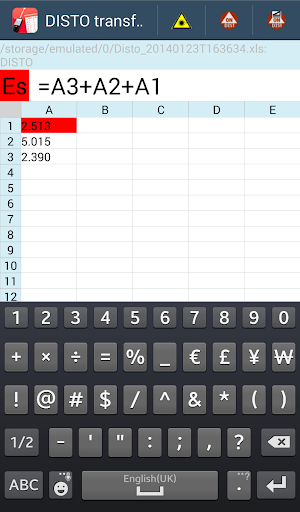
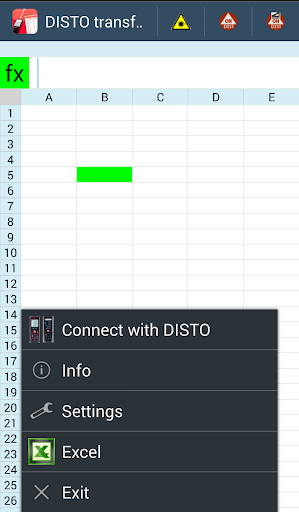
Creates a spreadsheet with values of the Leica DISTO™
Now you can also transfer your measurements directly into an Excel file. You can either generate this file on the Android device itself or you can download and open any Excel file previously used on another computer beforehand. The most common formulas from Excel are supported.
You are transfering the measurements in the currently active Excel cell.
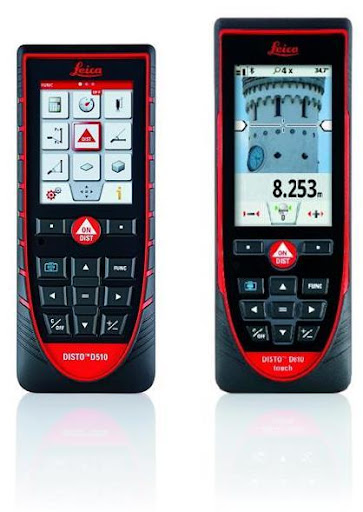
The following Leica DISTO™ devices are supported:
Leica DISTO™ D510
Leica DISTO™ D810 touch
Please note: this program only runs on Android devices version 4.3 or higher. It supports Bluetooth 2.1 interface with SPP profile as well as Bluetooth 4.0 (Bluetooth Low Energy). Due to the vast amount of existing Android devices, not all can be tested. Successful results were achieved by using the Samsung Galaxy S4, Nexus 4 or Nexus 7.
leica geosystems disto transfer sketch
What's New
Version Information
- Version
- 1.20
- Downloads
- 10K+
- Updated on
- Jan 25, 2018
- Released
- Jan 28, 2014
- Requires
- Android 5.1
Statistics
Google Play Rating History
Rating Distribution
Downloads Over Time
Leica DISTO™ transfer BT LE has been downloaded times. Over the past 30 days, it averaged downloads per day.
Shaded area shows 30-day prediction based on historical trends
Historical data collection started recently. More data points will be available over time.
Leica DISTO™ transfer BT LE users say on Google Play
 A Google user
A handy app for a great laser measurement tool. For privacy, I'd rather it not be providing network location information, as listed in the app permissions.
 Peer Mohamed
Samsung J2 not working with leica disto plan app. Reason please ?
A Google user
Creates spreadsheet alright, but won't open my own sheets. I would like to capture the data directly into my custom excel sheet, but the app doesn't recognize them.
A Google user
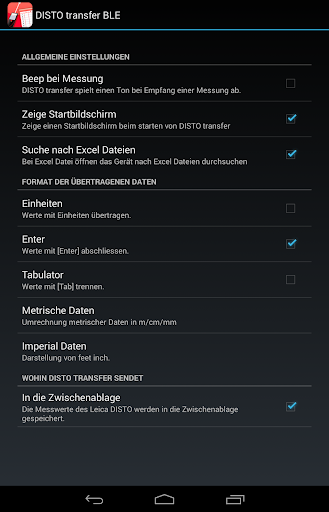
The measuring unit will measure to the thousandth of a decimal place but when it gets transferred over to the app it only displays to the hundredth of a decimal place. I need it to show every number that got recorded, is there a way to do this? also is there a way for me to just use my own spreadsheet instead of the app spreadsheet. 2-8-2018 This app had some changes done, but it's still an awful 1/5 rating. Also, when going into the Excel from settings, the menu is black characters on top of a black background. What are you guys doing. Change the character color to white text if you're using a black background or vice-versa; why does someone have to tell you this??? Please fix this app, the bluetooth connection is the only reason I and many others got this model laser measure.
ApkTrusted Ratings & Reviews
More from Leica Geosystems AG
See more apps








Similar Apps

ConstructionOnline
Free

DreamBuild: Sketch to 3D
Paid

Homestyler - Home Design Game
Free

4ART
Free

House Design : AI Home Design
Paid

magicplan
Free

Renovate AI : House Design
Free
ZWCAD Mobile - DWG Viewer
Free

ArcSite
Free

Remodel AI - Home Renovation
Free

Houzz - Home Design & Remodel
Free

HomeByMe
Free

Polycam: 3D Scanner & Editor
Free
AutoCAD - DWG Viewer & Editor
Free

AI Home Design - Arch
Free

Mergin Maps: QGIS in pocket
Free
Scan this QR code to download

Forwarding you to the page at Google Play market in seconds...
Open Google Play market now