
OpenVPN Connect v3.7.1
OpenVPN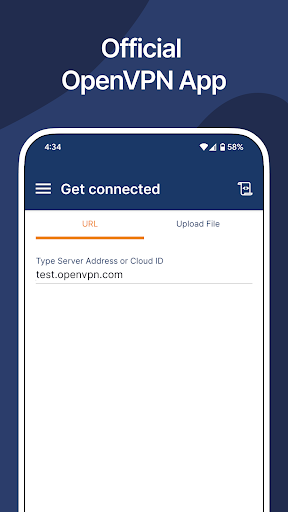
About this app
OpenVPN Connect solves the problem of secure and private internet access by providing a zero-trust VPN solution for users, particularly those who require access to Access Server and CloudConnexa by OpenVPN. This app benefits IT professionals, remote workers, and individuals who need to securely connect to private networks. Compared to other Tools category apps, OpenVPN Connect stands out with its high user rating and download numbers, indicating a reliable and trustworthy solution. However, its functionality may be limited for casual users who do not require advanced VPN features.
Pros
- With over 10 million downloads and a 4.6/5 user rating, OpenVPN Connect has demonstrated its reliability and effectiveness in providing secure VPN connections, making it a top choice for users who require a trustworthy VPN solution.
- The app's zero-trust approach to VPN connections ensures that users' data is protected from unauthorized access, providing an additional layer of security for sensitive information.
- OpenVPN Connect is free to use, with no ads or in-app purchases, resulting in an uninterrupted user experience and no potential privacy concerns related to monetization.
- The app's developer, OpenVPN, is a well-established and reputable company in the VPN industry, providing users with confidence in the app's security and support.
- OpenVPN Connect requires no permissions, which is a significant advantage in terms of user privacy and security, as it minimizes the risk of data collection and misuse.
Cons
- One concern with OpenVPN Connect is that it may have a steeper learning curve for users who are not familiar with VPN technology or do not have experience with OpenVPN's products, potentially limiting its accessibility to a broader audience.
- The app's functionality is primarily geared towards users who require access to Access Server and CloudConnexa, which may limit its usefulness for casual users who only need a basic VPN solution.
- Some users may experience issues with connection stability or speed, which can be frustrating, especially for those who rely on a stable VPN connection for work or other critical activities.
- The lack of a built-in tutorial or guidance for first-time users may lead to confusion and difficulties in setting up and configuring the app.
Best for: The ideal user for OpenVPN Connect is a technically savvy individual, likely an IT professional or remote worker, who requires a secure and reliable VPN solution to access private networks, such as Access Server and CloudConnexa, and is willing to invest time in setting up and configuring the app to meet their specific needs.
Developer Description
Zero-trust VPN app for use with Access Server & CloudConnexa® by OpenVPN.
OpenVPN Connect is the official OpenVPN client app developed by OpenVPN Inc., the creators of the OpenVPN® protocol. Designed for use with OpenVPN’s zero-trust business VPN solutions, this app enables secure remote access to internal networks, cloud resources, and private applications. A zero-trust VPN is a virtual private network that requires continuous identity and device verification for every access request, adhering to the principle of 'never trust, always verify,' regardless of the user's location.
IMPORTANT NOTE:
This app does NOT include a built-in VPN service. It establishes an OpenVPN tunnel to a VPN server or service that is compatible with the OpenVPN protocol. It is meant for use with OpenVPN’s business Zero-trust VPN solutions:
⇨ Access Server (self-hosted)
⇨ CloudConnexa® (cloud-delivered)
KEY FEATURES:
⇨ Fast, secure VPN tunneling with OpenVPN protocol
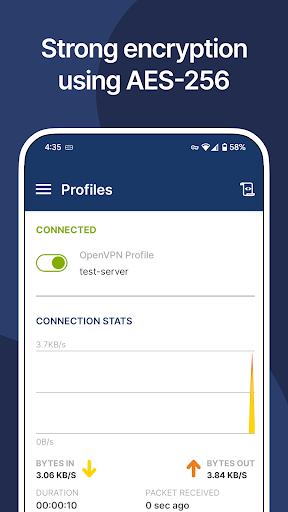
⇨ Strong AES-256 encryption and TLS 1.3 support
⇨ MDM-friendly with a global configuration file
⇨ Device posture checks**
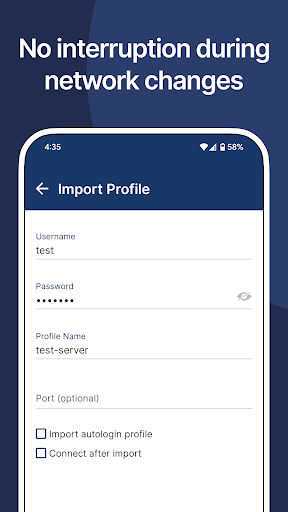
⇨ Import of connection profile with URL**
⇨ Android Always-on VPN support
⇨ Captive Wi-Fi portal detection
⇨ Web authentication for SAML SSO support
⇨ HTTP proxy configuration
⇨ Seamless split-tunneling and auto-reconnect
⇨ Works over Wi-Fi, LTE/4G, 5G, and all mobile networks
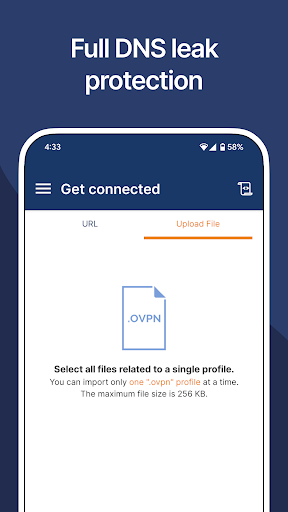
⇨ Easy setup & import of .ovpn profiles
⇨ Kill switch for fail-safe protection
⇨ IPv6 and DNS leak protection
⇨ Support for certificate, username/password, external certificate, and MFA authentication
** Works with Access Server and CloudConnexa
HOW TO USE OPENVPN CONNECT?
Easily get connected by simply entering your organization’s URL and login—no complex setup required.
BEST PAIRED WITH OPENVPN BUSINESS SOLUTIONS:
⇨ Access Server – Self-hosted zero-trust VPN software server with web-based administration, access control, clustering for horizontal scaling, flexible authentication methods, and zero-trust controls.
⇨ CloudConnexa® – Cloud-delivered Zero-Trust business VPN service offered from 30+ worldwide locations with ZTNA, application domain name routing, IPsec support for connecting networks, and advanced identity, device posture, and location context continuous checks.
Trusted by Global Businesses:
Over 20,000 organizations, including Salesforce, Target, Boeing, and others, rely on OpenVPN’s Zero-Trust VPN solutions.
Privacy
Given that OpenVPN Connect requires no permissions, the risk of data collection and misuse is minimized. However, users should still be cautious when using public Wi-Fi networks and ensure that their device and app are updated with the latest security patches. To further enhance security, users can also consider using additional security measures, such as two-factor authentication and a password manager.
Tips
To get the most out of OpenVPN Connect, users should start by reviewing the official documentation and guides provided by OpenVPN to ensure proper setup and configuration. Additionally, users can optimize their VPN connection by selecting the most suitable protocol and port for their specific use case, and by regularly checking for updates to ensure they have the latest security features and patches. Users can also consider using the app's built-in features, such as the connection logging and debugging tools, to troubleshoot and resolve any issues that may arise.
What's New
- OpenSSL upgraded to 3.4.1 version
- Added support for new DNS server options
- Other minor improvements and fixes
Version Information
- Version
- 3.7.1
- Downloads
- 10M+
- Updated on
- Apr 25, 2025
- Released
- Oct 16, 2012
- Requires
- Android 9
Statistics
Google Play Rating History
Rating Distribution
Downloads Over Time
OpenVPN Connect has been downloaded times. Over the past 30 days, it averaged downloads per day.
Shaded area shows 30-day prediction based on historical trends
Historical data collection started recently. More data points will be available over time.
OpenVPN Connect - Google Play Rankings
Top Rankings
| Rank | Country | Category | List | Change |
|---|---|---|---|---|
| — |
Ranking History in
No ranking data available yet. Rankings are updated daily.
#23 in Top Free Tools in Netherlands


#33 in Top Free Tools in Germany


OpenVPN Connect users say on Google Play
 hakim abdullah
good
 Jeff Sadowski
Easy to setup. Works every where I go. found it needs return characters in the ovpn file. I had to use todos on the config file and send it again.
 Nasir Ali
open vpn connect, udp not working please fix it 🗣️🗣️🗣️ reply me 🗣️
 Jason Litke
Doesn't connect on an Open/Unsecured Wi-Fi network. It disconnects by itself after a while of being connected with a profile on my CloudConnexa, then when I reopened the app, the slider button for the profile I'm using flipped back and forth several times, and ended up in the off position.
 Amanda
unreliably disconnects, asks for password, which it already has, can connect without entering a new password. ridiculous. bad. terrible. Luckily the app is very new, it's not like that had 10 years to figure stuff out
ApkTrusted Ratings & Reviews
Similar Apps

IVPN
Free
Hotspot Shield: Fast VPN Proxy
Free

Windscribe: Fast & Secure VPN
Free

Seed4.Me VPN Proxy
Free

Ultra VPN — Super Secure Proxy
Free
PrivadoVPN - VPN App & Proxy
Free

BeePass VPN: Easy & Secure
Free

VeePN - Secure VPN & Antivirus
Free

Browsec: Fast Secure VPN Proxy
Free

ExpressVPN: VPN Fast & Secure
Free

NotVPN - Unlimited VPN
Free

MEGA VPN - Privacy Online
Free

Octohide VPN - Fast & Secure
Free

Avast SecureLine VPN & Privacy
Free
VPNHouse - Unlimited VPN App
Free

PureVPN: VPN Fast & Secure VPN
Free
Scan this QR code to download

Forwarding you to the page at Google Play market in seconds...
Open Google Play market now