
Data Usage Alert - Ryn v5.1.2
ElQube Tech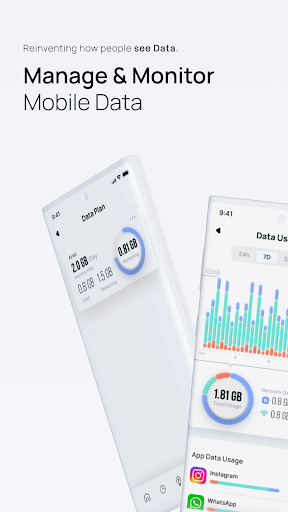





About this app
Data Usage Alert - Ryn solves the problem of unexpected data overage charges by monitoring network speed and alerting users when they reach their data limit, benefiting those with limited data plans the most. Compared to alternatives in the Tools category, this app stands out with its simple and straightforward approach, but falls short in terms of features and customization options. With a moderate download count and mixed user rating, it's clear that the app has some potential but also areas for improvement. The lack of permissions requested by the app is a notable advantage, suggesting a focus on user privacy.
Pros
- The app's simple and intuitive interface makes it easy for users of all technical skill levels to monitor their data usage and set alerts, reducing the likelihood of unexpected overage charges.
- With over 100,000 downloads, the app has a moderate level of social proof, indicating that it has been tested and used by a significant number of people, which can be reassuring for new users.
- The developer, ElQube Tech, has a professional website and contact email, suggesting a level of accountability and support for the app, which is a positive sign for users who may encounter issues or have questions.
- The app's small size and lack of permissions requested make it a lightweight and private option for users who are concerned about data collection and storage
- The app's free version with ads and in-app purchases provides a flexible pricing model, allowing users to try the app before committing to a purchase, which can be appealing to those who are unsure about the app's value
Cons
- The app's mixed user rating of 3.3/5 suggests that some users have had negative experiences, potentially due to the presence of ads or limitations in the free version, which may impact the overall user experience.
- The in-app purchases, ranging from $1.99 to $19.99 per item, may be perceived as aggressive or expensive by some users, particularly if the purchased features are not deemed essential or if the free version is too limited.
- The lack of features and customization options may make the app less appealing to power users or those who require more advanced data monitoring and alerting capabilities, limiting its potential for widespread adoption.
- Some users may be concerned about the developer's use of ads and in-app purchases, potentially impacting the app's overall trustworthiness and perceived value
Best for: The ideal user for Data Usage Alert - Ryn is likely a technically savvy individual with a limited data plan, such as a student or budget-conscious consumer, who needs a simple and straightforward way to monitor their data usage and avoid unexpected overage charges, and is willing to tolerate some ads and potential limitations in the free version.
Developer Description
Shows network speed, monitors usage, and alerts when you reach the data limit.
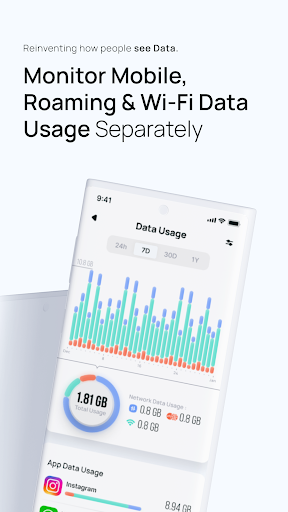
The "Data usage alert, speed indicator, and usage monitor" app does 3 things. It indicates the current network speed on the status bar (not in the notification bar), sends alarm notifications when you reach the data limit (supports mobile, wifi, and roaming networks), and monitors the data usage of all the apps and the device.
Features:
Speed Indicator:
It shows the internet speed on the status bar (on supported devices).
The speed indicator supports all the networks (wifi, mobile, and roaming).
Create Data Plans:
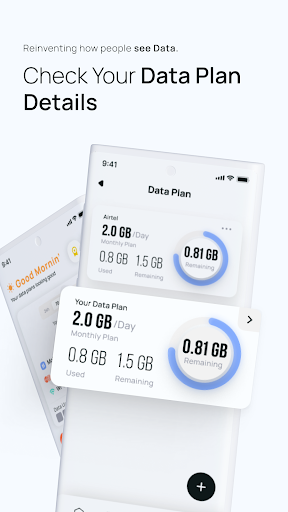
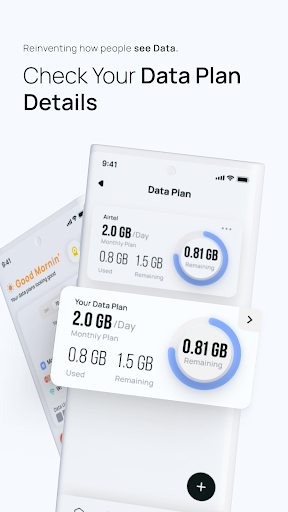
In the Data Plans screen, you can create your customized data plans.
Available options are:
1. Daily - You can set a data usage limit per day
2. Weekly - per week
3. Monthly - per month
4. Custom recurring plan - select a duration period
5. Non-recurring plan
You can also select a limited or unlimited plan.
The cool thing is when you select per day plan, you will be asked to provide the exact renewal time. This way you can track the data consumption in your plan duration.
You can create wifi, roaming, and mobile plans.
If you create a roaming plan, please select the plan type that you want to show on the notification in the settings screen.
Data Limit Alerts - Alarms:
The app sends notifications when you reach 80% and 100% of the data limit you specified in the plans. It saves you from paying extra charges to your mobile carrier.
Data Usage Monitor:
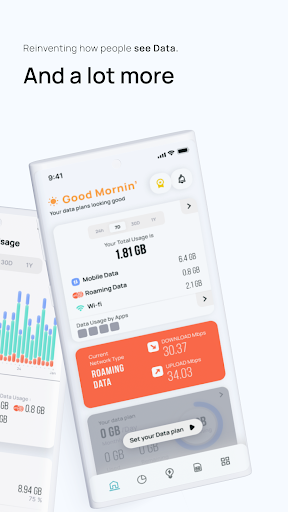
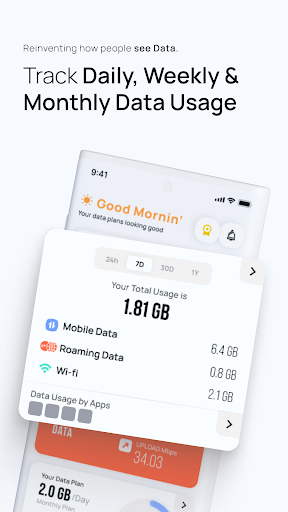
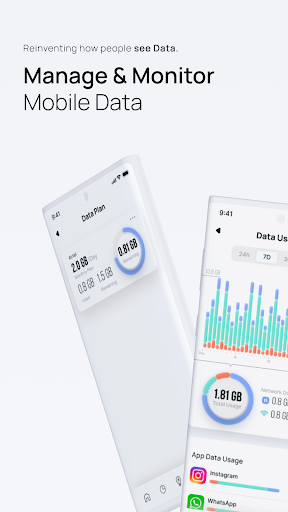
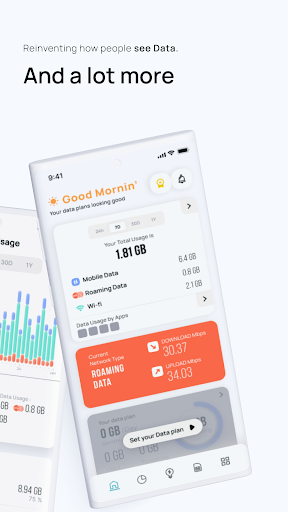
It monitors the data usage of all the installed apps and the device. On the notification bar, it displays the current network name and current day's data usage. If you have a data limit, it shows the remaining data, plan, and renewal date.
Track Hotspot Usage:
The app also displays how much data is consumed by hotspot or tethering (on both mobile and roaming networks).
Real time Speed and Usage Update:
The notification bar will be updated immediately when you switch to a new network (for example, mobile to wifi). The network speed indicator on the status bar will be updated accordingly.
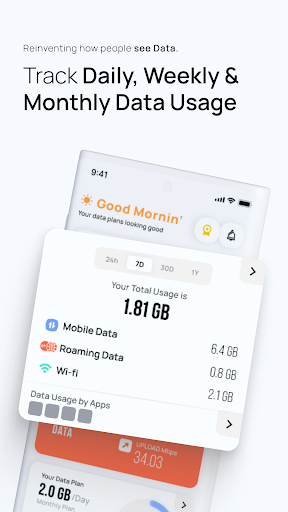
Data Usage History:
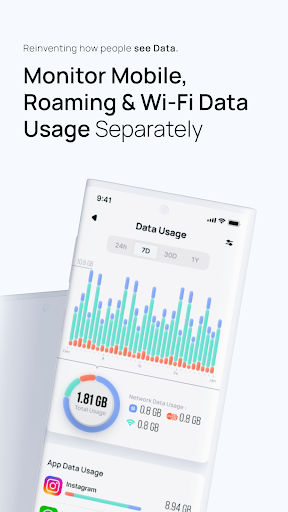
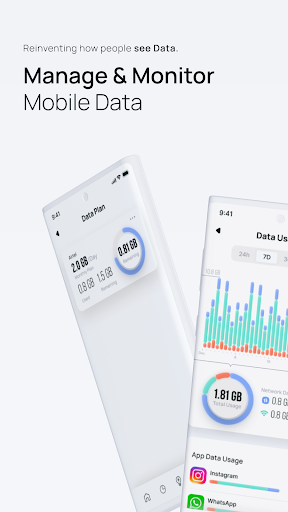
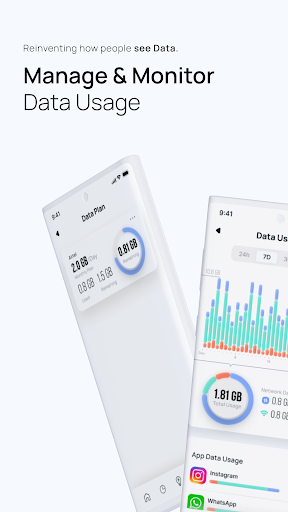
You can track the usage of the device and all the apps. Choose duration (day, week, month) while getting the summary of the data usage. The summary screen displays total, mobile usage, and wifi usage. The chart is added to make you understand the data usage clearly.
Data Tracker:
When you open the app, it displays the plan details and list of all the apps which consumed the internet data in descending order, which means apps that consumed higher data will be listed on the top of the list.
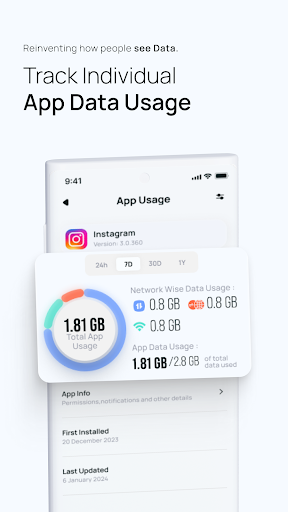
Displays Individual Apps History:
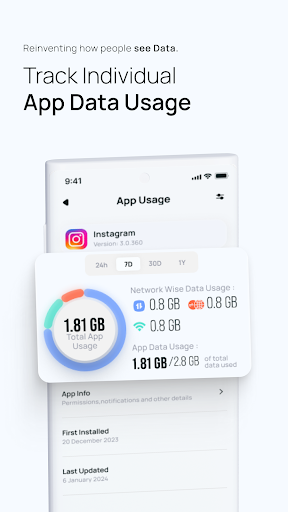
Tap on an app on the Main screen or Usage History screen to get the usage details of that particular app. Tap on the bar chart to get the data usage of that particular period.
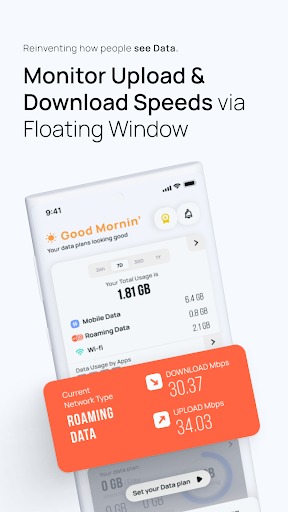
Floating Window:
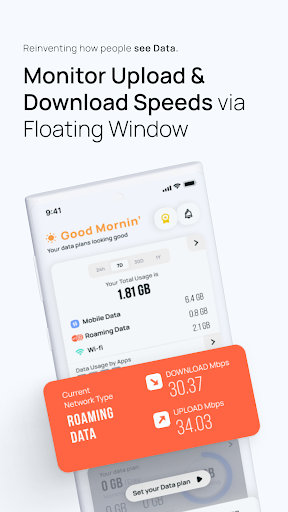
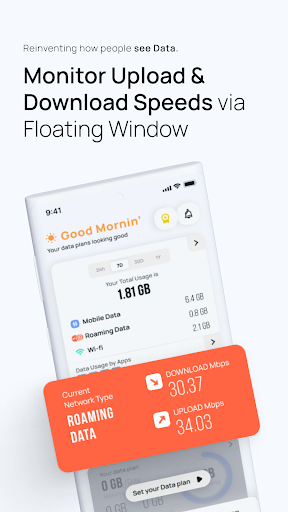
You can enable the floating window by granting the draw on the other apps permission. It displays the current network upload and download speeds. You can change the background and text color.
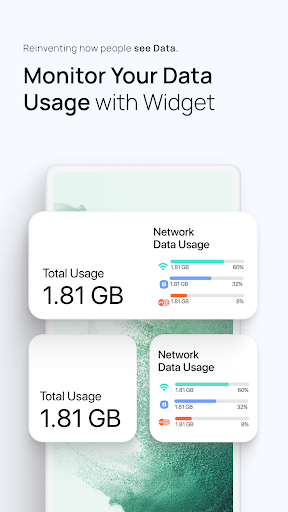
Data Usage Widget:
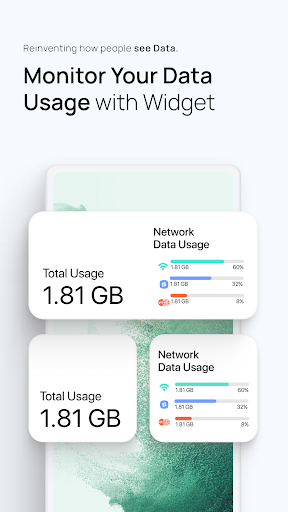
You can add the widget to your home screen to see the internet usage on the go. You can customize the widget to show mobile, wifi, and roaming usage. It shows the plan details also.
*The app is made by an Indian
Privacy
Given that the app requests no permissions, it's likely that the developer is not collecting any sensitive user data, which is a positive sign for privacy-conscious users. However, users should still be cautious when clicking on ads or making in-app purchases, as these may lead to external websites or services with different privacy policies. To minimize potential risks, users should review the app's terms of service and privacy policy before installing.
Tips
To get the most out of Data Usage Alert - Ryn, users should first set up their data limit and alert thresholds carefully, taking into account their specific data plan and usage patterns. Additionally, users can optimize the app's performance by closing it when not in use and disabling notifications for non-essential alerts, which can help conserve battery life and reduce distractions. By doing so, users can effectively monitor their data usage and avoid unexpected overage charges.
What's New
In-app purchases
$1.99 - $19.99 per item
Version Information
- Version
- 5.1.2
- Downloads
- 100K+
- Updated on
- May 23, 2025
- Released
- Feb 7, 2021
- Requires
- Android 10
Statistics
Google Play Rating History
Rating Distribution
Downloads Over Time
Data Usage Alert - Ryn has been downloaded times. Over the past 30 days, it averaged downloads per day.
Shaded area shows 30-day prediction based on historical trends
Historical data collection started recently. More data points will be available over time.
Data Usage Alert - Ryn users say on Google Play
 Atchaya Atchaya
super
 Hiralkrishnaahir08
very helpful application for daily use
 Pappu Chauhan
good
 Sujit
Sujit
nice
 Tapan Tapan
nice
ApkTrusted Ratings & Reviews
More from ElQube Tech
See more apps
Huge Analog Clock
Free
Status Saver - Download Status
Free
Huge Digital Clock Pro
Free
Loan, EMI Calculator, Mortgage
Free
Age Calculator & Date of Birth
Free

Voice Changer - Tune My Voice
Free

Huge Digital Clock - Clocksy
Free
Huge Lock Screen Clock
Free

Voice Changer App - Auto Tuner
Free
PassBook & Bank Balance Check
Free

Ryn VPN - Super VPN Secure
Free

Clone Armies - Tactical Game
Free

Radio Me - Internet FM Player
Free

Zen Playback Browser : Ryn
Free

Verba - Translation App
Free

SpendEx - AI Money Manager
Free
Similar Apps

Scan this QR code to download

Forwarding you to the page at Google Play market in seconds...
Open Google Play market now