
ABP for Samsung Internet v2.5.7
eyeo GmbH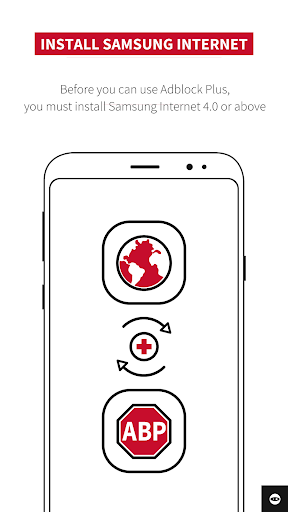


About this app
ABP for Samsung Internet effectively solves the problem of annoying ads and slow browsing speeds for Samsung Internet users, benefiting those who value a seamless and ad-free browsing experience. Compared to alternatives in the Communication category, this app stands out for its seamless integration with Samsung Internet and its ability to block ads without requiring additional permissions. However, its limited compatibility with other browsers might be a drawback for some users. Overall, the app's high download numbers and good user rating indicate a well-regarded solution.
Pros
- With over 10 million downloads and a 3.9/5 user rating, ABP for Samsung Internet has demonstrated its effectiveness and reliability in blocking ads and improving browsing speeds.
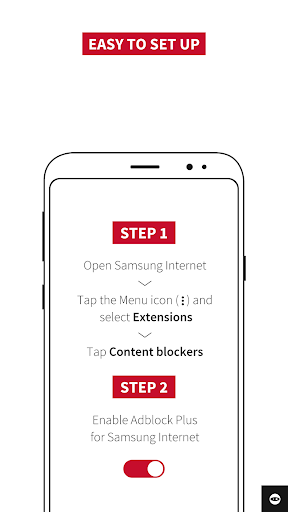
- The app's integration with Samsung Internet is seamless, making it easy to use and requiring no additional setup or configuration.
- The developer, eyeo GmbH, has a reputation for creating ad-blocking solutions, which lends credibility to the app's functionality and security.
- The app's small size and lack of required permissions make it a lightweight and privacy-friendly solution for ad-blocking.
- The absence of in-app purchases and ads ensures an uninterrupted browsing experience, aligning with the app's purpose of providing a distraction-free internet experience.
Cons
- One concern is that the app's functionality is limited to Samsung Internet, which might not be the primary browser for all users, potentially limiting its utility for those who use other browsers.
- Some users might find the app's lack of additional features, such as tracking protection or anti-malware capabilities, to be a drawback compared to more comprehensive browser extensions or security apps.
- Although the app does not require permissions, users should be aware that its effectiveness in blocking ads might be affected by future updates to Samsung Internet or changes in ad technologies.
- The app's update frequency could be more transparent, as the current version might not reflect the most recent developments in ad-blocking technologies or browser compatibility.
Best for: The ideal user for ABP for Samsung Internet is likely a tech-savvy individual who frequently uses Samsung Internet and values an ad-free browsing experience, has a basic understanding of how ad-blockers work, and is looking for a lightweight, easy-to-use solution to enhance their mobile browsing experience without compromising on privacy or security.
Developer Description
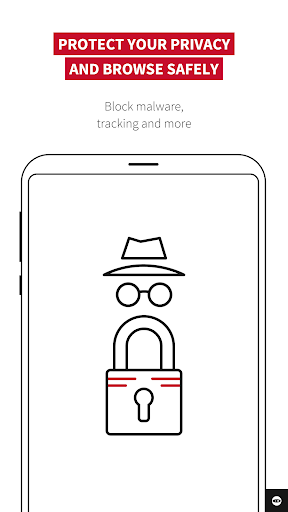
Specifically for Samsung Internet: block annoying ads, browse faster, save data.
What are the advantages of using ABP for Samsung Internet?
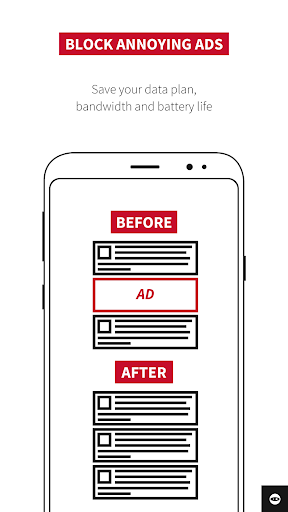
• Save reading space by blocking annoying ads
• Save money on monthly data usage
• Enjoy faster web page performance
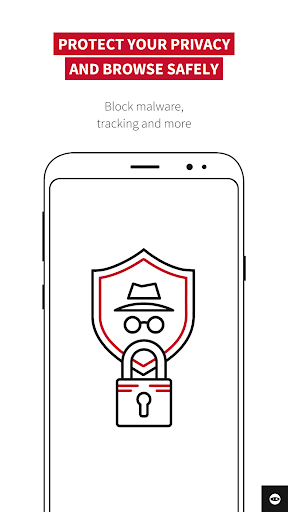
• Get built-in privacy protection with anti-tracking
• Use custom language settings to block region-specific ads
• Upload custom filter lists
• Benefit from free, responsive and advanced support
Frequently Asked Questions:
* Does ABP block all ads in all my apps?
ABP only blocks ads on websites you visit in the Samsung Internet browser.
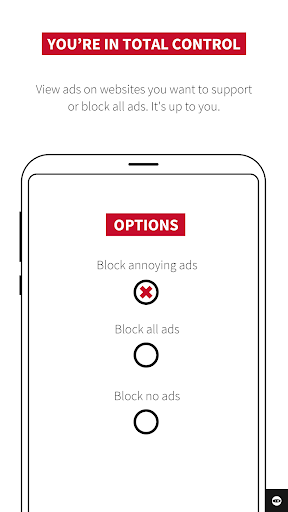
You can choose to support content creators to publish content for free by allowing nonintrusive ads compliant with Acceptable Ads.
*What is Acceptable Ads ?
It is a standard for nonintrusive, light ads that do not interfere with your browsing experience. The standard only displays formats that adhere to carefully researched criteria about size,location and labeling.
* Is ABP compatible with any other Android browsers?
Not yet! But you can get ABP for Chrome, Safari, or Opera on your desktop. Visit https://adblockplus.org/ !
Privacy
Given that ABP for Samsung Internet requires no permissions, it presents a low risk to user privacy and security. However, users should be cautious of potential updates that might introduce new permissions or data collection practices. To maintain privacy, users should periodically review the app's permissions and privacy policy, if available, to ensure alignment with their personal security standards.
Tips
For optimal performance, users should ensure they are running the latest version of Samsung Internet and ABP for Samsung Internet. Additionally, configuring the app's settings to block specific types of ads or trackers can enhance the browsing experience. Regularly checking for updates and providing feedback to the developer can also contribute to the app's improvement and ensure it continues to meet user needs effectively.
What's New
Here’s what’s new:
⚙️ Stability improvements and bug fixes.
Version Information
- Version
- 2.5.7
- Downloads
- 10M+
- Updated on
- Jul 14, 2025
- Released
- Jan 8, 2016
- Requires
- Android 5.0
Statistics
Google Play Rating History
Rating Distribution
Downloads Over Time
ABP for Samsung Internet has been downloaded times. Over the past 30 days, it averaged downloads per day.
Shaded area shows 30-day prediction based on historical trends
Historical data collection started recently. More data points will be available over time.
ABP for Samsung Internet - Google Play Rankings
Top Rankings
| Rank | Country | Category | List | Change |
|---|---|---|---|---|
| — |
Ranking History in
No ranking data available yet. Rankings are updated daily.
#74 in Top Free Communication in South Korea


ABP for Samsung Internet users say on Google Play
 Ken
Ken
does a great job. you can see where the ad would have been, which ads can be very annoying to one's overall browsing experience, but the boxes are blank. no annoying video ads or click bait. I enabled allow non-obtrusive ad since they help creators, which helps to make ABP free :-)
 J
J
For the most part it works. I don't do a lot of web browsing on phone and just use YouTube. It stops all the adds during the video but misses the 1 or 2 before and after video. It had also worked for the YouTube app in the past but now it doesn't. It quit a couple months or so ago, then worked for a week and now back to not working.
 Russell Tanita
Greatly helps get rid of annoying, intrusive ads. I can now watch videos with peace of mind. Plus, it's free. Sometimes, it doesn't work on mobile YouTube through. Have to refresh multiple times, and sometimes that isn't enough. EDIT: Some websites still show intrusive adds even with the add blocker on. Even with refreshing. Wish one can block these kinds of ads manually. For that, one star removed.
 Gimme Apps
For some reason it has stopped blocking ads. I changed nothing, it updated in March & at the beginning of this week - June, I see lots of big chunky ads & distractors, ads I have to interact with to minimize them. It's bothersome. And it's still happening on my new phone. What's the deal? I get error messages saying it's no longer working. Have you considered fixing that?
 Thomas L
constantly stops working. gives a notice so that's something i guess but four or five times getting online a day i get a message saying it's stopped working but no explanation as to why.
ApkTrusted Ratings & Reviews
More from eyeo GmbH
See more apps



Similar Apps

Free Adblocker Browser:Adblock
Free
AdGuard: Content Blocker
Free

Quetta - Video Adblock Browser
Free

Brave Beta
Free

Startpage
Free

Firefox Nightly for Developers
Free

Firefox Focus: No Fuss Browser
Free

Brave Nightly
Free

Vivaldi Browser - Fast & Safe
Free

Banana Browser: Adblock, Secur
Free

Pavlok
Free

Naver Whale Browser
Free

Stargon Browser
Free

Pure Web Browser-Ad Blocker
Free

InBrowser - Incognito Browsing
Free

Hermit — Lite Apps Browser
Free
Scan this QR code to download

Forwarding you to the page at Google Play market in seconds...
Open Google Play market now