GeoGebra Geometry v5.2.874.1
GeoGebra

About this app
Developer Description
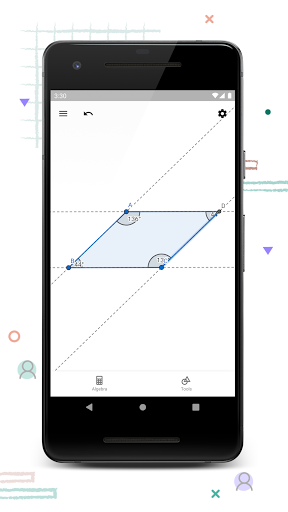
Construct circles, angles, transformations and more with our free geometry tool
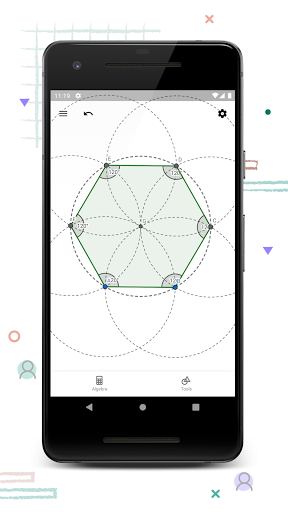
• Create constructions with points, lines, circles, polygons, and angles
• Explore interactive geometry by dragging points
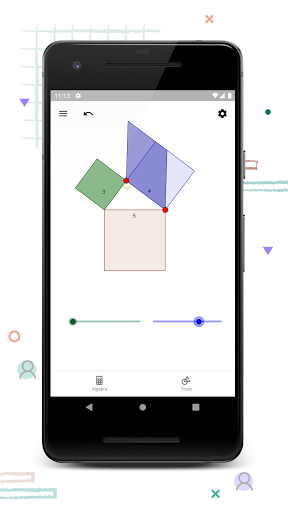
• Measure lengths and areas
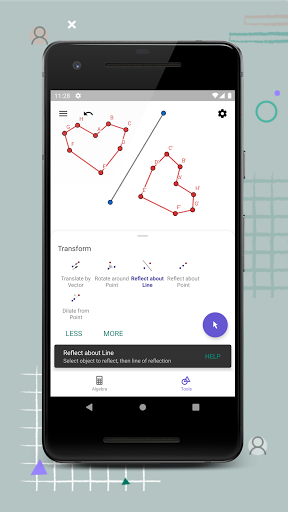
• Transform shapes by mirroring, rotating and dilating them
• Try advanced constructions with conics and locus lines
• Investigate construction steps to get deeper understanding
• Search for free learning activities directly from our app
• Save and share your results with others
We’d love to hear from you: send us your questions or feedback via Twitter @geogebra or to support@geogebra.org
What's New
• You can now take pictures with your camera and insert them into your constructions.
Version Information
- Version
- 5.2.874.1
- Downloads
- 1M+
- Updated on
- Jan 12, 2026
- Released
- Apr 28, 2017
- Requires
- Android 6.0
Statistics
Google Play Rating History
Rating Distribution
Downloads Over Time
GeoGebra Geometry has been downloaded times. Over the past 30 days, it averaged downloads per day.
Shaded area shows 30-day prediction based on historical trends
Historical data collection started recently. More data points will be available over time.
GeoGebra Geometry users say on Google Play
 Mark Bateman
Exactly what i needed. App can be used for technical drawings and concepts. Anything can be measured. Has a history tab incase selecting objects is too difficult. Takes some practice to figure out how to do things in easiest way.
 Shubham Sharma
Please add the point style with solid color without black ring like we have option on pc version. please please 🥺
 Zed Bucket
Almost great. The actual app is great, once you get past the nearly impossible zoom controls. An example. Set line lengths will default to horizontal. Four digit inputs will have that line run a long way off screen on a phone. There is no zoom slider, at least not one I could find, nor a zoom -+ button. Pinch zooming will almost always result in one or two additional points being added instead of zooming. Fixing this would make it a 5 star app but, as is, it's unusable on a phone.
 Minh Nguyễn
It's a powerful on the go sketcher for geometries. But God forbid that freaking broken open tab, it is beyond annoying
 Sword User
Would like it if deleting removes the shape I select instead of the whole shape and point I made using said shape. Unable to use this to do basic geometry so I guess pen and paper it is!
ApkTrusted Ratings & Reviews
More from GeoGebra
See more apps

Similar Apps

Desmos Graphing Calculator
Free

Periodic Table 2026: Chemistry
Free
PROTO - circuit simulator
Free

EdrawMax: AI Flowchart Diagram
Free

Periodic Table - Atomic
Free

Cuemath: Math Learning & Games
Free
MalMath: Step by step solver
Free

Logic Circuit Simulator Pro
Free

Cymath - Math Problem Solver
Free
Padlet
Free
All-In-One Calculator
Free
AutoCAD - DWG Viewer & Editor
Free
AI Math Scanner: Maths Solver
Free

Symbolab: AI Math Solver
Free

AR Plan 3D Tape Measure, Ruler
Free

Mathway: Scan & Solve Problems
Free
Scan this QR code to download

Forwarding you to the page at Google Play market in seconds...
Open Google Play market now