Video Converter icon

Video Converter vv2.3

Contains ads

Video Converter screenshot 0 Video Converter screenshot 1 Video Converter screenshot 2 Video Converter screenshot 3

About this app

The Video Converter app solves the problem of incompatible video formats by providing a straightforward conversion tool, benefiting users who frequently work with different video types. In the Music And Audio category, it stands out for its simplicity, but falls short in terms of user ratings and reviews, which are currently nonexistent. Compared to alternatives, its lack of permissions is a significant advantage, indicating a potentially more secure experience. However, the absence of user feedback and a relatively low download count raise questions about its reliability and effectiveness.

Pros

  • The app's simplicity and ease of use are significant advantages, making it accessible to a wide range of users, including those who are not tech-savvy.
  • With no permissions required, the app presents a lower risk in terms of data privacy and security, which is a considerable benefit for users concerned about their personal information.
  • The developer's decision to keep the app free with ads, without offering in-app purchases, suggests a commitment to making the tool accessible to everyone, regardless of their willingness or ability to pay.
  • The app's small size and Android 7.0 requirement suggest that it could be a good option for older devices or those with limited storage capacity.
  • The developer's presence online, through a website and email, provides a channel for feedback and support, which is crucial for addressing any issues that may arise.

Cons

  • The lack of user ratings and reviews is a significant concern, as it makes it difficult to gauge the app's effectiveness and reliability based on user experience.
  • The presence of ads could potentially disrupt the user experience, especially if they are intrusive or frequent, which might deter some users from using the app.
  • The app's limited functionality, focused solely on video conversion, might not be enough for users who require more comprehensive video editing capabilities.
  • The developer's website, while present, appears to be a basic blog, which might not inspire confidence in the developer's ability to provide robust support or updates.

Best for: The ideal user for the Video Converter app is likely an individual who occasionally needs to convert videos between different formats for personal use, such as a student working on multimedia projects, a hobbyist video editor, or someone who frequently shares videos across different platforms, and values simplicity and ease of use over advanced editing features.

Developer Description

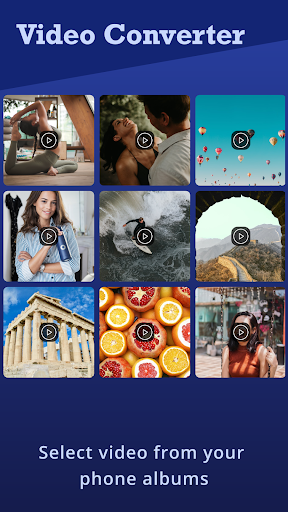
Video Converter is very useful app to convert video to many video formats.

Video Converter is very useful app to convert video to many video formats.
Video Converter is very faster to converting the videos at just one click.
The video quality is a very important things so here we take care about that after converting the video it have a HD Quality that is like your original video.
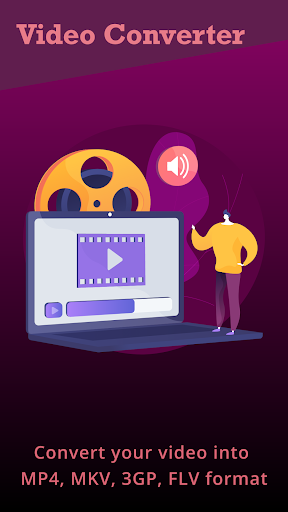
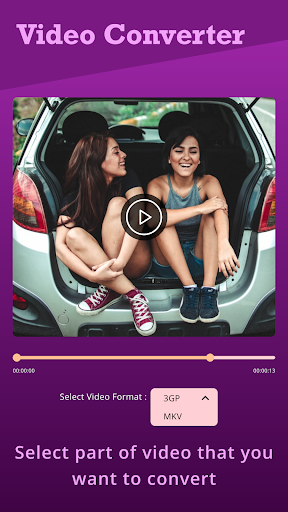
In Video Converter you can select MP4, 3GP, MKV and FLV types to convert videos.
Video converter have a video player so you also can play your video.
Share Video With Your Friends from Video Cutter.

Have any Questions?? Or Suggestions??
Please contact us on: multimediaeditorapps@gmail.com .
Thank You Using Our Video Converter App.

Privacy

Given that the Video Converter app requires no permissions, the risk of data collection for malicious purposes appears to be low. However, users should still be cautious when installing any app, ensuring they download from trusted sources like the Play Store. It's also advisable to monitor the app's behavior and report any suspicious activity to the developer or relevant authorities.

Tips

To get the most out of the Video Converter app, users should first ensure their device meets the minimum Android requirement. It's also beneficial to explore the app's settings to understand the available conversion options and quality settings. For optimal performance, closing other resource-intensive apps while using the Video Converter can help prevent crashes or slow downs.

What's New

-> Performance Improvement !
-> Fixed Bug !

Version Information

Version
v2.3
Downloads
10K+
Updated on
Sep 29, 2025
Released
Sep 9, 2016
Requires
Android 7.0

Statistics

Google Play Rating History

Current
Average
Range

Rating Distribution

Total Ratings:

Downloads Over Time

Video Converter has been downloaded times.

Total Downloads
Last 30 Days
Avg Daily Est.

Shaded area shows 30-day prediction based on historical trends

Historical data collection started recently. More data points will be available over time.

Video Converter users say on Google Play

★★★★★
A Google user A Google user

I love it this converter

11 Jul 30, 2017
★★★★
Christopher Clarke Christopher Clarke

Good work very fast operation

3 Dec 11, 2021
★★
A Google user A Google user

Does not show file to be conversion and does not conversion mp4. Unistalled

38 Nov 12, 2016
A Google user A Google user

Fullll bulshittt and nonsence

20 Nov 22, 2017

ApkTrusted Ratings & Reviews

0.0
0 ratings
5
0
4
0
3
0
2
0
1
0
✓ Thank you! Your review has been submitted and will be published after admin approval.
Be the first to write a review...

More from Photo And Video Apps

See more apps

Explore Tags

Browse all tags