Manual Camera v3.9
Geeky Devs Studio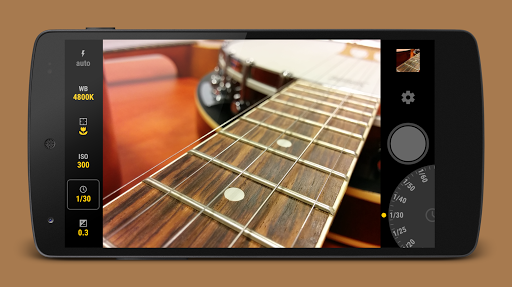


About this app
Developer Description
Android's first camera with Full Manual Controls and RAW!
https://play.google.com/store/apps/details?id=pl.vipek.camera2_compatibility_test
Important:
This app takes full advantage of Lollipop's Camera2 API, and therefore requires it to be properly implemented in your Android ROM. If your device runs on Lollipop, and still the app is not compatible with it, please contact your ROM provider (e.g. Samsung, LG) and ask them to fully implement Camera2 API.
Manual Camera is world's first Android camera app with FULL Manual Control:
- Manual Shutter Speed
- Manual Focus Distance
- Manual ISO
- Manual White Balance
- Manual Exposure Compensation
It's also insanely fast!
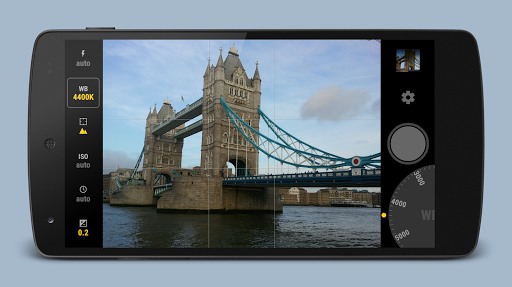
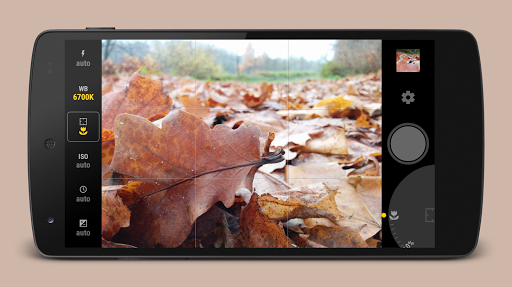
You start in full Auto mode. From here you can Lock each of the parameters separately, and then adjust them manually by rotating the Wheel.
Additional features:
- RAW (DNG) format
- GPS (geo tagging)
- Timer
- Gridlines
- Sounds On/Off
- Max. Screen Brightness On/Off
What's New
Version 3.9:
- Android 16 support
- Minor bug fixes
Version Information
- Version
- 3.9
- Downloads
- 100K+
- Updated on
- Aug 17, 2025
- Released
- Nov 28, 2014
- Requires
- Android 5.0
Statistics
Google Play Rating History
Rating Distribution
Downloads Over Time
Manual Camera has been downloaded times. Over the past 30 days, it averaged downloads per day.
Shaded area shows 30-day prediction based on historical trends
Historical data collection started recently. More data points will be available over time.
Manual Camera users say on Google Play
 BebéTechManiac 2018
The app was nice for the time it was released, still working... but an update will be appreciated. There are features missing that other cameras are using... like zoom in and then manually focus in one movement, one touch move up zoom, move left after that to activate manual focus, up/down to adjust... all in one movement without removing the finger from that single tap.
 geoffrey adams
I prefer this application to all the others, but, reading the comments, I only wish the developer would announce an update to reassure us he/they are still out there. Give us an update and I'll give the app 6 stars!
 A Google user
A great app to take manual photos (quite a few settings my default camera doesnt have). Too bad it hasnt been updated anytime recently, and has no support for multiple cameras (just 1 rear facing and the front camera). Not worth the buy until it gets updated.
A Google user
Hey developers please update your application features. It does not work with multiple cameras. In fact my phone Samsung A20 has a 13 MP for main camera and MP camera for wide angle then an 8 M front facing camera. I have tested it several times and pictures taken was blurred because it uses the 5 MP cam instead of the main. I hope you will take action to this. I have bought the full app and it is expensive :(
 Danny Hammons
Promising, but (1) Hasn't been updated for latest Android releases, (2) crashes and exit after every lie picture taken on my Note 10+ 5G. I can't recommend when it's not updated for the current version of Android and crashes upon snapping a picture.
ApkTrusted Ratings & Reviews
More from Geeky Devs Studio
See more apps

Similar Apps

Video Recorder
Paid

3D Photo: Imager
Paid

Al Quran- Qibla & Prayer Times
Free

Camera FV-5 Lite
Free

mcpro24fps manual video camera
Paid

QR & Barcode Scanner
Paid

eZy Watermark Photos Pro
Paid

Text & Image to Video AI Gen
Paid

Tattoo AI Design Generator INK
Paid

DreamBuild: Sketch to 3D
Paid

PicMaster - AI Photo Editor
Paid
Cameringo Lite. Filters Camera
Free

iFrame: Photo Collage Maker
Paid

Banano Pro İmage Generator
Paid

Lume: Quit Gaming Now
Paid

Manual Camera DSLR (Lite)
Free
Scan this QR code to download

Forwarding you to the page at Google Play market in seconds...
Open Google Play market now