
Santa is Coming v1.0.0
StarWatchfaces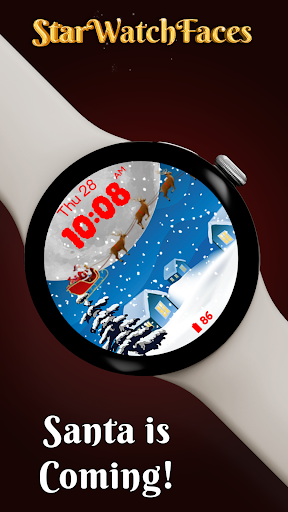


About this app
Developer Description
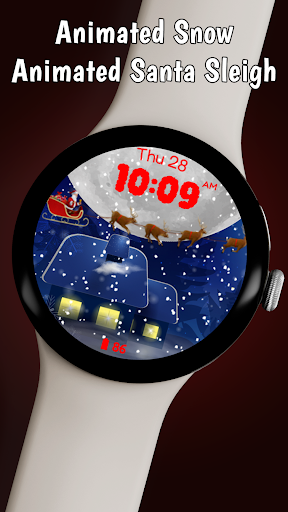
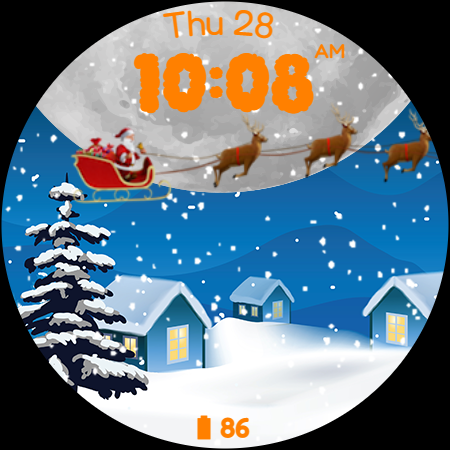
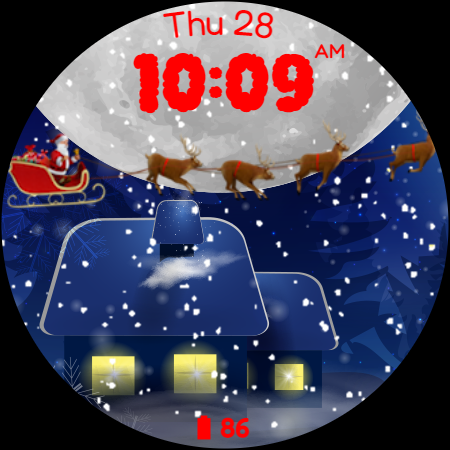
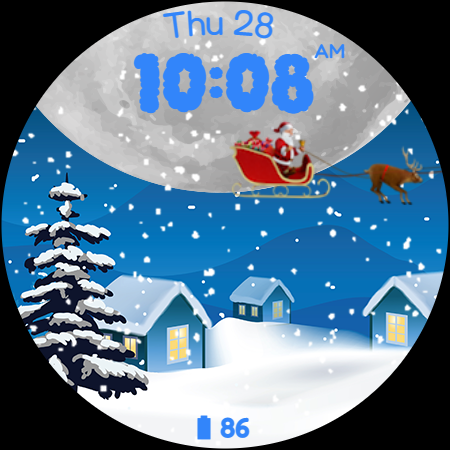
Cute watch face with animated snow and animated Santa Claus with reindeers.
🎅 Explore the entire Christmas Collection in our new Watchface Shop app and grab the best value with a bundle that includes all seasonal watchfaces. Discover your perfect Christmas style - https://play.google.com/store/apps/details?id=com.starwatchfaces.watchfaces - install it now and get a FREE welcome gift🎅
Or you can explore the Christmas Collection for Wear OS on our website https://starwatchfaces.com/wearos/collection/winter-collection/
Key Features:
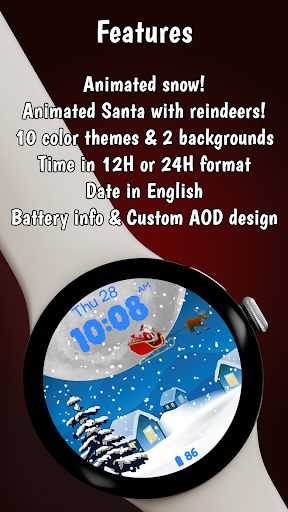
❄️ Animated Snowfall and Santa Scene: Watch as gentle snowflakes drift across the screen and Santa Claus, with his team of reindeer, flies gracefully in the background. This lively animation adds a touch of winter wonderland charm to your watch.
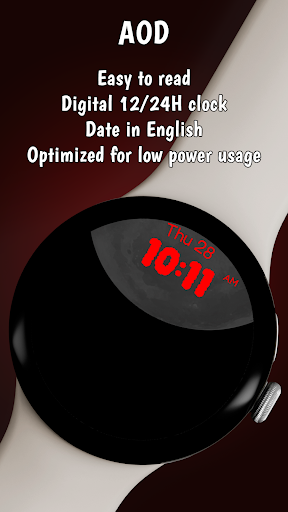
❄️ Digital Clock Display: The watch face boasts a clear and easy-to-read digital clock, available in both 12-hour and 24-hour formats. This ensures you can keep track of time in a way that suits your preference.
❄️ Date Display: Stay up to date with a simple yet elegant display of the current date, presented in English. This feature blends seamlessly into the design, offering practicality without compromising style.
❄️ Battery Status Indicator: Keep an eye on your watch’s battery life with a discreet yet informative battery status display. This feature ensures you’re never caught off guard by a low battery.
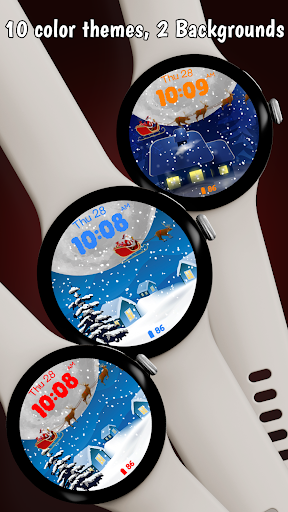
❄️ Color Customization: Personalize your watch face with a selection of 10 vibrant color themes. Choose the one that best suits your mood or outfit for the day.
❄️ Background Variety: Switch between 2 beautifully crafted image backgrounds to keep the watch face feeling fresh and exciting. Each background is carefully designed to complement the overall theme and animation.
❄️ Designed for Wear OS: Fully optimized for Wear OS, this watch face provides a smooth and responsive experience. It's crafted to take full advantage of the platform's capabilities, ensuring a seamless integration with your smartwatch.
❄️ Free to Download: Santa is Coming is available as a free download, making it accessible for all Wear OS users looking to add a touch of holiday spirit to their wearable tech.
Whether you’re counting down the days to Christmas or simply a fan of whimsical winter scenes, the Santa is Coming watch face is the perfect addition to your Wear OS device. Download now and let the holiday magic begin!
What's New
Version Information
- Version
- 1.0.0
- Downloads
- 10K+
- Updated on
- Aug 12, 2025
- Released
- Dec 5, 2023
- Requires
- Android Varies with device
Statistics
Google Play Rating History
Rating Distribution
Downloads Over Time
Santa is Coming has been downloaded times. Over the past 30 days, it averaged downloads per day.
Shaded area shows 30-day prediction based on historical trends
Historical data collection started recently. More data points will be available over time.
Santa is Coming users say on Google Play
 Judith Aguilar
I have one of the oldest versions of Samsung SMART tv. This is one of only two remotes on the Playstore app that does work on this TV. The set up on this Remote app is very organized and also has been updated with more features. I also like that these remote.updates have not affected connection to this old TV version i have.
 hemant patil
Superb with a lot of features, but doesn't autodetect TV most of the times. I need to do Quick Scan and it finds TV in no time
 M. A. Griesser
This would be a beautiful remote except for two major flaws: first it's much longer than the screen. This wouldn't be that big of an issue as one could get the section you need to use all on the screen if it weren't for the second issue, ads. Ads take up about a third of the screen. Not only do they make the display cluttered but now you have to scroll constantly to get the buttons you need on the screen. This could easily be solved if there were a pro version to remove ads It's useless. Too bad
 Asif Qureshi
Amazing app
 Unknown
You said the same thing as the other person. Please don't give a low rate well just like the other app does not work. This is why I would never pay 1 red cent for any apps. It's always the customer getting the raw end of the deal.
ApkTrusted Ratings & Reviews
More from StarWatchfaces
See more apps
Animated Autumn Scenes
Paid

Animated Christmas Tree
Paid
Animated Christmas Tree
Paid

Autumn Magic
Paid

Animated Winter Scenes
Paid

Angel of Death: Halloween face
Paid
Advent Wreath Animated
Paid

Animated Summer Pool
Paid

Advent Calendar
Paid

Aurora Borealis
Paid

Autumn Falling Leaves
Paid

Autumn Flowers
Paid
Cherry Petals
Paid

Autumn Tales: Mr. Squirrel
Paid

Autumn Vibes
Free

Beach Waves
Paid
Similar Apps

Universal Remote for Smart TV
Free

Travel Packing Checklist
Paid
Roku Smart Home
Free

Fothong Pass - Pass Manager
Free
KSL+
Free

MYCPE ONE
Free
ICG Training
Free

Oral-B
Free

HeadTrack
Paid

VIDAA Smart TV
Free

Yatse: Kodi remote and cast
Free

World Festival Guide
Paid

INTEGRA CONTROL
Free

Nurture Lock
Paid

Nedis SmartLife
Free

Video Recorder
Paid
Scan this QR code to download

Forwarding you to the page at Google Play market in seconds...
Open Google Play market now