DIGI Clock Widget Plus v3.6.1
ForestTree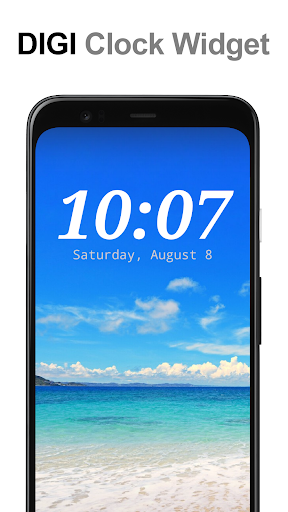
About this app
Developer Description
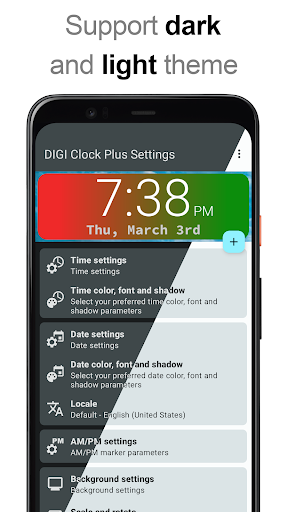
Customizable digital time and date widget
2x1 widget - small
4x1 widget - wide optionally with seconds
4x2 widget - big
5x2 widget - for tablets and especially for Galaxy Note
6x3 widget - for tablets.
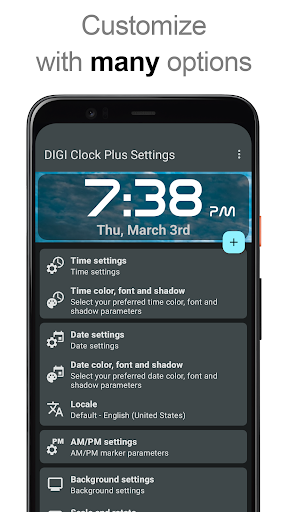
Features lots of customizations, like:
- widget preview during setup (on Android ICS+)
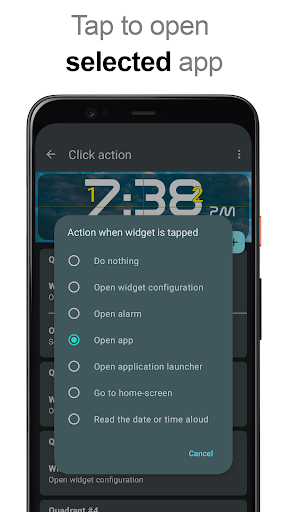
- select widget click actions: tap on widget to load alarm application, widget settings or any installed application
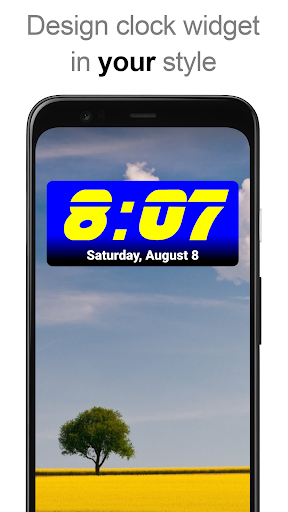
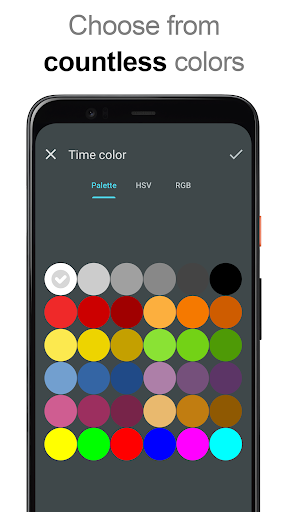
- allows you select your preferred colors for time and date separately
- shadow effect with selectable color
- outlines
- locale preference, set date output in your language
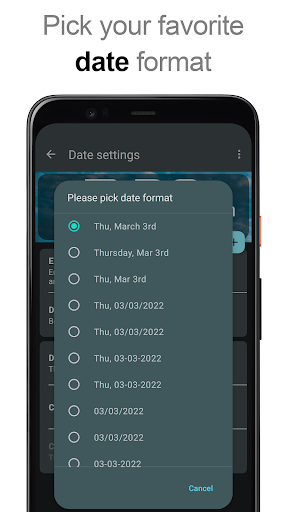
- plenty of date formats + customizable date format
- show/hide AM-PM
- 12/24 hour selection
- alarm icon
- show time with seconds option (for 4x1 widget)
- widget background with selectable color and opacity from 0% (transparent) to 100% (completely opaque)
- use picture as widget background
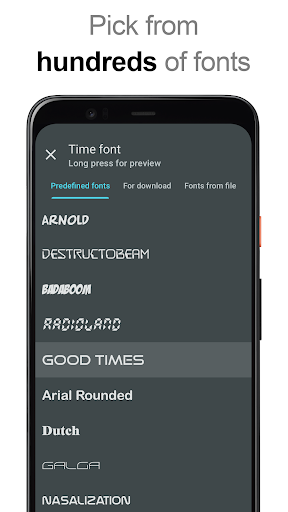
- 40 great fonts for time and date ...
- ... or use your favorite font saved on memory card
- ready for Honeycomb, ICS and Jelly Bean Android versions
- recommended for tablets
... and even more ...
Problems with installation?
This is home screen widget and not the application, please read the instructions on how to use the widget:
Older phones (before Android 4.0 ICS):
• To add a widget, touch and hold an empty location on a home-screen. Menu will pop-up, select Widgets.
• "Choose Widget" menu will popup. From there, find and select "DIGI Clock Plus" widget of desired size.
Newer phones and tablets, Android 4.0 and later (Ice Cream Sandwich, Jelly Bean):
• Touch the All Apps icon on your Home screen.
• Click “Widgets” tab at the top of the screen.
• From the main Widgets screen, you can swipe left until you find "DIGI Clock Plus”
• Touch and hold the desired widget’s icon, slide your finger where you want to place it, and lift your finger.
If there are missing "DIGI Clock Plus" in list of widgets, try to restart phone, it might help.
To add the widget to your Android 4.2+ device's lock screen, simply swipe to the left-most page of your lock screen and touch the big "+" icon. Then, select "DIGI Clock Plus" add the widget. You can make this the primary lock screen widget, replacing the default clock, by first touching-and-holding it and then dragging it horizontally to the very rightmost position.
NOTICE
Do NOT move this app to SD-card! Widgets won't work once you move them to SD card.
Please exclude this widget from any task killers, this will resolve the time freezing issue in most instances.
When you want help me with translation of "DIGI Clock Widget Plus" to your language, visit please this site:
http://www.getlocalization.com/DIGIClockWidget/
Thanks for using DIGI Clock Widget Plus!
What's New
Update to Android 16 compatibility (3.6.0).
The ability to set custom corner rounding is back (3.6.0).
Version Information
- Version
- 3.6.1
- Downloads
- 50K+
- Updated on
- Jan 3, 2026
- Released
- Mar 6, 2013
- Requires
- Android 8.0
Statistics
Google Play Rating History
Rating Distribution
Downloads Over Time
DIGI Clock Widget Plus has been downloaded times. Over the past 30 days, it averaged downloads per day.
Shaded area shows 30-day prediction based on historical trends
Historical data collection started recently. More data points will be available over time.
DIGI Clock Widget Plus users say on Google Play
 Regina Pena
So my clock wasn't showing the correct time. I clicked on the widget and three possible reasons for the time being incorrect popped up! I checked out the items and bammm! it worked! I've had this app for a long time...I think this is the 3rd phone I've had it installed on and I absolutely love it. It has a clock, alarm, stopwatch, and timer. Nearly everything is customizable and it very rarely gives me any issues (the one today is because of a setting on the phone-not the app). Love it!
 Charles Stewart
Until recently, this app has been very stable. But... in the past few weeks, when I wake my phone in the mornings, the time and day/date are frozen. When I open the app it says my settings need changing, but the settings are the same they have always been, so I close the settings and it runs sweet for a couple of days, then it happens again?
 Ted Poster
Stopped working since update.??
 Benny Hardjono
suddenly its second disappeared re-installed BUT not solved, please help, there are people who had paid, like me, have complained recently, BUT you have not replied, what's the matter?
 Harley Vet
Now the clock is cut off on both sides, it doesn't even make use of 3/4 of the screen. Clock still sits an inch below the top and in from both sides. What's the use of having a thin bezel phone if the clock creates empty space between the top and sides of the numbers and the top and sides of your phone? I guess that was neglected during the development process and forgot when they decided to charge. Update: STILL NO ANSWERS FROM DEVELOPER!!!
ApkTrusted Ratings & Reviews
More from ForestTree
See more apps

Scan this QR code to download

Forwarding you to the page at Google Play market in seconds...
Open Google Play market now