Simple Clock Widget v2.18
Smart and Small SoftwareDownload Options
Screenshots


/
About this app
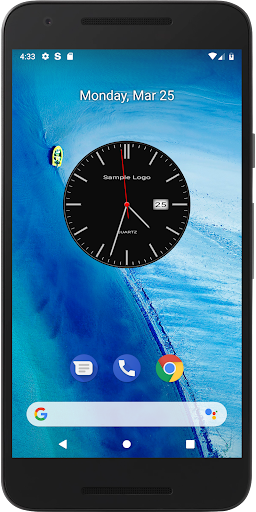
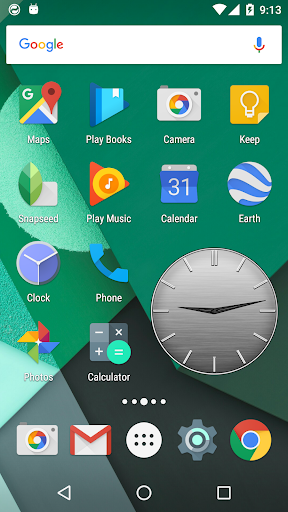
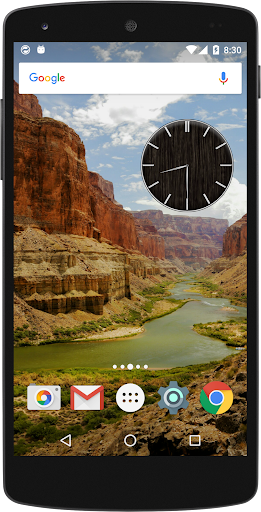
Simple to enjoy the design of ways 400 is a high-quality analog clock widget.
Simple to enjoy the design of ways 400 is a high-quality analog clock widget.
25 types of dial, 16 types of hand, and a combination of 12 types of index, you can make your favorite clock widget.
You can play just the notification sound every hour and the time signal function to "ON". time signal integrations with vibration is also possible.
If you turn on the notification function of the time signal or alarm, the time signal will be notified in the status bar or lock screen, and if you turn on the message function at the time of the time signal, you can display your favorite message (up to 30 characters) at the time of notification.
・Design changes (approximately 400 types)
・Time signal function (vibration, notification, message, lighting)
・Alarm function (vibration, notification, message, light on, snooze)
・Display function for logo characters and sub-logo characters
・Date display function
*Please allow the app's "notifications" before using this app.
- After installing the app, display the home screen and add the "Simple Clock Widget" widget to the home screen.
- Tap the widget to launch the settings screen.
- Please configure the clock design, time signal, alarm, notifications, etc. on the settings screen.
※Please allow "notifications" before using this app.
※Operation may stop immediately after changing settings, but operation will resume if you wait for a few seconds to 10 seconds.
※Banner ads are displayed on the setting screen.
※It is a power-saving design that stops operating when the screen is turned off.
25 types of dial, 16 types of hand, and a combination of 12 types of index, you can make your favorite clock widget.
You can play just the notification sound every hour and the time signal function to "ON". time signal integrations with vibration is also possible.
If you turn on the notification function of the time signal or alarm, the time signal will be notified in the status bar or lock screen, and if you turn on the message function at the time of the time signal, you can display your favorite message (up to 30 characters) at the time of notification.
・Design changes (approximately 400 types)
・Time signal function (vibration, notification, message, lighting)
・Alarm function (vibration, notification, message, light on, snooze)
・Display function for logo characters and sub-logo characters
・Date display function
*Please allow the app's "notifications" before using this app.
- After installing the app, display the home screen and add the "Simple Clock Widget" widget to the home screen.
- Tap the widget to launch the settings screen.
- Please configure the clock design, time signal, alarm, notifications, etc. on the settings screen.
※Please allow "notifications" before using this app.
※Operation may stop immediately after changing settings, but operation will resume if you wait for a few seconds to 10 seconds.
※Banner ads are displayed on the setting screen.
※It is a power-saving design that stops operating when the screen is turned off.
Version Information
- Version
- 2.18
- Downloads
- 50K+
- Updated on
- Sep 7, 2025
- Released
- Aug 2, 2016
- Requires
- Android 7.0
What's New
Supported new models.
Ratings & Reviews
Developer Response
![Watch Face [ Red metal ] icon](https://play-lh.googleusercontent.com/kZPsTjA4Cs8ayQWqb59v74jR4yfHUIlMxMVk250Y2ach_J4Ft1ZWGu9nxPOecOKmXPA)