
DigitX - Granite vVARY
DigitX Watchfaces





About this app
Developer Description
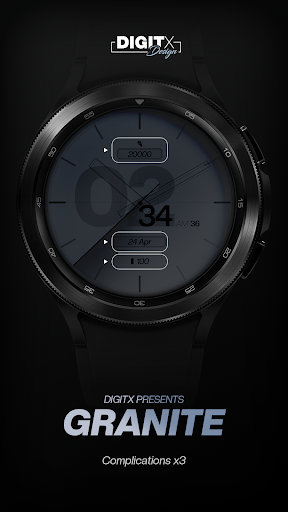
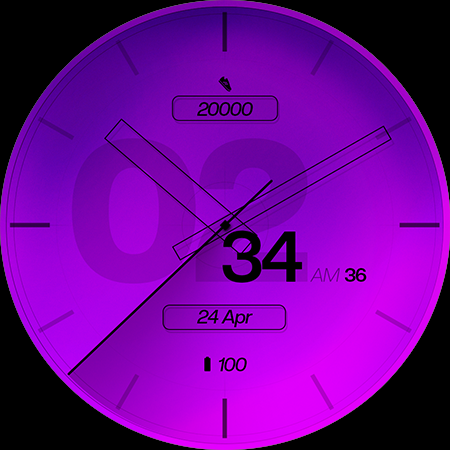
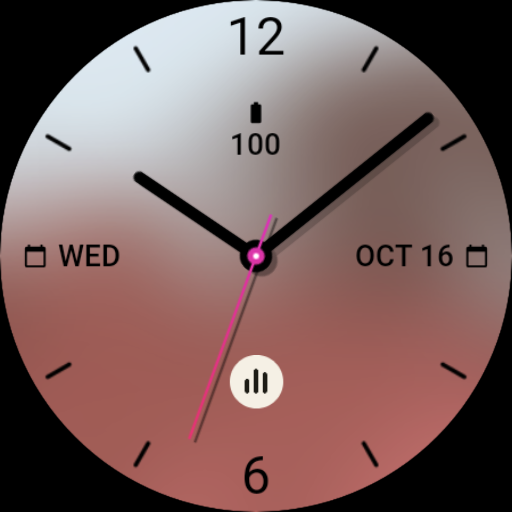
Bold and remarkable design. Granite - try premium hybrid on your wrist!
// Not suitable for rectangular watches
⌚ Supported by watch face format
https://digitx.watch/
⏩ HOW TO INSTALL?
Before leaving a negative review (1 star) on Google Play, please read the installation instructions and the list of frequently asked questions (FAQ).
https://digitx.watch/home/about-digitx/help-faq/
⏩ FUNCTIONS
• minimalist look
• very legible font
• high resolution
• 7x backgrounds to choose from
• AOD mode with low OPR
• Multilingual
• 12/24 hours
• 3x complications
⏩ NOTE: Complications shown in the app description are for promotional purposes only. The custom complications you can set depend on the apps and software you have installed on your watch.
⏩ ADJUSTMENT
• press and hold the center of your watch > open customization settings
• Backgrounds (7x)
• Application complications/shortcuts
The companion app on your phone is only a placeholder to make it easier to install and find the watch face on your Wear OS watch. Watch faces are not automatically installed on the watch screen after installation. Therefore, you need to set this option on your watch screen.
Please contact support@digitx.watch for assistance.
---DigitX---
What's New
Version Information
- Version
- -
- Downloads
- 1K+
- Updated on
- Oct 24, 2025
- Released
- Jun 23, 2024
- Requires
- Android Varies with device
Statistics
Google Play Rating History
Rating Distribution
Downloads Over Time
DigitX - Granite has been downloaded times. Over the past 30 days, it averaged downloads per day.
Shaded area shows 30-day prediction based on historical trends
Historical data collection started recently. More data points will be available over time.
DigitX - Granite users say on Google Play
 ronald stamper
This is a great watch face. The graphics are very high resolution and quality so it has a nice premium feeling. My only complaints are non customizable watch hands and the AOD display is too dim with no way to customize brightness. However if you want a display that is perfect in the darkest environments and drains little if any battery then this would be the watch face for you. I find this is a great watch face when you don't want to focus on your watch.
 LoopyPaladin
I wish that there were a few more customization options for appearance. A "dark mode" for the watch face like they have on the AOD would be a nice addition.
ApkTrusted Ratings & Reviews
More from DigitX Watchfaces
See more apps





Similar Apps

GS03 - Light Watch Face
Free
Fresh Blue Watch Face
Paid

Trio Time Watch Face
Free
Clean Analog Watch Face
Paid

Analog Purple Mint Watch Face
Paid

SO850
Free

Classic Signature 2
Paid

CC Realistic and Dynamic
Paid

Watch face 10h08.com #59
Paid

Orbit Sync Watch Face
Paid
Aqua Watch Face
Paid

Key WF49 Digital Watch Face
Paid

Analog watchface A5
Paid

Digital Botleres Watch face
Paid

DB015 Power
Paid
Espresso Watch Face
Paid
Scan this QR code to download

Forwarding you to the page at Google Play market in seconds...
Open Google Play market now