Video Converter - Remux v1.2.9
REMUX TECH PRIVATE LIMITED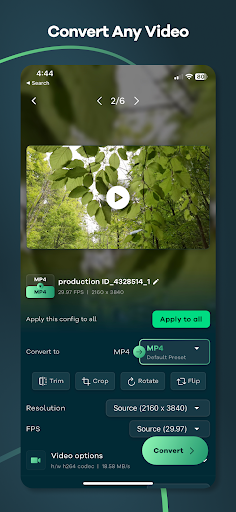




About this app
Developer Description
Convert video or compress video to mp4, webm, mov, mp3 and more...
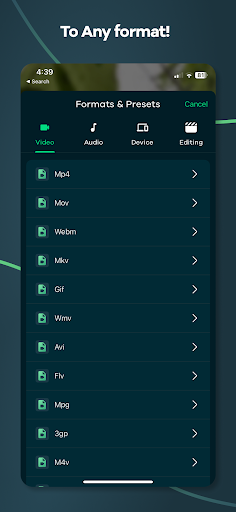
You can convert video to mp3, mp4, mov, webm, mkv, hevc, WMV, avi, flv, mpg, 3gp, m4v, flash, f4v, ts, mts, ogv, gif
Alternatively, you can use it as an audio extractor from video to mp3, m4a, wav, aif, flac.
This app supports a wide range of video and audio codecs, including Flash, HEVC, VP9, AV1, MPEG2, MPEG4, H.264, H.265, AAC, and FLAC.
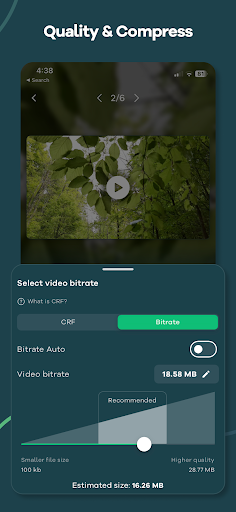
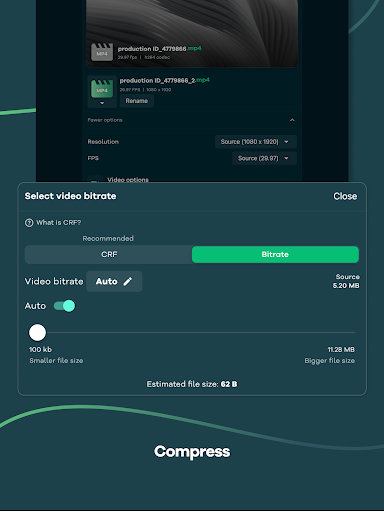
This app also includes a powerful video compressor that can compress your videos to reduce file size without any loss in quality.
You can import batch videos to convert and compress at the same time.
Common Use cases:
- Convert Video to MP4, MOV, Flash, WebM, and more
- Mp3 converter ( Extract audio from video, video to mp3 converter )
- Video compress (Shrink video size)
- Convert Video to Gif
- Change Video Resolution or Video frames per second
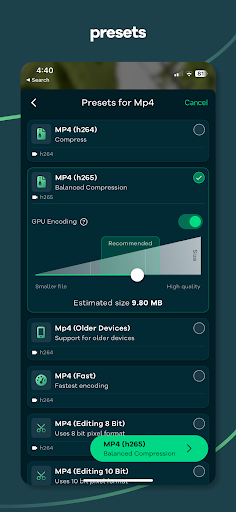
We have also included over 25+ presets (Pre defined settings) so that you don't have to go through complicated export settings.
For example:
- Preset that prioritize video quality
- Optimized for speed and reasonable quality
- For video editing purpose that preserve the alpha channel of the video with higher bitrate
- Preset that support for older devices
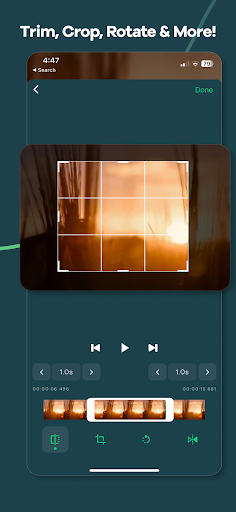
This app allows you to tweak all the settings like bitrate, video codec, audio codec, resolution, FPS, pixel format, audio track, Crop, Rotate, Trim, Flip and so much more.
How to use:
1. Import video by tapping the Gallery or File button or drag and drop.
2. Select the output format by tapping the "Format" button, After selecting the format app will choose the best quality settings for the selected format.
3. Tap the "Convert" button to start conversion.
We are actively working hard on this project and we try to include more and more feature as fast as possible we how you like our app.
So what are you waiting for? Give it a try, It's free!
This project uses the code of ffmpeg.org and you can download the source code from https://remux.app/source and review the build steps from readme.md.
Privacy Policy: https://remux.app/privacy_policy
Terms and Conditions: https://remux.app/terms_and_conditions
What's New
- Various bug fixes implemented
- UI enhancements for improved user experience
In-app purchases
$3.49 - $16.99 per item
Version Information
- Version
- 1.2.9
- Downloads
- 100K+
- Updated on
- Aug 31, 2024
- Released
- Mar 19, 2023
- Requires
- Android 7.0
Statistics
Google Play Rating History
Rating Distribution
Downloads Over Time
Video Converter - Remux has been downloaded times. Over the past 30 days, it averaged downloads per day.
Shaded area shows 30-day prediction based on historical trends
Historical data collection started recently. More data points will be available over time.
Video Converter - Remux users say on Google Play
 Abiye Yeshiwas
የየ
 John Simmons
an option to "save file to" in the settings stage would save steps.
 Malik Farhan
very good App
 Matt Brennan
lots of features. unfortuanatly it is very slow doing the conversion. I tried converting 1080p MP4 to 720p video and it ws going to take > 1 hr. i have a samsung S23+ . profiled the app and the GPU is not being used. have requested refund.
 Anula Padmasekara
good
ApkTrusted Ratings & Reviews
More from REMUX TECH PRIVATE LIMITED
See more apps
Similar Apps

Video Recorder
Paid

MP4Fix Video Repair Tool
Free

ActionDirector - Video Editing
Free

Add Music To Video & AI Editor
Free

Video Downloader & HLS Player
Free

Video Converter Pro
Paid

Smart Video Crop - Video Cut
Free

HQ Video Player & Casting
Paid

Focus Video - Video Compressor
Free

PowerDirector - Video Editor
Free

Text & Image to Video AI Gen
Paid

KMPlayer - All Video Player
Free

Dr. Dish Player
Free

Video Downloader Stream Saver
Paid

Riverside: Record podcasts
Free

Screen Recorder - Vidma Record
Free
Scan this QR code to download

Forwarding you to the page at Google Play market in seconds...
Open Google Play market now