
Bark - Parental Controls v5.6.16
Bark Technologies, Inc.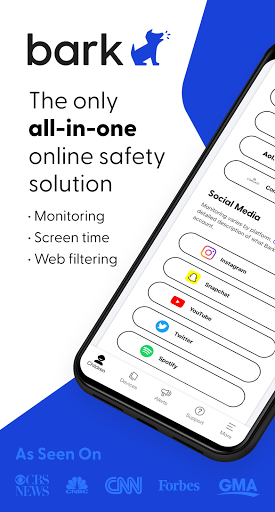


About this app
Developer Description
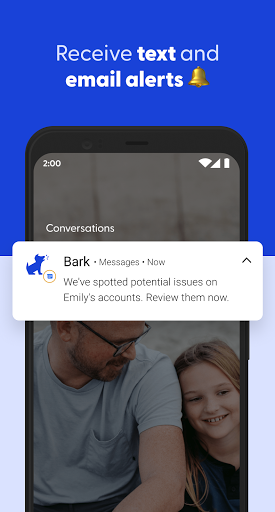
Bark detects cyberbullying, sexting, depression, etc. on social media/text/email
CONTENT MONITORING
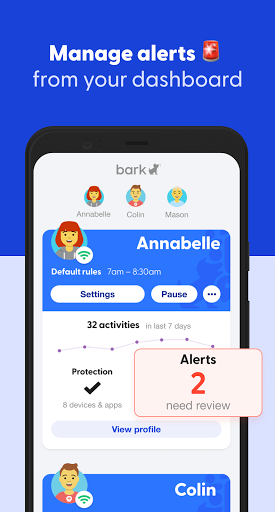
Bark monitors your child’s text messages, email, YouTube, and 30+ apps and social media platforms for issues like cyberbullying, suicidal ideation, adult content, sexual predators, profanity, threats of violence, and more. Parents receive alerts only when something potentially problematic occurs online. You won’t have full access to everything on your child’s phone — just the things you might need to know about.
SCREEN TIME MANAGEMENT
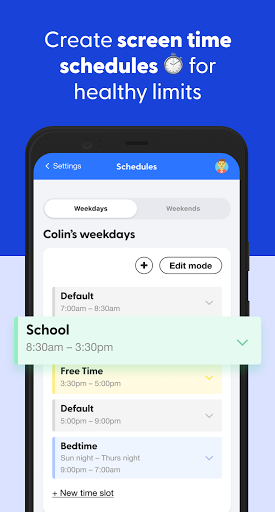
Families can set healthy time limits and create schedules for when their children’s devices can connect to the internet (through both cell service and Wi-Fi).
WEB FILTERING
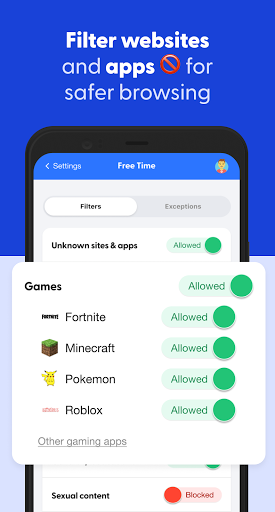
Our web filter lets you select which websites your child can access on their devices. You can allow or block specific sites — or even whole categories like streaming services, online gaming, sexual content, and more.
BARK HOME
When you purchase Bark Home, a small device sold separately that connects to your Wi-Fi router, you can use our app to manage screen time and filter websites and apps on all of the Wi-Fi-connected devices in your home, from smart TVs and video game consoles to laptops and tablets. Bark Home requires an active Bark subscription.
PRICING
Bark, our comprehensive online safety solution, includes content monitoring, screen time management, and web filtering. Bark is $14/month — or $99 annually.
Bark Jr provides screen time management and web filtering for $5/month or $49 annually.
SETTING UP BARK
After you download the Bark app for parents and guardians, you’ll need to download the Bark for Kids app to your child’s device to enable monitoring, screen time management, and more. Visit www.bark.us/android to install it.
Version Information
- Version
- 5.6.16
- Downloads
- 500K+
- Updated on
- Dec 15, 2025
- Released
- Nov 23, 2016
- Requires
- Android 6.0
Statistics
Google Play Rating History
Rating Distribution
Downloads Over Time
Bark - Parental Controls has been downloaded times. Over the past 30 days, it averaged downloads per day.
Shaded area shows 30-day prediction based on historical trends
Historical data collection started recently. More data points will be available over time.
Bark - Parental Controls - Google Play Rankings
Top Rankings
| Rank | Country | Category | List | Change |
|---|---|---|---|---|
| — |
Ranking History in
No ranking data available yet. Rankings are updated daily.
#9 in Top Free Parenting in United States


Bark - Parental Controls users say on Google Play
 Nicholas
So far, I love it! My 12-year-old doesn't agree with the fact that "we have so much control over his phone," but he got a phone, and I installed Bark for a couple of reasons. 1.) The police found an IED at one of the local schools yesterday. 2.) He's been accessing things he shouldn't for his age. Bark has allowed me to lock it down, and once he learns respect again and how he *should* be acting, I can reward him with games and such. This is for my peace of mind.
 Corrina Corrina
It's not too bad. kind of time-consuming and limited directions.
 Julia Hodge
When it works, it's great! I appreciate the alerts & ability to see where my child is on the map (including how fast the car is traveling). But if we go just a little way out of the town limits or even inside some houses...zero signal. It wouldn't be so frustrating if we knew we were in areas with poor cell signal, but everything else we have running off cell towers works great. Can't figure out why we can't get better reception. Alerts & texts take days to come thru when sent while no signal.
 S. Mallory
Had Bark in 2023 for my kid, and again now because I had liked it. Alerts now don't come for hours after. I got an alert this morning from something last night! I can't ever remember where certain settings are because the app is much more complicated than it used to be. I'm still glad to get notifications at all but that's the only reason I'm keeping Bark. Not thrilled with how it works this time around. The parent app glitches often and I have to close it out to get it to work.
 Josh Moody
This app is infuriating. It takes 10 very slow steps to do something that should take one or two. There's no way to turn off "school" mode for a week, like every school does all the time. There's no way to "pause until next period". There's no way to edit someone's name. It's just a horribly put together app, like it was thrown together on a weekend, and never improved. Sure, it works, but only barely, and you'll be grumpy using it.
ApkTrusted Ratings & Reviews
More from Bark Technologies, Inc.
See more apps

Similar Apps

TalkingParents: Co-Parent App
Free

OurFamilyWizard Co-Parent App
Free

Pinwheel Caregiver
Free

Vivint
Free
Parental Control App- FamiSafe
Free

Glympse - Share GPS location
Free

Square Invoices Beta
Free

ParentSider
Free

Cubtale Baby Tracker
Free
Alli360 by Kids360
Free
Roku Smart Home
Free

JobNimbus: All-In-One Roof App
Free

Famly
Free

LumaFeed - Newborn Tracker
Paid

Hersheypark
Free

Co-parenting
Free
Scan this QR code to download

Forwarding you to the page at Google Play market in seconds...
Open Google Play market now