BT Basketball Controller v1138
The Basketball Temple LLC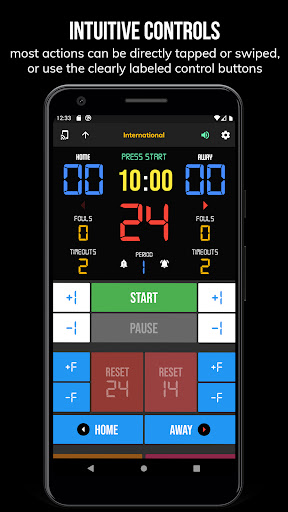


About this app
Developer Description
Remote for BT Basketball Scoreboard, Shot Clock Devices
Controllable Devices:
- BT Scoreboard - Basketball app
- BT Shotclock - Basketball app
- TBT-Clock-01 Shotclock Hardware
BT Controller App Features:
- Clean design, no ads
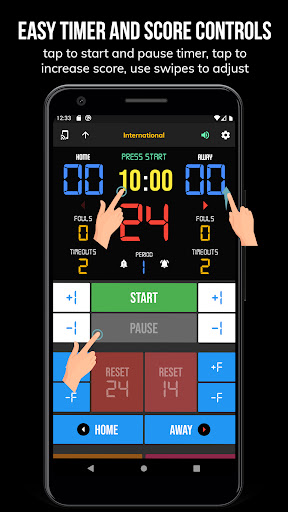
- Intuitive direct tap and swipe controls
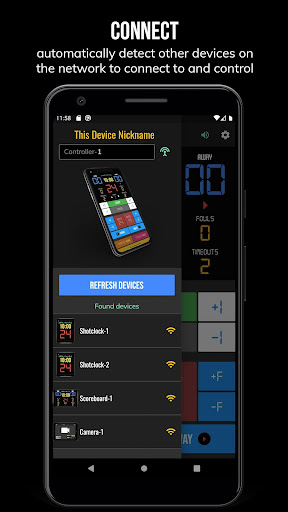
- Remotely control scoreboards, shotclocks, and other devices with WiFi or Bluetooth
- Convenient Rule Presets (International, 3x3, US Pro, College, High School, and more...)
- Convenient timers: pregame timer, period timer, rest timer, timeout timer, overtime, etc.
- Fully customizable game in the settings
- Practice modes configured in settings is great for running practices
- Audio buzzers for shotclock violation, end of period, substitutions, etc.
- Warning beep near end of pregame, timeout, or rest times (customizable)
- Quick Start Documentation below
The BT Basketball Controller app was created by The Basketball Temple Company. The Basketball Temple Company focuses on high quality basketball academies, basketball leagues, and technologies that are used to support those academies and leagues. We open our technology to the public so everyone in the basketball community can experience the same technologies that we use within our institutions.
YouTube Tutorial Video
# Quick Start Documentation:
All the actions below have corresponding controller buttons that may be used instead.
Score Controls:
- Tap directly on the score to increase quickly
- Swipe up/down score to increase/decrease
- Hold down on team names to adjust name and color of teams
Time Controls:
- Tap period timer to start/pause
- Tap pregame, timeout, rest timers to early transition to next stage
Shotclock Controls:
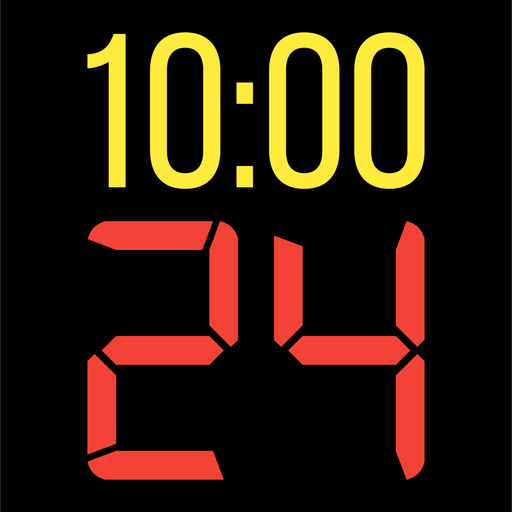
- Tap shotclock to reset/go
- Swipe shotclock up/down to reset/go to short shotclock
Timeout Controls:
- Tap timeout number to call timeout
- Swipe up/down timeouts to adjust numbers
- Red indicates violation when calling timeout with no timeouts left
Fouls Controls
- Swipe up/down fouls to adjust numbers
- Red indicates bonus situation (customizable in settings)
- Purple indicates double bonus situation (customizable in settings)
Connect and Remote Control Settings:
- Tap on top-left icon (or swipe left-to-right on the left edge) to open connect menu
- Hit "Refresh" to find devices
- Tap on WiFi or Bluetooth icon to connect, green icon indicates connected
- If unable to connect or having connection errors try one of the following:
1) please ensure all devices are on the same WiFi network
2) please ensure bluetooth is turned ON on all devices
3) lastly, try to restart the app on all devices
Time and Game Settings:
- Tap on top-right icon (or swipe right-to-left on the right edge) to open settings menu
- Edit and save the many settings available
Audio Buzzer:
- There are two faint colored bell icons next to the period number
- Tap to play buzzer or energy horn
What's New
Please submit any issues to support@basketballtemple.com and we will try to handle it promptly. Hope you enjoy the app and thank you very much!
Version Information
- Version
- 1138
- Downloads
- 10K+
- Updated on
- Jan 4, 2026
- Released
- Jul 27, 2020
- Requires
- Android 5.0
Statistics
Google Play Rating History
Rating Distribution
Downloads Over Time
BT Basketball Controller has been downloaded times. Over the past 30 days, it averaged downloads per day.
Shaded area shows 30-day prediction based on historical trends
Historical data collection started recently. More data points will be available over time.
BT Basketball Controller users say on Google Play
 Ginny Trcka
This app solved a serious problem with burnt out bulbs on gym scoreboard. Best app out there. It connected to both Bluetooth and wifi right away. App on a phone remote-controlled the main app (that is worth the $) on a tablet. Tablet was mirrored onto a 43" TV. Great portable scoreboard for under $20. Even if you figure in the cost of a TV, it was less $ than ordering a portable scoreboard from Amazon with a lot more functionality. Only wish I could set no rest period between quarters.
 Kamden Califano
vary good can be a little bater but not much beter
 Charles Wright
The reason that I give 3 stars - two things they need a add and subtract buttons or opition the timeouts and they also need a no tenth of a second on the shot clock. They need to have a option button or option of the shot clock. The rest is fine to me. I real try to get in involved because on tv sometimes they don't have all the number clearly and something small it's hardly readable.
 David Denman
The overtime doesn't work if it's tied
ApkTrusted Ratings & Reviews
More from The Basketball Temple LLC
See more apps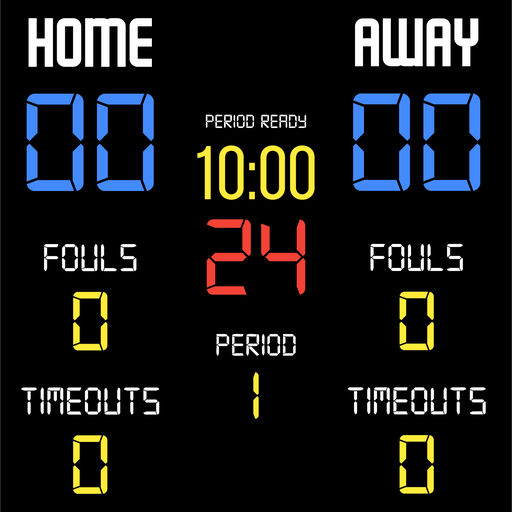



Similar Apps









Scan this QR code to download

Forwarding you to the page at Google Play market in seconds...
Open Google Play market now