Tiny Calendar: Planner & Tasks v3.4.0
TinyWork Apps







About this app
Developer Description
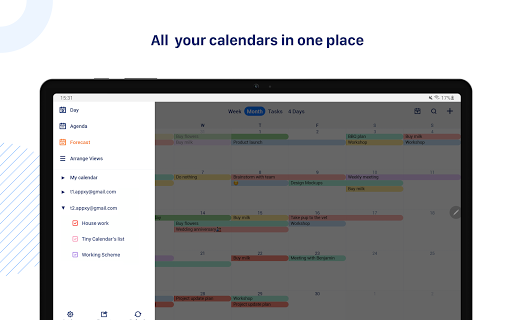
All your calendars in one place.
SMART ENOUGH TO CREATE
Tiny Calendar has features like drag and drop, gestures and other smart methods to predict your intention and help you create and edit your events more easily.
MULTIPLE WAYS TO VIEW
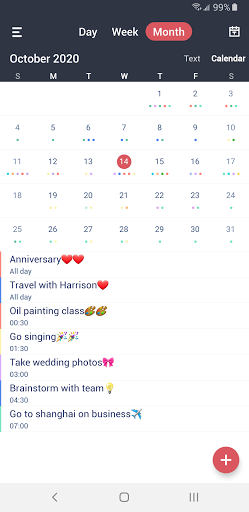
Tiny Calendar supports 8 standard views - day, week, month, 4-days, year, mini-month, week agenda and agenda. You can instantly switch views to discover events or find a time you're looking for.
CONNECT ALL YOUR CALENDARS
Tiny Calendar supports to read events from Google Calendar directly via Google OAuth, it also reads events from local calendar to supports events on Microsoft Outlook, Exchange and other calendars.
WORKS OFFLINE
You can still create, edit and delete events when you don't have an Internet connection.
ADVANCED REMINDER SYSTEM
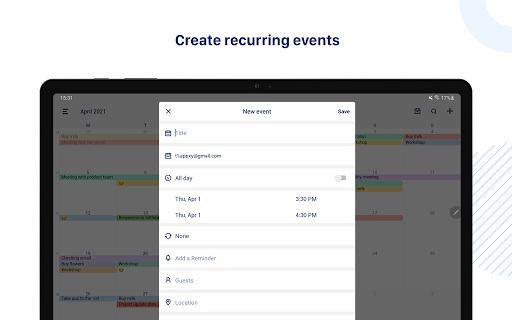
Never forget about a meeting! Tiny Calendar allows you to set multiple reminders for an event.
Permissions Used in Tiny Calendar:
1. Calendar: Tiny Calendar needs this permission to read events from local calendars.
2. Contacts: Tiny Calendar needs this permission to read Google Accounts from your device for adding Google account within app. Also Tiny Calendar needs this permission to read contacts from local when you choose to add attendees for an event.
What's New
In-app purchases
$4.99 per item
Version Information
- Version
- 3.4.0
- Downloads
- 100K+
- Updated on
- Oct 15, 2025
- Released
- Oct 18, 2020
- Requires
- Android 5.0
Statistics
Google Play Rating History
Rating Distribution
Downloads Over Time
Tiny Calendar: Planner & Tasks has been downloaded times. Over the past 30 days, it averaged downloads per day.
Shaded area shows 30-day prediction based on historical trends
Historical data collection started recently. More data points will be available over time.
Tiny Calendar: Planner & Tasks users say on Google Play
 David Dear
I've been using this app for quite a few years, initially free version and for the past 3 or 4 years the pay version. I paid the one off version and it has been very good. I did have adds creep in but this was quickly resolved after I contacted customer service.
 Alexander Garkusha
GOOD:- really well done! easy to use. intuitive navigation - app allows dragging of the events in both month and week view BAD / IMPERFECT: - app doesn't allow to see larger list of all-day events in month view, and in week view as well. there is a way to scroll there, but it's not best. would prefer to have line separating timed event from all day events to adjust the position in some way - also would prefer a real date on the badge
 John Bear
I like it, but I wish I could drag events from day to day, not just hour to hour. Also it kinda gets slow sometimes. I also wish each event could become a task that could be checked off when completed. One more thing, it would be nice to tap the screen where you want to add an event, like the space between 13:00 and 14:00, you just tap then then event maker pops up and you put in the title and details, and extend the time if needed.
 Jamie Genet
Doesn't support email reminders for events, with my Fastmail calendar synced to Android using DAVx5. The combined month and agenda view is a good idea, but IMO really needs a scrolling agenda lower half, to be truly useful. And lastly I'm not sure why I should have to login to my Google account inside this app, just to use the Google calendars I already have added to my phone. Tiny Calendar can see my Fastmail calendar synced to Android. Why can't it do the same for my Google calendars?
 Foreva
Quick Cash Grab Scam. This app is all about collecting your personal information and selling it to the highest bidder. They ask for permissions no to do list should ever ask for like your location history.
ApkTrusted Ratings & Reviews
More from TinyWork Apps
See more apps


Similar Apps




Scan this QR code to download

Forwarding you to the page at Google Play market in seconds...
Open Google Play market now