
ArtFlow: Paint Draw Sketchbook v2.9.40
Artflow Studio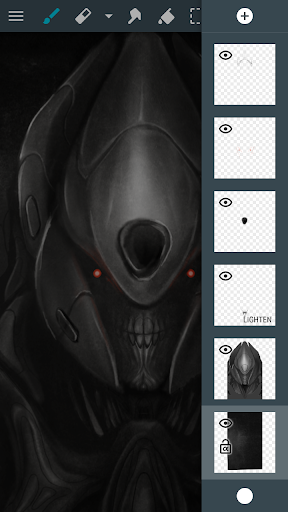








About this app
ArtFlow: Paint Draw Sketchbook solves the problem of providing a simple yet powerful digital canvas for artists of all ages, benefiting hobbyists and professional artists alike with its intuitive interface and robust feature set. Compared to alternatives in the Art And Design category, ArtFlow stands out with its minimalistic approach and ease of use, but falls short in terms of advanced features and customization options. With over 5 million downloads and a mixed user rating, ArtFlow has established itself as a popular choice, but its limitations and aggressive monetization model may deter some users. Overall, ArtFlow is a solid choice for casual artists and those looking for a straightforward drawing experience.
Pros
- ArtFlow's minimalistic interface and ease of use make it an excellent choice for beginners and hobbyists, allowing them to focus on their art without being overwhelmed by complex features.
- With over 5 million downloads, ArtFlow has demonstrated its social proof and popularity, indicating a certain level of quality and user satisfaction.
- The app's developer, Artflow Studio, has a reputation for regularly updating the app and responding to user feedback, ensuring that the app stays relevant and improves over time.
- ArtFlow's offline capability and lack of permission requests make it a great option for users who value their privacy and want to use the app without internet connectivity.
- The app's free version with optional in-app purchases provides a flexible pricing model that allows users to try out the app before committing to a purchase.
Cons
- ArtFlow's aggressive monetization model, with ads and in-app purchases, may be a turn-off for some users who prefer a more streamlined and ad-free experience.
- Some users have reported issues with the app's performance and stability, particularly on lower-end devices, which may be a concern for those with older hardware.
- The app's limited feature set and lack of advanced customization options may not be sufficient for professional artists or those looking for a more comprehensive digital painting experience.
- User complaints about the app's rating system and the developer's response to feedback have raised some concerns about the app's overall quality and support.
Best for: The ideal user for ArtFlow is a casual artist or hobbyist who is looking for a simple and intuitive digital painting experience, has basic technical skills, and values ease of use and flexibility, but may not require advanced features or customization options.
Developer Description
Simple yet powerful sketch and paint application for artist of all ages
Important: this is a free application with advanced features requiring a pro license in-app purchase. Single licence purchase will activate all devices associated with your Google account.
Features (some functions require pro license):
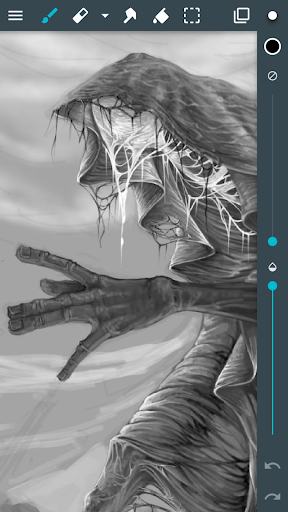
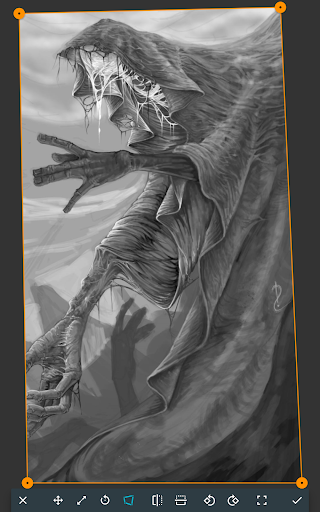
• High performance (GPU accelerated) paint engine
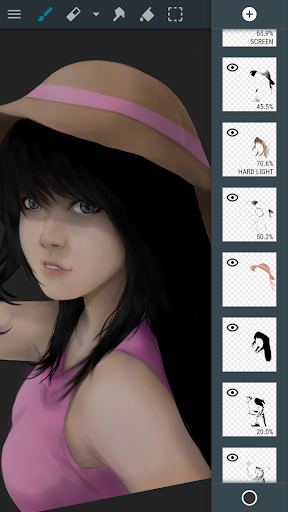
• Canvases up to 6144x6144 with 50 layers*
• Stylus pressure support
• Pressure simulation for touches†
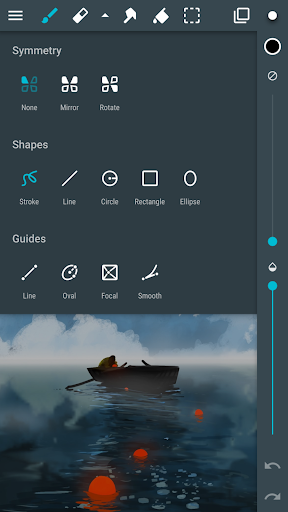
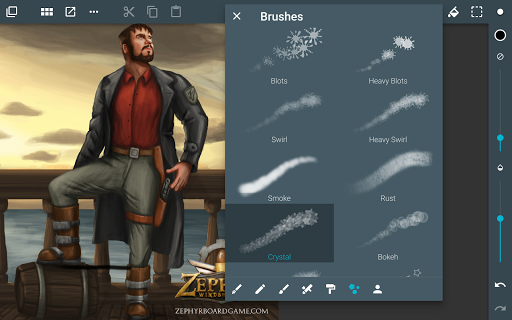
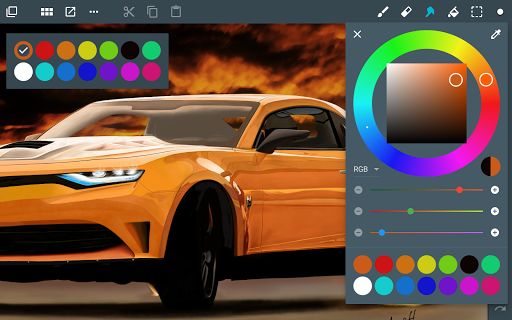
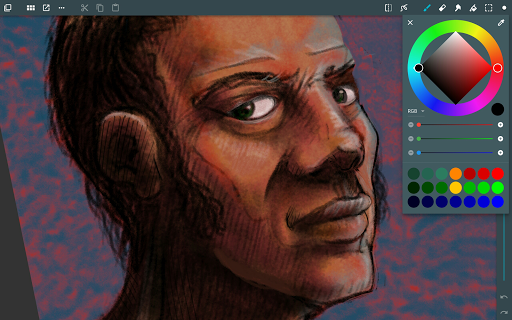
• 100+ brushes and tools (including smudge tool and gradient fill)
• Create custom brushes from imported images
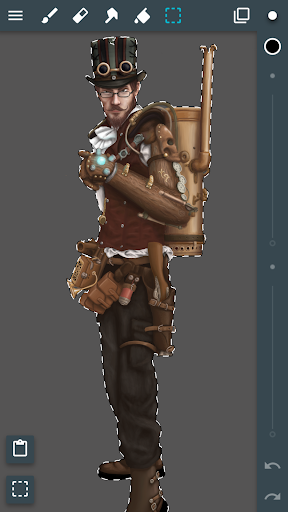
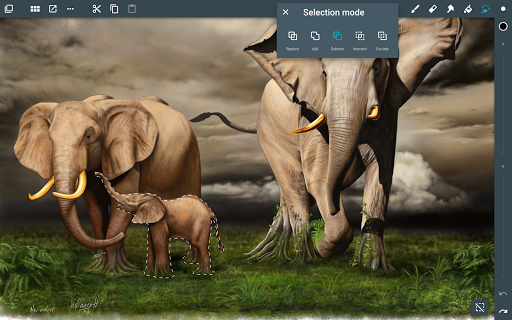
• Selection and selection masks
• Layer clipping mask
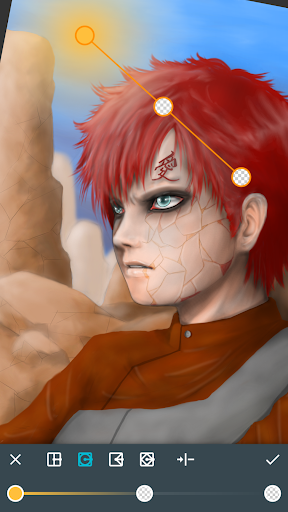
• 10 layer filters (HSV adjust, brightness & saturation, color curves and more)
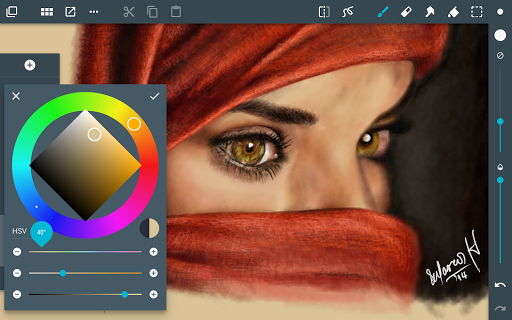
• Material design inspired, fast, fluid, intuitive and accessible user interface
• Import and export supports PNG, JPG and PSD (Photoshop Document)
• NVIDIA DirectStylus support
• Palm rejection - no more accidental zooming and panning when drawing†
*) depending on device and available memory
†) some devices are incompatible with pressure simulation and palm rejection
You can paint, sketch and draw with ease thanks to fast and fluid brush engine. ArtFlow aims to replace your physical sketchpad and become universal art studio type application for Android™.
Artworks by:
Oleg Stepanko (https://instagram.com/rwidon)
Miguel Alvarado (https://www.instagram.com/3d.mike)
David Rivera (http://www.facebook.com/BlownHand)
Jon Mietling Portal Dragon (http://portaldragon.com)
Rob Pennycook
Marco Hurtado
Joel Ukeni (https://www.instagram.com/j.ukeni/)
Enrico Natoli
Andrew Easter
Andrei Lanuza (http://plus.google.com/+AndreiLanuza)
David Mingorance (http://davidmingorance.weebly.com)
EB Leung
Geremy Arene (http://www.youtube.com/geremy902)
ViBu (http://candynjuice.blogspot.com)
Oskar Stalberg
Unlicensed version limitation:
• 20 basic tools
• 3 layers
• Undo limited to 6 steps
• No PSD export
Privacy
Since ArtFlow does not request any permissions, users can rest assured that their data is not being collected or shared without their knowledge. However, users should still be cautious when making in-app purchases and ensure that they are using a secure payment method. To further protect their privacy, users can consider using a VPN or a secure internet connection when using the app.
Tips
To get the most out of ArtFlow, users should start by exploring the app's various brushes and tools, and experimenting with different techniques and styles. Additionally, users can optimize the app's performance by closing other resource-intensive apps and ensuring that their device has sufficient storage space. Finally, users can take advantage of the app's offline capability by downloading their artwork and accessing it later without internet connectivity.
What's New
Supported android version update (target SDK level update)
In-app purchases
$1.99 - $5.99 per item
Version Information
- Version
- 2.9.40
- Downloads
- 5M+
- Updated on
- Jul 24, 2025
- Released
- May 23, 2013
- Requires
- Android 8.1
Statistics
Google Play Rating History
Rating Distribution
Downloads Over Time
ArtFlow: Paint Draw Sketchbook has been downloaded times. Over the past 30 days, it averaged downloads per day.
Shaded area shows 30-day prediction based on historical trends
Historical data collection started recently. More data points will be available over time.
ArtFlow: Paint Draw Sketchbook - Google Play Rankings
Top Rankings
| Rank | Country | Category | List | Change |
|---|---|---|---|---|
| — |
Ranking History in
No ranking data available yet. Rankings are updated daily.
#98 in Top Grossing Art And Design in Egypt
 HiPaint: Sketch & Draw art
ArtFlow: Paint Draw Sketchbook
HiPaint: Sketch & Draw art
ArtFlow: Paint Draw Sketchbook
 WOMBO Dream - AI Art Generator
ArtFlow: Paint Draw Sketchbook users say on Google Play
 Extra Neatro
(2025 update) Even after all these years, it's still amazing that this art app still works as great as it does, even with and without S-pen! Only wish that the maximum brush-size limit could be increased. Aswell as the maximum amount of layers (original review, 2021) Amazing, no problems and does everything you pretty much need.
 Lautaro Mondaca
UPDATE JULY 2025: The app just got an update. I’m updating my review to 4 stars, hopeful that the developer will keep improving it, because this app truly deserves to keep going. UPDATE: The app hasn't been updated since 2023, and the developer doesn't respond any emails. The website and social media accounts haven't had any news for years, so unfortunately, the app has been abandoned.
 Artisan Noteworthy
would have given this a better rating, however the sudden paywall to use features it always had for free lowered it. It used to be a good ap, now anything useful is locked behind ads and paywalls
 Sarrah Settarra
This was my go-to app for drawing for over a decade. I loved it! But it has gone way downhill recently. I've lost work in the middle of drawing more than once. The worst was losing 24 hours of work as I was exporting the finished file. It was GONE. After that, I had to resort to saving my layers every hour or so in order to recover lost work. I tried to no avail find the temp files many times. I even got a new tablet. I've finally given up and am now relearning a different app.
 John Grouspas
after trying medibang, sketchbook, infinite painter (a close second) and the (horrible) Adobe apps, I can now safely say that this app is the best. It has an unassuming interface, but after using it you realize how polished and robust it really is. excellent, realistic, customizable brushes. feels great and responsive with minimal lag. Highly recommended UPDATE: Opened the app after a long time and my gallery is gone. All my art, just gone. Unacceptable. Avoid like the plague.
ApkTrusted Ratings & Reviews
Similar Apps
HiPaint: Sketch & Draw art
Free

MediBang Paint:Draw Art, Comic
Free

Sketchar AR Drawing Sketchpad
Free

Sketch Pro: Draw & Create Art
Free
ibis Paint
Paid

PaperColor
Free
Picsart Animator: GIF & Video
Free
Photo Editor by BeFunky
Free

AR Drawing – Trace & Sketch
Paid
PENUP – Drawing-sharing SNS
Free

Tayasui Sketches
Free
Bamboo Paper
Free
Learn Drawing
Free
GoDaddy Studio: Create & Grow
Free
Sketchbook
Free
Nomad Sculpt
Free
Scan this QR code to download

Forwarding you to the page at Google Play market in seconds...
Open Google Play market now